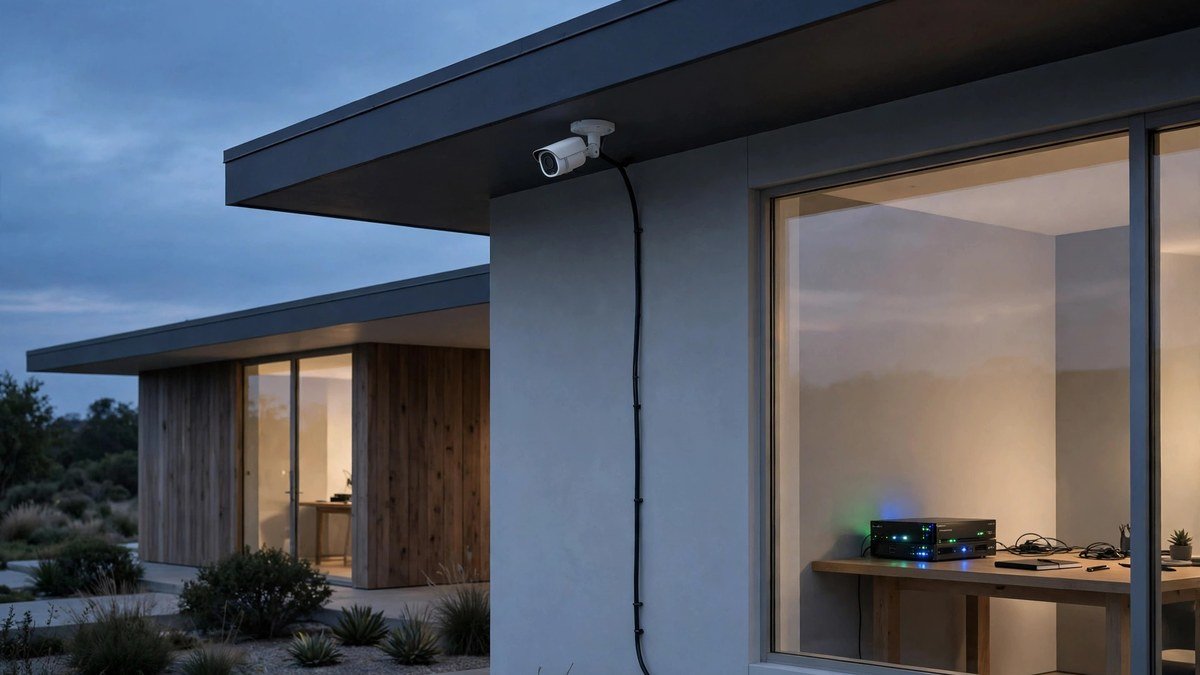
Most home security cameras run on Wi-Fi and a battery, and for a front door that is fine. But when you want cameras that record around the clock, never drop off the network, and do not charge a monthly fee, wired PoE — Power over Ethernet — is the system that professionals install. One cable carries both power and video, the recording stays on your own hard drive, and there is no subscription standing between you and your footage.
PoE used to mean a complicated install and a four-figure quote. In 2027 the kits have changed: 4K cameras, plug-and-play network video recorders, and phone apps that are almost as easy as the wireless brands. You still need to run a cable to each camera, which is the real cost of PoE — but if you own your home and plan to keep the system for years, it is the best value in home security.
This guide compares seven PoE options, from complete kits with a recorder included to single cameras for expanding a system you already own. Prices below are approximate starting prices — check current pricing before buying, as kits go on sale often and hard drive sizes change the price.
Key takeaways
- The Reolink RLK8-800B4 kit is the best PoE system for most homes: 4K cameras, an 8-channel recorder and no monthly fee.
- PoE beats Wi-Fi cameras on reliability: one cable gives power and video, with no batteries to charge and no Wi-Fi dropouts.
- Your footage stays on your own hard drive — no subscription is needed to record, view or export video.
- Budget for the install, not just the kit: cable runs, a switch and a ladder matter as much as the camera specs.
- Night vision matters more than resolution — look for a large sensor or colour night vision if you need faces, not just shapes.
At a glance: the shortlist
| Product | Best for | Starting price | Standout limit |
|---|---|---|---|
| Reolink RLK8-800B4 kit | Overall system | About $380 | 2TB drive fills in weeks at 4K |
| Amcrest 4K PoE kit | Expandability | About $330 | App is functional, not pretty |
| Lorex 4K PoE kit | Small business | About $450 | Higher price for the same 4K |
| TP-Link VIGI C540 | Budget camera | About $70 | Needs a VIGI recorder or NVR |
| Ubiquiti UniFi G5 Bullet | UniFi homes | About $130 | Needs UniFi Protect console |
| Hikvision ColorVu DS-2CD2347G2 | Night vision | About $160 | Setup is more technical |
| Reolink Duo 3 PoE | Wide-angle coverage | About $140 | 180° view distorts edges |
Reolink RLK8-800B4 — Best overall PoE system
The Reolink RLK8-800B4 is the kit to buy if you want PoE without the learning curve. For about $380 you get four 4K cameras, an 8-channel NVR with a 2TB hard drive, and 18-metre cables in the box. Plug the cameras into the NVR, connect it to your router, and the system configures itself — no IP addresses to type, no port forwarding to set up.
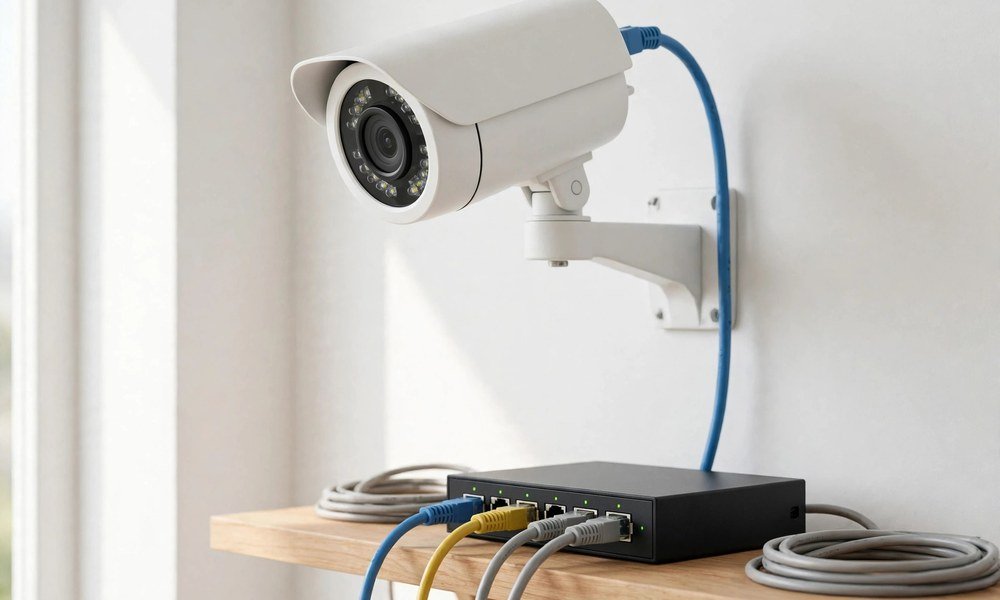
Video is sharp in daylight and good at night, with colour night vision on the newer cameras, and person and vehicle detection cuts false alarms from passing cats. The Reolink app is the best of the budget PoE brands: live view, playback and clip export all work smoothly, and there is no subscription for any of it. The 2TB drive holds roughly two to three weeks of continuous 4K from four cameras — upgrade to 4TB or 6TB if you want a month or more. If you are comparing this with wireless cameras, our roundup of the best smart home security cameras explains where battery cameras still win — mainly rentals and spots where you cannot run a cable.
Pros: True plug-and-play setup; 4K recording; no subscription; good app; 8 channels leave room to grow.
Cons: 2TB drive is small for 4K; cameras are fixed-lens only in this kit; cables in the box are 18 metres.
Amcrest 4K PoE kit — Best for expandability
Amcrest kits are the tinkerer’s choice. The 4K 8-channel kit costs about $330 and comes with four cameras and a 2TB drive, but the real appeal is the ecosystem: Amcrest sells a wide range of compatible cameras — PTZ, varifocal, audio, doorbell — that all work with the same NVR, and the system supports ONVIF, so third-party cameras can join too.
Video quality matches Reolink at the same price, and the NVR supports AI detection for people and vehicles. The app is functional rather than beautiful, and setup needs a little more patience than Reolink’s, but the payoff is a system you can reshape over years: swap one camera for a PTZ to watch a driveway, add an audio camera by the gate, and nothing else changes.
Pros: Huge range of compatible cameras; ONVIF support; AI detection included; good value.
Cons: App is less polished; setup takes longer; support is mostly online.
Lorex 4K PoE kit — Best for small business
Lorex is the brand most often found in small shops and offices, and its 4K PoE kits show why. The 8-channel kit costs about $450 with four cameras, and it is built for always-on use: a metal NVR, a 2TB surveillance-grade drive, and cameras rated for extreme temperatures. It also offers optional cloud backup and a deterrence camera with a spotlight and siren.
The Lorex app covers live view, playback and alerts, and the system supports up to 16 channels on larger recorders. It costs more than Reolink or Amcrest for similar specs, but the build quality and the warranty are a step up, and the kits are widely stocked, so replacing a camera is a same-day job rather than a shipping wait.
Pros: Tough, business-grade hardware; wide retail availability; deterrence cameras available; good warranty.
Cons: Pricier than rivals; app lags behind Reolink; some features need the Lorex cloud plan.
TP-Link VIGI C540 — Best budget PoE camera
If you already have a recorder, or you only need one camera, the TP-Link VIGI C540 is the cheapest good PoE camera you can buy — about $70 for a 4MP pan-and-tilt camera with colour night vision and smart detection. It pans 360 degrees and tilts, so one camera can cover a whole yard, and it works with VIGI recorders or any ONVIF NVR.
Image quality is strong for the price, and the VIGI app is simple and reliable. The trade-off is resolution: 4MP is not 4K, so fine detail like a number plate at distance is harder to read. For a side gate, a garage or a garden, though, it is more than enough — and at this price you can put one everywhere.
Pros: Very cheap; pan and tilt covers a wide area; colour night vision; ONVIF compatible.
Cons: 4MP, not 4K; needs a recorder; pan mechanism adds a moving part to fail.
Ubiquiti UniFi G5 Bullet — Best for UniFi homes
If your home network already runs on Ubiquiti UniFi, the G5 Bullet is the obvious camera. It costs about $130, records in 2K, and plugs straight into the UniFi Protect system — the same dashboard that runs your Wi-Fi, so cameras, network and alerts live in one app with no extra accounts.
Video quality is excellent, the build is solid aluminium, and the AI detection runs locally on the console with no subscription. The catch is the ecosystem: you need a UniFi Protect console — a Cloud Key, a Dream Machine or an NVR — which costs $200 or more if you do not already own one. For UniFi households that is no barrier; for everyone else, Reolink is the cheaper route.
Pros: Excellent build and video; one dashboard for network and cameras; local AI detection; no subscription.
Cons: Needs a UniFi console; 2K, not 4K; locked into the UniFi ecosystem.
Hikvision ColorVu DS-2CD2347G2 — Best night vision
Most cameras switch to black-and-white infrared at night. The Hikvision ColorVu keeps full colour, thanks to a large sensor and a wide aperture that gathers far more light. The 4MP turret model costs about $160, and the colour night footage is genuinely different: you can see the colour of a car or a jacket at 2 a.m., which is the detail that actually identifies someone.
Setup is more technical than Reolink or Amcrest — you will configure the camera through a web interface — and it works best with a Hikvision or ONVIF recorder. But for a front door or a driveway where night identification matters, no other camera at this price sees this well after dark.
Pros: Best colour night vision at this price; sharp 4MP image; ONVIF compatible; robust build.
Cons: Technical setup; needs a recorder; no consumer-friendly app.
Reolink Duo 3 PoE — Best wide-angle coverage
The Reolink Duo 3 PoE solves a common problem: one camera never quite covers the whole front of the house. It uses two lenses stitched into a single 180-degree panoramic view, in 16MP resolution, for about $140. Mount it above the garage and it sees the driveway, the path and the front door in one frame, with motion tracking that follows people across the view.
The panoramic image distorts at the edges, as all wide lenses do, and the camera is wider than a normal bullet, so it needs a clear mounting spot. But it replaces two cameras with one cable run, which saves money and install time — and the motion tracking, which pans the digital view to follow a person, is surprisingly useful.
Pros: 180° panoramic view replaces two cameras; 16MP resolution; motion tracking; no subscription.
Cons: Edge distortion; wide body needs a clear mount; two lenses mean two sensors to keep clean.
How to choose
Start with the recorder. A kit with an NVR included is the easiest route, and 8 channels is the right size for most homes — four cameras now, room for four more. Check the hard drive size against how long you want to keep footage: 2TB holds two to three weeks of 4K from four cameras, so budget for a bigger drive if you want a month.
Then plan the cable runs. PoE cameras need one Ethernet cable each, back to the recorder or a PoE switch, and the runs should stay under 100 metres. If a run is awkward — across a garden, up a tall wall — a wireless camera may be the pragmatic choice for that one spot, and there is nothing wrong with a mixed system. Our guide to indoor cameras without a subscription covers the no-fee wireless options that pair well with a PoE system for inside the house.
Checklist: before you pay
- Count the cameras you need and buy an NVR with at least two spare channels.
- Check the hard drive size against your retention target — 2TB is about two to three weeks at 4K.
- Confirm the cameras are ONVIF compatible if you ever want to mix brands.
- Plan every cable run and measure the lengths before ordering.
- Check whether smart detection and alerts need a subscription — with PoE they usually do not.
- Test the app before mounting anything: set the system up on a table first.
Frequently asked questions
Is PoE better than Wi-Fi for security cameras?
For fixed cameras, yes. PoE gives a stable connection, continuous recording and no batteries, and the footage stays local. Wi-Fi cameras win for rentals, temporary spots and places where you cannot run a cable.
Do PoE cameras need a subscription?
No. Recording, playback and alerts run on your own recorder, with no monthly fee. Some brands sell optional cloud backup, but it is never required to use the system.
How hard is it to install a PoE system?
The electronics are easy — plug in the cables and the NVR configures itself. The physical work is the hard part: running cables through walls, attics or soffits, and mounting cameras on a ladder. Many buyers run the cables themselves and hire an electrician for the tricky ones.
Can I mix PoE camera brands?
Usually, yes, if both support ONVIF. A Reolink NVR will record most ONVIF cameras, and a Hikvision camera will work with most ONVIF recorders. Check compatibility before buying, and expect some brand-specific features to be lost.
How long does PoE footage last?
It depends on the drive. A 2TB drive holds about two to three weeks of continuous 4K from four cameras; a 4TB drive roughly doubles that. Motion-only recording stretches it much further, and most recorders overwrite the oldest footage automatically.
Do PoE cameras work with a smart home hub?
Partly. Most PoE cameras work with Alexa and Google for live viewing on a display, but deep integration — automations, doorbell triggers — is better on wireless smart home cameras. Our roundup of the best smart home hubs explains which hub handles cameras best.
The bottom line
For most homeowners, the Reolink RLK8-800B4 kit is the right buy: 4K cameras, a recorder with a 2TB drive, no subscription, and a setup that takes an afternoon. Add a Duo 3 PoE for wide front coverage, or a ColorVu for the driveway if night identification matters.
If you already run UniFi, buy the G5 Bullet instead, and if you only need one camera, the VIGI C540 is the cheapest way into PoE. Whatever you choose, the footage is yours — no monthly fee, no cloud required, and no camera that stops recording because you stopped paying.
Note: Prices and plans change. Check the product’s current plan details before buying — no link is provided here by design, all links in this article go to other occcy.com guides.