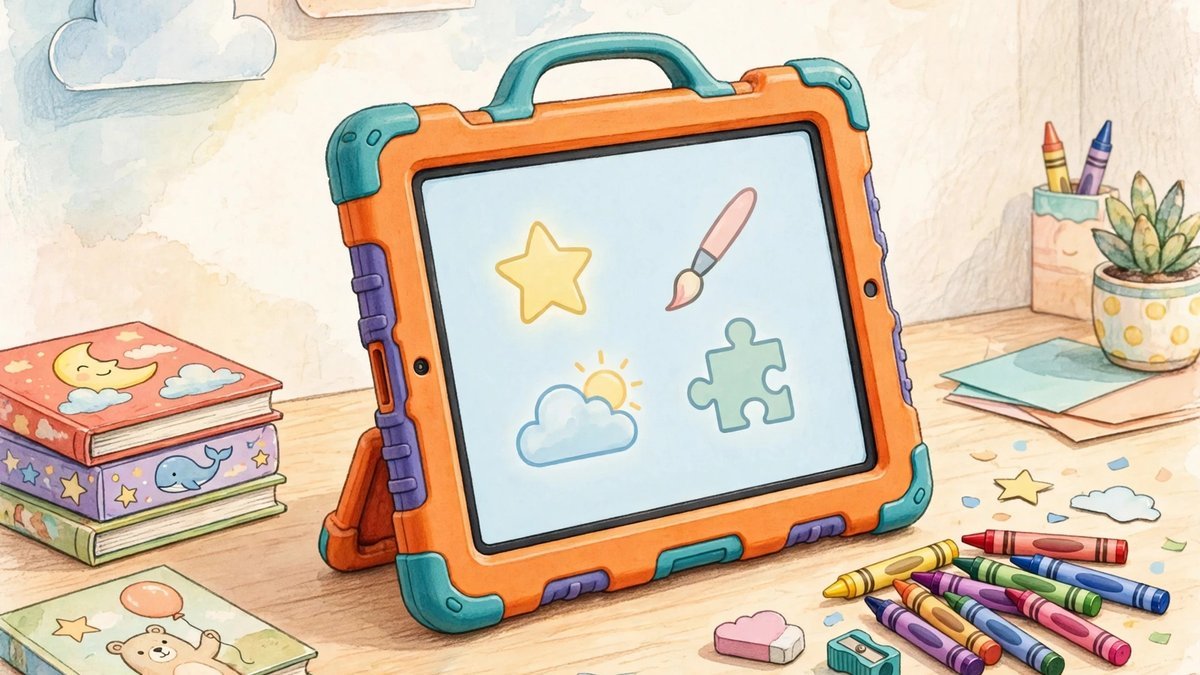
A good tablet for a child is not really a tablet at all. It is a bundle: the screen, a case that survives being dropped down the stairs, parental controls that actually work, and a library of books, videos and games that does not quietly turn into an in-app purchase bill. Get any one of those wrong and the cheapest tablet becomes the most expensive one in the house.
The market in 2027 is kinder to parents than it used to be. Amazon, Apple, Samsung and Lenovo all sell tablets with proper kids modes, time limits and age filters built in, and most of them cost less than a family weekend away. The differences that matter are screen quality, how much storage you get, how long the battery lasts on a long car journey, and whether the case and warranty are included in the price or sold separately.
We tested the shortlist the way a family actually uses one: handed to a child on the sofa, dropped on a hard floor, used for homework, reading and video, then left to charge overnight. The Amazon Fire HD 10 Kids Pro is the best overall pick for most families, the iPad is the best if your child already uses Apple apps at school, and the Samsung Galaxy Tab A9+ Kids Edition is the best Android alternative with a proper stylus in the box.
Key takeaways
- Best overall: Amazon Fire HD 10 Kids Pro, with a two-year breakage guarantee and a year of kids content included.
- Best for schoolwork: the Apple iPad (A16), the tablet most schools already build their apps around.
- Best budget pick: Amazon Fire 7 Kids, a genuinely usable tablet for around $110.
- Check the storage before you buy: 32 GB fills up fast once games and downloaded videos pile up.
- Always buy the kids edition or a bundled case: the same tablet without protection costs more after one drop.
At a glance: the shortlist
| Tablet | Best for | Starting price | Standout limit |
|---|---|---|---|
| Amazon Fire HD 10 Kids Pro | Most families | From $200 | Amazon app store, not Google Play |
| Apple iPad (A16) | Schoolwork and creativity | From $349 | Case and stylus cost extra |
| Samsung Galaxy Tab A9+ Kids Edition | Android families | From $270 | Slower updates than Apple |
| Lenovo Tab M11 | Budget big screen | From $180 | Basic cameras |
| Amazon Fire 7 Kids | Younger children | From $110 | Small, low-resolution screen |
| Apple iPad mini (A17 Pro) | Reading and travel | From $499 | Pricey for a kids device |
| Amazon Fire HD 8 Kids Pro | Older kids on a budget | From $150 | Modest performance for games |
Amazon Fire HD 10 Kids Pro — Best overall
The Fire HD 10 Kids Pro is the easiest recommendation in this guide because it removes the three things parents worry about most. It arrives in a chunky protective case, it includes a two-year guarantee that covers accidental damage with a free replacement, and it comes with a year of Amazon Kids+, a library of books, videos, games and apps filtered by age. That is the whole purchase, with nothing else to buy on day one.
The 10.1-inch screen is bright enough for reading and video, the battery lasts around 13 hours of mixed use, and the parental dashboard lets you set daily time limits, bedtimes and age filters from your own phone. It runs Amazon’s app store rather than Google Play, which is the main compromise: most big kids apps are there, but a few school apps are not. If your child’s school uses Google Classroom apps that only exist on Google Play, check before you buy. For most families, the Fire HD 10 Kids Pro is the sensible default, and our guide to the best tablets for work shows how the same hardware holds up for adults too.
Pros: Case, warranty and content included; strong parental controls; long battery life.
Cons: No Google Play store; heavier than an iPad.
Apple iPad (A16) — Best for schoolwork
The standard iPad is the tablet most schools already assume a child has. Educational apps arrive on iPad first, teachers know how to manage them, and the A16 chip is fast enough that the tablet will still feel quick in three or four years. The 11-inch screen is sharp, the battery lasts about 10 hours, and the range of learning apps is unmatched.
The catch is the total price. The iPad itself starts at around $349, but a child needs a case, and Apple does not include one. Add a decent rugged case and, if your child draws or writes, an Apple Pencil, and the real cost is closer to $450. Screen Time controls are good, and Family Sharing lets you approve downloads, but the setup takes longer than Amazon’s one-tap kids mode. Buy the iPad if your child’s school is already an Apple school, or if you want a tablet that grows with them into secondary school. Otherwise the Fire HD 10 Kids Pro gives you more for less.
Pros: Best app selection; fast and long-lasting; schools know it well.
Cons: Case and stylus cost extra; more expensive overall.
Samsung Galaxy Tab A9+ Kids Edition — Best for Android families
Samsung’s Kids Edition of the Galaxy Tab A9+ is the best choice for a household that already uses Android phones. It comes with a protective case, a stylus in the box, and Samsung Kids, a walled garden of apps with its own parental controls. The 11-inch screen is big and bright, the speakers are good for video, and it runs the full Google Play store, so any school app your child needs is available.
Performance is solid for homework, reading and video, though heavy 3D games can stutter. Battery life is around 10 to 11 hours. The main weakness is software support: Samsung updates this tablet for fewer years than Apple supports the iPad, so expect it to feel old sooner. Still, for Android families it is the most complete package, and the stylus makes it a genuine option for drawing and handwriting practice. See also our roundup of the best tablets for drawing if your child is serious about digital art.
Pros: Full Google Play access; stylus and case included; big bright screen.
Cons: Shorter software support; not the fastest for games.
Lenovo Tab M11 — Best budget big screen
The Lenovo Tab M11 is the cheapest way to get a large, decent tablet for a child. Its 11-inch screen is sharp, it ships with a stylus, and the battery lasts around 10 hours. It runs near-stock Android with Google Kids Space, which gives you age-appropriate content and parental controls without much setup.
There are trade-offs at this price. The cameras are basic, the speakers are merely fine, and the processor is a step behind Samsung’s. It handles homework, reading, video and light games happily, but demanding games will lag. Buy it if you want a big screen for reading and homework and you do not want to pay Samsung or Apple prices. Pair it with a sturdy third-party case, because Lenovo does not include one.
Pros: Large screen for the price; stylus included; clean Android.
Cons: No case in the box; basic cameras and speakers.
Amazon Fire 7 Kids — Best for younger children
The Fire 7 Kids is the smallest and cheapest tablet worth buying. Its 7-inch screen is low resolution by 2027 standards, but for a four- to seven-year-old watching videos, playing simple games and reading picture books, it is perfectly adequate. It comes with the same protective case, two-year breakage guarantee and year of Kids+ content as its bigger siblings, and it is light enough for small hands.
The limitations are real: 16 GB of storage fills up quickly, so add a microSD card, and the screen is cramped for homework. But as a first tablet, or a second tablet for the car, it is hard to beat at around $110. Buy it for younger children and plan to upgrade to the Fire HD 10 Kids Pro when they start school properly.
Pros: Very cheap; tough case and warranty included; light and small.
Cons: Small low-resolution screen; only 16 GB of storage.
Apple iPad mini (A17 Pro) — Best for reading and travel
The iPad mini is the tablet for the child who reads. Its 8.3-inch screen is the size of a paperback, it fits in a coat pocket, and the A17 Pro chip makes it the fastest small tablet you can buy. It works with the Apple Pencil Pro, so it doubles as a sketchbook, and it is the easiest tablet on this list to carry on a plane or in a school bag.
At around $499 it is expensive for a children’s device, and like the full-size iPad it needs a case bought separately. It also has no kids edition, so you will set up Screen Time yourself. Buy it for an older child who reads a lot and travels, or for a young artist who wants a portable sketchbook. For everyone else, the standard iPad is better value.
Pros: Pocketable and fast; great for reading; works with Apple Pencil Pro.
Cons: Expensive; case and stylus sold separately.
Amazon Fire HD 8 Kids Pro — Best for older kids on a budget
The Fire HD 8 Kids Pro sits between the Fire 7 and the Fire HD 10: an 8-inch screen, the same case, warranty and Kids+ content, and a price of around $150. It is aimed at children aged six to twelve, with a slightly more grown-up design than the Fire 7 and enough performance for school apps and casual games.
It is not as fast as the Fire HD 10 Kids Pro and the screen is smaller, but for a child who mainly reads, watches videos and does homework, the difference is small. The 32 GB of storage is workable, and a microSD card slot lets you expand it cheaply. If the Fire HD 10 is more than you want to spend, this is the sweet spot.
Pros: Good value; case, warranty and content included; microSD expansion.
Cons: Slower than the Fire HD 10; screen is a step down.
How to choose
Start with the ecosystem your family already uses. If your child’s school uses iPads, buy an iPad. If you all use Android phones, the Samsung or Lenovo tablets will feel familiar and share your apps and purchases. If you want the simplest possible setup, buy an Amazon Kids tablet and let the included case, warranty and content do the work.
Then check storage and age. A tablet with 32 GB is the minimum for a school-age child; 16 GB is only workable with a microSD card. And buy for the age your child will be in two years, not the age they are now — a tablet that is too babyish gets abandoned, while one that is slightly too advanced gets grown into. Our best parental control software guide is worth reading alongside this one, because the controls matter as much as the hardware.
Checklist: before you pay
- Check whether the case is included, and what a replacement costs if it is not.
- Confirm the warranty covers accidental damage, and for how long.
- Check the school apps your child needs are available in that tablet’s app store.
- Buy at least 32 GB of storage, or a tablet with a microSD slot.
- Set up parental controls and time limits before you hand the tablet over.
- Budget for a stylus if your child draws or writes by hand.
Frequently asked questions
What age is a tablet appropriate for?
Most experts suggest a first tablet around age four or five, with strict time limits and content filters. The Fire 7 Kids is designed for that age; older children will outgrow it quickly and do better with the Fire HD 10 Kids Pro or an iPad.
Do I need a separate parental control app?
Usually not. Amazon Kids, Apple Screen Time, Samsung Kids and Google Family Link all cover time limits, content filters and purchase approvals. A separate app is only worth it if you want the same rules across different brands of device.
Is the iPad worth the extra money for a child?
Yes, if your child’s school uses iPads or if you want a tablet that lasts four or five years. For most families, though, the Fire HD 10 Kids Pro does the job for half the price, and the included breakage guarantee is worth more than the extra speed.
How much storage does a kids tablet need?
At least 32 GB, and 64 GB is better. Games and downloaded videos eat storage fast. If the tablet has a microSD slot, a cheap card solves the problem; if it does not, buy the larger storage model.
Can a kids tablet be used for homework?
Yes, from around age seven. The iPad and the Galaxy Tab A9+ handle homework apps, typing and handwriting well, especially with a keyboard case or stylus. The Fire tablets are fine for reading and maths apps, but less good for typing long assignments.
What happens when the Kids+ subscription ends?
After the included year, Amazon Kids+ costs around $5 a month. You can cancel and the tablet still works, but the curated library disappears, so budget for the subscription or buy content separately.
The bottom line
For most families, the Amazon Fire HD 10 Kids Pro is the right buy: case, warranty and content included, strong parental controls, and a price that does not sting when it gets dropped. If your child’s school runs on Apple, get the standard iPad instead, and if you are an Android household, the Samsung Galaxy Tab A9+ Kids Edition is the natural fit.
Whatever you choose, set the controls up before the first use, buy a case if one is not included, and remember that the tablet is a tool for reading, learning and the occasional video — not a babysitter. Prices change, so check the current price and the included subscription length before you buy.
Note: Prices and plans change. Check the product’s current plan details before buying — no link is provided here by design, all links in this article go to other occcy.com guides.