
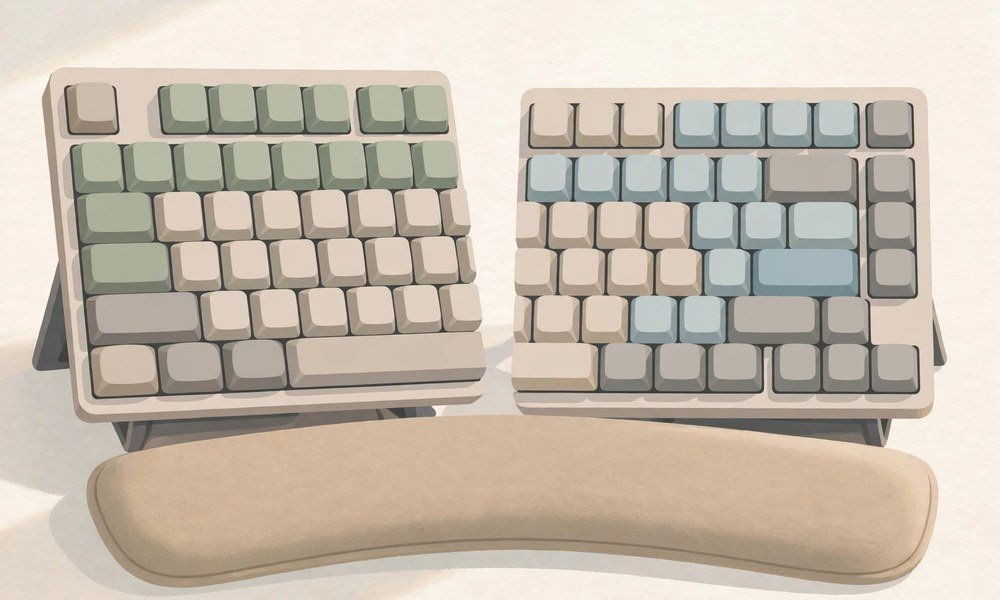
An ergonomic mechanical keyboard is the answer to the ache that builds up over years of typing. Standard keyboards force your wrists into an unnatural angle, keep your shoulders hunched inward, and ask your hands to do the same small movements thousands of times a day. Ergonomic boards split the layout, tent the halves, and let your hands rest in a neutral position, while keeping the satisfying mechanical switch feel that makes typing enjoyable.
We judged these picks on the things that actually matter for comfort: split and tenting adjustability, switch quality and hot-swap support, build quality, programmability, and whether the board is genuinely comfortable after a week of use. An ergonomic board that takes a month to learn is no bargain, so we only included models with a reasonable learning curve and real comfort benefits.
The shortlist below covers the best ergonomic mechanical board overall, a premium split option, a budget ergonomic pick, and a compact tented board for smaller desks. Every price is an approximate starting price, and the checklist at the end covers the split, tenting, and learning-curve checks that matter most.
Key takeaways
- Best overall: Kinesis Advantage360 Pro, with a split concave design, hot-swap switches, and deep programmability.
- Best premium split: ZSA Moonlander Mark I, with adjustable tenting and a fully programmable layout.
- Best budget: Logitech Ergo K860, with a split curved design and quiet keys for under $130.
- Best compact: Keychron Q11, with a split 75 percent layout and QMK support.
- Give any split keyboard a full week before judging it, since the first two days always feel strange.
At a glance: the shortlist
| Product | Best for | Starting price | Standout limit |
|---|---|---|---|
| Kinesis Advantage360 Pro | Best overall | From $459 | Very expensive, steep learning curve |
| ZSA Moonlander Mark I | Best premium split | From $365 | Premium price, needs configuration |
| Logitech Ergo K860 | Best budget | From $129 | Membrane keys, not true mechanical |
| Keychron Q11 | Best compact | From $189 | Fixed split angle, no tenting kit included |
| Microsoft Sculpt Ergonomic Keyboard | Best for the office | From $79 | Membrane keys, Windows-focused |
| Dygma Raise 2 | Best for customisation | From $349 | Premium price, needs setup time |
| Kinesis Freestyle Pro | Best adjustable split | From $179 | Plastic body, basic keycaps |
Kinesis Advantage360 Pro — Best overall
The Advantage360 Pro is the ergonomic keyboard that serious typists swear by. Its split concave key wells let your fingers rest in a natural curved position, the two halves separate completely so you can place them shoulder-width apart, and the hot-swappable switches come in tactile, linear, and clicky variants. The board is fully programmable with open-source firmware, the thumb clusters put Enter, Space, and Backspace under your strongest digits, and the build quality is superb. It is expensive, and the learning curve is real: most people need two weeks before their speed returns. For typists with wrist pain who want the most comfortable board available, it is unmatched.
If wrist comfort is your priority, our guide to the best split keyboards for ergonomics covers split layouts in more detail.
Pros: ✓ Split concave key wells keep hands neutral
✓ Hot-swappable switches, fully programmable
✓ Thumb clusters reduce pinky strain
Cons: ✗ Very expensive for a keyboard
✗ Two-week learning curve before speed returns
ZSA Moonlander Mark I — Best premium split
The Moonlander is the split keyboard for people who want to tune every detail. The two halves tent and tilt independently, the thumb clusters are adjustable, and the board is fully programmable through ZSA’s excellent web configurator, with layers for symbols, navigation, and shortcuts. The hot-swappable switches come in several variants, the build quality is excellent, and the board folds flat for travel. It is expensive, and you will spend an evening configuring layers before it feels like yours. For buyers who want maximum adjustability and programmability, it is the most flexible ergonomic board here.
Pros: ✓ Independent tenting and tilt on each half
✓ Excellent web configurator for layers
✓ Hot-swappable switches, folds flat for travel
Cons: ✗ Premium price, needs an evening of setup
✗ Learning curve of about a week
Logitech Ergo K860 — Best budget
The Ergo K860 is not a true mechanical keyboard, but it is the ergonomic board most people should try first. Its split curved design keeps your wrists straight, the cushioned palm rest is comfortable, and the quiet keys are stable and pleasant for all-day typing. It pairs over Bluetooth or the Unifying receiver, the battery lasts about two years on AAA cells, and the full-size layout keeps the numpad. The keys are membrane rather than mechanical, so there is no switch choice or hot-swap support, but for buyers who want genuine ergonomic relief without a learning curve or a premium price, it is the best first step.
Pros: ✓ Split curved design keeps wrists straight
✓ Cushioned palm rest, quiet keys
✓ Two-year battery life, full-size layout
Cons: ✗ Membrane keys, not true mechanical switches
✗ No hot-swap support or switch choice
Keychron Q11 — Best compact
The Q11 is Keychron’s split 75 percent board, with two halves joined by a cable so you can angle them to suit your shoulders. It offers hot-swappable switches, QMK and VIA firmware for full remapping, a gasket-mounted plate for a soft typing feel, and a full aluminium body. The layout keeps the function row, the south-facing RGB is subtle, and the board works with Mac and Windows. The split angle is fixed and there is no tenting kit in the box, so you cannot raise the inner edges. For a split mechanical board that types beautifully and costs far less than the Kinesis or Moonlander, it is excellent value.
Pros: ✓ Split 75 percent layout with QMK support
✓ Gasket mount gives a soft typing feel
✓ Full aluminium body, hot-swappable switches
Cons: ✗ Fixed split angle, no tenting kit included
✗ Heavier than other split boards
Microsoft Sculpt Ergonomic Keyboard — Best for the office
The Sculpt is Microsoft’s classic ergonomic keyboard, with a split curved layout, a cushioned palm rest, and a separate number pad that you can place on either side. The keys are quiet and comfortable, the board is wireless over a USB receiver, and the battery lasts about a year. It is Windows-focused, so Mac users lose some function keys, and the keys are membrane rather than mechanical. For offices that need an affordable, proven ergonomic keyboard with no learning curve, it is the most practical pick in this list.
Pros: ✓ Split curved layout with cushioned palm rest
✓ Separate number pad, place it either side
✓ Quiet keys, one-year battery life
Cons: ✗ Membrane keys, not true mechanical switches
✗ Windows-focused, limited Mac support
Dygma Raise 2 — Best for customisation
The Raise 2 is the split keyboard for people who want a beautiful, highly customisable board. The two halves tent and tilt, the RGB underglow looks stunning on a desk, and the hot-swappable switches come in several variants. The companion software lets you build layers, macros, and shortcuts, and the aluminium body is superbly built. It is expensive, and you will spend time configuring it before it feels like yours. For buyers who want a split board that is both ergonomic and beautiful, it is the most distinctive pick here.
Pros: ✓ Tenting and tilt on each half
✓ Hot-swappable switches, superb aluminium build
✓ Powerful software for layers and macros
Cons: ✗ Premium price, needs setup time
✗ Heavier than the Moonlander
Kinesis Freestyle Pro — Best adjustable split
The Freestyle Pro is the split keyboard for people who want adjustability without a premium price. The two halves separate by up to 20 inches and tent with an optional accessory kit, the Cherry MX switches are available in brown and red variants, and the board is fully programmable with onboard memory. The plastic body feels less premium than the aluminium boards here, and the keycaps are basic ABS. For a mechanical split board that lets you place the halves shoulder-width apart for under $200, it is the best value in this list.
Pros: ✓ Halves separate up to 20 inches apart
✓ Cherry MX switches, fully programmable
✓ Best value adjustable split board
Cons: ✗ Plastic body feels less premium
✗ Basic ABS keycaps, tenting kit sold separately
How to choose
Start with the split. A board that separates lets you place the halves shoulder-width apart, which opens your chest and straightens your wrists. Tenting, which raises the inner edges, matters just as much: a tent of 10 to 20 degrees keeps your forearms neutral. Then check the switches: hot-swap support lets you choose the feel, and a light tactile switch reduces finger fatigue.
For the mouse to match, see our roundup of the best wireless mice for programmers, which covers fast, programmable options.
Then check the learning curve and the software. Split boards take about a week to feel natural, and two weeks before your speed returns, so give any board a fair trial. Programmable firmware like QMK lets you move keys to where your fingers expect them, which matters more on a split board than on a standard one.
Checklist: before you pay
- Give any split keyboard a full week before judging it, since the first days always feel strange.
- Check the tenting angle: 10 to 20 degrees keeps forearms neutral.
- Confirm the halves separate far enough for your shoulder width.
- Choose light tactile switches to reduce finger fatigue over long sessions.
- Check the software: QMK or onboard memory lets you remap keys to suit you.
- Buy from a seller with a 30-day return policy, since ergonomic fit is personal.
Frequently asked questions
Do ergonomic keyboards really help wrist pain?
For most people, yes. A split layout and tenting keep your wrists straight and your shoulders open, which reduces strain over long sessions. The Kinesis Advantage360 Pro and ZSA Moonlander are the most effective boards here, though results vary by person.
How long does it take to learn a split keyboard?
About a week before it feels natural, and about two weeks before your typing speed returns. Give any split board a full week of daily use before judging it.
Are ergonomic mechanical keyboards worth the price?
If you type all day and have wrist discomfort, yes. The comfort gains compound over years, and a board like the Keychron Q11 or Kinesis Freestyle Pro gives real ergonomic benefits without the premium price of the Advantage360 Pro.
What is tenting on a keyboard?
Tenting raises the inner edges of the two halves, so your hands rest at an angle rather than flat. A tent of 10 to 20 degrees keeps your forearms in a neutral position and reduces wrist strain.
Should I get a split or a curved ergonomic keyboard?
A split board lets you place the halves shoulder-width apart, which suits most people. A curved board like the Logitech Ergo K860 is easier to learn and cheaper, but offers less adjustability.
Can I use an ergonomic keyboard for gaming?
Yes, though split boards suit typing better than gaming. The Keychron Q11 and Dygma Raise 2 both have fast switches and low latency, so they work well for casual gaming as well as typing.
And if you want the full picture, our guide to the best mechanical keyboards compares boards across every price range.
The bottom line
For most buyers, the Keychron Q11 is the right ergonomic mechanical keyboard: a split layout, hot-swappable switches, full remapping, and a fair price. Typists with serious wrist pain should take the Kinesis Advantage360 Pro, and budget buyers get genuine relief from the Logitech Ergo K860 for under $130.
Whichever you choose, give it a full week before judging it and buy from a seller with a fair return policy. Ergonomic fit is personal, and the right board is the one you stop noticing.
Note: Prices and plans change. Check the product’s current plan details before buying — no link is provided here by design, all links in this article go to other occcy.com guides.