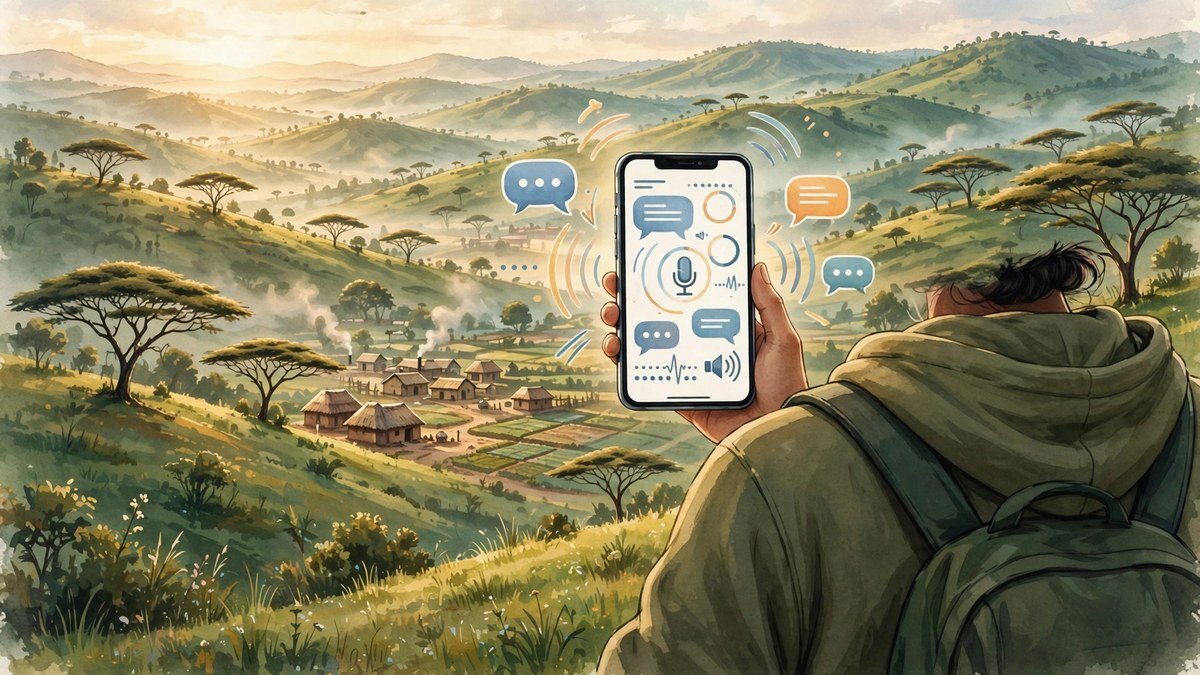
Lango, also called Langi, is a Luo language spoken by roughly two million people in the Lango sub-region of northern Uganda, around Lira, Apac, Oyam, Kole, Dokolo, Amolatar, Otuke, Alebtong and Kwania. It is a distinct language in its own right: related to but different from its fellow Luo languages Acholi and Alur, and different from every language covered in our earlier guides, from the Omotic languages of Ethiopia to the Surmic languages, the Shabo isolate and the Eastern Nilotic languages such as Bari, Karimojong, Turkana and Toposa. If you want to learn Lango, you will not find a ready-made course in any major app, and that changes how you should shop for tools.
The good news is that modern AI language tools are far more flexible than the phrasebook apps of a decade ago. The trick is picking tools that let you bring your own Lango material instead of tools that only teach the thirty or so languages they ship with.
This guide tests eight well-known AI language-learning tools against that exact test: how useful is each one for a learner of a low-resource language like Lango, where no official course exists? Duolingo leads on free daily habit-building, Pimsleur leads on audio-only speaking practice, LingQ leads on learning from real Lango text and audio, and uTalk leads on phrase-level pronunciation. The rest of the shortlist fills in the gaps, and the checklist at the end shows how to combine two or three of them into a workable Lango study plan.
Key takeaways
- Lango is a distinct Luo language of northern Uganda, related to but different from Acholi and Alur, with no official course in any major app, so the best tools are the ones that let you import your own words and audio.
- Duolingo is the best free starting point for building a daily habit, but it has no Lango course, so use it for study discipline and for a related language such as Swahili rather than for Lango itself.
- LingQ and Memrise are the strongest picks for actual Lango content, because both let you import lessons, audio and community decks.
- Pimsleur and uTalk are the best choices for speaking and pronunciation, with audio-first lessons and recording tools that work with any vocabulary list you supply.
- No single app will teach you Lango on its own; the winning setup pairs one content tool with one speaking tool and a real speaker, dictionary or community recording for corrections.

At a glance: the shortlist
| Product | Best for | Starting price | Standout limit |
|---|---|---|---|
| Duolingo | Free daily habit | Free; Super from about $7 a month | No Lango course |
| Babbel | Structured grammar basics | From about $7 a month | No Lango course |
| Rosetta Stone | Immersive pronunciation | From about $12 a month | No Lango course |
| Memrise | Community Lango decks | Free; Pro from about $9 a month | Deck quality varies |
| Mondly | Chatbot conversation | Free; Premium from about $10 a month | No Lango course |
| Pimsleur | Audio-only speaking | From about $15 a month | You supply the Lango audio |
| LingQ | Learning from real Lango text | Free; Premium from about $13 a month | You supply the lessons |
| uTalk | Phrase-level pronunciation | From about $4 a month | No full Lango course |
Duolingo — Best free starting point
Duolingo is the most widely used language app in the world, and its biggest strength for a Lango learner is not its course catalogue but its habit engine. Short five-minute lessons, streaks, leagues and gentle reminders make it the easiest tool on this list to use every single day, and daily contact with any language-learning routine matters more than occasional long sessions.
The honest limitation is that Duolingo has no Lango course and no way to add one. You cannot import a Lango word list or build custom lessons, so the app can never teach you Lango vocabulary directly. What it can do is keep your study habit alive while you learn Lango elsewhere, and it can teach you Swahili, which is widely used across East Africa and is genuinely useful for travel and daily life in Uganda. Treat Duolingo as your warm-up and your discipline tool, not as your Lango teacher, and you will get real value from the free tier without spending anything.
Use it in a Lango plan like this: ten minutes of Duolingo each morning builds the habit, then switch to a tool that holds your real Lango material. The free version is enough for that job. If you are comparing approaches for other low-resource languages, our guide to the best AI tools for learning Karimojong follows the same logic.
Pros: Free tier is genuinely useful; best streak and reminder system in the category; AI adapts exercises to your weak areas; Swahili course is useful in Uganda. Cons: No Lango course and no way to add one; cannot import custom vocabulary; Max AI features cost extra and still do not cover Lango.
Babbel — Best structured grammar basics
Babbel takes the opposite approach to Duolingo: instead of game-like drills, it offers short, structured lessons built around real conversations, with clear grammar explanations and review sessions that use spaced repetition. Its lessons are written by language experts rather than generated on the fly, which shows in the quality of the explanations, and its speech recognition gives you a pronunciation score on the sentences you practise.
For Lango specifically, Babbel has the same core problem as Duolingo: there is no Lango course, and the platform does not let you create one. The useful workaround is to use Babbel to build general language-learning skill and to study a language that supports your Lango goals, such as English grammar review or Swahili, while your Lango study happens in a tool that accepts your own material. That makes Babbel a supporting player in a Lango plan, not the star.
Pros: Clear, expert-written lessons with real grammar explanations; good speech recognition on its own courses; lessons are short and practical. Cons: No Lango course and no custom content import; limited language list; subscription needed for full access.
Rosetta Stone — Best immersive pronunciation
Rosetta Stone has been teaching languages through immersion for decades, and its method is simple: no translations, just pictures, audio and speech, so you learn words the way a child does, by association. Its TruAccent speech engine listens to your pronunciation and scores it against native-speaker models, which is genuinely useful for a tonal language family where getting the sounds right matters.
None of that helps directly with Lango, because Rosetta Stone has no Lango course and no way to upload your own language. The pronunciation engine is the part of Rosetta Stone that a Lango learner can learn from: training your ear and your mouth to hear and produce unfamiliar sounds is a transferable skill, and the discipline of repeating words until the app accepts them builds the same muscles you need for Lango. But you will be practising those sounds in Spanish or French, not in Lango, and that is a real limit.
Pros: Excellent pronunciation scoring on its own courses; immersive picture-based method builds real listening skill; offline mode and live tutoring options. Cons: No Lango course and no custom content; expensive on monthly billing; immersion method can feel slow without translations.
Memrise — Best community Lango decks
Memrise is the first tool on this list that can actually hold Lango content, and that is why it earns a high place here. Its core is spaced-repetition flashcards with video clips of native speakers, and its community section lets users create and share their own courses and decks. Learners of low-resource languages have used Memrise for years to build exactly the kind of material that the big apps ignore: small decks of everyday words, greetings, numbers and phrases, often with audio recorded by speakers.
The AI side of Memrise has grown steadily. Its newer features include an AI language tutor that holds conversations, corrects your sentences and explains mistakes, plus video-based immersion that exposes you to how people actually speak. The community decks are the real prize, and their quality varies, because anyone can publish a deck, so check a deck for obvious errors before you commit to memorising it.
Pros: Community decks can hold real Lango vocabulary and audio; spaced repetition is proven for memorisation; AI tutor adds conversation practice. Cons: Deck quality varies and errors are possible; AI tutor is weak for languages with little training data; some features sit behind Pro.
Mondly — Best chatbot conversation
Mondly is built around short daily lessons and a chatbot that holds simple conversations with you, using speech recognition to check your answers and a virtual-reality mode for learners who want an immersive setting. The chatbot is the feature that matters most for a Lango learner, because conversation practice is the hardest thing to get for a low-resource language, and Mondly’s approach shows what that practice can look like when it works.
The problem, again, is coverage: Mondly has no Lango course, and its chatbot only speaks the languages in its catalogue. You cannot teach the chatbot Lango words or feed it your own phrases, so you cannot hold a Lango conversation inside the app. That comfort matters, because many learners freeze the first time they try to speak a new language out loud, and a patient chatbot is a low-pressure way past that fear.
Pros: Chatbot gives low-pressure speaking practice; short daily lessons fit a busy schedule; speech recognition is forgiving for beginners. Cons: No Lango course and no custom content; chatbot cannot be taught new languages; Premium is needed for full access.
Pimsleur — Best audio-only speaking
Pimsleur is the most different tool on this list, because it is almost entirely audio. Its method is built on graduated interval recall: you hear a phrase, repeat it, and then hear it again at carefully spaced intervals until it sticks. For a language like Lango, where the spoken form is what matters most in daily life in northern Uganda, that audio-first focus is exactly right.
Pimsleur has no Lango course, so you cannot simply press play and learn Lango. What you can do is use the Pimsleur method with your own material: record a Lango speaker saying core phrases, then practise them using the same pattern of listen, repeat, recall after a delay, and recall again later. The honest assessment is that Pimsleur earns its place here for its method and its audio discipline, not for its catalogue, and it works best when you already have a Lango speaker, a phrasebook or a set of recordings to learn from.
Pros: Audio-first method is ideal for spoken Lango; graduated recall is proven for long-term memory; works hands-free anywhere. Cons: No Lango course; you must supply your own Lango audio; one of the more expensive subscriptions here.
LingQ — Best for learning from real Lango text
LingQ is the strongest tool in this guide for a learner who already has some Lango material, because it is built around a simple idea: import any text and audio, and the app turns it into a lesson. You can import a Lango story, a song lyric, a church pamphlet, a news article or a transcript of a recorded conversation, and LingQ will let you click any word to see its meaning, save it as a flashcard and review it later.
That import-first design is exactly what a low-resource language needs. Lango is a distinct Luo language, related to but different from Acholi and Alur, so borrowing an Acholi course will teach you the wrong vocabulary and the wrong sounds; LingQ avoids that trap by letting you study real Lango content from the start. The Premium tier, from about thirteen dollars a month, removes those limits and unlocks the AI features that make imported lessons genuinely useful.
Pros: Import any Lango text and audio and turn it into a lesson; AI transcription and word tracking; ideal for learning from real speakers. Cons: You must supply your own Lango content; free tier limits saved words; interface takes time to learn.
uTalk — Best phrase-level pronunciation
uTalk takes a deliberately narrow approach: it teaches useful phrases, spoken by native speakers, with a recording tool that lets you compare your pronunciation against the original. Its lessons are organised by topic, such as greetings, food, travel and emergencies, and its games drill the phrases until you can say them without thinking.
uTalk’s catalogue covers more than 150 languages, which is wider than most apps here, but Lango is not among them, and there is no way to add a language yourself. That means you cannot learn Lango phrases inside uTalk directly. What you can take from uTalk is its method: short, useful phrases, recorded by a native speaker, practised with immediate pronunciation feedback. If you work with a Lango speaker, you can copy that pattern exactly, recording the same kinds of phrases and practising them until they sound right.
Pros: Phrase-first method gets you speaking useful sentences fast; native-speaker audio with pronunciation comparison; very affordable. Cons: No Lango course and no custom content; phrase drills do not teach grammar; limited depth for advanced learners.
How to choose
Start by being honest about what you already have. If you know a Lango speaker, have a printed Lango dictionary, or can get recordings of everyday Lango speech, then LingQ and Memrise should be your first picks, because both can turn that material into lessons. If you have no Lango material yet, start with Duolingo for the daily habit and use the time to find a speaker, a community group or a recording, because no app on this list can conjure Lango content out of nothing.
Next, match the tool to the skill you need most. If speaking is your priority, Pimsleur’s audio method and uTalk’s phrase drills are the models to copy, even if you apply them with your own recordings. If reading and vocabulary are your priority, LingQ and Memrise will carry you further than any other tools here. If you are a complete beginner who has never learned a second language, Duolingo’s gentle daily lessons will teach you how to study before you tackle Lango in earnest. The same approach works for other low-resource languages in this series, and our guide to the best AI tools for learning Bari makes the same point for another Eastern Nilotic language with no course in the big apps.
Finally, keep the stack small. Two tools used daily will teach you more Lango than six tools used once a month, and every subscription you add is money and attention taken away from finding a real speaker. Pick one content tool and one speaking tool, set a daily fifteen-minute minimum, and review your plan after a month.
Checklist: before you pay
- Confirm the tool lets you import your own Lango words, text or audio, or accept that it cannot teach you Lango directly.
- Find at least one real Lango speaker, recording or dictionary to check the app’s output against before you memorise it.
- Try the free tier for two weeks and check that you actually open the app every day before paying for anything.
- Check the renewal price and the cancellation steps, because several tools here are much cheaper on annual plans than monthly ones.
- Make sure the app works offline on your phone, since you may study where mobile data is patchy or expensive.
- Pick one content tool and one speaking tool, and do not buy a third subscription until you have used both daily for a month.
Frequently asked questions
Is Lango the same as Acholi?
No. Lango is a distinct Luo language of northern Uganda, related to but different from Acholi and Alur. The three languages share a common Luo ancestor and some vocabulary, but they have different sounds, words and grammar, so learning Acholi will not teach you Lango. Study real Lango material, not a course for a related language, and check anything you learn against a Lango speaker.
Does Duolingo have a Lango course?
No, Duolingo has no Lango course, and none of the eight tools in this guide ships a ready-made Lango course. That is the central fact of learning a low-resource language like Lango: the tools that work best are the ones that let you import your own words, text and audio, such as LingQ and Memrise, rather than the ones with the biggest course catalogues.
Can AI really help me learn a language with no course?
Yes, but only if you give the AI something real to work with. AI transcription, spaced repetition, pronunciation scoring and chatbots are all useful once you have Lango recordings, a word list or a transcript.
How long does it take to hold a basic conversation in Lango?
With daily study of fifteen to thirty minutes and regular practice with a speaker, most learners can manage greetings, introductions, simple questions and everyday phrases within three to six months.
What is the best free way to start learning Lango?
Start with the free tiers of Duolingo and Memrise: Duolingo builds the daily habit, while Memrise may already have a community Lango deck you can use for free. At the same time, look for free Lango recordings, songs and community groups, and ask a speaker to record a short list of everyday phrases for you. That combination costs nothing and is the fastest honest start available. Students planning a structured study routine may also find our roundup of the best AI tools for students useful for organising notes, flashcards and revision around their Lango study.
Should I learn Swahili instead of Lango?
Learn Swahili if you want a widely useful language for travel and work across East Africa, because it is spoken far beyond Uganda and every app in this guide teaches it. Learn Lango if you want to connect with the Lango people, their culture and their communities in northern Uganda, because no other language will do that job. Many learners do both, using Swahili for practical communication and Lango for the relationships that matter to them.
The bottom line
For most learners, the best setup is LingQ plus Memrise for Lango content, with Pimsleur’s audio method copied onto your own recordings for speaking practice, and Duolingo’s free tier keeping the daily habit alive. That combination covers reading, listening, vocabulary and speaking, and it costs little or nothing to start. Babbel, Rosetta Stone, Mondly and uTalk are all good tools in their own right, but for Lango they are supporting players, useful for a second language or for building study habits, not for learning Lango itself.
Remember what makes Lango different from the languages in our earlier guides: it is a distinct Luo language with its own sounds and vocabulary, and no app will hand you a finished course. The learners who succeed are the ones who find real Lango speakers and recordings, feed that material into flexible tools like LingQ and Memrise, and practise speaking every day.
Note: Prices and plans change. Check the product’s current plan details before buying — no link is provided here by design, all links in this article go to other occcy.com guides.