AI image generation tools turn a text prompt into finished artwork in under a minute, and in 2027 the best ones produce images good enough for client work, ad campaigns, and book covers. Marketers use them for social posts, designers use them for quick concepts, and small businesses use them to skip stock photo subscriptions entirely. The gap between tools is still wide: some handle hands and text well, others fall apart on both.
We compared the leading AI image generation tools on the same prompts and judged them on image quality, text rendering, style control, commercial licensing, and price. Seven tools made the cut, from the artistic range of Midjourney to the commercial safety of Adobe Firefly.
Below is the shortlist at a glance, then a closer look at each tool, including what it costs, where it falls short, and which one fits your work. Prices are approximate starting prices and change often, so check the current plan before you buy.
Key takeaways
- Midjourney is the best overall AI image generation tool in 2027 for artistic quality and style range.
- Adobe Firefly is the best pick for commercial work because its training data is licensed and safe to use.
- Ideogram is the best image generator for text in images, from posters to logos.
- Leonardo AI is the best choice for game art and concept art, with fine-tuned models and canvas editing.
- Free tiers are genuinely useful for testing, but serious work needs a paid plan for higher resolution and commercial rights.
At a glance: the shortlist
| Product | Best for | Starting price | Standout limit |
|---|---|---|---|
| Midjourney | Artistic quality | From $10/month | About 200 images a month on Basic |
| DALL-E 3 | Ease of use | From $20/month | Usage caps on ChatGPT Plus |
| Adobe Firefly | Commercial safety | From $9.99/month | Monthly generative credits on Standard |
| Leonardo AI | Game and concept art | From $10/month | 8,500 tokens a month on Apprentice |
| Ideogram | Text in images | From $8/month | 400 images a month on Plus |
| Stable Diffusion | Open-source control | Free self-hosted | Pay per image on hosted APIs |
| Canva Magic Media | Social media creators | From $15/month | 500 AI credits a month on Pro |
Midjourney — Best overall
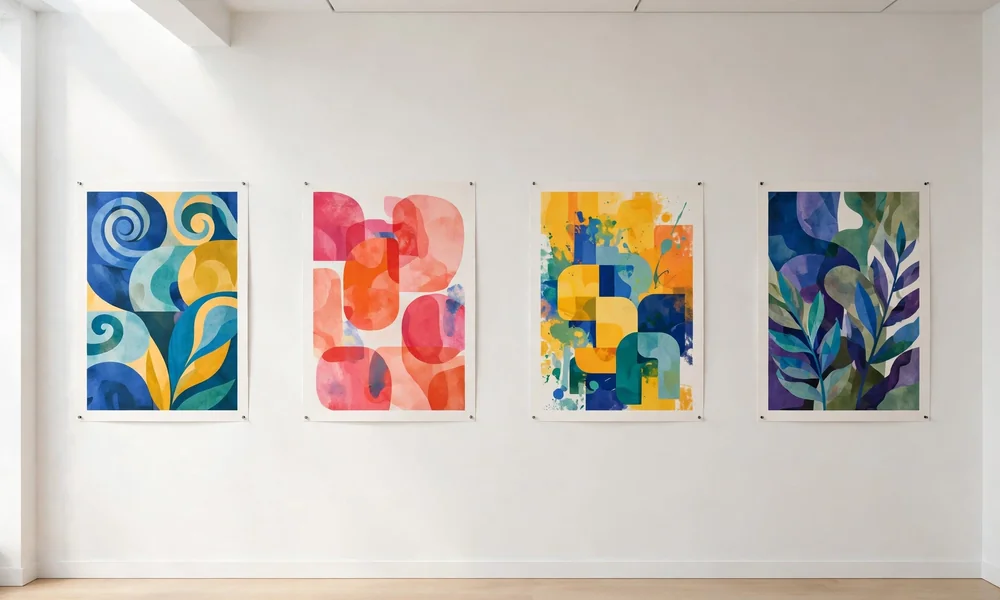
Midjourney still produces the most striking images of any AI image generation tool in 2027. Its style range runs from photorealistic portraits to watercolor illustrations, and the new editor lets you reframe, extend, and repaint parts of an image without starting over. The Discord-based workflow is unusual, but the web editor now covers most jobs. AI tools for photo editing pairs well with Midjourney when you need to clean up or extend a generated image.
Pros: Best artistic quality on the market; huge style range; strong editing tools; active community for learning.
Cons: No free tier; Discord workflow is confusing at first; commercial terms vary by plan.
DALL-E 3 — Best for ease of use
DALL-E 3 lives inside ChatGPT, which makes it the easiest image generator to start with. You describe what you want in plain language, and ChatGPT rewrites the prompt for you. It handles text in images better than most rivals, and the inpainting tool edits parts of an image with a brush. It is included in ChatGPT Plus at $20 a month, so many people already have access without a new subscription.
Pros: Simplest to use; excellent prompt rewriting; good text rendering; included with ChatGPT Plus.
Cons: Less artistic range than Midjourney; usage caps on Plus; fewer fine controls.
Adobe Firefly — Best for commercial safety
Adobe Firefly is trained on licensed Adobe Stock images and public domain content, which makes it the safest choice for commercial work. It plugs into Photoshop, Illustrator, and Express, so generated images drop straight into real design workflows. Generative Fill, text-to-image, and text effects cover most everyday jobs, and the Standard plan starts at $9.99 a month with monthly generative credits.
Pros: Commercially safe training data; deep Adobe app integration; Generative Fill is excellent; clear licensing.
Cons: Less creative range than Midjourney; credit limits on cheaper plans; best inside Adobe apps.
Leonardo AI — Best for game and concept art
Leonardo AI is built for game developers and concept artists. It offers fine-tuned models for characters, environments, and items, plus a canvas editor for inpainting and outpainting. The free tier gives 150 tokens a day, and the Apprentice plan at $10 a month unlocks 8,500 tokens. For teams that need consistent characters across many images, its training tools are a genuine advantage.
Pros: Fine-tuned models for game art; consistent character tools; generous free tier; good canvas editor.
Cons: Interface has a learning curve; token system is confusing; photorealism lags Midjourney.
Ideogram — Best for text in images
Ideogram is the only tool on this list that reliably renders readable text inside images. Logos, posters, birthday cards, and social graphics with headlines come out clean where other generators garble the letters. The Plus plan starts at $8 a month with 400 images, and the free tier is enough to test it. If your images need words in them, start here.
Pros: Best text rendering of any generator; affordable Plus plan; clean interface; good free tier.
Cons: Narrower style range; less control than Stable Diffusion; smaller community.
Stable Diffusion — Best for open-source control
Stable Diffusion is the open-source option, and it is the only tool here you can run entirely on your own hardware. That means no monthly fee, no content filters you did not choose, and full control through models, LoRAs, and ControlNet. The trade-off is setup: you need a decent GPU or a hosted API like DreamStudio, where you pay per image from about $10 of credits.
Pros: Free and open source; total control; huge model ecosystem; no subscription required.
Cons: Setup takes real work; needs a good GPU; quality depends on the model you pick.
Canva Magic Media — Best for social media creators
Canva Magic Media puts image generation inside the design tool most social media creators already use. Type a prompt, get an image, and drop it straight into a post, story, or presentation without exporting anything. Canva Pro starts at $15 a month with 500 AI credits. The images are not as refined as Midjourney, but for fast social content the workflow wins.
Pros: Generation inside the design workflow; huge template library; easy for beginners; good team features.
Cons: Image quality lags specialists; credit limits; limited style control.
How to choose
Start with how the images will be used. For client work and advertising, Adobe Firefly’s licensed training data removes a legal headache. For the most beautiful images, Midjourney is still ahead. If your images need readable words, Ideogram is the only sensible choice, and if you want total control, Stable Diffusion is the only open option.
Check the commercial license before you publish anything. Some plans limit commercial use, and free tiers often do not include it at all. AI tools for video creation covers tools that turn still images into moving clips for social media.
Checklist: before you pay
- Test the free tier with your real prompts before paying.
- Confirm the plan includes commercial use for your work.
- Check the monthly credit or image limit against your volume.
- Try text rendering if your images need words in them.
- Make sure you can download high-resolution files without a watermark.
- Check whether the tool stores your prompts and images privately.
Common mistakes to avoid
- Generating at low resolution and upscaling later instead of requesting high resolution from the start.
- Publishing images with garbled or misspelled text instead of checking every word in the image first.
- Using a free-tier image for client work when the license on that tier does not allow commercial use.
- Writing one-word prompts and expecting a finished composition instead of describing the scene properly.
- Ignoring the aspect ratio and cropping a square image into a wide banner, which ruins the composition.
- Skipping the negative prompt when a style keeps producing the same flaw, like extra fingers or warped faces.
Frequently asked questions
Can I use AI-generated images commercially?
Usually yes on paid plans, but the terms differ. Adobe Firefly is the safest because its training data is licensed. Midjourney allows commercial use on paid plans, and Canva Pro covers commercial use too. Free tiers often restrict commercial use, so read the license for your plan before publishing client work.
Which AI image generator is best for beginners?
DALL-E 3 inside ChatGPT is the easiest starting point because you write plain-language prompts and it handles the rest. Canva Magic Media is a close second for anyone who already designs in Canva. Midjourney rewards patience but takes longer to learn.
Why do AI images get hands and text wrong?
Hands and text are hard because image models learn patterns, not anatomy or spelling. The newest models are much better: Ideogram renders text reliably, and Midjourney’s latest version handles hands well in most cases. If a detail matters, generate several versions and pick the cleanest.
How much do AI image generation tools cost?
Paid plans run from about $8 to $20 a month. Midjourney starts at $10, Ideogram at $8, Firefly at $9.99, and DALL-E 3 comes with ChatGPT Plus at $20. Most offer free tiers with daily limits, which are enough to test quality before you commit.
Do I own the images I generate?
On most paid plans, yes, you own the output and can use it commercially. Midjourney grants ownership on paid plans, Adobe Firefly covers commercial use, and Stable Diffusion output is yours outright. Always check the current terms for your specific plan, because they change.
What is the best AI image generator for logos?
Ideogram is the best pick for logos because it renders text cleanly, which is where most generators fail. AI tools for content planning can help you plan a whole campaign around the images you generate, from launch posts to email headers.
The bottom line
Midjourney is the best AI image generation tool for most people in 2027: the most beautiful images, the widest style range, and a $10 starting price. Adobe Firefly is the right choice for commercial work, Ideogram wins whenever an image needs readable text, and Leonardo AI is the pick for game and concept art.
Start with a free tier, test the tool on your real prompts, and only pay once you have seen the quality on your own work. The tools improve every few months, so the best choice today may not be the best choice next year.