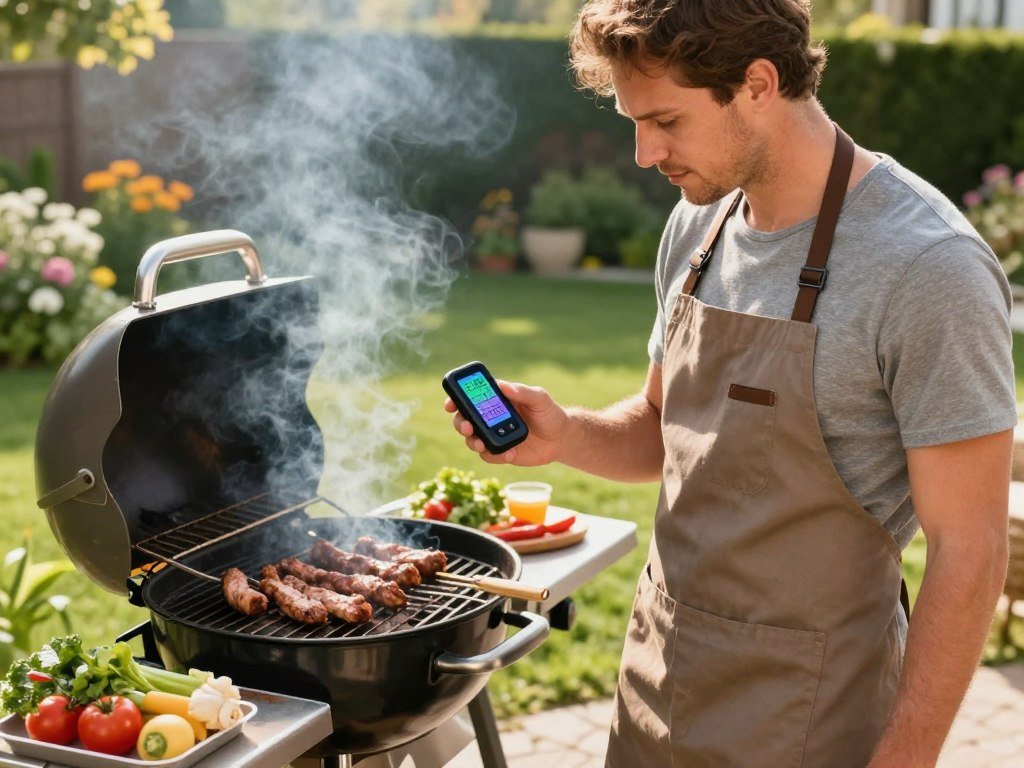
A grill cook should be able to step away without guessing whether dinner is ready. A best wireless meat thermometer can keep temperature readings close, even when you leave the grill to set the table or tend the rest of dinner.
Choosing between app monitoring and a standalone receiver comes down to how you cook. A quick backyard grilling session may need only nearby readings, while a smoker running for hours calls for dependable monitoring over time. The right fit depends on your cooking routine, not the longest feature list.
This comparison covers seven picks for different needs, from guided app use to multi-probe smoking and phone-free monitoring. The right choice is the one that keeps readings accessible for the kind of cook you actually make.
Key Takeaways
- Choose a connection that suits how far you move from the cooker.
- For long cooks, compare battery runtime for both probe and base.
- Check how many food and cooker-air readings you need.
- Look at app alerts and saved cook data before buying.
- Match the probe’s heat rating and insertion depth to your usual cuts.
How Does a Wireless Thermometer Send Readings?
A probe reads the food, then sends its temperature to a base or receiver that can pass the reading to your phone. The parts work together to let you check a cook without standing beside the grill.
The probe is the part that stays in the food. A base or receiver gathers its signal and sends the reading onward, often to an app on your phone. Smart meat thermometers can transmit internal temperature and, in most cases, the cooker’s ambient temperature. Ambient temperature is the temperature of the air surrounding the food inside the cooker.
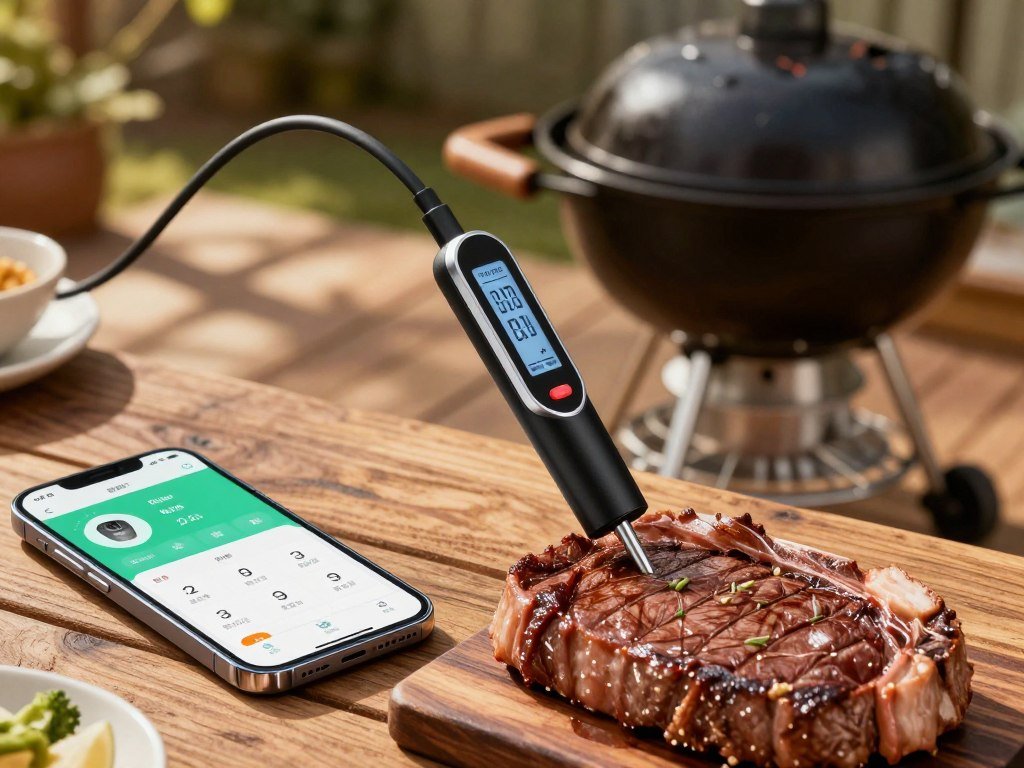
A fully wireless probe sits in the food without a cable running to a base. A wired probe stays attached to its base by a cable, even when the base sends readings wirelessly to your phone. Both designs can show internal readings, and many can also track the cooker air around the food.
A fully wireless probe removes the cable from the cooker setup, while a wired probe keeps the cable between food and base.
That distinction matters when you open a lid or move a rack. Readings on your phone may include more than the meat’s internal temperature, giving you a useful view of the cooking space too.
Check whether the system also measures cooker air, since that reading helps separate a meat issue from a grill-temperature issue.
How to Choose the Best Wireless Meat Thermometer Connection
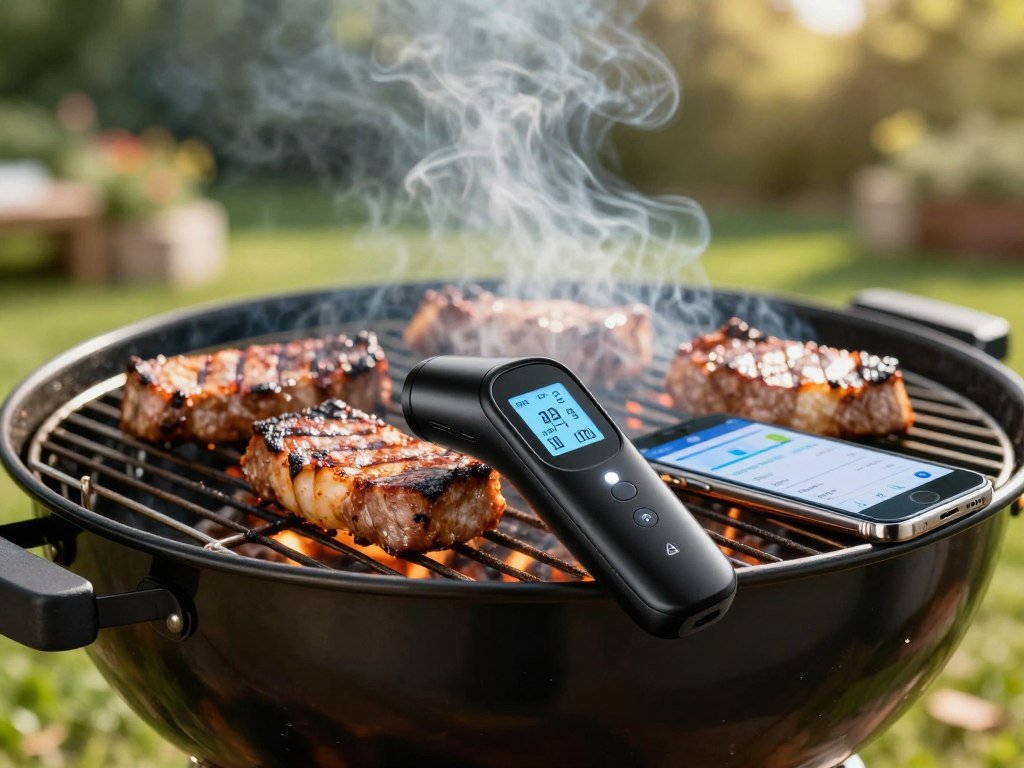
For a quick grill session beside the patio, Bluetooth is usually the simplest connection; for remote checks or a phone-free setup, Wi-Fi or RF may fit better. Your distance from the cooker is the first choice to make. Bluetooth suits backyard grilling when you stay close enough to keep the connection.
The best Bluetooth meat thermometer for grilling is one that can hold a signal where you cook. Bluetooth connects a nearby phone or base, so walls, distance, and the cooker itself can affect readings. Wi-Fi lets a base reach your phone through a home network, while RF sends readings to a separate receiver.
| Connection type | How readings reach you | Best fit | Main constraint |
|---|---|---|---|
| Bluetooth | Direct phone or base connection | Short cooks nearby | Distance and obstructions affect range |
| Wi-Fi | Base connects through home network | Remote checks with internet access | Needs network coverage |
| RF | Probe or transmitter sends to receiver | Phone-free or network-free monitoring | You must carry a receiver |
RF can work well when you want readings without a smartphone or home network. ThermoWorks Smoke uses 2.4 GHz RF and has a stated line-of-sight range of about 300 feet. Smoke X uses RF instead of Wi-Fi, phones, or computers, with a stated range up to 1,000 feet.
Those distance figures are not a promise for every yard or kitchen. Metal cookers, walls, and other barriers can weaken a signal, and the Smoke figure is specifically line of sight. A base that connects through Wi-Fi can support remote checks when both the network and internet are available.
Before choosing by advertised distance, check whether the stated range is line of sight and whether the cooker or walls obstruct the signal.
How Accurate Are Wireless Meat Thermometers?
A phone connection does not make a thermometer more accurate, so verify its reading before relying on it for a safety decision. Wireless features add convenience, not better temperature measurement by themselves. Check the thermometer in ice water and boiling water before trusting its readings.
Fill a glass with ice and water, then place the probe in the mix without touching the glass. It should read 32°F. In boiling water, it should read 212°F at sea level; at higher elevations, boiling water reaches a lower temperature.
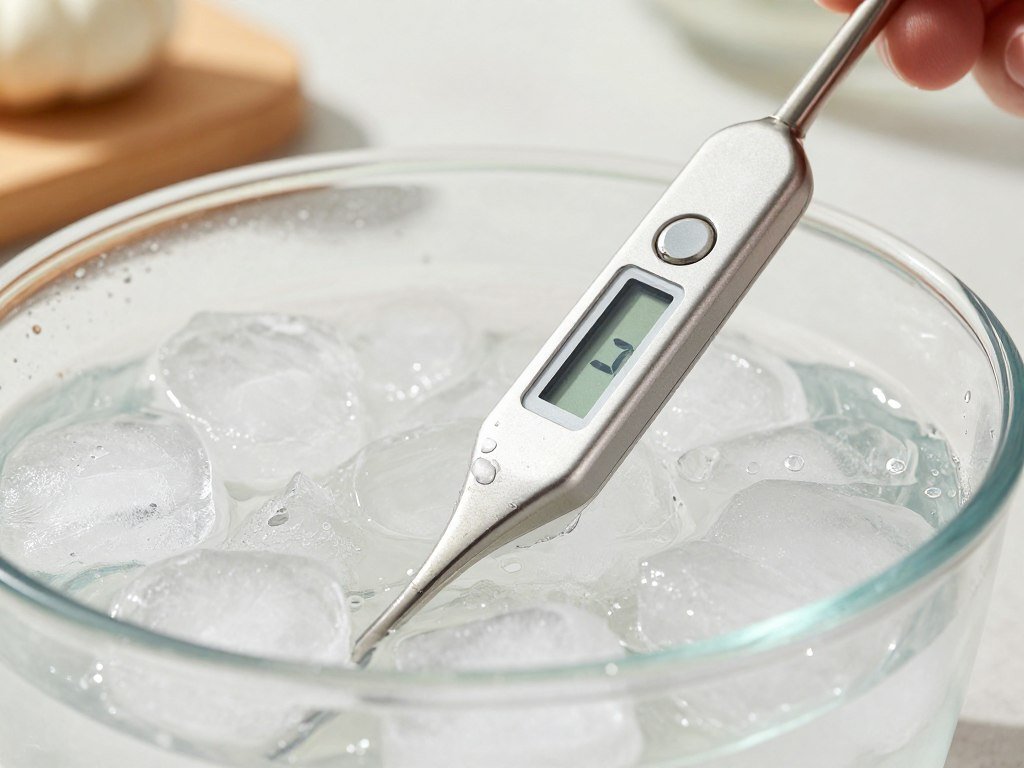
These checks can reveal a reading that needs attention, but they do not replace food-safety rules. USDA safe minimum temperatures are 145°F for whole cuts of beef, pork, lamb, and veal, followed by a three-minute rest. Ground meats need 160°F, and poultry needs 165°F.
Safe minimums tell you when food meets a safety threshold, not which doneness you will enjoy most. A thermometer’s accuracy also does not decide whether a steak should be rare or well done. Use these three checks when you prepare to cook:
- Check the ice-water point, which should read 32°F.
- Check boiling water at 212°F at sea level, adjusting for altitude.
- Follow USDA minimum temperatures and any required rest.
For whole cuts of beef, pork, lamb, and veal, allow the full three-minute rest after reaching 145°F.
What Matters Most for Long Cooks?
An overnight cook needs enough probe capacity and power for the whole session, not just a strong signal. Plan for the full cooking window, especially when you monitor a smoker while sleeping or doing other tasks. Compare probe runtime and base runtime as separate limits.
One probe can follow one cut. Separate readings for food and cooker air help you spot a drop in pit temperature without confusing it with the meat’s slower change. More probes can track several cuts, but only if the system supports the readings you need.
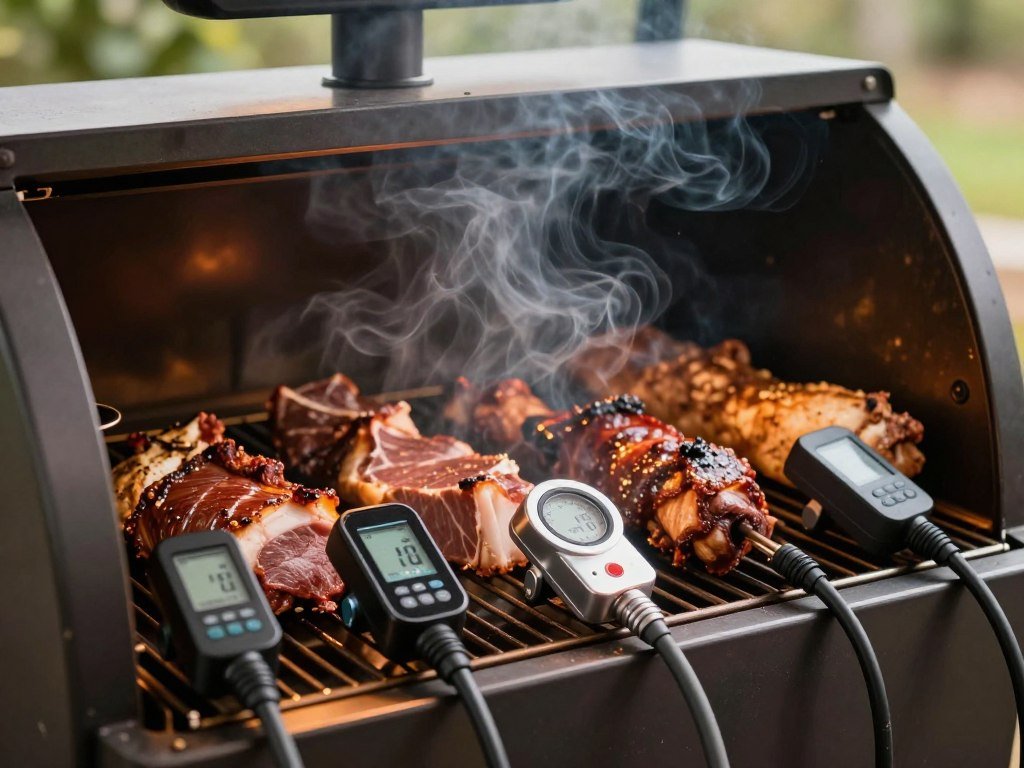
Probe count and ambient monitoring
Think about the cooker and the food as two separate readings. A single cut may need one food probe, while an overnight smoke can benefit from an additional ambient reading. If you cook several cuts at once, check the number of supported probes before choosing a system.
Ambient readings can help explain why a cook slows down. A smoker that runs cool affects the whole cook, while a cut that changes slowly may simply need more time. Make sure the thermometer can track both kinds of readings if that distinction matters to you.
Battery runtime and charging
Runtime claims depend on the part being powered and the stated conditions. Compare the probe, base, and charger as needed, rather than treating one battery figure as the system’s total runtime.
| System | Power detail | Stated runtime | Condition |
|---|---|---|---|
| ThermoPro base | Rechargeable by USB | Up to eight months per charge | Manufacturer claim |
| INKBIRD probe | Rechargeable in its block | Up to 25 hours at high heat, or seven days at room temperature | Varies by temperature |
| ChefsTemp ProTemp 2 Plus | Probe and Wi-Fi base | 40 hours for probe, up to 80 hours for base | Continuous monitoring claim for base |
| Meater Plus charger/extender | One AAA battery | 100 charges | Stated charge count |
Heat limits and probe insertion
A probe has a rated heat limit, and its sensors may have different limits for food and ambient readings. Compare the ratings and required insertion depth with the cuts and cooking method you use. A small steak and a thick roast do not offer the same space for probe placement.
Check the base’s power needs too. ThermoPro says its USB-rechargeable base can last up to eight months per charge, while other systems list runtime in hours or days. Those figures describe different parts and conditions, so compare like with like.
For an unusually long smoke, compare the probe’s runtime and the base’s runtime separately, then make sure both can cover the cook.
What Other Models Offer Different Tradeoffs?
A shortlist is more useful when each alternative has a clear strength and a limitation worth weighing. Feature fit matters more than a broad ranking, especially when you already know the readings and connection you need. Prices below are publication-time snapshots, not guaranteed current prices.
The models below offer options beyond the seven featured picks. Their sensor counts, app tools, and range claims can help narrow a search, but a listed feature does not guarantee it will suit every cooker.
| Model | Listed price | Distinguishing feature | Limitation |
|---|---|---|---|
| ThermoMaven P2 | $149 | Two probes and six sensors | Warranty listed as 1-1.5 years |
| ThermoMaven G1 | $59 | Six sensors and 932°F ambient ceiling | One probe |
| CHEF iQ Sense | $129 | Video and step-by-step app guidance | Connection held only in kitchen during testing |
| MEATER SE | $79 | Dishwasher-safe probe and guided app | Bluetooth range tops out at 165 feet |
| MeatStick X | $99.99 | Wireless probe system | Testers sometimes lost its app connection |
ThermoMaven lists a 1-1.5-year warranty for both the P2 and G1. The P2 has two probes, while the G1 has one. CHEF iQ Sense adds guided video, but a test connection held only in the kitchen.
MEATER SE lists a Bluetooth range of 165 feet, which may be enough for nearby cooks. MeatStick X testers sometimes saw its app lose connection. For a 2026 buying choice, weigh supported features against your current cooking needs instead of assuming one model is new or right for everyone.
Treat a published price as a comparison point, then confirm the current amount before buying.
Is the Combustion Predictive Thermometer Right for Detailed Readings?
For cooks who want temperature readings at several points along a cut, the Combustion Predictive Thermometer offers eight sensors. That layout gives a more detailed view of a thick piece of meat than a single point can provide. Its minimum insertion depth is 2 inches.
Seven sensors sit 1 centimeter apart along the probe, and an eighth sits in the ceramic handle to measure ambient temperature. Several points along the food can help show how heat moves through a thick cut. The handle sensor can withstand up to 575°F.
The included display works without the smartphone app, which gives you a standalone way to check readings. The app can graph cook progress when you want to review how temperature changed over time. The stated Bluetooth range is 660 feet with the display, and the display can extend range up to 330 feet when unobstructed.
Before choosing this setup, make three practical checks:
- Confirm your smallest cuts are thick enough for the 2-inch insertion depth.
- Decide whether a separate display suits your cooking setup.
- Compare the listed price of $200 at Amazon with $199 from Combustion Inc.
The price difference is small, but your cut size and display preference matter more. The distributed sensors are designed for a more detailed view than one reading alone, though that layout needs enough food around the probe.
Check the 2-inch minimum insertion depth against the smallest cuts you cook before settling on this probe.
Does the Meater Plus Suit Guided Cooking?
The Meater Plus is a strong fit for cooks who want app-led timing that includes the resting period. Its timing estimate looks beyond the heat, helping you decide when to remove food rather than waiting for the final target on the grill. The probe needs 2.5 inches of insertion.
One sensor reads internal temperature, while a second in the handle reads ambient temperature. The app uses resting time in its removal estimate. For a 165°F target, it may tell you to remove the food at 160°F, then let carryover heat work during the rest.
That approach can help prevent a cook from overshooting its target while it rests. The app can monitor up to three additional probes, sold separately. It also graphs cooks, where you can rate results and leave notes for the next time you make the same dish.
Three app alerts can be useful while you handle other tasks:
- An alert five minutes before the estimated completion time.
- A warning when the grill’s ambient temperature drops too low.
- A chime when the resting period ends.
Those tools make the app more than a number display. Saved notes can help you remember what worked, while graphs let you see how the cook changed. The extra probes are separate purchases, so count the full setup you would need.
Set the target and confirm the required insertion depth before relying on an app estimate for a smaller cut.
When Does a ThermoPro Wired System Make More Sense?
Choose the two-probe ThermoPro system when you want simultaneous readings without inserting a fully wireless probe into every cut. The wired probes suit cooks tracking more than one spot, while the base sends readings to a phone through Bluetooth. The cables remain part of the cooking setup.
Both probes connect by wire to a rechargeable base. You can place one in each of two cuts, or use one for food and the other for cooker air. That arrangement gives you more than one reading without needing a fully wireless probe in every piece of meat.
The base sends readings to a phone over Bluetooth, with a claimed range of 500 feet. That claim does not guarantee a stable connection through walls or a closed metal cooker. Check the phone where you plan to sit, not only near the base.
Wires can be useful when you want to keep the base away from direct heat or track several zones. They can also get in the way when you open a lid or move food. Before a long cook, give the cables a clear path and enough slack for normal lid movement.
Route the wires so a grill lid cannot pinch them during a long cook.
Is ThermoWorks Smoke X a Good Phone-Free Pick?
A dedicated receiver makes the Smoke X a practical option for cooks who would rather not depend on a phone. The receiver is the main draw for a smoker setup without app or network monitoring. Smoke X uses RF, not Wi-Fi, phones, or computers.
The Smoke X family sends readings to a separate receiver using radio frequency. Its receiver lets you check temperatures without keeping a smartphone nearby or connecting to a home network. The Smoke is a different ThermoWorks model, so do not confuse its name with the Smoke X versions.
Smoke X2 and Smoke X4 can connect to the Billows blower for temperature control. That feature may suit cooks who want the system to help control a cooker, not only show readings. The X2 and X4 differ in channel count, so match the model to the number of temperatures you plan to follow.
Before choosing, consider these three points:
- Does a dedicated receiver suit the way you cook?
- Does the model’s probe count cover your food and cooker readings?
- Would Billows blower compatibility help with temperature control?
A separate receiver can keep monitoring simple, but it becomes another device to carry and check. That tradeoff is useful if you prefer not to rely on app notifications. The blower option is specific to the X2 and X4, rather than the Smoke name alone.
Choose an X2 or X4 when Billows compatibility matters, and match the channel count to the number of readings you need.
Can Fireboard 2 Handle a Multi-Probe Smoker?
Fireboard 2 fits a smoker setup that needs as many as six probe readings and a display for quick checks. Its capacity suits several cuts plus cooker monitoring during the same smoke. Fireboard 2 supports up to six probes.
The system includes Wi-Fi and Bluetooth, a display, alarms, and cook-temperature tracking. You can use several probes to watch different cuts while keeping an eye on the smoker. The display gives you a local check, and alarms can call attention to temperature changes.
That much capacity can be more than a single-cut cook needs. A smaller setup may be simpler when you only want one food reading and do not need several alarms. For larger smoking sessions, tracking more than one cut can help you avoid relying on a single temperature.
Fireboard 2 and FB2DX are not the same configuration. The FB2DX model has integrated fan control, while Fireboard 2 offers the monitoring features described above. Check the exact model name if built-in fan control matters to your smoker setup.
If you want fan control built in, confirm that you are choosing the FB2DX model.
Is the INKBIRD INT-11P-B a Good Value?
The INKBIRD INT-11P-B offers a useful mix of temperature monitoring and app features for cooks who want a fully wireless probe. Its sensor limits differ by job, so compare the internal and ambient ratings with your cooking method. The internal sensor range is 14°F-212°F, while the ambient range is 32°F-572°F.
Its outdoor Bluetooth range reaches up to 300 feet, depending on obstructions. The app stores cook data for 30 minutes if the internet connection drops. A hands-on pork-butt cook lasting about six hours showed both food and grill ambient temperatures, along with a cook graph.
The hands-on INKBIRD review also described occasional connection loss indoors. That result is a useful reminder that an outdoor range claim may not match an indoor setup with walls or other barriers.
The internal sensor’s upper limit is lower than the ambient sensor’s. Those ratings describe different readings, not one shared limit. A high-heat grill may push the ambient sensor closer to its ceiling even while the food’s internal temperature remains much lower.
Compare the ambient sensor’s 572°F ceiling with the heat of your cooking setup before using it for high-temperature grilling.
Who Should Choose the ChefsTemp ProTemp 2 Plus?
The ProTemp 2 Plus is aimed at cooks who want a Wi-Fi base, several probes, and extended monitoring in one system. Its three-probe limit suits multiple cuts without the larger capacity of some multi-probe units. ChefsTemp lists it at $149.99.
The system supports three probes and uses a 10,000mAh Wi-Fi base rated for up to 80 hours of continuous monitoring. The probe battery is rated for 40 hours. Those figures suit cooks who want to monitor longer sessions without stopping to recharge midway through a cook.
The probe is rated IP68, and the base is rated IP55. IP codes describe how well a component resists dust and water under set test conditions. They do not make the probe and base interchangeable, nor do they mean either part cannot be damaged.
The system may suit a cook who tracks several cuts or wants a long monitoring window. Three probes set a firm ceiling, though, so count the temperatures you want to follow before choosing it. Also consider where the base will sit during a wet or messy cook.
Check the probe and base ratings separately, since their different IP codes describe different components.
Which App Features Actually Help During a Cook?
An app earns its place when its alerts are clear and its saved cook history helps you make a better decision next time. Useful tools reduce guesswork, rather than adding screens you rarely check. Test alerts and saved data before relying on them during a cook.
Start with the alerts you will notice from your usual cooking spot. A quiet phone alert may not help if you are inside while the grill is outside. Check that the app can send target alerts and, where available, low or high ambient-temperature alerts.
Alerts that prevent missed temperature changes
Custom target alerts can tell you when food reaches a set temperature. Ambient alerts can flag a cooker that runs too cool or too hot, but not every app offers them. Think about where you will be when an alert arrives, and whether vibration, sound, or a banner will get your attention.
Remote monitoring also depends on app permissions and network access. Check notification permissions on your phone, then see whether the app needs internet access to send readings when you are away from home. A phone that blocks background alerts can make a good notification feature easy to miss.
Cook history and guided timing
Cook graphs show how temperatures changed over time. Saved notes can help you remember the meat, cooker settings, and timing that worked, while step-by-step guidance may help a less experienced cook follow a plan.
Yummly has limits that matter to some cooks. Its app cannot set ambient-temperature alarms, and saving a cook graph requires a screenshot before the food enters resting mode. That extra step can be easy to forget when you are busy at the grill.
Choose app features you will use more than once. Guided steps can help during an unfamiliar cook, while graphs and notes matter more when you repeat recipes. A long feature list has little value if the alert style or saved data does not match your routine.
Before the first cook, test a notification and confirm that the app can save the information you want to keep.
How Should You Insert and Care for a Leave-In Probe?
A reading is only useful when the probe tip sits in the part of the food that needs the longest to cook. Placement changes the reading, so keep the sensor away from spots that heat faster than the center. For a whole chicken or turkey, take separate readings in the breast and thigh.
Put the sensor tip in the thickest part of the cut, away from bone and large pockets of fat. Bone can give a misleading reading, and fat may not show the temperature of the meat you need to check. A whole bird has different areas that cook at different rates.
Follow the probe’s required insertion depth and heat rating, since models differ. Thin cuts need a careful approach to keep the sensor in the meat rather than close to the surface. For a steak, inserting from the side can help the tip reach its center.
Use these four placement and care steps:
- Find the thickest section of the cut.
- Insert from the side for a thin steak.
- Keep the sensor tip clear of bone.
- Wash the probe after cooking according to its care instructions.
A probe that slides into a bone or rests in a pocket of fat may report a temperature that does not represent the thickest meat. Take care when moving food so the tip stays where you placed it. Clean the probe only as its care instructions allow.
Check the insertion depth required by the specific probe, especially when cooking a small cut.
Which Thermometer Fits Your Budget and Cooking Style?
The best match under $100 depends on whether you value a low listed price, app guidance, or two-probe monitoring. Start with your cooking habit, then compare the listed prices as snapshots rather than promises. Check current prices before purchase.
These options cover different needs, from a two-wire setup to app-led timing. A past-year recommendation, including one from 2024, should be judged by lasting needs such as probe style, connection, and cook length, not an old price alone.
Choices below $100
| Model | Listed price | Best-fit consideration |
|---|---|---|
| Meater Plus | $79.96 | App-led timing and resting estimate |
| MeatStick X | $99.99 | Consider if connectivity suits your setup |
| ThermoPro | $39.99 | Two wired probes |
| Yummly smart thermometer | $79.99 | App limits for ambient alarms and saved graphs |
These listed amounts are price snapshots, not current guarantees. The options answer the under-$100 question at those listed prices, but costs can change. For a 2026 choice, compare supported features with the cook you plan to make instead of treating a past-year price or recommendation as current.
Short grilling sessions
For a quick grilling session, favor simple setup and nearby monitoring. A Bluetooth system may suit you if you stay close enough to keep its connection. If you want two readings, a wired option can track separate cuts without adding another fully wireless probe.
Keep the routine simple: choose the number of readings you need, then consider whether an app or receiver makes checking easier. A large feature set may not help much during a short cook when you are already near the grill.
Overnight smoking
For overnight smoking, prioritize dependable remote monitoring, enough runtime, and probes for both the meat and cooker. A long cook can outlast a probe or base that has limited power, so compare each part’s runtime. Multiple cuts also call for enough channels to follow the temperatures you care about.
For an overnight smoke, the system needs enough power and probes for the entire cook, including the cooker-air reading.
Smoke length and probe count should guide the choice more than a discount. Before buying, match the system to your longest cook and verify the current listed price.
Conclusion
A dependable thermometer is the one that fits your cooking routine, not the one with the longest feature list. Choose for the cook you make: match the connection to how far you need to monitor, then prioritize probe count and runtime for long sessions.
Write down your longest cook, the number of temperatures you need to track, and whether a phone or standalone receiver suits your setup. That short list can rule out systems that lack the range, probes, or power your routine needs.
Before your next cook, choose the connection and probe count you need, then verify the device’s temperature and insertion limits.
FAQ
Can a wireless meat thermometer stay in the oven while food cooks?
Yes, a wireless thermometer can stay in the oven if the model is rated for oven use and its probe and handle remain within their temperature limits. Check the maker’s limits for each part, since the handle may have a different rating from the probe. Do not leave an instant-read thermometer in the oven; it is designed for brief checks.
How can I check whether my thermometer is calibrated?
Use an ice-water bath and boiling water to check the reading. The ice-water bath should read 32°F, while boiling water reads 212°F at sea level. At higher elevations, water boils at a lower temperature, so account for altitude when checking that point. If the reading is off, follow the thermometer maker’s calibration steps or care advice.
Do I need Wi-Fi to monitor a cook from inside my home?
No, Wi-Fi is not always needed to monitor a cook from inside your home. Bluetooth or RF can work when your phone or receiver stays within the system’s range. Walls, distance, and the cooker can affect the signal. Remote monitoring from away from home generally needs a Wi-Fi connection and internet access, plus an app that supports it.
Can one probe monitor both meat and the smoker’s ambient temperature?
Yes, some wireless probes include an ambient sensor in the handle and an internal sensor for the food. The two readings help you watch the meat and the air around it. A separate pit probe may offer a more direct reading of cooker air, since a handle sensor sits near the food rather than elsewhere in the smoker.
How many probes should I use for a whole turkey?
Use two readings for a whole turkey, one in the breast and one in the thigh. Those areas can cook at different rates, so the two readings give you a better view of the bird. Keep each sensor tip in the meat and away from bone, then use the cooler reading when judging whether the turkey is ready.
Can a wireless meat thermometer be used for deep frying?
Only use a wireless thermometer for deep frying if its maker rates the probe and handle for the oil temperature and intended use. The internal sensor limit may be lower than the ambient sensor limit, so check both ratings. Also confirm whether the model is designed for immersion in oil, since heat tolerance alone does not confirm that use is safe.