
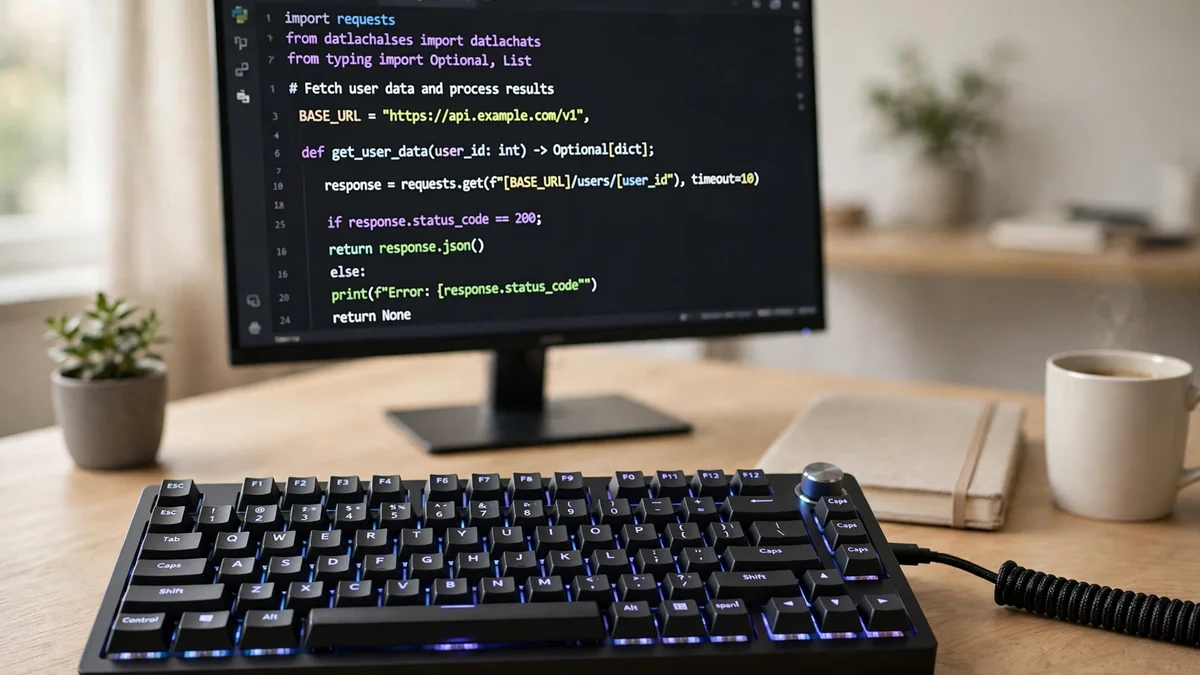
Programmers type more than almost anyone else, and the keyboard is the one tool a coder touches for eight hours a day. A mushy laptop keyboard slows you down, tires your hands, and turns long sessions into a chore. The best mechanical keyboards for coders in 2027 fix that with consistent switches, a layout that keeps brackets and symbols within reach, and a build that stays put while you type at full speed.
- The Keychron K8 Pro is the best overall keyboard for coders, with hot-swappable switches, QMK support, and wireless connectivity from around $94.
- The Akko 5075B Plus and Epomaker TH80 Pro deliver the best value, both under $90 with hot-swappable sockets and solid typing feel.
- Linear switches suit fast typists who want smooth keystrokes, while tactile switches suit coders who want feedback without the noise of clicky switches.
- Hot-swappable boards are worth the small premium because you can change switches in minutes without soldering.
- Avoid ultra-cheap boards with rattling stabilisers and non-standard layouts, since both cause missed keystrokes and slow you down.
At a glance: the shortlist
| Keyboard | Best for | Starting price | Standout limit |
|---|---|---|---|
| Keychron K8 Pro | Best overall | From $94 | Plastic case, not metal |
| Keychron Q3 | Premium build | From $199 | Wired only, heavy |
| Logitech MX Mechanical | Office coding | From $159 | Switches not hot-swappable |
| Ducky One 3 | Typing feel | From $129 | No wireless option |
| Akko 5075B Plus | Budget pick | From $89 | Software is basic |
| Leopold FC750R | No-nonsense reliability | From $139 | No hot-swap, no backlight |
| NuPhy Air75 V2 | Low-profile typing | From $119 | Smaller keycaps take adjustment |
| Epomaker TH80 Pro | Wireless value | From $79 | Stock keycaps feel thin |
Keychron K8 Pro — Best overall
The K8 Pro is the safest recommendation for most coders because it gets the fundamentals right at a fair price. It is a tenkeyless board with hot-swappable sockets, so you can pull switches out and push new ones in without a soldering iron. QMK and VIA support means you can remap any key, build layers for symbols and shortcuts, and flash the board from your browser. Bluetooth 5.1 connects to three devices, and it also works wired over USB-C.

Out of the box it ships with Keychron K Pro switches, which are smooth and consistent, and the gasket-mounted plate gives the board a soft, muted sound rather than a hollow ping. A good screen completes the setup, so pair this board with one of the best eye care monitors for coding to cut eye strain during long sessions.
Pros: Hot-swappable, QMK and VIA support, Bluetooth for three devices, good sound out of the box. Cons: Plastic case, stabilisers benefit from tuning.
Keychron Q3 — Best premium build
The Q3 is the board to buy when you want a keyboard that feels like a piece of equipment rather than a peripheral. Its case is machined from a solid block of aluminium, and at around 2 kg it does not move on the desk no matter how hard you type. The gasket mount, screw-in stabilisers, and pre-lubed switches produce a deep, even sound that cheaper boards cannot match.
Pros: Superb aluminium build, excellent sound and stabilisers, QMK and VIA support. Cons: Wired only, heavy and expensive.
Logitech MX Mechanical — Best for office coding
The MX Mechanical is the most office-friendly board here, and the best choice for coders who work in shared spaces or open-plan offices. Its low-profile switches sit closer to the desk, which shortens finger travel and suits people coming from laptop keyboards. The board is quiet, the keycaps are well labelled, and the backlight adjusts automatically to the light in the room.
Pros: Quiet low-profile typing, multi-device switching, excellent battery life, clean office look. Cons: Switches not hot-swappable, limited keycap choices.
Ducky One 3 — Best for typing feel
Ducky has built its reputation on typing feel, and the One 3 shows why. The board ships with genuine Cherry MX switches, double-shot PBT keycaps that resist shine, and stabilisers that are lubed from the factory. The result is a consistent, slightly textured keystroke with very little rattle on the spacebar and larger keys.
Pros: Excellent Cherry switches and keycaps, lubed stabilisers, no software needed. Cons: Wired only, no QMK support.
Akko 5075B Plus — Best budget pick
The 5075B Plus is the cheapest board in this guide that still feels like a proper mechanical keyboard. It is a 75% layout, so it keeps the function row and arrow keys while dropping the number pad, and it comes with hot-swappable sockets, Bluetooth, 2.4 GHz wireless, and wired USB-C. The stock Akko switches are smooth and quiet, and the board includes a volume knob.
Pros: Very low price, three connection modes, hot-swappable, volume knob included. Cons: Basic software, slightly hollow sound.
Leopold FC750R — Best no-nonsense reliability
Leopold boards are built for people who want a keyboard that simply works for years. The FC750R is a tenkeyless board with Cherry MX switches, thick double-shot PBT keycaps, and a steel plate that gives it a firm, consistent feel. There is no backlight, no software, and no wireless — just a well-made board with a detachable USB-C cable.
Pros: Outstanding keycaps and build quality, quiet stabilisers, zero setup. Cons: No hot-swap, no backlight, wired only.
NuPhy Air75 V2 — Best low-profile keyboard
The Air75 V2 suits coders who like laptop-style typing but want real mechanical switches. It is a slim 75% board with low-profile switches, a compact aluminium frame, and a layout that keeps the function row and dedicated arrow keys. At under 600 grams it is also the most portable board in this guide, and it fits easily in a laptop bag.
Pros: Slim and portable, QMK and VIA support, three connection modes, quiet switches. Cons: Smaller keycaps need adjustment, limited replacement keycaps.
Epomaker TH80 Pro — Best wireless value
The TH80 Pro packs an unusual amount of board into $79. It is a 75% keyboard with hot-swappable sockets, Bluetooth, 2.4 GHz wireless, and wired USB-C, plus a small control knob and a 3,000 mAh battery that lasts for weeks. The gasket mount and pre-lubed switches give it a soft, muted sound that is rare at this price.
Pros: Very low price, hot-swappable, three connection modes, good sound. Cons: Thin stock keycaps, basic software.
How to choose
Start with the switch. Linear switches travel smoothly from top to bottom with no bump, which suits fast typists who press keys lightly. Tactile switches add a small bump partway down, giving your fingers confirmation without the loud click of clicky switches. Most coders settle on tactile or linear switches, since clicky switches are too loud for shared offices and video calls. If you are unsure, a hot-swappable board lets you try a different switch type later for the price of a switch set, and our guide to the best hot-swappable mechanical keyboards explains which boards make swapping easiest.
Next, pick the layout. Full-size boards include a number pad, tenkeyless drops it, and 75% boards compress the function row and navigation keys into a smaller frame. Tenkeyless is the sweet spot for most coders: it keeps the function row and arrows while freeing desk space for the mouse. If you enter numbers often, keep the number pad or add a separate numpad later.
Finally, weigh wireless against wired. Bluetooth is convenient for switching between a work laptop and a personal machine, but wired USB-C gives the lowest latency and never needs charging. A board with both, like the K8 Pro or the TH80 Pro, covers both cases. Check the keycap material too: PBT keycaps resist shine far longer than ABS, which matters when you type all day.
Also pay attention to stabilisers, the small mechanisms under long keys like the spacebar and Enter. Cheap stabilisers rattle and make a board sound hollow, while lubed or screw-in stabilisers stay quiet and even. Reviews and sound tests are the best way to judge this before buying, since it is hard to tell from a spec sheet. If a board you like has rattly stabilisers, a hot-swappable model lets you fix them with a little lubricant and ten minutes of work.
Checklist: before you pay
- Confirm the layout has a full function row and dedicated arrow keys if you rely on them for your editor shortcuts.
- Check whether the switches are hot-swappable, so you can change the feel later without buying a new board.
- Test the switch type if you can — linear, tactile, and clicky feel very different after an hour of typing.
- Verify the board works with your operating system and that any remapping software supports it.
- Check battery life claims against real reviews, especially if you plan to use the backlight.
- Confirm the return policy, since keyboard feel is personal and a board can feel wrong after a week of use.
Frequently asked questions
What is the best switch type for coding?
Most coders prefer tactile or linear switches. Tactile switches give a small bump that confirms each press, while linear switches are smooth and fast. Clicky switches feel great but are loud, so they suit home offices rather than shared spaces.
Are hot-swappable keyboards worth it for coders?
Yes. Hot-swappable sockets let you replace switches in minutes without soldering, so you can try a different feel, replace a faulty switch, or mix switch types across the board. It is the single most useful feature on a coding keyboard.
Is a tenkeyless or 75% keyboard better for coding?
Tenkeyless keeps the standard function row and arrow keys, which most coders prefer. A 75% board saves more desk space but compresses the layout, so shortcuts can feel cramped at first. Either works — it comes down to desk space and habit.
Do mechanical keyboards really help with typing speed?
They help with accuracy and comfort more than raw speed. Consistent switches and clear actuation reduce missed keystrokes and finger fatigue, which matters more over a full working day than a few extra words per minute in a test.
Should coders buy a wireless mechanical keyboard?
Wireless is convenient if you switch between machines, and modern Bluetooth and 2.4 GHz connections are reliable for typing. Wired is still the simplest option for a fixed desk, and many boards offer both, so you do not have to choose.
What else should I upgrade alongside a new keyboard?
A good monitor and a comfortable chair matter as much as the keyboard. If you are setting up a coding workstation from scratch, start with the best laptops for web development to match the machine to the board, then add a monitor arm and a proper chair.
The bottom line
For most coders, the Keychron K8 Pro is the right buy: hot-swappable switches, QMK remapping, wireless connectivity, and a fair price. If you want the best typing experience and a board that will last a decade, step up to the Keychron Q3 or the Leopold FC750R. On a tight budget, the Epomaker TH80 Pro and Akko 5075B Plus give you nearly the same features for under $90.
Whatever you choose, prioritise the switch and the layout over RGB lighting or extra features. Those two choices decide how the board feels after a thousand hours of typing, and a hot-swappable board keeps the choice reversible. Buy the board that fits your hands and your desk, not the one with the longest feature list. And if you are still unsure, start with the K8 Pro or the TH80 Pro: both are cheap enough to resell without much loss if you later decide you want a different switch or layout.


