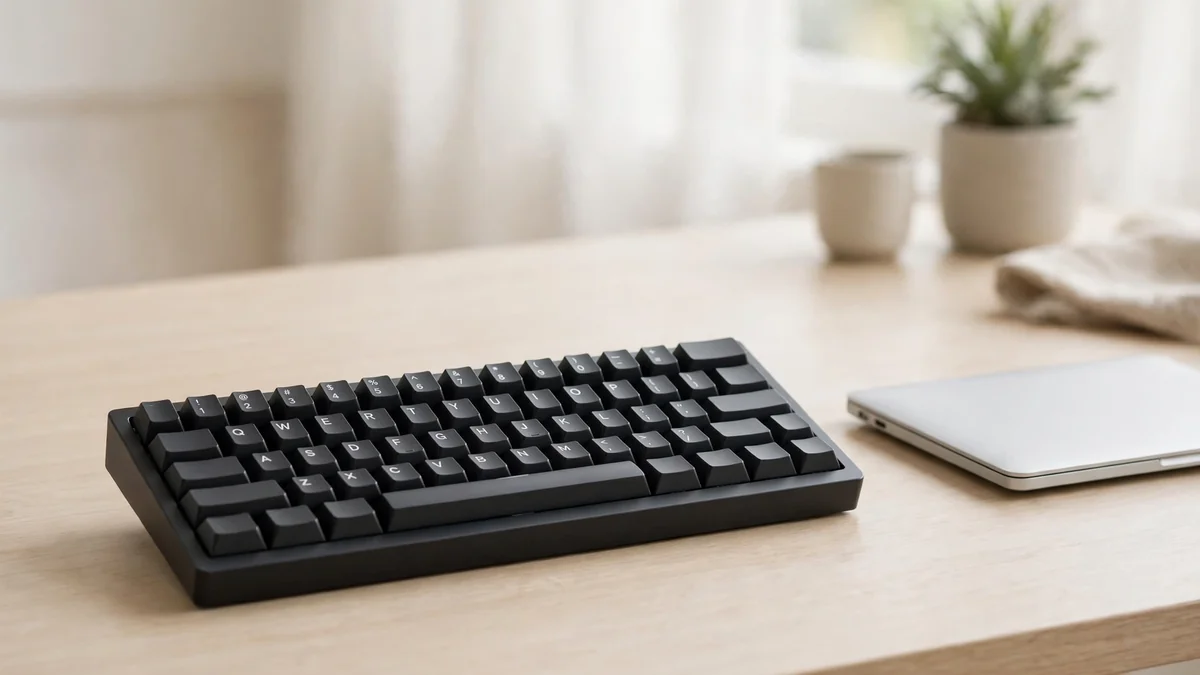
The best 60% mechanical keyboards in 2027 pack a full typing experience into a board about 60% the size of a standard keyboard. They drop the number pad, the function row, and the navigation cluster, leaving 61 keys that cover letters, numbers, and the keys you actually press all day. The result is a small, light board that frees up desk space and travels easily in a bag.
A 60% layout is not for everyone. Number-heavy work, spreadsheet shortcuts, and some games rely on keys that a 60% board reaches only through a function layer, where holding Fn turns other keys into arrows or function keys. If your desk is small, you travel often, or you want more room to move your mouse, the trade is worth it.
This guide covers eight 60% mechanical keyboards, from a $39 budget board to a $179 esports model. Every pick was chosen for typing feel first, then build quality, connectivity, and value. Prices below are approximate starting prices, so check current pricing before you buy.
Key takeaways
- The Anne Pro 2 is the best 60% mechanical keyboard overall, with a proven design, wireless options, and a fair price.
- The Keychron K12 is the best wireless 60% keyboard, with Bluetooth for three devices and hot-swappable switches.
- The Razer Huntsman Mini is the best 60% keyboard for gaming, with fast optical switches and a compact esports layout.
- The Royal Kludge RK61 is the best budget 60% keyboard, starting at around $39 with wireless connectivity included.
- Learn the Fn layer before you judge a 60% board: arrows, function keys, and media controls all live one keypress away.
At a glance: the shortlist
| Product | Best for | Starting price | Standout limit |
|---|---|---|---|
| Anne Pro 2 | Best overall | From $79 | Software can feel dated |
| Keychron K12 | Best wireless | From $94 | No 2.4 GHz option |
| Razer Huntsman Mini | Best for gaming | From $119 | No wireless on base model |
| Ducky One 2 Mini | Best build quality | From $109 | Wired only |
| Royal Kludge RK61 | Best budget | From $39 | Light plastic case |
| Epomaker GK61 | Best hot-swappable | From $59 | Stock keycaps are basic |
| Logitech G Pro X 60 | Best for esports | From $179 | Premium price |
| Womier WK61 | Best RGB value | From $49 | Software is limited |
Anne Pro 2 — Best overall
The Anne Pro 2 is the best 60% mechanical keyboard overall because it has been refined over years and it still does the basics better than most newer boards. The 61-key layout is clean and familiar, the Bluetooth connection is stable across two devices plus wired USB-C, and the board is available with tactile, linear, or clicky switches, so you can pick the feel you like.
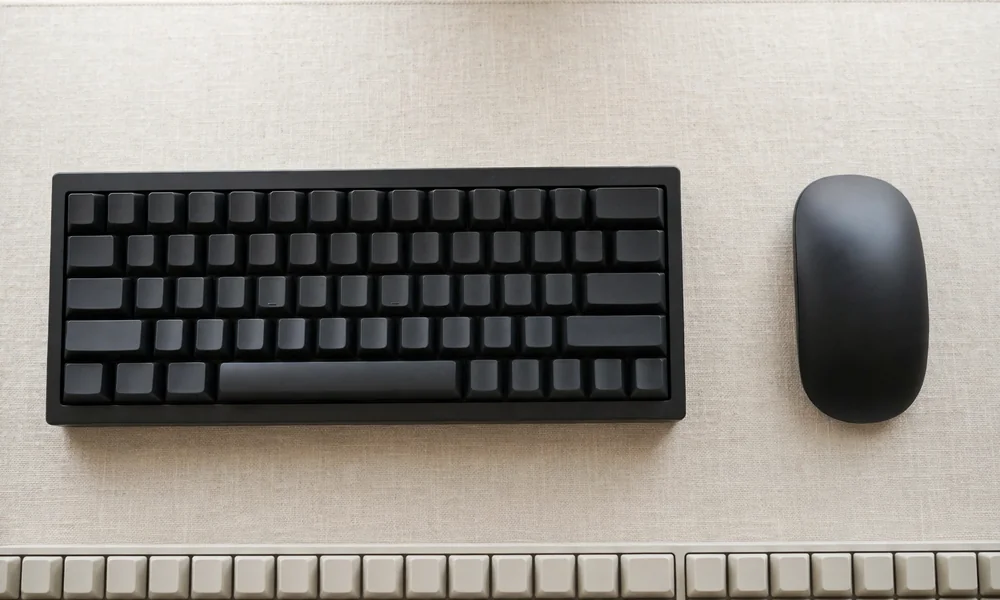
The RGB lighting is bright and customisable, and the battery lasts for weeks with it off. If you want a broader view of the category first, our roundup of the best mechanical keyboards covers full-size and compact layouts side by side.
Pros: Proven 60% design; stable Bluetooth; switch choice; very portable.
Cons: Companion software feels dated; no 2.4 GHz wireless.
Keychron K12 — Best wireless
The Keychron K12 is the best wireless 60% keyboard for people who switch between devices all day. It pairs over Bluetooth with up to three devices, so you can move between a laptop, a tablet, and a desktop with a single keypress, and the USB-C cable is there when the battery runs low.
The aluminium frame gives it a solid feel, and the keycaps are double-shot ABS with a clean, legible font. Battery life is strong with the backlight off, and the board works with Mac and Windows layouts. For a portable board that also serves as a daily driver, the K12 is hard to beat.
Pros: Bluetooth for three devices; hot-swappable; aluminium frame; Mac and Windows support.
Cons: No 2.4 GHz wireless; backlight drains the battery fast.
Razer Huntsman Mini — Best for gaming
The Razer Huntsman Mini is the best 60% keyboard for gaming because its optical switches register faster than standard mechanical switches, with less debounce delay. The compact layout also leaves more room for wide mouse movements, which is why 60% is standard at esports tournaments.
The base model is wired only, which keeps latency low but means a cable on your desk. Razer software unlocks macros and per-key lighting, and the board also works without it for everyday typing.
Pros: Fast optical switches; esports-proven layout; aluminium build; durable PBT keycaps.
Cons: Base model is wired only; premium price for the size.
Ducky One 2 Mini — Best build quality
The Ducky One 2 Mini is the build-quality pick among 60% keyboards. Ducky is known for cases, stabilisers, and keycaps that feel a class above the price, and the One 2 Mini is no exception: the board feels dense and even, the keys sit level, and the double-shot PBT keycaps keep their texture for years.
The trade-off is that it is wired only, with no Bluetooth or 2.4 GHz option, so it suits a fixed desk rather than a travel bag. If you want a 60% board that simply lasts, the One 2 Mini is the safest choice here.
Pros: Superb build quality; excellent PBT keycaps; wide switch choice; consistent feel.
Cons: Wired only; no companion software.
Royal Kludge RK61 — Best budget
The Royal Kludge RK61 is the best budget 60% keyboard, starting at around $39 with Bluetooth, 2.4 GHz wireless, and wired USB-C all included. That is a remarkable amount of connectivity for the price, and the hot-swappable version lets you change switches later without soldering. For a first 60% board, it is the cheapest way to find out whether the small layout suits you.
The plastic case is light and the stock keycaps are basic, but the typing feel is good for the price, and the board is easy to mod with new switches or keycaps later. If you are curious about 60% keyboards but not ready to spend much, start with the RK61.
Pros: Very low price; three connection modes; hot-swappable versions available; good starter board.
Cons: Light plastic case; basic stock keycaps.
Epomaker GK61 — Best hot-swappable
The Epomaker GK61 is the best hot-swappable 60% keyboard for people who want to experiment with switches. The sockets accept standard 3-pin MX-style switches, so you can swap in tactile, linear, or clicky switches in minutes, with no soldering and no tools beyond a switch puller.
You get wired USB-C connectivity and a clean, minimal case that takes aftermarket keycap sets well. For a small board you plan to customise, the GK61 is the most flexible starting point in this guide.
Pros: Fully hot-swappable; full key remapping; clean case; easy to customise.
Cons: Stock keycaps are basic; wired only on most versions.
Logitech G Pro X 60 — Best for esports
The Logitech G Pro X 60 is the best 60% keyboard for competitive gaming. It was built with professional players in mind, with Logitech GX optical switches that register fast and feel consistent, plus Lightspeed wireless that keeps latency as low as a cable. A dedicated volume roller and a game-mode switch sit on the top edge, so you can mute or lock the Windows key without reaching for software.
The board also introduces a feature called Keycontrol, which lets you assign up to 15 functions to a single key through layers. The price is the highest in this guide, but for serious competitive play, the G Pro X 60 earns it.
Pros: Fast GX optical switches; low-latency wireless; volume roller; deep key remapping.
Cons: Premium price; software needed for advanced features.
Womier WK61 — Best RGB value
The Womier WK61 is the best RGB 60% keyboard for the money, starting at around $49 with bright south-facing lighting that shines through translucent keycaps. The board looks far more expensive than it is, and the hot-swappable sockets mean you can change the switches if the stock ones do not suit you.
The case is plastic and the companion software is limited, so this is a board you buy for looks and feel rather than deep customisation.
Pros: Bright, attractive RGB; very low price; hot-swappable; striking design.
Cons: Plastic case; limited software.
How to choose
Start with the Fn layer. On a 60% board, arrows, function keys, and media controls live on a second layer, so check how the board you are considering maps them.
Next, pick your switches and connectivity. Tactile switches suit typing, linear switches suit fast gaming, and clicky switches suit people who work alone. If you type for work as well as play, our guide to the best keyboards for programming compares compact and full-size boards for long coding sessions.
Finally, think about size and weight. A 60% board should be light enough to carry and small enough to leave mouse room on your desk. Prices are approximate starting prices, so check current pricing and confirm the switch type before you buy.
Checklist: before you pay
- Check the Fn layer layout and confirm the arrow keys sit somewhere comfortable for you.
- Confirm the switch type: tactile, linear, or clicky, since most 60% boards sell all three.
- Check whether the switches are hot-swappable if you want to change them later without soldering.
- Confirm the connection you need: Bluetooth, 2.4 GHz wireless, or wired USB-C.
- Measure your desk space and confirm the board leaves enough room for your mouse.
- Check the return policy so you can send the board back if the 60% layout does not suit your work.
Frequently asked questions
Is a 60% keyboard good for everyday typing?
Yes, once you learn the Fn layer. Letters, numbers, and punctuation all sit in their normal places, and arrows and function keys are one keypress away. Most owners adjust within a week, though number-heavy work may still be faster on a full-size board.
Can you game on a 60% keyboard?
Yes, and many competitive players prefer 60% boards because the small size leaves more room for mouse movement.
What is the difference between 60% and 65% keyboards?
A 65% board adds a column of navigation keys, including dedicated arrows, to the 60% layout. If you use arrow keys constantly, a 65% board may suit you better.
Are 60% keyboards good for programming?
They can be, especially with hot-swappable switches and good remapping software.
Do 60% keyboards have arrow keys?
Not as dedicated keys. On a 60% board, arrow keys live on the Fn layer, usually on the bottom-right keys.
Which 60% keyboard is best for travel?
The Keychron K12 is the best travel pick in this guide, because it is light, has Bluetooth for three devices, and works with Mac and Windows. If you want to compare more portable boards, our roundup of the best wireless keyboards covers travel-friendly options in every size.
The bottom line
For most people, the Anne Pro 2 is the right 60% mechanical keyboard: it is proven, portable, and fairly priced. If you switch between devices, the Keychron K12 is the better wireless pick, and if you game competitively, the Razer Huntsman Mini or Logitech G Pro X 60 will serve you better. Budget buyers should start with the Royal Kludge RK61 and upgrade later if the layout sticks.
Whichever board you choose, give the Fn layer a full week before you judge it. Most owners stop thinking about the missing keys entirely by the end of the week.