Best AI tools for voice memos in 2027 turn spoken notes into searchable text, summaries, and action items in seconds. A good voice memo tool does more than transcribe: it finds the decision buried in a ten-minute ramble, labels who said what, and files the result where you can find it later. The best options handle noisy rooms, accents, and long recordings without asking you to clean up the audio first.
The tools in this guide were chosen for transcription accuracy, summary quality, search, export options, and honest pricing. We favoured tools that work on both phone and desktop, support at least 30 languages or clear speaker labels, and let you export text without a paid plan. Free tiers matter too, because many people record a handful of memos a week and should not need a subscription for that.
The shortlist below covers every use case, from quick personal notes to team meetings recorded on the move. Otter.ai leads for everyday use, Rev wins when accuracy matters most, and Google Recorder is the best free option for Android users. Read the table, then pick the tool that matches how you actually record.
Key takeaways
- Otter.ai is the best overall voice memo tool, with strong live transcription, summaries, and search.
- Rev offers the most accurate transcripts, with a human service for recordings where every word counts.
- Notta is the best choice for multilingual teams, covering more than 50 languages.
- Google Recorder is free and excellent, but only on Pixel phones.
- Check export limits and per-minute caps before paying, because free plans often stop at 300 minutes a month.
At a glance: the shortlist
| Product | Best for | Starting price | Standout limit |
|---|---|---|---|
| Otter.ai | Everyday voice memos | From $8.33 per user per month, billed annually | 300 minutes a month on the free plan |
| Rev | Maximum accuracy | From $14.99 per month for AI transcription | Human transcription costs $1.50 per minute |
| Notta | Multilingual recording | From $8.17 per month, billed annually | 120 minutes a month on the free plan |
| Fireflies.ai | Meeting capture | From $10 per user per month, billed annually | Free plan has limited storage |
| Descript | Editing audio by editing text | From $12 per user per month, billed annually | One hour of transcription a month free |
| Google Recorder | Free Android recording | Free | Pixel phones only |
| MacWhisper | Private offline transcription | Free, with a paid Pro version | Mac only |
| Apple Voice Memos | Simple iPhone notes | Free | Transcription on newer iPhones only |
Otter.ai — Best overall
Otter.ai records, transcribes, and summarises voice memos in real time, and its search is the reason it leads this list. You can ask for every mention of a client, a price, or a deadline across months of recordings, and Otter finds the exact moment it was said. Speaker labels are reliable, and the summary usually captures the decision without the small talk.
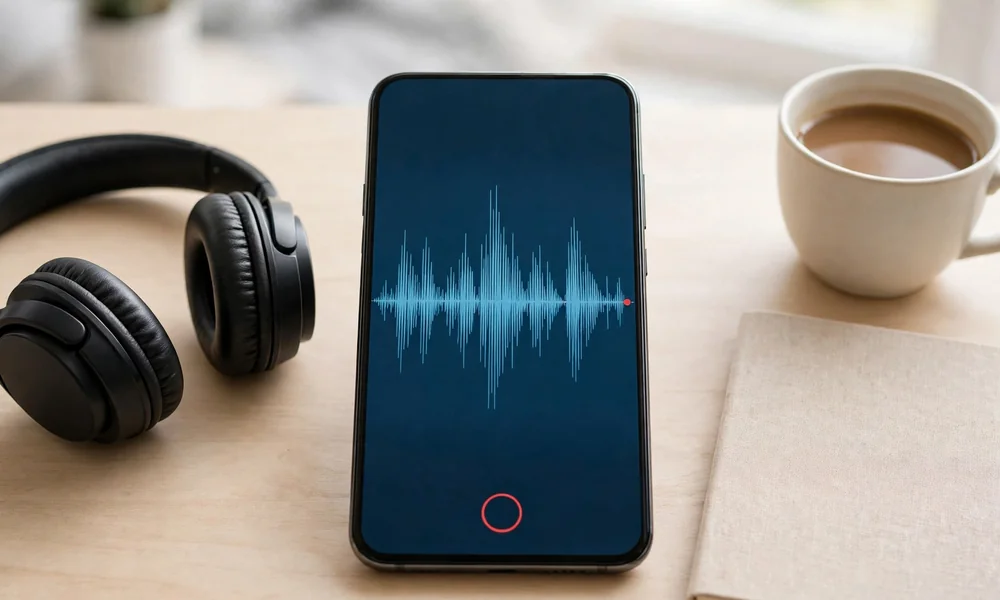
The mobile app opens fast, recordings sync to the web app for highlighting and export, and Otter also joins scheduled video calls. For a closer look at spoken-word capture, see our guide to the best AI tools for dictation.
Pros: Fast live transcription, strong search and summaries, good mobile and web apps. Cons: Accuracy drops in noisy rooms, and the free plan caps monthly minutes.
Rev — Best for accuracy
Rev offers two very different services under one roof: fast AI transcription and slower human transcription at 99 percent accuracy. The AI option handles everyday memos well and returns text in minutes, while the human option is the right call for interviews, legal notes, and any recording where a misheard number would cause a real problem.
The editor has clickable timestamps and correctable speaker labels, supports more than 30 languages, and offers captions. Human transcription adds up quickly, so reserve it for the memos that matter.
Pros: Best-in-class human accuracy, clear timestamps, strong editor. Cons: Human transcription is expensive per minute, and AI summaries are thinner than Otter.
Notta — Best for multilingual teams
Notta transcribes in more than 50 languages and translates summaries into a second language, which makes it the strongest pick for teams spread across countries. A memo recorded in Spanish can be read in English minutes later, with the original audio kept alongside the text for checking. That combination is rare at this price.
Record, upload, or paste a link, then read the transcript and summary. Notta also records browser calls and supports bilingual transcripts, with export to text, Word, PDF, and subtitles.
Pros: Wide language support, built-in translation, easy uploads. Cons: Summaries are shorter than rivals, and speaker labels need manual fixes.
Fireflies.ai — Best for meeting capture
Fireflies.ai is built for meetings, but it works just as well for voice memos recorded after a call, when you want to capture what was decided while it is fresh. It joins video meetings automatically, transcribes the discussion, and produces a summary with action items, decisions, and open questions listed separately.
The searchable library is the main strength: every recording becomes a page you can search, tag, and share. It integrates with calendars and customer tools, though it is less suited to quick personal notes.
Pros: Automatic meeting capture, clear action items, strong search. Cons: Overkill for personal notes, and the free plan limits storage.
Descript — Best for editing audio by editing text
Descript turns a recording into a document you can edit like text: delete a sentence from the transcript and the audio is cut to match. That makes it the best voice memo tool for anyone who turns recordings into podcasts, videos, or polished notes. Its filler-word removal cleans up ums and pauses in one click, and the overdub feature can fix a misspoken word.
Transcription is strong, and trimming, mixing, and publishing tools are included. The learning curve is steeper than Otter or Notta, but if your memos become finished content, no other tool shortens that path as much.
Pros: Text-based audio editing, filler-word removal, publishing tools built in. Cons: Steeper learning curve, and the free plan allows only an hour of transcription a month.
Google Recorder — Best free option
Google Recorder is free, fast, and surprisingly accurate, with live transcription that works without an internet connection. It labels speakers, lets you search the text of every recording, and highlights key words as you speak. For short personal memos, reminders, and interviews, it is genuinely hard to fault.
The catch is hardware: Recorder is only available on Pixel phones, with no iPhone or desktop app, although recordings can be viewed on the web. If you own a Pixel, install it before paying for anything else.
Pros: Free, offline transcription, excellent search. Cons: Pixel only, with no iPhone or desktop app.
MacWhisper — Best for private offline transcription
MacWhisper runs OpenAI Whisper models directly on a Mac, so recordings never leave your computer. That makes it the best choice for sensitive memos, client interviews, and anyone who prefers not to send audio to a cloud service. Transcription quality is strong, especially with the larger models, and it handles long files well.
The free version covers the basics, while Pro adds faster processing, more models, and batch transcription. There is no polished built-in summary and no mobile app, so it suits desk-based work.
Pros: Fully offline and private, strong accuracy, one-time Pro payment. Cons: Mac only, with no mobile app or built-in meeting capture.
Apple Voice Memos — Best for simple iPhone notes
Apple Voice Memos is already on every iPhone, and recent versions add transcription for supported models. It is the fastest way to capture an idea: open the app, tap record, and speak. Recordings sync across Apple devices, and the interface has nothing to learn.
Transcription is only available on newer iPhones, there is no AI summary or speaker labelling, and search covers titles rather than full text. For research or team work, record directly in one of the transcription tools above instead.
Pros: Free, built in, instant to open, syncs across Apple devices. Cons: No summaries, limited search, transcription only on newer models.
How to choose
Start with how you record. If most memos are short personal notes on your phone, a free tool such as Google Recorder or Apple Voice Memos may be all you need. If memos feed into work, look for summaries, speaker labels, and search across recordings, because those features save more time than raw transcription speed.
Next, check accuracy in your conditions. Record a test memo in a noisy room and compare it with what you said, especially for names and numbers, and check language support and export formats. Our guide to the best AI tools for transcription compares accuracy across more use cases.
Finally, compare the true monthly cost. A low headline price often hides a per-minute cap, so check current pricing and trial the tool with a real week of memos.
Checklist: before you pay
- Test accuracy with a real memo in a noisy room, not a studio recording.
- Check the monthly minute cap and what happens when you exceed it.
- Confirm export formats, including plain text, Word, and PDF.
- Check speaker labelling and whether summaries include action items.
- Confirm language support for every language you record in.
- Read the cancellation terms and check whether your recordings stay accessible after you cancel.
Frequently asked questions
What is the best AI tool for voice memos in 2027?
Otter.ai is the best overall choice for most people, because it combines fast transcription, useful summaries, and search across recordings. Rev is better when accuracy matters most, and Google Recorder is the best free option for Pixel owners.
Are AI voice memo tools accurate?
Yes, in clear audio most leading tools reach 90 percent accuracy or higher, and human transcription from Rev reaches about 99 percent. Accuracy falls with background noise, overlapping speakers, and heavy accents, so test with your own recordings.
Can I transcribe voice memos for free?
Yes. Google Recorder and Apple Voice Memos are free, and Otter, Notta, and Descript all offer free plans with monthly minute limits. Free plans usually cap minutes and storage, so heavy users will need a paid plan.
Do these tools work offline?
Most cloud tools need an internet connection for transcription, although some record offline and upload later. Google Recorder and MacWhisper transcribe on the device itself, so they work fully offline.
How do I turn a voice memo into a summary?
Record or upload the memo in Otter, Notta, Fireflies, or Descript, then open the AI summary. The best tools list decisions and action items separately, so read the summary first and check the full transcript only where the summary looks uncertain.
Which tool is best for meeting notes from voice memos?
Fireflies.ai is the strongest for meetings, with automatic capture and action items, while Otter also handles meetings well. For more options, see our guide to the best AI tools for meeting notes.
The bottom line
For most people, Otter.ai is the right starting point: it is fast, searchable, and easy to use every day. Choose Rev when a transcript must be exact, Notta for multilingual work, and Google Recorder if you own a Pixel and want a free tool that simply works.
Whichever tool you pick, test it with a real week of memos before paying. Accuracy, summaries, and minute caps only become clear in daily use, and the best tool is the one you actually open when an idea arrives.