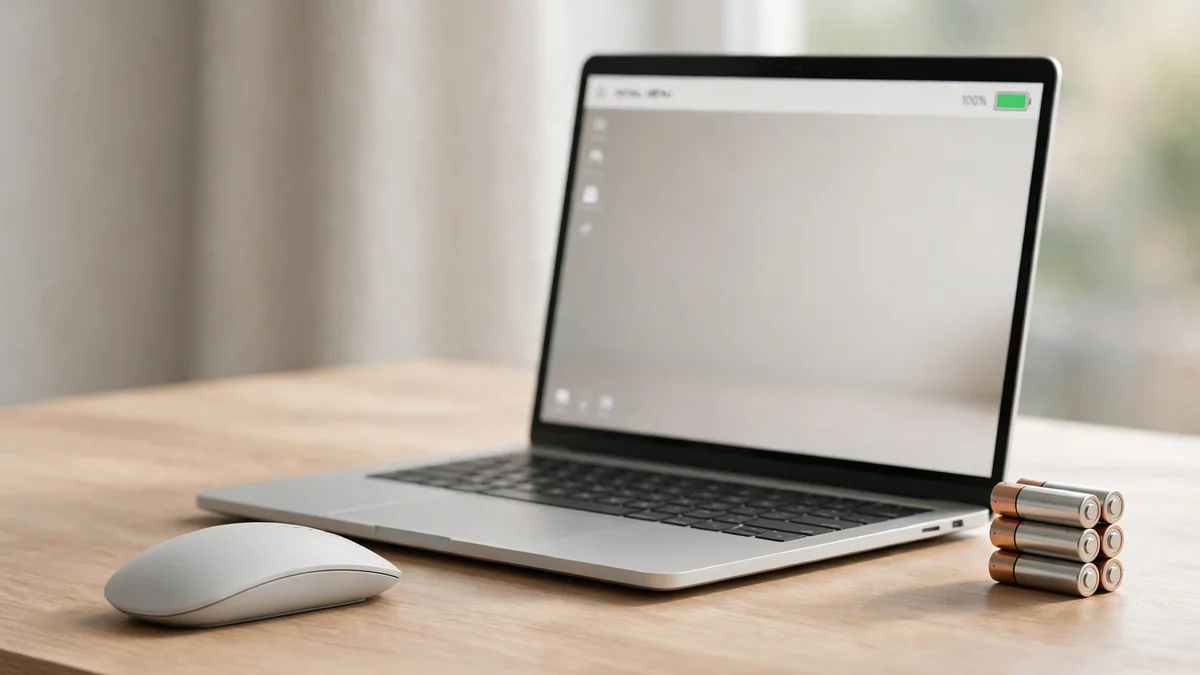
The best wireless mice with long battery life in 2027 can run for months, and in some cases years, on a single charge or battery. A mouse that dies during a deadline is a small disaster, and one that needs charging every week is a chore.
Battery ratings vary widely, and the numbers are not always comparable. A mouse rated for 24 months on one AA battery and a rechargeable mouse rated for 70 days both count as long-life, but they solve the problem differently.
This guide covers eight wireless mice with the longest battery life in their class, from a $15 workhorse to premium mice that go 70 days between charges.
Key takeaways
- The Logitech MX Master 3S is the best overall long-life mouse, with 70 days per charge.
- The Logitech M720 Triathlon runs for up to 24 months on one AA battery and switches between three devices.
- AA-powered mice last longest, with several models rated for 18 to 24 months.
- High polling rates and RGB lighting drain batteries fast, so long-life mice skip both.
- Low-battery warnings and quick charging matter more than the headline rating.
At a glance: the shortlist
| Mouse | Best for | Starting price | Battery life |
|---|---|---|---|
| Logitech MX Master 3S | Best overall | Around $99 | 70 days rechargeable |
| Logitech M720 Triathlon | Multi-device | Around $35 | 24 months, 1 AA |
| Logitech MX Anywhere 3S | Portability | Around $79 | 70 days rechargeable |
| Logitech M185 | Budget pick | Around $15 | 12 months, 1 AA |
| Logitech Signature M650 | Mid-range | Around $40 | 24 months, 1 AA |
| Microsoft Surface Precision Mouse | Long sessions | Around $99 | 3 months rechargeable |
| Razer Pro Click | Ergonomics | Around $99 | 400 hours Bluetooth |
| Lenovo 530 Wireless Mouse | Best value | Around $30 | 12 months, 1 AA |
Logitech MX Master 3S — Best overall
The Logitech MX Master 3S is the best long-life wireless mouse for serious work. Its rechargeable battery lasts up to 70 days per charge, and a one-minute quick charge gives three hours of use. The 8000 DPI sensor tracks on glass as well as wood, and the scroll wheel spins freely or clicks precisely.

The sculpted shape supports the palm and thumb for full working days, and it connects to three devices over Bluetooth or Logi Bolt. Unlike many wireless mice for gaming, which trade battery life for high polling rates, the MX Master 3S is tuned for endurance, and at around $99 it is the standard against which other productivity mice are measured.
Pros: 70-day battery, quick charge, tracks on glass, three-device switching, superb scroll wheel. Cons: Large and heavy, right-handed only, premium price.
Logitech M720 Triathlon — Best for multi-device use
The Logitech M720 Triathlon is the longest-lasting multi-device mouse you can buy, rated for 24 months on one AA battery. It pairs with three devices over Bluetooth or a Unifying receiver, and a thumb button switches between them instantly.
It also has a hyper-fast scroll wheel, two thumb buttons, and a comfortable full-size shape. At around $35, it delivers much of the MX Master experience for a third of the price.
Pros: 24-month battery, three-device switching, fast scroll wheel, comfortable shape. Cons: Fixed 1000 DPI, no USB-C charging, right-handed only.
Logitech MX Anywhere 3S — Best portable long-life mouse
The Logitech MX Anywhere 3S packs the MX Master formula into a compact, pocketable mouse. It runs for up to 70 days on a charge, tracks on glass, and connects to three devices over Bluetooth or Logi Bolt.
The smaller shape suits travel and small desks, and the quiet clicks keep it discreet in meetings. The MagSpeed scroll wheel spins freely or clicks precisely depending on how you flick it. At around $79, it is the best portable mouse for premium tracking and a battery that lasts for months.
Pros: 70-day battery, glass tracking, compact and portable, quiet clicks, three-device switching. Cons: Small shape is not ideal for large hands, premium price, no AA option.
Logitech M185 — Best battery life on a budget
The Logitech M185 proves that long battery life does not need a premium price. This $15 mouse runs for up to 12 months on a single AA battery, connects through a tiny 2.4 GHz receiver, and works with Windows, macOS, ChromeOS, and Linux with no software at all.
The compact shape suits small to medium hands, and the 1000 DPI sensor tracks smoothly on wood, paper, and fabric. There are no extra buttons or Bluetooth, but for everyday browsing, documents, and email, none of that matters.
Pros: 12-month battery for around $15, works everywhere, tiny receiver stores inside, light and portable. Cons: No Bluetooth, no side buttons, fixed DPI.
Logitech Signature M650 — Best mid-range pick
The Logitech Signature M650 is a comfortable, mid-size mouse with a battery life of up to 24 months on a single AA battery. It comes in three sizes, and it connects over Bluetooth or a Logi Bolt receiver. The contoured shape and quiet clicks make it a strong choice for all-day desk work.
It also adds SmartWheel scrolling, which shifts between precise and fast free-spinning automatically, and two customisable side buttons. At around $40, it is the sweet spot between the cheap M185 and the premium MX range.
Pros: 24-month battery, three sizes, quiet clicks, 4000 DPI sensor, Bluetooth and receiver. Cons: No rechargeable option, no hyper-fast scroll lock, plastic build.
Microsoft Surface Precision Mouse — Best for long sessions
The Microsoft Surface Precision Mouse is built for people who use a mouse for eight hours a day. Its rechargeable battery lasts up to three months per charge, and it connects to three devices over Bluetooth or a USB receiver. The sculpted shape and three customisable thumb buttons suit long editing sessions.
The smart scroll wheel switches between smooth and precise notched scrolling depending on the app. At around $99, it is a premium pick, but the three-month battery and the comfortable shape justify the price for heavy users.
Pros: Three-month battery, comfortable sculpted shape, three-device switching, smart scroll wheel. Cons: Heavy at 135 grams, premium price, charges over Micro-USB.
Razer Pro Click — Best ergonomic long-life mouse
The Razer Pro Click is an ergonomic productivity mouse that runs for up to 400 hours over Bluetooth, or around 200 hours over its 2.4 GHz receiver, on a single charge, and it charges over USB-C. The tilted shape supports a natural handshake grip.
The 16,000 DPI sensor is far more precise than most office mice need, and eight buttons can be customised through Razer Synapse. At around $99, it is the best long-life mouse for anyone who wants a high-end sensor in a comfortable ergonomic body.
Pros: 400 hours over Bluetooth, USB-C charging, ergonomic shape, four-device switching, excellent sensor. Cons: Large and heavy, premium price, Synapse software needed for full customisation.
Lenovo 530 Wireless Mouse — Best value long-life mouse
The Lenovo 530 Wireless Mouse is a quiet, comfortable mouse that runs for up to 12 months on a single AA battery and usually costs around $30. It connects over a 2.4 GHz nano receiver, has a 1200 DPI optical sensor, and works with Windows, macOS, and ChromeOS. The sculpted shape makes it comfortable for long sessions.
Its main strength is balance: cheaper than the premium models, more comfortable than the ultra-budget ones, and its battery lasts a full year. The clicks are quiet, and the receiver stores inside the battery compartment for travel. For a home office mouse that you can set up and forget, it is excellent value.
Pros: 12-month battery, quiet clicks, comfortable shape, good value. Cons: No Bluetooth, right-handed only, fixed DPI.
How to choose
First, decide between disposable and rechargeable batteries. AA-powered mice like the M720 and M650 can run for 24 months and never need a cable, which makes them ideal if you hate charging. Rechargeable mice like the MX Master 3S run for 70 days or more, but they need a cable every couple of months, so check the charging port and quick-charge support.
Next, look at how the headline rating was measured. Turning on a high polling rate, RGB lighting, or a high DPI can cut battery life sharply. Mice in this guide avoid those power-hungry features, which is part of why they last so long. Pair it with a long-life keyboard such as one of the best mechanical keyboards for Mac and the whole setup can run for months untouched.
Finally, check the low-battery behaviour. A mouse that warns you before it dies is far more useful than one that stops without notice.
Checklist: before you pay
- Check the battery type: AA, AAA, or rechargeable, and how the rated life was measured.
- Look for a low-battery warning and a quick-charge feature on rechargeable models.
- Confirm the connection type: Bluetooth, 2.4 GHz receiver, or both, and how many devices it supports.
- Make sure the size and shape suit your hand for sessions longer than two hours.
- Check the charging port: USB-C is preferable to Micro-USB for a mouse you will own for years.
- Compare the starting price with the current price, as long-life mice are discounted often.
Frequently asked questions
Which wireless mouse has the longest battery life?
AA-powered mice last the longest. The Logitech M720 Triathlon and Signature M650 are both rated for up to 24 months on a single AA battery. Among rechargeable mice, the MX Master 3S and MX Anywhere 3S lead at up to 70 days per charge.
Do rechargeable mice or AA battery mice last longer?
AA battery mice last longer between changes, with 12 to 24 months per battery versus 70 days to three months per charge for rechargeable models. Rechargeable mice cost less over time and usually have better sensors. The right choice depends on whether you prefer never charging or never buying batteries.
Why do some wireless mice drain batteries so fast?
High polling rates, RGB lighting, and high DPI settings all consume power. Gaming mice often last days rather than months for this reason. Office mice last longer because they use lower polling rates, no lighting, and aggressive sleep modes that switch the sensor off when the mouse is still.
How can I make my wireless mouse battery last longer?
Turn off RGB lighting if your mouse has it, lower the polling rate to 125 Hz for office work, and let the mouse sleep between uses instead of switching it off and on constantly. Keep the receiver close to the mouse, and use quality alkaline or lithium AA batteries rather than cheap zinc cells.
Are long battery life mice good for travel?
Yes, they are ideal for travel, because a mouse that lasts months will not die on a trip. The MX Anywhere 3S is the best travel pick in this guide: it is compact, runs for 70 days per charge, and tracks on glass, so it works on hotel desks and aeroplane tray tables. Pair it with one of the best wireless keyboards for Mac for a complete portable setup.
What should I do when my mouse battery finally dies?
For AA models, keep a spare battery in your desk drawer so a swap takes ten seconds. For rechargeable models, a one-minute quick charge on the MX Master 3S gives three hours of use. Either way, a new battery is almost always cheaper than a new mouse.
The bottom line
For the best long-life wireless mouse overall, buy the Logitech MX Master 3S: 70 days per charge and a shape built for full working days. If you never want to think about charging at all, the Logitech M720 Triathlon runs for 24 months on one AA battery and costs around $35. And if your budget is tight, the Logitech M185 gives you a full year of battery life for around $15.
Whatever you choose, check the current pricing before buying, since long-life mice are discounted frequently and the best deal changes from week to week.