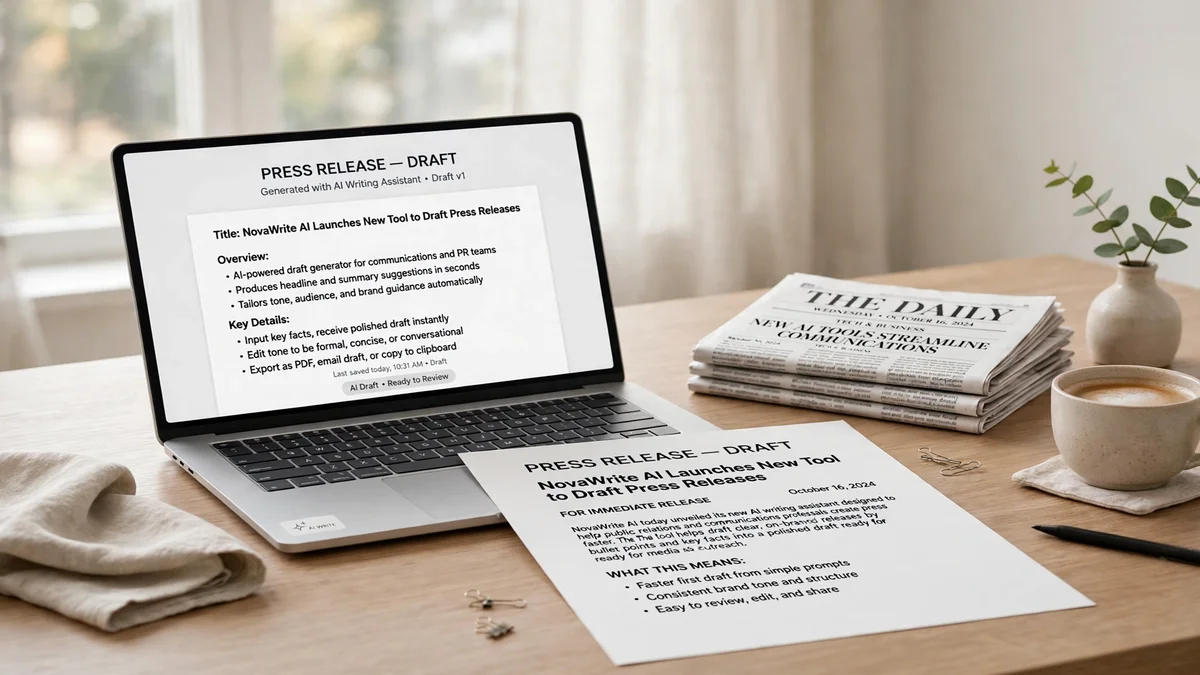
Best AI tools for press releases in 2027 turn a blank page into a publishable announcement in minutes. A good press release still needs real news, accurate facts and a clear headline, but the drafting and tone work that used to take a communications team half a day can now be done in one sitting. The best tools handle the format journalists expect and keep your brand voice consistent.
We tested the leading options for release quality, media distribution, newsroom features and value. The strongest tools do more than generate text: they suggest headlines, build quote blocks and connect the draft to a media list or a hosted newsroom. Weak tools produce generic copy that reads like a brochure and needs a full rewrite.
The shortlist below covers every use case, from a startup announcing its first funding round to an in-house team sending several releases a month. Jasper leads overall, Copy.ai is the fastest way to a first draft, and Prowly is best when distribution matters as much as the words. Prices are approximate starting prices; check current pricing before buying.
Key takeaways
- Jasper is the best overall AI tool for press releases, with strong long-form drafting and brand voice controls.
- Copy.ai produces the fastest first drafts, making it ideal for teams that announce news often.
- Prowly combines AI writing with media lists and distribution, so the release and the outreach live in one place.
- Prezly is the best option for companies that want a hosted online newsroom alongside their releases.
- Every AI draft still needs a human fact-check: verify names, dates, figures and quotes before sending anything to journalists.
At a glance: the shortlist
| Product | Best for | Starting price | Standout limit |
|---|---|---|---|
| Jasper | Best overall | From about $49 per month | Best features need a higher tier |
| Copy.ai | Fastest first drafts | Free plan; paid from about $49 per month | Output needs editing for formal tone |
| Writesonic | Budget teams | Free plan; paid from about $16 per month | Templates can feel formulaic |
| Prowly | Writing plus distribution | From about $189 per month | Priced for regular PR users |
| Prezly | Online newsrooms | From about $90 per month | No standalone media database |
| HubSpot AI | Teams already using HubSpot | Free tools; paid plans from about $20 per month | Release templates are basic |
| Meltwater | Enterprise PR suites | Custom pricing | Costly for small teams |
| ChatGPT | Flexible drafting help | Free; Plus from about $20 per month | No PR templates or distribution |
Jasper — Best overall
Jasper is the strongest all-round choice because it handles long-form structure well. Feed it the announcement, the key facts and the audience, and it returns a draft with a headline, a lead paragraph, supporting detail and a quote placeholder in the right order. Its brand voice feature learns your tone from past releases, so each one sounds like it came from the same company.

Its templates cover announcements, product launches and funding news, and the editor lets you rework one section without regenerating the whole release. The guide to the best AI tools for email writing covers similar drafting strengths for a different format.
Pros: Strong long-form structure, reliable brand voice, good templates for announcements. Cons: The most useful features sit on higher-priced plans, and short trial limits make evaluation rushed.
Copy.ai — Best for fast first drafts
Copy.ai is built for speed. Its workflow asks for the who, what, when and why, then produces several headline options and a complete first draft in under a minute. For teams that issue news frequently, that speed matters more than polish, because a human editor will shape the draft anyway.
It also generates social posts and email versions of the same announcement. The trade-off is tone: drafts can sound breezy for a formal announcement, so firm up the language before distribution.
Pros: Very fast drafts, several headline options, useful multi-channel versions. Cons: Tone can be too casual for formal releases, and factual details need careful checking.
Writesonic — Best for budget teams
Writesonic offers one of the lowest entry prices here, with a free tier that lets small teams try real press release drafting before paying. Its templates follow the standard release format, including the dateline, the lead paragraph and the boilerplate paragraph at the end.
Quality is solid for straightforward announcements such as product launches and event news, though complex stories can come out flat. For a startup sending its first few releases, that is a fair trade for the price.
Pros: Low starting price, usable free plan, clear standard release format. Cons: Templates can feel formulaic, and nuanced stories need heavier editing.
Prowly — Best for writing plus distribution
Prowly is the only tool here that treats the release and the media outreach as one job. Its AI assistant drafts the release and helps tailor the pitch, then the same platform holds your media list, sends the release and tracks opens and coverage, removing the handoff to a separate distribution service.
The media database is the main reason to pay more: small teams can find relevant journalists without buying a separate list. The writing itself is competent rather than outstanding, so teams that only need drafting can get the same quality cheaper elsewhere.
Pros: Writing, media lists and distribution in one place, useful coverage tracking. Cons: Expensive for occasional users, and the AI writing is good rather than exceptional.
Prezly — Best for online newsrooms
Prezly pairs AI-assisted drafting with a hosted online newsroom, so every release lives on a branded page with images, contact details and past announcements. Journalists can find the full story without digging through email, and the page is easy to share or link from your own site.
The drafting help is lighter than Jasper or Copy.ai, focusing on structure and summaries rather than full creative writing. That suits teams that already know what they want to say and mainly need a clean place to publish it.
Pros: Professional hosted newsroom, easy sharing, clean release archive. Cons: No built-in media database, and drafting features are lighter than dedicated writing tools.
HubSpot AI — Best for teams already using HubSpot
HubSpot AI, including its free content assistant tools, helps teams already running marketing on HubSpot draft releases without adding another subscription. You can generate a headline, a summary and a first draft, then store the release alongside the campaign and the follow-up emails it supports.
The release templates are more basic than specialist PR tools, with no media database or distribution service. The value is convenience: if your contacts and campaigns already live in HubSpot, drafting there keeps everything in one system.
Pros: Free tools available, works inside an existing HubSpot setup, good for campaign follow-up. Cons: Basic release templates and no media distribution features.
Meltwater — Best for enterprise PR suites
Meltwater is an enterprise PR platform that has added AI writing and summarising across its media monitoring, distribution and analytics tools. Large communications teams use it to draft releases, monitor pickups and measure coverage, all in one suite.
The AI drafting is a smaller part of the package than the monitoring and analytics, and pricing is quoted per organisation, putting it out of reach for most small teams. For a company already paying for media monitoring, the writing help is a useful bonus.
Pros: Full PR suite with monitoring and analytics, strong coverage measurement. Cons: Custom pricing is costly, and it is more than a small team needs.
ChatGPT — Best for flexible drafting help
ChatGPT is the most flexible option here because it is not a press release tool at all. Give it the facts, the audience and an example of a release you like, and it will draft, rewrite, shorten or re-angle the announcement on request. That makes it useful for unusual stories that do not fit a template.
The catch is that you supply the structure yourself: it will not remind you to include a boilerplate paragraph, and it has no distribution features. With a clear brief and a careful human edit, though, it produces drafts as good as any specialist tool here.
Pros: Very flexible, handles unusual stories well, low cost. Cons: No PR templates, media lists or distribution, and quality depends heavily on the brief.
How to choose
Start with how you distribute releases, not just how you write them. If you already have a media list and only need better drafts, a writing tool such as Jasper or Copy.ai is enough. If you need to find journalists and track coverage too, Prowly or Meltwater justify their price by replacing a separate distribution service.
Next, weigh volume against budget. A team sending one release a quarter can use a free plan or ChatGPT; a team sending several a month should pay for brand voice, templates and a newsroom, because those features save hours on every announcement. Test each tool with a real past release and compare the draft with the version you sent. For broader drafting, the best AI tools for marketing roundup shows which of these tools also handle campaigns, ads and social posts.
Checklist: before you pay
- Test the tool with a real past release and compare the draft with the version you sent.
- Check whether the plan includes brand voice, templates and enough words for your monthly volume.
- Confirm the renewal price, not just the introductory offer, and how cancellation works.
- Check whether media lists, distribution or a newsroom are included or cost extra.
- Make sure you can export drafts and your media contacts if you leave.
- Confirm support response times, since release deadlines rarely wait for a slow reply.
Frequently asked questions
Can AI write a whole press release on its own?
It can produce a complete draft, but it should not be sent without a human review. AI tools are good at structure and tone, yet they can invent details or misstate figures. Check every fact yourself.
Do journalists mind AI-written press releases?
Journalists care about the news, the accuracy and the clarity, not about which tool produced the first draft. A release with a real story and verified facts will be read; a vague or inaccurate one will be ignored.
What makes a press release newsworthy?
Real change is the test: a launch, funding, a partnership, research results or a genuine milestone. AI tools can polish the wording, but they cannot create news where none exists. If it would not interest a reader outside your company, rethink the story first.
Should I use the same release for every journalist?
Use one core release, then tailor the pitch line and the angle for each journalist. A technology reporter and a local business reporter need different reasons to care.
How long should a press release be?
Most releases run 300 to 500 words, or about one page. Lead with the news, add supporting detail and one or two quotes, then close with the boilerplate and contact details. For complex stories, the first paragraph must still carry the whole story.
Is a hosted newsroom worth paying for?
Yes, if you issue releases regularly or journalists visit your site for background. A newsroom keeps every announcement, image and contact in one findable place and gives each release a shareable page. If you send one release a year, a simple page on your own site is enough; the best AI tools for content writing guide covers drafting the supporting pages.
The bottom line
For most teams, Jasper is the best AI tool for press releases in 2027: it drafts in the right structure, holds a consistent brand voice and handles announcements of every kind. Copy.ai is the pick when speed matters most, Prowly when distribution matters as much as the writing, and Prezly for a professional newsroom.
Whichever tool you choose, the rule does not change: the AI writes the draft, a human owns the facts. Check the names, dates, figures and quotes, then send it.