Choosing a plan means balancing your monthly budget against the games and devices you actually use with Xbox Game Pass. A day-one release is a game available through an eligible Game Pass plan on its launch day.
The right fit depends on whether you play on a console, a PC, or both. You may care most about launch-day games, cloud play, or keeping your monthly cost low.
New subscribers can compare U.S. rates, included features, and billing terms before choosing. Prices alone do not show whether a plan covers your devices or the games you want.
This comparison focuses on the current U.S. plans and the details that can affect what you pay. A good comparison starts with the official monthly rate, then checks what each plan actually includes.
Key Takeaways
- Essential costs less each month, with a smaller game library.
- Premium adds a larger library and broader device access.
- PC Game Pass is for PC players seeking day-one titles.
- Ultimate includes console and PC access, plus bundled services.
- Library access can end when a game leaves or your subscription expires.
- Check renewal terms and your account’s plan details before you subscribe.
Xbox Game Pass Price by Plan
The current U.S. monthly rates run from $9.99 for Essential to $22.99 for Ultimate. Platform scope matters because PC Game Pass covers PC, while other plans span more devices.
Ultimate costs $22.99 per month and PC Game Pass costs $13.99 per month, starting April 21, 2026. Essential is $9.99 monthly, and Premium is $14.99 monthly.
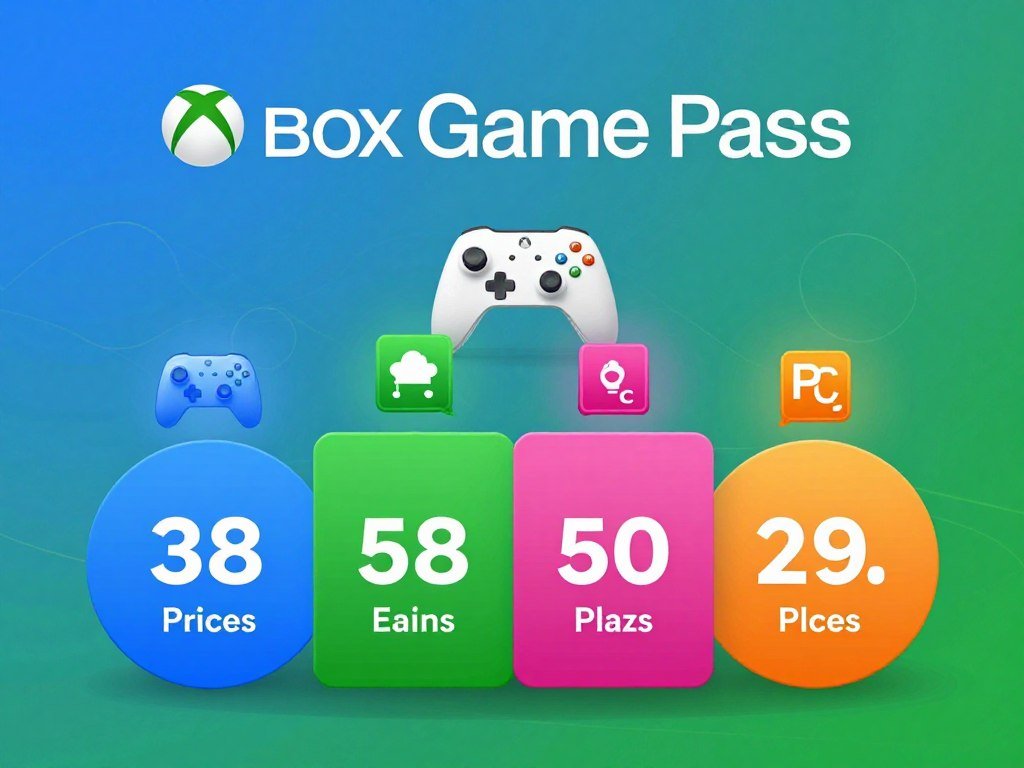
| Plan | U.S. monthly price | Platform scope |
|---|---|---|
| Essential | $9.99 | Xbox console, PC, and supported devices |
| Premium | $14.99 | Xbox console, PC, and supported devices |
| PC Game Pass | $13.99 | PC |
| Ultimate | $22.99 | Xbox console, PC, and supported devices |
Check the platform scope alongside the monthly rate, since a lower price may not cover the device you use.
For a clear price history, compare like periods: in 2024, Ultimate cost $19.99 per month, and PC Game Pass cost $11.99 per month after that year’s increases. Those are 2024 rates, not current prices.
The current U.S. monthly rates give you a useful starting point, but the plan names alone do not show what you can play. “Xbox game” access may include console or PC titles, based on the plan.
One month of access is billed at the plan’s monthly rate. A prepaid code or promotion can follow different terms, so do not treat every listing as a monthly subscription.
Compare the monthly price against the devices you will actually use, not just the plan name.
Where Can You Buy Game Pass in the U.S.?
A direct Microsoft Store subscription activates automatically, while a prepaid code needs to be redeemed. Codes use a 25-character sequence tied to an account and region.
Direct purchases start on the Microsoft account you use in the Store; prepaid codes require manual redemption. Keep the account details ready before you begin.
| Purchase route | How activation works | What to have ready |
|---|---|---|
| Microsoft Store on Xbox | Automatic activation | Microsoft account |
| Microsoft Store on PC | Automatic activation | Microsoft account |
| Prepaid code | Manual redemption | Microsoft account and 25-character code |
To redeem a code, use these steps:
- Sign in to the Microsoft account that should receive the subscription.
- Open the code-redemption page on a PC, or choose Redeem in the Xbox Store.
- Enter the 25-character code.
- Follow the on-screen instructions to finish.
The Xbox Game Pass price at Walmart may refer to a prepaid-code listing, not the official monthly subscription rate. Check the current listing’s term and region before buying.
A local address does not set the U.S. digital subscription rate. In-person code stock and prices can differ by seller, so a store near you may not match another retailer.
Keep in mind that a code can cover a set term rather than a month-to-month plan. Check whether it applies to the tier you want, and whether the code’s region matches your account.
Before entering a code, check that its region and subscription type match the account you intend to use.
Which Game Pass Plan Fits Your Play Style?
Essential is the simplest fit for a console player who wants multiplayer and a smaller rotating library rather than launch-day releases. Your regular habits should guide the choice, not the longest feature list.
Choose a plan for the games and devices you use most often. The game counts and bundled extras can help, but day-one availability applies only to eligible titles and plans.
Essential for a lower-cost starting point
Game Pass Essential includes 50+ games, online console multiplayer, and in-game benefits. It does not include new releases on day one.
Choose Essential if you mainly want multiplayer on an Xbox console and a smaller library to browse. The trade-off is a shorter game selection and no launch-day access.
That mix can work well if you return to a handful of games and use online play often. If a large library across devices matters more, another plan may fit better.
Premium for a broader library
Premium includes 200+ games and access across Xbox console, PC, and supported devices. New Xbox-published games join its library within one year of launch.
This plan fits players who want more titles and can wait for Xbox-published games. It offers broader access than Essential without promising those games on launch day.
Before choosing it for a specific title, check whether that game is already in the library. A large catalog does not mean every new release arrives on a fixed date.
PC Game Pass for PC players
PC Game Pass includes 300+ PC games, day-one titles, and EA Play. EA Play is a separate game service included with this plan.
It suits a PC-only player who wants a broad library and access to eligible new titles on launch day. The trade-off is that it does not include Xbox Cloud Gaming.
If you also play on an Xbox console, compare the device coverage before choosing a PC-only option. A PC library alone will not meet a console multiplayer need.
Ultimate for an all-in-one subscription
Ultimate includes 500+ games, console and PC access, online console multiplayer, and in-game benefits. It also bundles EA Play, Fortnite Crew, and Ubisoft+ Classics.
Ultimate suits players who want both console and PC access, bundled services, and eligible day-one games. Major day-one releases are included in 2026, but availability depends on the title.
For more detail on the trade-off, Engadget’s guide to Ultimate’s value discusses why launch-day access and extra perks matter to some players more than others.
Families comparing systems can also consider how an Xbox fits their household’s play styles in this family-friendly console guide.
Choose the tier that matches your regular play habits, rather than paying for bundled benefits you will not use.
What Does Game Pass Cost Over 12 Months?
Twelve months of Ultimate at $22.99 per month adds up to $275.88 before applicable taxes. That total means 12 monthly payments, not a separately quoted annual subscription price.
A year’s cost depends on how you cover the full term. A prepaid code, when offered and eligible, may work differently from twelve monthly charges.
You can cover a year in three ways:
- Make 12 monthly payments at the plan’s then-current monthly rate.
- Redeem an eligible 12-month prepaid code, if one is offered for your account and region.
- Use an available promotional offer if you meet its terms.
The 12-month Xbox Game Pass subscription question often comes down to whether you mean a prepaid code or twelve billed months. They are not automatically the same product or price.
Check the full amount due for a code or promotion, including its term and renewal rules. A lower first payment does not prove that the whole year costs less.
Promotional access may also depend on account eligibility. If you do not qualify, the listed offer may not be available when you check out.
The lower-cost choice is the one whose total price and redemption terms suit you, not an assumption that codes or offers always cost less.
Compare the full amount due for the whole term, not only the first payment.
How Often Do New Games Arrive on Game Pass?
New games are added to the Game Pass library each month, but not every addition arrives on its release day. Monthly additions include games with different release schedules.
New Call of Duty games will not join Ultimate or PC Game Pass at launch beginning in 2026. They will be added during the following holiday season, about a year later.
The Call of Duty timing is a specific exception to the regular library update. It does not mean the service stops adding other games each month.
The distinction matters if you subscribe for one release. A title can arrive in the catalog later, while other games may still appear on launch day through an eligible plan.
Check announced release dates and plan eligibility for games you are waiting for. The catalog’s monthly rhythm does not guarantee a day-one release for every new title.
For scheduled additions and plan details, see new games coming to Xbox Game Pass. The calendar can help you spot titles that match your interests.
The Call of Duty release timing applies to new games in that series, rather than every library update.
Check the release timing of a particular title before subscribing just to play it at launch.
Is Game Pass Worth It for Your Gaming Habits?
Game Pass is more likely to suit you if you regularly try several included games rather than sticking to one paid title. Actual play time matters more than a long catalog count.
Frequent play across several games can make the subscription more useful than buying each title separately. Someone who plays only one or two games may prefer owning those games outright.
Use this four-point check before you decide:
- How many included games would you genuinely play?
- Are your preferred titles in the current library?
- Do you care about access to eligible games on launch day?
- Would you use the discounts on games or add-on content?
Game Pass members can get a 20% discount on games in the library and a 10% discount on related add-on content. These discounts apply while a game remains in the library.
Treat those savings as a possible extra, not as a reason to skip the math. Compare the subscription cost with the games you planned to buy.
If you prefer individual PC game deals, compare the costs of buying specific titles through these game deal options. A deal only helps if you want the game and can use its key.
For picks by genre and play style, browse this guide to the best games on Xbox Game Pass. It can help you judge whether the catalog holds games you would actually start.
Count only games you genuinely expect to play when judging the subscription’s value.
How Much Cloud Playtime Comes With Each Plan?
Starting in November 2026, cloud playtime ranges from 5 hours a month on Essential to 15 hours on Ultimate. Cloud playtime is a monthly allowance for streaming games.
The monthly limits do not cap the number of games you can download. PC Game Pass does not include Xbox Cloud Gaming.
| Plan | Monthly cloud playtime | Cloud gaming included? |
|---|---|---|
| Essential | 5 hours | Yes |
| Premium | 10 hours | Yes |
| Ultimate | 15 hours | Yes |
| PC Game Pass | Not included | No |
These cloud gaming limits begin in November 2026. They describe monthly streaming time, not the total time you can play downloaded games.
Cloud access also depends on your device and region. A supported plan does not make every phone, tablet, or computer ready for streaming.
Think about how you play before relying on cloud access. It can be useful when you cannot use your console, but the allowance is separate from downloaded play.
Check device and regional support before relying on cloud play as your main way to play.
What Happens When a Game Leaves the Library?
Downloading a Game Pass title does not give you permanent access to it. Installed games can stop working when the title leaves the library or your subscription ends.
Saved progress remains, but access is suspended unless you buy the game or restore subscription access. A download does not change the game’s library status.
A game leaving the library and a subscription ending are separate events. Either one can suspend play, while your saved progress stays available.
You can resume if you buy the game or regain access through an active subscription. Do not assume that an installed title stays playable after it leaves the catalog.
Offline play has its own check: reconnect your device within 30 days to confirm an active subscription. If that check does not happen, offline access may stop until the device reconnects.
Keep track of titles you have started, especially if you are close to finishing one. A game’s removal date can matter more than its download status.
Buy a departing title before access ends if you want to keep playing it without an active library entitlement.
How Do You Cancel or Stop Game Pass Renewal?
Recurring billing is on by default, so turn it off before the next billing date if you do not want another charge. Turn it off through your Microsoft account or Xbox console.
Cancel before the next billing date to stop the next scheduled payment. Check the account afterward to confirm the change.
Turn off recurring billing before the next charge
Use either the Microsoft account or the console settings to manage renewal. The option may appear in subscription services or the Game Pass subscription details.
Follow these three steps:
- Open subscription services in your Microsoft account or settings on the console.
- Select the Game Pass subscription.
- Turn recurring billing off, then verify the next billing status.
Do this before the next charge date, not on the day you expect payment. Keep the confirmation for your records.
Check trial and refund conditions
Promotional subscriptions continue at the then-current regular price unless you cancel. The offer requires a credit card, and a three-month offer needs an active payment method.
A three-month offer charges after it expires unless you turn off recurring billing first. Check the end date shown for your offer so you know when regular billing would start.
If you did not mean to renew, you may request a refund of the most recent recurring-billing charge by canceling within 30 days after payment. The rule applies once per Microsoft account, per subscription product.
Promotional terms can differ, so read the offer’s renewal details before you accept it. A low opening price does not remove the later charge.
Save the cancellation confirmation and check the account’s next billing status.
What Should You Check Before Subscribing?
Confirm the current catalog and device support before paying, because availability can change by plan, platform, region, and time. Your account region can affect the options shown.
Check the plan, platform, and region against the games you want to play. Cloud gaming also needs a supported device and region.
| What to check | What can vary | Before subscribing |
|---|---|---|
| Game library | Titles and features can change over time | Check the current catalog for your plan |
| Platform access | Availability differs by plan and platform | Confirm support for your device |
| Cloud access | Supported devices and regions apply | Verify both if streaming matters |
Use the U.S. plan and supported-region details for the account you intend to use. A title’s availability can also differ by platform, even when it appears in the service’s catalog.
Before checkout, complete these three checks:
- Confirm the device you plan to use.
- Confirm that the titles that matter are available.
- Review the subscription terms shown at checkout.
For specific genres or games, check the catalog listing for that title. The game list can change, and cloud availability may differ from console or PC access.
Do not assume that a title listed for one device or region will work the same way on another.
Review the terms shown for your own account at checkout before confirming a subscription.
Conclusion
A sensible Game Pass choice is the one that fits the way you play, not simply the tier with the longest feature list. Your devices and the value you place on launch-day games, a larger catalog, or a lower monthly commitment should guide you.
Think about which games you will use and whether the plan includes the devices you play on. A plan with extra services may cost more without adding value to your routine.
Check the current U.S. plan and account terms, then select the option that fits your play habits.
FAQ
How do I cancel Xbox Game Pass?
Turn off recurring billing through your Microsoft account or Xbox console before the next billing date. Open subscription services or console settings, select the Game Pass subscription, and change its renewal setting. Then confirm the next billing status in your account. Keep the confirmation so you can check the change if another charge appears.
How often do new games come to Game Pass?
New games are added to Game Pass each month, though additions do not all arrive on launch day. The library’s update schedule includes titles with different release dates and plan terms. Check the current catalog if you have one particular game in mind. A monthly addition does not mean every new release is available through every plan.
Does Game Pass have a free trial?
Game Pass offers can be limited and may depend on your subscriber status. Check the offer shown for your account, since not every person sees the same deal. The three-month offer requires an active payment method and charges after the offer ends unless you cancel before expiry. Read the renewal date and price before accepting.
How to claim a 3 month free game pass?
Sign in to your Microsoft account and check which offers are available to you. The three-month offer requires an active payment method, and the subscription charges after the offer unless you cancel before it expires. Note the end date when you accept. The offer may not appear for every account or subscriber.
Is Game Pass still worth it in 2026?
Game Pass can suit you in 2026 if you expect to play several included games or use plan benefits. It may be less useful if you only want one title and would rather buy it. New Call of Duty games will arrive later for Ultimate and PC Game Pass, so that delay matters if you subscribe for those launches.
How much is 1 year of Game Pass Ultimate?
Twelve monthly Ultimate payments at $22.99 total $275.88 before applicable taxes. That figure is the cost of twelve monthly charges, not a separate annual subscription price. An eligible prepaid code or promotion may have different terms and a different total. Compare the complete term and price before choosing how to pay.
What is the cheapest way to get Xbox Game Pass Ultimate in 2026?
Compare eligible promotions or prepaid codes with twelve monthly payments, then check the full term and renewal rules. A lower first charge does not always mean a lower total cost. Confirm that the offer or code works in your region and for your account. Do not assume every code or promotion is available to every subscriber.
How to get a 1 year ultimate Game Pass?
You can cover twelve months with monthly payments or redeem an eligible twelve-month code if one is offered for your account and region. Check the code’s plan, region, and term before buying. A prepaid code is not the same as twelve monthly charges, so compare its full price with the monthly route.



