N64 classics are still playable on modern devices, but the best fit depends on what you want from the experience. Your device, setup comfort, graphics goals, and preferred features all matter. An emulator core is a software component that handles a specific console’s emulation inside a multi-system frontend.
There is no single setup that suits every player. Gopher64 is the overall recommendation for most, while other picks suit Windows, Android, accuracy, or a shared retro library. This list does not claim hands-on testing or performance measurements by the article team. Instead, it compares listed features and support so you can choose a practical starting point.
Key Takeaways
- Start with Gopher64 if you want one standalone N64 emulator.
- Project64 suits players who want a quick Windows setup.
- RetroArch can bring several retro systems into one frontend.
- RMG offers a graphical Mupen64Plus setup, including for Steam Deck.
- Lemuroid and Super64Plus offer different approaches on Android.
- Game support and graphics can vary by emulator and settings.
Readers should start with their device and priorities, not a graphics setting they may not need.
Best N64 Emulator for Most Players
For most players who want one standalone choice, start with Gopher64. Its listed features make it a flexible pick for everyday play, without requiring a multi-system frontend.
Gopher64 supports netplay, upscaling, cheats, save states, homebrew, and RetroAchievements. That mix covers multiplayer, convenience, and extra goals in one standalone app. It also gives you room to adjust the picture without making graphics tuning the first task.
Gopher64’s listed feature set includes the tools that make it useful for more than simply launching a game. If cheats are part of your plan, this emulator cheat setup guide explains general code entry and testing, though its examples cover Pokémon FireRed, not N64 games.
Use these quick picks to match a setup to your routine:
- Gopher64 is the best N64 emulator for most players who want a standalone option.
- Project64 suits a quick setup on a Windows PC.
- RetroArch fits a shared library for several retro systems.
- Lemuroid is a simple Android pick for N64 and other systems.
Pick a feature you expect to use, then choose an emulator that supports it.
The remaining picks address accuracy, deeper customization, Steam Deck use, and Android alternatives. You can skip features that do not match how you play.
Netplay can help when you want to play with others, while save states let you return to a saved snapshot of progress. RetroAchievements adds goals tied to supported games. Those options make Gopher64 a strong best N64 pick when you want more than basic emulation.
Choose a feature you will actually use, such as netplay or RetroAchievements, before spending time tuning graphics.
Which N64 Emulator Fits Your Device?
A Windows desktop, Android phone, and Steam Deck do not call for the same setup. Start with support for your operating system, then narrow the emulator list to options that fit.
Check the exact device and operating system before choosing an N64 emulator. Gopher64 supports Windows, Linux, macOS ARM64, and Android, though its Android build is newer and less mature than its desktop releases.
| Device | Suitable picks | Practical fit |
|---|---|---|
| Windows | Project64, Gopher64, RetroArch | Project64 has a simple Windows setup. |
| macOS | Gopher64, RetroArch | Gopher64’s listed macOS build is ARM64. |
| Linux | Gopher64, RetroArch, RMG | Choose between standalone and frontend use. |
| Android | RetroArch, Lemuroid, Super64Plus | Android app choices are covered separately. |
| Steam Deck | RetroArch, RMG | RMG is used through EmuDeck. |
Project64 is native to Windows. RetroArch supports Windows, Linux, macOS, Android, and Steam Deck, while RMG supports Windows and Linux.

Before you install, use this short checklist:
- Operating system support: confirm your version and device are covered.
- Controller input: check whether your controller connects and maps correctly.
- Graphics-driver compatibility: match the emulator’s video options to your hardware.
Hardware can change how well a graphics setting works, even when the emulator supports your system. A listed platform does not guarantee that every build has the same features or maturity.
Confirm the emulator’s support for your exact device before collecting game files or changing settings.
Which Windows Emulator Gets You Playing Fast?
On a Windows PC, Project64 is a sensible starting point when setup time matters more than fine-grained tuning. Choose a standalone app if you want fewer setup choices at first.
Project64 is a suitable quick-start choice, while accuracy-focused players should compare other approaches. Your controller, game, and preferred graphics options can guide the next step.
Gopher64 for a standalone setup
Gopher64’s no-plugin approach can suit you if you want a standalone app rather than a setup built around extra plugin choices. That can keep the first run straightforward. You can focus on getting a game recognized and making sure your controller responds.
A standalone emulator can be a better fit than a multi-system frontend when N64 is the main system you want to play. Gopher64 also works across several desktop platforms, so it can suit you if you use more than one computer type.
For players comparing the best N64 emulators on Windows, this is a useful low-friction option. It gives you a direct way to start without first learning how a frontend organizes cores, menus, and systems.
Project64 for familiar Windows controls
Project64 is a free, open-source emulator written in C++ for Nintendo 64 and 64DD games. Its interface is designed to run games without configuration, making it a practical fast start.
It includes controller settings, save states, built-in cheat codes, and graphics improvements. Those controls give you room to map buttons and adjust the image when a default setup does not feel right.
Project64’s graphics options appeal to players who want a clearer image without changing the emulator core. You can keep the first setup simple, then explore those options if a particular game needs attention.
Players who prioritize accuracy should compare the core and renderer choices covered later, rather than assume one graphics option suits every game. A core is the part of an emulator that runs a console’s games. The phrase mupen64 plus refers to another well-known approach in this space, not a required Project64 add-on.
Try a game with familiar controls first, then adjust graphics only if the image or performance needs attention.
Do You Want Accuracy or One Retro Library?
The key trade-off is straightforward: Mupen64Plus favors flexibility, while ParaLLel 64 favors accuracy. Choose by your priority, since RetroArch can run either core inside one frontend.
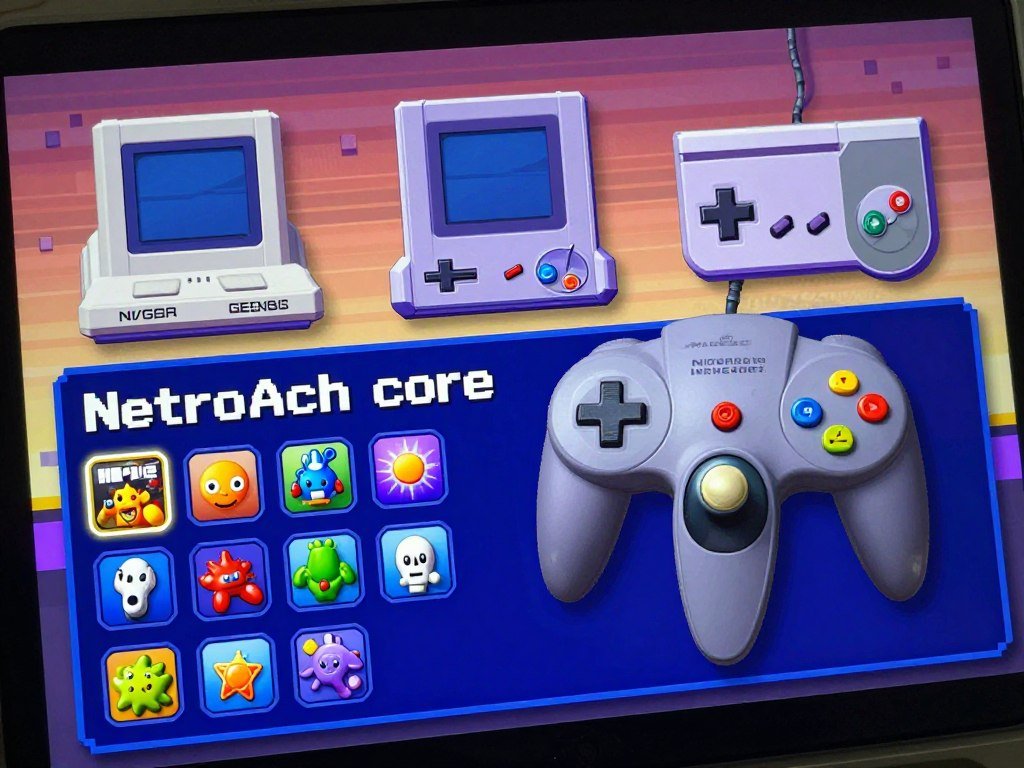
RetroArch cores let you play several retro systems through one multi-system interface. RetroArch supports N64 cores including Mupen64Plus-Next and ParaLLEl N64, alongside cores for other systems.
RetroArch for multiple systems and core choices
A core handles the emulation for a given system inside RetroArch. That arrangement helps if you want one library and menu for several consoles, rather than a separate app for each one.
Core choice affects video behavior and game support. Mupen64Plus offers performance, customization, and broad compatibility. ParaLLel 64 is the accuracy-focused choice, and its Angrylion graphics plugin can provide more accurate N64 graphics.
| Option | Main strength | Renderer or driver detail | Best fit |
|---|---|---|---|
| Mupen64Plus | Performance, customization, compatibility | GL driver in the described setup | Players who want options |
| ParaLLel 64 | Accuracy | GL in most described setups; Vulkan is incompatible there | Players prioritizing fidelity |
| Angrylion | More accurate graphics in ParaLLel 64 | Graphics plugin | Accuracy-focused users |
Those details do not mean every RetroArch N64 core uses the same renderer or video driver. The GL and Vulkan notes apply to the described Mupen64Plus and most ParaLLel 64 setups.
RetroArch also offers cheats and other ways to customize your setup. A RetroArch cheat setup guide can help you find, load, and test codes, though compatibility can vary by game release and core.
Ares for an accuracy-focused alternative
Ares takes an accuracy-first approach and supports Nintendo 64 along with several other systems. Its N64 core remained marked experimental in Ares v148, released May 30, 2026.
That label matters if you want a finished, predictable setup. Ares may interest players who value accuracy work, but its experimental N64 status makes it a less direct everyday pick.
Check the selected core’s driver requirements before changing a graphics API.
Where Does RMG Fit Best?
RMG makes Mupen64Plus easier to approach by putting its settings and plugin choices in a graphical interface. Its GUI helps if you prefer menus over configuration files.
RMG suits players who want visible control over plugins and settings. It is based on Mupen64Plus and supports Windows and Linux.
That interface gives you a place to adjust a setup without hiding each choice behind command-line steps. You can change settings and plugins as your needs become clearer.
RMG also fits Steam Deck users who run it through EmuDeck. EmuDeck documents ways to launch RMG, along with setup and configuration details for SteamOS.
EmuDeck’s RMG guide covers setup options and related configuration. That makes it a practical reference for getting the graphical app running on a Deck.
Customization helps when you want to tune a setup, but every extra option can add a decision. A default standalone app may feel easier if your goal is simply to start a game.
Choose RMG when you want a Mupen64Plus-based GUI, not just the shortest possible setup.
Which Android N64 Emulator Should You Choose?
For Android, choose Lemuroid if you want N64 alongside other systems, or Super64Plus if touch-control layout matters most. Start with how you play, not an old ranking.
Lemuroid fits a multi-system app, while Super64Plus suits players who want to shape on-screen controls. That distinction helps when choosing among N64 emulators Android users can run.
Lemuroid for a multi-system Android app
Lemuroid supports N64 and other systems in one app. It offers automatic saving, gamepad support, fast-forward, cloud syncing, and local multiplayer.
Automatic saves can help if you tend to stop playing without planning a save point. Gamepad support gives you an option beyond tapping the screen, while fast-forward can speed up slower stretches.
Cloud syncing and local multiplayer add practical reasons to consider Lemuroid across Android devices. For n64 emulation android use, it is a sensible pick when you value a broad app more than deep touch layout changes.
People looking for the best N64 emulator for Android in 2025 can use the same decision criteria today: choose the features that fit your phone, controller, and play habits.
Super64Plus for customizable touch controls
Super64Plus offers customizable on-screen controls, external-controller support, save/load states, and video plugins. You can move or adjust touch buttons to better fit your hands and screen.
That flexibility can help on a phone where default button placement feels cramped. External controllers give you another way to play, and save/load states let you return to a saved snapshot.
The video plugins also give you settings to explore, though a change that helps one game may not suit another. Keep your first test simple, then change one setting at a time.
Lemuroid is the stronger fit for an all-in-one app, while Super64Plus is the better match when touch controls are the deciding factor. Those criteria are more useful than treating an old list of emulators Android users can try as a current winner.
Test the controls on your own device before committing to a long game session.
Which N64 Games Are Best Rated, and What Compatibility Issues Matter?
The Legend of Zelda: Ocarina of Time leads these rated N64 classics with a Metascore of 99. Game support varies, so a high rating does not promise identical results in every emulator.
Compatibility can depend on both the game and its settings. These five top-rated picks offer a useful place to begin choosing what to play.
| Game | Release year | Metascore |
|---|---|---|
| The Legend of Zelda: Ocarina of Time | 1998 | 99 |
| Perfect Dark | 2000 | 97 |
| GoldenEye 007 | 1997 | 96 |
| The Legend of Zelda: Majora’s Mask | 2000 | 95 |
| Super Mario 64 | 1996 | 94 |
Metacritic’s N64 game rankings also list Paper Mario at 93, Banjo-Kazooie at 92, Wave Race 64 at 92, Conker’s Bad Fur Day at 92, and Mario Tennis at 91.
Compatibility notes show why one general score cannot settle every setup. Not64 20210820 reports Banjo-Kazooie works perfectly fine with framebuffer textures enabled for its pause menu.
In Not64 20210820, Banjo-Tooie has frame drops when many objects render, a white flash during cutscenes, and a white map unless framebuffer textures are enabled. The same version reports Blues Brothers 2000 runs well with very minor graphical glitches, while Aidyn Chronicles gameplay appears perfect.
Not64 20240615 reports Body Harvest has a very low, unplayable frame rate. These results show why checking game-specific settings matters more than assuming all N64 games behave alike.
Check the compatibility notes for your specific game before changing settings across an entire library.
Are N64 ROM Downloads Legal?
An emulator is software, but the game ROM is a separate copyrighted work. Owning an emulator does not settle whether a game file was copied legally.
In the United States, downloading an unauthorized ROM can infringe copyright, even for personal use. A U.S. lawyer’s 2025 answer also says a game’s age or lack of current sales does not make an unauthorized download lawful.
The distinction is between making your own backup of a game you own and getting someone else’s copy. The lawyer’s answer describes making your own backup as allowed, while receiving a ROM from another person remains an unauthorized copy.
Emulation and game files are separate issues. An emulator does not automatically include games, and having software that can run a ROM does not grant permission to download that ROM.
Keep these points in mind:
- Use an emulator without assuming it includes games.
- Keep any backup to a game you own.
- Seek legal advice when your situation is not clear.
Copyright rules can depend on the facts and the laws that apply. This general explanation is not individualized legal advice, and it cannot resolve every way a file may have changed hands.
If a specific game-file situation could affect you, ask a U.S. copyright lawyer before downloading or sharing it.
Can You Play N64 Games on PS4 or Wii?
PS4 N64 play is possible through RetroArch when the console is running Linux, but it is a limited route. Expect a workaround, not a standard console feature.
RetroArch’s Linux build can play N64 games while Linux runs on a PS4. Results may be limited, so this path is best for people already comfortable running Linux on the console.
Using RetroArch on a PS4 running Linux
RetroArch runs as a frontend, and its Linux build provides the route for N64 emulation on a PS4. The console must be running Linux for this setup.
That extra system layer makes it less direct than playing on a device built for emulation. You may find the setup interesting, but it is not a simple install on a standard PS4 environment.
Choosing between Wii64 and Not64
For Wii, choose between Wii64 and Not64 by the target game’s compatibility notes. There is no blanket winner that will suit every title and setup.
Look for reports on the game you plan to play, then test its behavior. A compatibility note for one title does not prove that another will run the same way.
For fresh installs, Gopher64 is the active alternative to simple64. simple64’s final version was 2024.12.1, and its repository was archived on February 14, 2025.
Gopher64 v1.1.40 was available as of October 13, 2026. That makes it the more suitable starting point for a new setup, while simple64 can still serve someone with a working installation.
Keep a working legacy setup if it already serves you, but choose an actively maintained option when installing fresh.
For Wii games, let the specific title’s notes and your own test guide the choice rather than treating either emulator as universally better.
Conclusion
Start with the emulator that matches your device and the amount of setup you are willing to do. Gopher64 is the first option for most players, with Project64 for a fast Windows setup and RetroArch for a shared multi-system library.
Android players can start with Lemuroid for several systems or Super64Plus for touch-control changes. Your next step is small: install the fitting option, connect your controller, and test it with a game you own.
FAQ
Are emulators on PC illegal?
Emulator software itself is distinct from copyrighted game files, so using an emulator is not the same as downloading a ROM. An unauthorized ROM download can still infringe copyright, even when you keep it for personal use. The game’s age or absence from stores does not automatically grant permission. The safest choice depends on how you obtained the game file.
Which is better, Wii64 or Not64?
Neither Wii64 nor Not64 is the best choice for every game. Choose Not64 when the compatibility notes support your target title, then test the game on your setup. If the title has no useful report, try both and compare how it plays. A result for one game cannot predict how another will run.
What is the best rated N64 game?
The Legend of Zelda: Ocarina of Time is the highest-rated N64 game in the listed rankings, with a Metascore of 99. It was released in 1998. A high score makes it a strong place to start if you want a celebrated classic, though emulator compatibility still depends on your setup and settings.
Which is better, simple64 or Gopher64?
Gopher64 is the better choice for a fresh installation because simple64’s repository was archived on February 14, 2025. simple64’s final version was 2024.12.1. If your current simple64 setup works well, you can keep using it. A working older setup may be more useful to you than changing apps without a specific reason.
Which is better, Project64 or Simple64?
Project64 suits you if you want a quick N64 setup on Windows. simple64 may still work for players who already have it installed, but its final version was 2024.12.1 and its repository was archived February 14, 2025. For a new setup, consider whether ongoing development matters more than keeping a familiar install.
Which N64 emulator is the best?
Gopher64 is the broad recommendation for most players who want a standalone emulator. Project64 fits a quick Windows setup, while RetroArch suits a shared multi-system library. Consider Ares for an accuracy-focused approach, RMG for Steam Deck use, and Lemuroid or Super64Plus on Android. Your device and preferred features should guide the final pick.
What are the best N64 ROMs?
Highly rated N64 games include The Legend of Zelda: Ocarina of Time, Perfect Dark, and GoldenEye 007. An emulator does not supply game ROMs, though, and game files remain separate from the software. Choose titles you own and use game files you have a legal right to use. Compatibility can differ by game and emulator.
Is mupen64 the best N64 emulator?
Mupen64Plus is a strong choice if you want performance, customization, and broad game compatibility. ParaLLel 64 is a better fit when accuracy is your main goal. RetroArch lets you choose between cores for different needs, though renderer and driver details can vary. Pick based on your game and priorities, not a single universal ranking.



