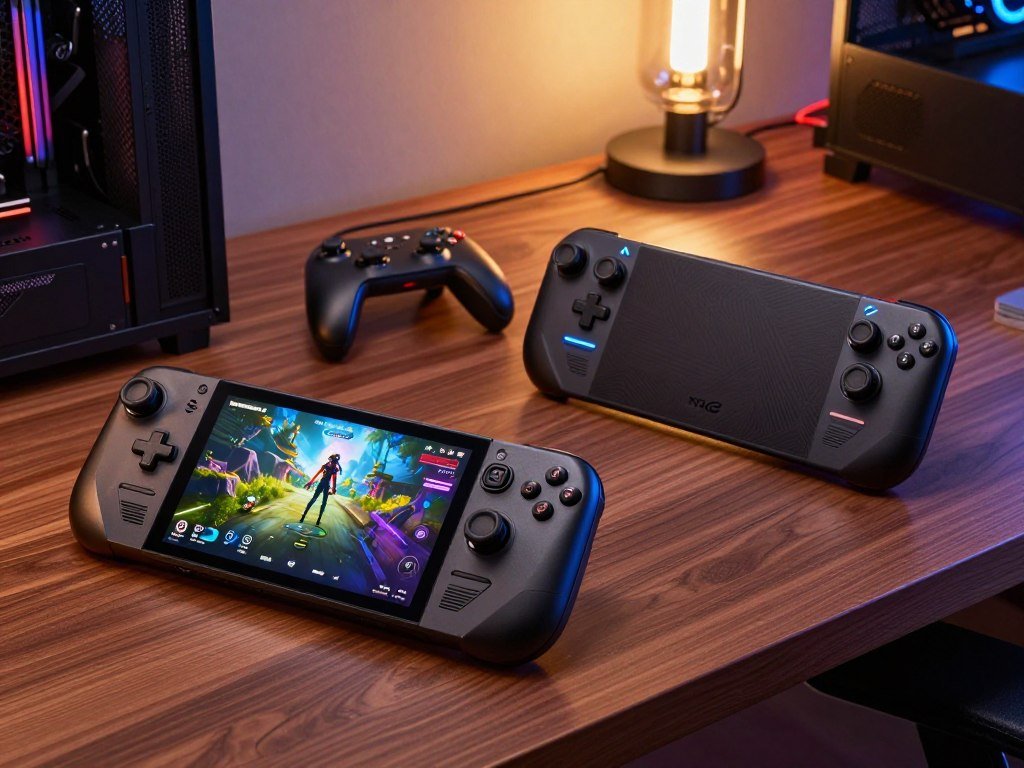
A handheld can make PC gaming more convenient, but the Steam Deck and ROG Ally take noticeably different routes to get you playing. The 2026 lineup includes the ROG Xbox Ally and ROG Xbox Ally X, alongside Valve’s Steam Deck models. TDP means the processor’s configured power budget, measured in watts. A higher limit can allow more performance, but it can also use more battery power and produce more heat.
The right handheld depends on your game library, how much performance you need, and how comfortable you feel with PC setup. One offers a more focused console-like experience, while the other gives you a Windows desktop and wider PC options. This comparison offers practical recommendations for different play styles, rather than declaring one winner for everyone.
Some buyers want to pick up a device and get back to a familiar game library. Others want more control over launchers, settings, and Windows apps. Your choice affects more than game speed: it shapes setup, controls, and how you use the device away from home. Decide first whether you value a console-like experience or Windows flexibility, since that preference shapes nearly every other trade-off.
Key Takeaways
- Choose Steam Deck OLED for a SteamOS-first, low-fuss experience.
- Choose ROG Xbox Ally for a lower-cost Windows handheld.
- Choose ROG Xbox Ally X when performance and Windows access matter most.
- Check game and anti-cheat support before choosing an operating system.
- Compare comfort in your hands, not only weight or screen size.
Steam Deck vs ROG Ally: Which Should You Buy?
Choose the Steam Deck OLED for the smoother SteamOS experience, or the ROG Xbox Ally X if raw performance and Windows game access matter more. The Steam Deck vs ROG Ally in 2026 is a choice between SteamOS convenience and Windows options, not just two spec sheets. Both can suit PC gaming, but they suit different habits.
The Deck makes sense when most of your games already live in Steam and you want a controller-first system. The Ally models suit players who want Windows, more launcher choices, or games that need Windows support. If you are weighing other options, this guide to Steam Deck alternatives compares devices with different systems and play styles.

- Choose Steam Deck OLED for Steam-library simplicity and SteamOS.
- Choose ROG Xbox Ally for a lower-priced Windows entry point.
- Choose ROG Xbox Ally X if performance and broad Windows compatibility top your list.
The right model can also depend on where you play. A Steam-focused player who mostly uses the same library may value quick access over desktop flexibility. A player who relies on Windows apps or several PC launchers may accept more setup for wider access.
Choose the operating system that supports the games you actually play, then compare performance and comfort within that group.
That choice matters most when you already have a large library or play online titles with strict software needs. A handheld that runs a favorite game well is more useful than one with stronger hardware that cannot run it. If you already own a Steam Deck, upgrade only for a specific Windows-only game or a clear need for more performance.
What Do the Steam Deck and ROG Ally Cost in 2026?
The base ROG Xbox Ally is the lower-cost current PC option at $599.99, while the Steam Deck OLED starts at $789. The entry Ally costs less than the listed OLED Deck models, while the Ally X costs more. The exact price depends on which configuration you compare.
In 2026, the Steam Deck OLED costs $789 with 512GB of storage and $949 with 1TB. The ROG Xbox Ally X costs $999.99 and includes 24GB of RAM and a 1TB SSD. The current entry ROG Xbox Ally costs $599.99, with a Z2 A processor, 16GB of RAM, and a 60Wh battery.

| Model | Configuration | Current US price | Price context |
|---|---|---|---|
| Steam Deck OLED 512GB | 512GB storage | $789 | Lowest listed OLED Deck price |
| Steam Deck OLED 1TB | 1TB storage | $949 | Rose from $649 |
| ROG Xbox Ally | Z2 A, 16GB RAM, 60Wh battery | $599.99 | Lower-cost current Windows model |
| ROG Xbox Ally X | 24GB RAM, 1TB SSD | $999.99 | Premium current model |
The 1TB OLED model’s listed price rose from $649 to $949, a change that makes storage choice a bigger part of the value decision. The current US model prices give you a useful baseline, but listed prices can change. A sale or a different configuration can shift the gap.
The Steam Deck vs ROG Ally price question has a clear practical answer: the base ROG Xbox Ally is the lower-cost current PC handheld, while the Steam Deck OLED starts at a higher listed price. Compare the exact configuration you plan to buy, because storage capacity changes the price on the Steam Deck OLED.
Which ROG Ally Model Should You Compare?
Check the full model name before comparing specifications, because ROG Ally can refer to both older and current handhelds. The ROG Xbox Ally and ROG Xbox Ally X are current models; the 2023 ROG Ally Z1 Extreme is a previous-generation device. The similar names do not make them the same product.
The current entry model is the ROG Xbox Ally. The premium model is the ROG Xbox Ally X, which sits above it in the current lineup. Both are Xbox-branded ROG handhelds that use Windows, but each has its own hardware and price tier.
The current ROG Xbox Ally and Ally X
The ROG Xbox Ally is the entry option for buyers who want a current Windows handheld at a lower starting cost. The ROG Xbox Ally X is the premium model for buyers who want the stronger performance option in this lineup. Keep the full names in view when comparing listings, since “Ally” alone can refer to several devices.
The word “Xbox” in these model names identifies the current lineup, not a separate Xbox console. They remain PC handhelds, so you can use Windows and install PC software. The premium model is not simply a storage version of the entry model.
Where the older Z1 Extreme ROG Ally fits
The 2023 ROG Ally Z1 Extreme is an older device with an AMD Ryzen Z1 Extreme processor. It is separate from the current ROG Xbox Ally X, despite the shared “Extreme” name. ASUS’s 2023 ROG Ally model page distinguishes the older Z1 and Z1 Extreme versions.
That distinction matters when you compare a Steam Deck with a ROG Ally Z1 Extreme. Treat the older model as a previous-generation option, not as another name for the current premium Ally. For a new-device comparison, keep the ROG Xbox Ally and ROG Xbox Ally X separate from older Z1 and Z1 Extreme models.
How Do the Steam Deck and ROG Ally Specs Compare?
The largest specification difference is the newer, higher-core-count processor in the ROG Xbox Ally X. The Steam Deck OLED has 16GB of memory, while the Ally X has 24GB. Those numbers describe hardware, but they do not predict every game’s speed on their own.
The Steam Deck OLED uses a 6nm AMD APU with a 4-core, 8-thread Zen 2 CPU and eight RDNA 2 GPU compute units. The ROG Xbox Ally X uses an AMD Ryzen AI Z2 Extreme with eight Zen 5 CPU cores and 16 RDNA 3.5 GPU compute units.
| Feature | Steam Deck OLED | ROG Xbox Ally | ROG Xbox Ally X |
|---|---|---|---|
| Processor class | 6nm AMD APU, Zen 2 | AMD Z2 A | AMD Ryzen AI Z2 Extreme, Zen 5 |
| Memory | 16GB LPDDR5, 6400 MT/s | 16GB | 24GB |
| Built-in storage | 512GB or 1TB NVMe SSD | Not specified here | 1TB SSD |
The Deck’s 16GB LPDDR5 memory runs at 6400 MT/s. Both OLED Deck storage choices use an NVMe SSD, and the device also has a microSD slot. For a deeper look at how processor and graphics choices affect a desktop gaming PC, see this gaming PC parts guide.
The Steam Deck vs ROG Ally vs Legion Go comparison adds a larger-screen, higher-priced PC handheld rather than another version of the same model. Lenovo Legion Go 2 has an 8.8-inch OLED display, 1920×1200 resolution, refresh rates up to 144Hz, and a Ryzen Z2 Extreme chip. Its price starts at $1,199.
Component names help you compare the devices, but settings shape what you see in a game. A higher display resolution asks the hardware to draw more pixels, while lower settings can ease that load. Treat the spec sheet as a starting point, since resolution and power settings affect the experience as much as component names.
Which Handheld Delivers Better Gaming Performance?
The ROG Xbox Ally X is the stronger choice for demanding games when you prioritize frame rate over low power use. Its sustained TDP can reach 35W, while the Steam Deck OLED APU ranges from 4W to 15W. TDP is a power limit, not a promise of a fixed frame rate.
A higher limit can give a game more room to run, but it can also draw more power and create more heat. The Steam Deck OLED’s lower power range can suit lighter games and players who prefer efficient, lower-power play. Resolution, graphics settings, and each game’s workload all affect frame rate.
Raw performance and power limits
The ROG Xbox Ally X is the raw-performance pick in this comparison. Its sustained TDP limit of up to 35W gives it a higher power ceiling than the Deck. That does not mean every game will run faster at every setting.
A demanding game may need lower graphics settings to keep play smooth on either handheld. A less demanding title may work well at a lower power limit. The ROG Xbox Ally X and MSI Claw comparison also shows why benchmarks only help when you compare the same model and test conditions.
How a handheld compares with a PS5
A PS5 home console has substantially more room for sustained graphics performance than a handheld. A console can draw power from a wall and use a larger cooling system. Handhelds trade some of that performance for portability and local play.
That trade-off changes what a fair comparison looks like. Compare the same game at similar graphics settings and power limits rather than comparing headline frame rates from different presets. A PS5 result at one resolution does not predict how that game will feel on a handheld screen.
Which Games and Stores Work on Each Handheld?
The ROG Xbox Ally is the more straightforward choice for games that require Windows-only launchers or anti-cheat support. Windows gives the Ally access to PC storefronts and anti-cheat systems that do not run on SteamOS. That wider access can matter more than raw performance if a favorite game depends on it.
The Windows options include Steam, Xbox Game Pass, Epic Games Store, Battle.net, and GOG. SteamOS is built around Steam, and support can vary by title. Nintendo Switch 2 is a dedicated console and cannot run Steam, so it offers a different game ecosystem.
PC storefronts and anti-cheat compatibility
Use this short checklist before buying. It helps you avoid choosing a handheld that cannot run a game you rely on:
- Confirm which storefront sells the game you want.
- Check whether its anti-cheat works with your chosen operating system.
- Identify any console-exclusive games that matter to you.
The Steam Deck vs ROG Ally vs Switch 2 comparison spans an open PC library and a dedicated console ecosystem, not three equivalent storefronts. A PC handheld gives you more ways to install games, while a Nintendo console focuses on its own library. For online play, anti-cheat support can be a deciding detail.
How the Switch 2 differs from a PC handheld
Switch 2 is designed as a console, not a small Windows computer. It cannot install Steam, and it does not offer the same PC storefront choices as the Ally. If Nintendo games are central to your play, that separate library may be more important than access to PC launchers.
SteamOS can run many games, but compatibility is not universal. A title’s online features can also behave differently from its offline mode. Verify compatibility for the specific game you care about before buying, especially when online anti-cheat is essential.
Which Software and Controls Feel Better in Use?
SteamOS gives the Deck a more console-like starting point, while Windows offers a familiar PC environment with more desktop steps. The Deck’s controller-first interface is easier to pick up, while Windows leaves more room for PC tasks. Which one feels better depends on how much setup you will tolerate.
The Steam Deck OLED runs SteamOS 3, based on Arch Linux. Its home screen is made for handheld use, while Windows includes a desktop that can feel less direct on a small touchscreen. The Ally’s Windows environment may suit you if you already use Windows on a PC.
The Deck’s two 32.5mm square trackpads have haptic feedback and pressure-sensitive click settings. They can help when a game expects mouse movement or cursor control. Four assignable grip buttons let you add inputs without moving your thumbs from the main controls.
The Deck also supports Wi-Fi 6E and Bluetooth 5.3. Those details matter when you connect a wireless headset or controller, though the best setup still depends on your home network and gear. Its trackpads offer a useful backup for games that do not map neatly to handheld buttons.
Set up a new handheld with a few choices in mind:
- Choose the launcher you want to open by default.
- Assign controls for a game with nonstandard inputs.
- Set your preferred wireless connection for play.
A mouse-heavy game may feel more manageable with trackpads, while a controller-first game can work well with standard buttons. Small changes to button mapping can make an unfamiliar title feel more natural. If you dislike navigating desktop menus on a small touchscreen, try the interface in person before choosing Windows.
Which Screen Looks Better for Handheld Gaming?
Pick the Steam Deck OLED for OLED contrast and HDR, or the ROG Xbox Ally X for a sharper 1080p image and a 120Hz refresh ceiling. The Deck offers stronger OLED contrast and HDR brightness, while the Ally X supports a higher resolution and refresh rate. Each screen favors a different visual preference.
The Steam Deck OLED has a 7.4-inch 1280×800 HDR OLED display with refresh rates up to 90Hz. It can reach 1,000 nits peak brightness in HDR and 600 nits in SDR. OLED pixels can turn off for deep blacks, which helps dark scenes stand out.
The ROG Xbox Ally X has a 7-inch 1920×1080 IPS screen with a 120Hz refresh ceiling. It supports FreeSync Premium, which can help smooth changes in frame delivery, and has 500 nits of typical brightness.
The Ally X gives you more pixels and a higher possible refresh rate. Still, a higher resolution does not automatically mean a game runs at its best settings. A demanding title may need lower graphics options to keep play smooth at 1080p.
For bright HDR scenes and strong contrast, the Deck OLED is the better fit. For a sharper image and support for faster refresh, the Ally X has the edge. Choose the display you prefer at the distance and lighting where you expect to play.
How Do Battery Capacity and Runtime Compare?
The ROG Xbox Ally X has the larger battery, but the Steam Deck OLED has a stated gameplay range of 3-12 hours. The Ally X battery is 80Wh, while the Deck OLED battery is 50Wh. Battery capacity alone does not prove which handheld lasts longer in your games.
The Deck’s 3-12-hour range depends on the game, so a light title and a demanding one can use power at different rates. The Ally X has a higher battery capacity, but actual gaming hours still depend on what you play and how you set up the device.
Screen settings and performance choices affect power use. A higher frame-rate target can ask the processor and display to do more work. A game that keeps the hardware busy may drain the battery faster than a light indie title.
For long trips, think about the games you plan to play, not just the battery size printed in a specification list. Local play also gives you freedom from a network connection, but it does not reduce the power needs of a demanding game. A stated range is a guide, not a guarantee for every session.
For travel, test the games you actually play at your preferred brightness and frame-rate settings before relying on a runtime estimate.
Which Device Is Easier to Carry, Expand, and Repair?
The Steam Deck OLED is lighter than the ROG Xbox Ally X by the listed device weights, but comfort still depends on grip and hand fit. The Deck OLED weighs about 640g, while the Ally X weighs 715g. Grams alone cannot predict hand fatigue, since grip shape and hand size matter.
Try both devices in your usual playing position if you can. A lighter handheld may still feel awkward if its grip does not suit your hands. Button reach and balance can matter more than a small difference on a scale.
Weight and comfort on the go
The Deck OLED is easier to carry by listed weight, but the Ally X remains portable enough for a bag. Comfort changes with how you hold the device, whether you rest your arms, and how long you play. A good fit can make a heavier device feel better than a lighter one.
Use this practical check before deciding:
- Hold each device in your usual playing position.
- Check whether the included controls feel comfortable.
- Review repair instructions and replacement parts before opening a device.
Repair options and practical checks
Repair access matters after wear or accidental damage. iFixit offers OEM replacement parts and Steam Deck repair manuals. Those resources can help you understand what a repair involves, but opening a handheld still calls for care and the right tools.
Check how easy it is to get parts for the exact model you own. A manual for one generation may not fit another. Use repair manuals and compatible parts as a guide, and avoid opening a device unless you are comfortable with small electronics.
Is Steam Deck LCD or OLED Better?
The Steam Deck OLED is the better all-around choice for screen quality and rated battery range, while LCD is a simpler option when the purchase price matters most. Choose OLED for the stronger screen and longer stated battery range. The LCD model can still suit you if basic SteamOS access matters more than those upgrades.
The OLED model has a 7.4-inch HDR OLED screen and a 50Wh battery rated for 3-12 hours, depending on content. The LCD version has a 7-inch 1280×800 LCD screen with refresh rates up to 60Hz. Its 40Wh battery is rated for 2-8 hours, depending on content.
What changes with the OLED model
The OLED Deck has the more vivid screen and a longer stated battery range. It also uses a 6nm APU, while the LCD model uses a 7nm APU. The OLED version supports Wi-Fi 6E, while the LCD model uses Wi-Fi 5.
Those changes make the OLED model a better pick if you play often and care about screen quality. An established player base also surrounds the handheld: IDC estimated cumulative Steam Deck shipments at roughly 4 million worldwide in February 2025.
When the LCD model still makes sense
The LCD Steam Deck can make sense when you mainly want SteamOS and find a lower purchase price through current listings. Its screen and stated battery range are more modest, but it still gives you access to the Steam Deck experience. Condition matters more when you consider an older device.
Compare the condition and warranty terms of any LCD offer before choosing it over a new OLED model.
Should You Buy Now or Wait for Steam Deck 2?
Buy now if a current model already meets your needs, since Valve had not announced Steam Deck 2 timing or specifications as of October 2026. As of that date, Valve had announced no Steam Deck 2 release date, chip, or price. A future model remains unconfirmed in those key details.
In October 2026, Valve engineer Pierre-Loup Griffais said rising RAM prices had not really changed Valve’s plans for a next-generation Steam Deck. Valve wants a clearly defined performance improvement in a future model, rather than a small step forward.
What Valve has said about a next-generation Deck
A plan to make another generation is not the same as a launch announcement. Valve had not shared a release date, processor, or price for Steam Deck 2 as of October 2026. That gives buyers no confirmed launch details to use when planning a purchase.
Valve’s comments about a clear performance gain describe a goal, not a promise about when a new model will arrive. A next-generation device also does not mean the current Steam Deck is being discontinued. No discontinuation announcement is part of those details.
How to decide whether waiting is worthwhile
The Steam Deck vs ROG Ally 2 choice is uneven today: the current ROG Xbox Ally models are available to buy, while a Steam Deck 2 has no confirmed launch details. If your current games work on a current handheld, waiting means giving up play time for an unknown release window.
Wait only if you are comfortable delaying your purchase for a release date Valve has not announced.
Wait only if you are comfortable delaying your purchase for a release date Valve has not announced.
Conclusion
The better buy is the handheld that fits your game library and your tolerance for setup. If SteamOS simplicity matters most, the Steam Deck OLED is the clearest fit. If you need Windows flexibility, the ROG Xbox Ally X offers the strongest performance option in this lineup.
Before ordering, check your three most-played games and confirm they work on the operating system you prefer. Then choose the device whose interface feels right for the way you play.
FAQ
Does ROG Ally have better battery life than Steam Deck?
The ROG Xbox Ally X has a larger battery, but that does not prove longer play time in every game. Its battery is 80Wh, while the Steam Deck OLED is rated for 3-12 hours of gameplay. Actual hours depend on the game and settings, so a demanding title may use power faster than a light game. Battery capacity and runtime are related, but they are not the same measure.
What is better, Steam Deck LCD or OLED?
The Steam Deck OLED is better for screen quality and its longer stated battery range. It has an OLED display and a 50Wh battery rated for 3-12 hours, depending on content. The LCD model can still suit you if you want basic SteamOS access and find a lower current purchase price. Check its condition and warranty terms when considering an older unit.
Is a Steam Deck still worth it in 2026?
Yes, the Steam Deck is still worth considering in 2026 if you want SteamOS simplicity and mainly play games in your Steam library. The Steam Deck OLED costs $789 for 512GB and $949 for 1TB. Those listed prices make it important to weigh the interface and game access against the cost. Check compatibility for the titles you play most before choosing.
What are the specifications of the Steam Deck compared to a gaming PC?
The Steam Deck OLED uses a custom AMD APU with a 4-core, 8-thread Zen 2 CPU and eight RDNA 2 GPU compute units. It is a handheld system, not a desktop PC in a smaller case. Game performance depends on resolution and graphics settings, so compare results in the same game rather than assuming desktop-equivalent hardware from component names.
What are the downsides of a Steam Deck?
The Steam Deck has lower raw performance than the ROG Xbox Ally X, and some games or anti-cheat systems may not work on SteamOS. That can limit access to certain online titles or PC software. The Deck is most appealing when its supported library matches your habits. Check the operating system requirements for games that matter to you.
What is the lifespan of a Steam Deck?
There is no single guaranteed lifespan for a Steam Deck. Practical service life depends on battery wear, software support, how often you use it, and whether needed repairs are feasible. A device that gets heavy daily use may age differently from one used for occasional trips. Keeping it in good condition and checking repair options can help you plan for longer ownership.



