A player who wants console multiplayer and a PC player chasing new releases may need different plans. Recurring billing means automatic renewal that charges for another subscription period unless you turn it off. Your choice can also depend on whether you play on one device or switch between several.
Xbox Game Pass offers plans with different game libraries, release access, and extra services. Some focus on console play, while others include PC games or cloud gaming. The right fit depends on the devices and features you will actually use.
Key Takeaways
- Essential is the lowest-priced listed monthly plan.
- Ultimate and PC Game Pass include day-one games.
- Premium adds Xbox-published games within one year, with an exception.
- The library changes, and access ends when a game leaves.
- Check the renewal terms and plan features before subscribing.
What Is the Xbox Gamepass Price in 2026?
US monthly plans range from $9.99 for Essential to $22.99 for Ultimate. The right price depends on which features you need, not just the name of the plan.
All four listed plans use monthly billing. Prices may vary by region, and promotional offers may be limited to eligible subscribers or markets.
Current US monthly rates
| Plan | US monthly price | Billing interval |
|---|---|---|
| Essential | $9.99 | Monthly |
| PC Game Pass | $13.99 | Monthly |
| Premium | $14.99 | Monthly |
| Ultimate | $22.99 | Monthly |
So, the Xbox Game Pass Ultimate cost is $22.99 per month, and PC Game Pass costs $13.99 per month. The Xbox Game Pass price for Essential is $9.99 monthly, while Premium costs $14.99 monthly.
Promotions can end with renewal at the regular price. Check the offer’s length and renewal amount before you accept it.
How the April 2026 reductions changed the bill
Starting April 21, 2026, Ultimate dropped from $29.99 to $22.99 per month. PC Game Pass fell from $16.49 to $13.99 per month on the same date.
In other words, the former Xbox Game Pass price of $29.99 for Ultimate and $16.49 for PC Game Pass is no longer the listed monthly rate. Those earlier prices can still appear in older articles or saved screenshots.
Ultimate fell by $7 per month, while PC Game Pass fell by $2.50 per month.
The listed $14.99 month rate applies to Premium, not PC Game Pass. Xbox’s price rise in 2025 drew attention after millions of subscribers canceled, according to IGN’s report on subscriber cancellations.
Check the amount and renewal terms shown for your account before completing checkout.
What Does Each Game Pass Plan Include?
The clearest difference is release timing: Ultimate and PC Game Pass include day-one games, while Premium and Essential do not. Release access can matter more than a large library count.
Premium gets new Xbox-published games within one year of launch, except Call of Duty titles. Ultimate and PC Game Pass include day-one titles.
| Plan | Library and devices | New-release timing | Distinct inclusions |
|---|---|---|---|
| Essential | 50+ games on Xbox console, PC, supported devices | No day-one games | Online console multiplayer, in-game benefits |
| Premium | 200+ games on Xbox console, PC, supported devices | Xbox-published games within one year; no Call of Duty titles | Large back catalog |
| Ultimate | 500+ games on Xbox console, PC, supported devices | New games on day one | EA Play, Fortnite Crew, Ubisoft+ Classics, unlimited Xbox Cloud Gaming |
| PC Game Pass | 300+ games on PC | Day-one titles | EA Play, in-game benefits |
Essential and Premium for a smaller monthly commitment
Game Pass Essential includes more than 50 games across Xbox console, PC, and supported devices. It also includes online console multiplayer and in-game benefits.
Premium grows the library to more than 200 games on those device types. New Xbox-published releases join within one year, but Call of Duty titles are excluded from that timing.
Ultimate for console and PC
Ultimate includes a library of more than 500 games on Xbox console, PC, and supported devices. It adds new games on day one, EA Play, Fortnite Crew, and Ubisoft+ Classics.
As of April 2026, Ultimate also includes unlimited Xbox Cloud Gaming. Eligible Ultimate Rewards can reach $100 a year in the Store, subject to terms.
PC Game Pass for Windows players
PC Game Pass offers more than 300 games on PC, day-one titles, in-game benefits, and EA Play. The plan is aimed at players who mainly use a Windows PC.
Xbox Live Gold is no longer a separate current plan. Gold ended in 2023 and became part of Game Pass Core, which changed to Essential in 2025.
Choose by the release access and extras you will use, not the library count alone.
Which Game Pass Plan Fits Your Play Style?
Essential is the sensible starting point for a console player who mainly wants multiplayer and a modest game library. Your main device can quickly narrow the choice.
Choose the plan that matches how you play most often. These four profiles cover common needs without asking you to pay for services you will not use.
- Essential: Pick this if you mainly want a smaller selection of games and console multiplayer.
- Premium: Choose it if you value a larger back catalog more than day-one releases.
- Ultimate: Consider it for broad console and PC access, plus its bundled services.
- PC Game Pass: Choose it for Windows PC games and EA Play.
Console-only players may prefer Essential or Premium, depending on whether they want multiplayer or a broader catalog. A Windows player focused on PC games can start with PC Game Pass.
Ultimate suits people who move between console and PC or want its added services. If your household is choosing a console as well as a subscription, compare these family-friendly gaming consoles by play style and household needs.
In-game benefits are separate from the game catalog itself. They are available in League of Legends, Call of Duty: Warzone, Rainbow Six Siege, and Overwatch 2.
For example, someone who plays games like League of Legends may value those in-game benefits, even if the rest of the catalog matters less. Benefits in the biggest games can be a deciding extra, but they do not replace access to the games themselves.
Before choosing a higher tier, make sure its extra services match how you play.
Is Call of Duty: Modern Warfare 4 on Game Pass?
No, Call of Duty: Modern Warfare 4 is not eligible for Game Pass until Holiday 2027. It is a separate purchase at launch, rather than a day-one subscription title.
Modern Warfare 4 was released on October 23, 2026, and its Game Pass eligibility starts in Holiday 2027. The official Call of Duty launch details describe its release as a standalone purchase.
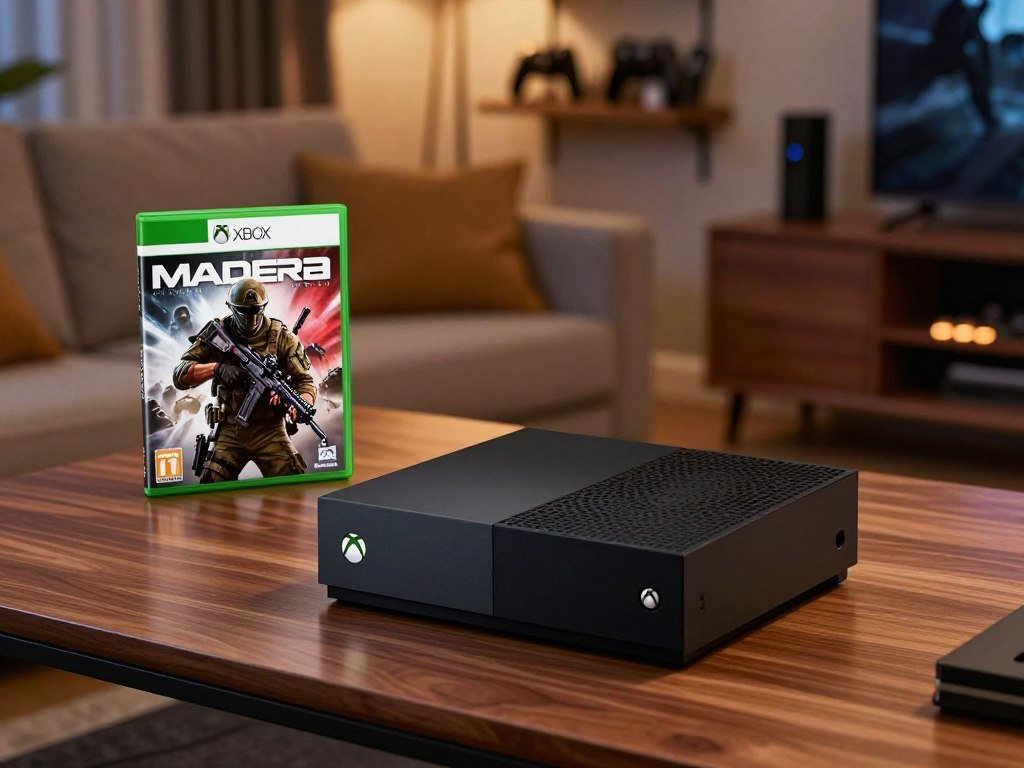
That timing matters if you expected to play the new game through a subscription at launch. Future Call of Duty games beginning in 2026 will not join Ultimate or PC Game Pass on release day.
Instead, those future titles are due in the following holiday season, about a year after release. This rule changes when new games arrive, not whether existing Call of Duty titles already in the library remain available.
Modern Warfare 4’s Standard Edition costs $69.99. The Vault Edition costs $99.99, and either purchase is separate from subscribing to Game Pass.
Buying the game gives you a different access choice from waiting for a future subscription window. If you want to play at launch, compare the edition price with the value you place on playing right away.
Older Call of Duty games already in the Game Pass library remain available under the usual subscription and catalog rules. Their presence does not make the new release eligible sooner.
Check the game’s edition and release timing before deciding whether to buy it or wait for subscription access.
How Often Does the Game Pass Library Change?
Game Pass adds new games each month, but its catalog is not a permanent collection. Monthly additions can bring fresh choices, while other games leave.
Access lasts only while your subscription is active and the title remains in the library. A subscription does not permanently buy a game.
You can lose access when your subscription ends or expires, or when a game leaves the catalog. Either change can end your ability to play that title through the service.
Titles, library size, features, and availability can change over time. They can also differ by region, plan, and platform, so one player may not see the same selection as another.
New games arrive each month, but the timing and selection do not make every title permanent. If you have a game in mind, check its current listing and whether it works on your device.
You can browse new games coming to Xbox Game Pass to find titles worth trying. For picks by genre and play style, this guide to the best games on Xbox Game Pass can help you choose what to start.
If a game is a must-keep, do not rely on a subscription catalog as your only access to it.
Can You Share Game Pass With Family?
Yes, you can share Game Pass benefits on Xbox by setting a Home Xbox or staying signed in on another console. Home Xbox sharing lets other people who sign in there use the subscriber’s subscription.
The console set for sharing is called the Home Xbox. On another Xbox, the subscriber can share benefits with everyone while signed in.
- Set the intended shared console as the subscriber’s Home Xbox.
- Have other people sign in on that console to use the subscription.
- On another Xbox, keep the subscriber signed in to share benefits with everyone using that console.
The Home Xbox method applies to the console you set for sharing. People who sign in there can use the subscription without relying on the subscriber’s sign-in on that console.
The second method applies while the subscriber is signed in on another Xbox. Everyone using that console can share the subscriber’s Game Pass benefits during that sign-in.
These arrangements can help household members join friends and play together online on a console. They also let you decide which Xbox should serve as the shared household device.
The two options are distinct: one uses a set Home Xbox, while the other depends on the subscriber staying signed in elsewhere. Keep that difference in mind when deciding where each person will play.
Use the Home Xbox setting for the console where other household members will play.
How Do You Cancel Game Pass Before Renewal?
Turn off recurring billing before your next billing date to avoid another charge. Recurring billing is on by default, and you can manage it through a Microsoft account or an Xbox console.
Cancel before the next billing date to stop the next recurring charge. Use the Microsoft account that bought the subscription.
- Sign in to the Subscriptions page with the Microsoft account that purchased the plan.
- Find the subscription and select Manage.
- Select Cancel.
- Follow the instructions and confirm the end of the subscription.
You can cancel at account.microsoft.com/services or on an Xbox console. The account page provides a direct way to find the plan and manage its renewal.
A refund of the most recent recurring charge may be requested if you cancel within 30 days of payment. This refund option is limited to one use per Microsoft account per subscription product.
Recurring charges can increase with at least 30 days’ notice under Microsoft Store terms. That notice gives you time to review the change before the next charge.
Microsoft’s subscription cancellation help says to check that you are signed in with the account that purchased the plan. If a retailer or app store sold it, contact that seller about cancellation.
Confirm that the cancellation is complete and keep the confirmation for your records.
Can You Pay for Game Pass for Three Months or a Year?
A three-month stretch of Game Pass can be paid through monthly billing, with each charge applying to its own billing period. Monthly billing continues until you cancel.
A year paid monthly means twelve billing periods, each charged at the rate in effect for that period. Do not assume a monthly plan is prepaid for a year.
Paying month by month
Recurring billing is on by default, so a subscription renews at its selected interval until canceled. Three months of membership means three separate monthly billing periods when you use a monthly plan.
A year paid month by month means twelve charges, rather than one fixed annual payment. The amount charged can change if the recurring rate changes during that time.
Checking longer-term offers
Check the billing interval and total shown for your account before buying a longer offer. The available term can depend on the plan and account, so confirm whether a 12-month option is offered at checkout.
Promotional offers may be limited by subscriber eligibility, region, or time. After a promotion ends, the subscription renews at the then-current regular rate unless you cancel.
Recurring rates may change with at least 30 days’ notice. That means the price does not necessarily stay the same for every charge in a longer stretch.
For another way to compare recurring game offers with game buying, see this comparison of game deals and subscriptions.
Check the billing interval and renewal amount at checkout rather than assuming a longer offer is prepaid.
Which Devices Support Game Pass Downloads and Cloud Play?
Game Pass supports downloads on Xbox consoles and PC, while cloud play requires a supported device and plan. Cloud gaming limits begin in November 2026 for plans that include the feature.
PC Game Pass does not include cloud gaming. Download and streaming access also depend on the game, platform, and region.
Downloading games on console and PC
You can download games on supported Xbox consoles and PC. The game and platform must support the feature you want to use.
Streaming on supported devices
| Plan | Monthly cloud playtime beginning November 2026 | Cloud gaming included |
|---|---|---|
| Essential | 5 hours | Yes |
| Premium | 10 hours | Yes |
| Ultimate | 15 hours | Yes |
| PC Game Pass | Not included | No |
Supported examples include Xbox One, Xbox Series X/S, mobile phones, tablets, TVs, and VR headsets. Platforms and devices include Xbox Cloud Gaming, Steam Deck, Meta Quest, Fire TV, and supported Samsung and LG smart TVs.
Cloud play also supports Android, iOS, iPadOS, Windows, macOS, and ChromeOS. A listed device still needs support for the game and service in your region.
Starting in November 2026, Essential includes five cloud gaming hours per month, while Ultimate includes fifteen.
Check device, region, and plan compatibility before counting on cloud play.
Conclusion
Choose the plan that fits the way you play, rather than paying for features you will not use. Your main device and interest in new releases can narrow the choice quickly.
Check regional availability, billing intervals, and renewal terms before paying. A plan that looks right on paper should also fit the options shown in your account.
Compare the plans available in your Microsoft account, then choose the one that matches your play habits. Review the plan and renewal terms in your Microsoft account before subscribing.
FAQ
Is the new Call of Duty on Game Pass Ultimate?
No, Call of Duty: Modern Warfare 4 is not eligible for Game Pass until Holiday 2027. It was released on October 23, 2026, as a standalone game. Future Call of Duty titles beginning in 2026 are due in the following holiday season, about a year after release, rather than on launch day. Existing Call of Duty games in the library remain available.
How do I cancel XBOX Game Pass?
Cancel through account.microsoft.com/services or an Xbox console before your next billing date. Sign in to the Subscriptions page with the Microsoft account that bought the plan, then find it and choose Manage. Select Cancel, follow the instructions, and confirm the end of the subscription. Keep the confirmation, so you can check that recurring billing has stopped.
How often do new games come to Game Pass?
New games are added to Game Pass each month, but the library also rotates. A title may leave, and access depends on your active subscription and the game’s continued place in the catalog. Available games can vary by region, plan, and platform. Check the title’s current listing to see whether it is available on your device.
What country is the XBOX Game Pass cheapest in?
There is no single country that is always the cheapest, because regional pricing can differ and may change. Compare current official local prices for the same plan and billing interval. Also check currency conversion, taxes, and the renewal amount shown in each market. The US price alone cannot show which country has the lowest current cost.
What is the cheapest way to get XBOX Game Pass?
Essential is the lowest-priced listed monthly plan at $9.99. It fits best if you want a smaller game selection, in-game benefits, and online console multiplayer. A lower price does not help if the plan lacks a feature you need, such as PC Game Pass games or day-one releases. Compare the included features before choosing.
Can I buy a 12 month XBOX Game Pass?
Monthly recurring billing is described for these plans, but a 12-month term may not be offered for every plan or account. Check the billing interval and full total shown at checkout before paying. A year paid month by month would involve twelve billing periods, and recurring rates may change with notice during that time.
Can you still get XBOX Live for $60 a year?
No, Xbox Live Gold is not a current separate plan. Microsoft discontinued Gold in 2023 and folded it into Game Pass Core. That tier became Game Pass Essential in 2025. Check the current Essential plan details and price in your account rather than looking for an old Gold annual offer.
Can I share Game Pass with family?
Yes, you can set the subscriber’s Xbox as the Home Xbox so other people who sign in there can use the subscription. On another Xbox, the subscriber can share benefits with everyone while signed in. The Home Xbox setting applies to the selected console, while sharing elsewhere depends on the subscriber remaining signed in.



