
Choosing a gaming subscription is easier when you start with the devices you use and the extras you would actually play. Your account may cover console gaming, PC play, or both, so the right choice depends on where you spend time. A rotating game catalog is a subscription library whose available titles can change over time.
This overview covers 2026 features as well as pricing. It can help you weigh a broad subscription against a lower-cost plan without paying for benefits you will not use. You will also get a clear view of access, cloud play, and cancellation before deciding which plan fits your gaming routine.
The best fit is the plan whose included access matches your real gaming routine.
Key Takeaways
- Choose a plan based on your main gaming device.
- Consider how much you value new releases at launch.
- Check which included memberships match games you enjoy.
- Cloud streaming and downloads work in different ways.
- Catalog access can change when a game leaves.
- Review account terms before subscribing or redeeming a code.
What Is the Game Pass Ultimate Price in 2026?
In the United States, Xbox Game Pass Ultimate costs $22.99 per month in 2026. That is the current monthly rate for a subscription, and PC Game Pass costs $13.99 per month.
Both U.S. prices fell on April 21, 2026. Ultimate dropped from $29.99 per month, while PC Game Pass fell from $16.49 per month.
The U.S. monthly price for Ultimate is $22.99 in 2026, but your region may show a different amount.
The price change affects the monthly charge, not the name of the plan. If you already have an active subscription, the amount shown for your account gives you the clearest view of its current billing terms.
Xbox Game Pass prices may vary by region in 2026. Currency, local pricing, and account region can affect what you see when you review an offer.
The charge applies for each month that your subscription remains active. A monthly plan can suit you if you want flexibility, while a longer prepaid offer may have separate terms.
Compare the amount shown at checkout with your expected play time and the benefits you plan to use. You can also check new games on Xbox Game Pass to see whether current additions match your interests.
Do not rely on a price saved from an older plan page or a different account region. Check the price displayed for your account’s region before starting or renewing a subscription.
How Do the Xbox Game Pass Plans Compare?
The main difference between the four plans is where you can play and how soon new Xbox releases join the catalog. Console access and release timing can matter more than the raw number of games.
Essential and Premium are the current names for Core and Standard. Those names changed on October 1, 2025, so older pages may still use the former terms.
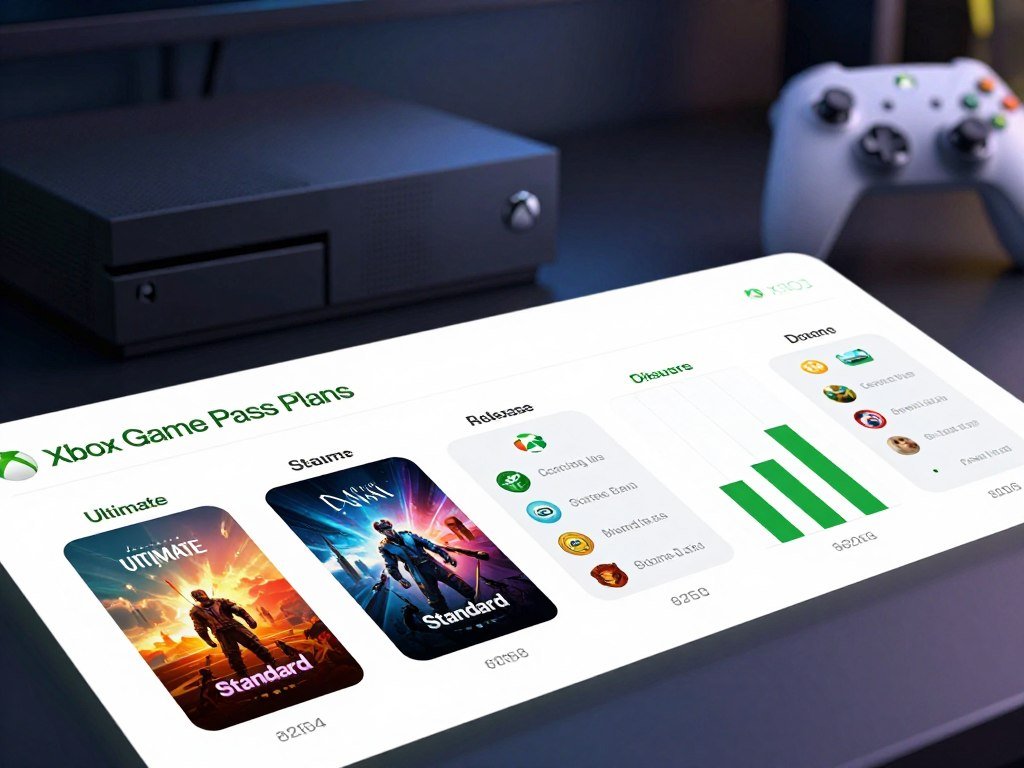
Console plans: Essential, Premium, and Ultimate
Essential offers 50+ games, while Premium offers 200+ games. Neither plan gives you new releases on day one, but Premium adds Xbox-published games within one year, except Call of Duty titles.
Ultimate includes 500+ games and day-one releases. The playable systems listed for the console plans also include PC and supported devices, so the plan name does not always mean one device only.
If you are choosing a system for a household, consider the console itself alongside the subscription. This family gaming console guide compares play styles and costs.
PC Game Pass for PC-only play
PC Game Pass is for PC play and includes 300+ PC games. It also includes EA Play, which adds a separate set of games and member offers.
| Plan | Playable systems | Catalog size | New-release access |
|---|---|---|---|
| Essential | Xbox console, PC, supported devices | 50+ games | No day-one releases |
| Premium | Xbox console, PC, supported devices | 200+ games | Xbox-published games within 1 year, except Call of Duty |
| Ultimate | Xbox console, PC, supported devices | 500+ games | Day-one releases |
| PC Game Pass | PC | 300+ games | Day-one releases |
Each catalog count describes a broad selection, not a promise that every title works on every system. A specific game can have platform or account limits, so check its listing before making a plan decision.
For a console library without day-one releases, Essential is the entry tier, while Premium adds newer Xbox-published games within a year.
Is Game Pass Ultimate Worth It for Your Gaming Habits?
Ultimate is worth paying for when you will regularly use its broader access and included extras, not just because its catalog is large. Regular use makes the difference between a useful gaming subscription and an expense that sits idle.
Ultimate is the all-around pick if you want launch access and will use several included benefits. If your play is more focused, a lower-cost plan may fit better.

When Ultimate is the best fit
Choose Ultimate if you play on more than one supported system, want new Xbox releases at launch, and expect to use its bundled benefits. A larger catalog alone does not prove that you will get more value from it.
Think about the games you plan to play over a typical month. If you mostly revisit a few titles you already own, a subscription may not beat buying those games directly.
For other ways to compare game deals with a subscription, see game-buying options and bundle models. Count only games you want and do not already own when weighing a deal.
When a lower-cost plan makes more sense
Premium suits players who want a changing library but do not need day-one releases. PC Game Pass is the clearer fit if you play only on PC.
These common routines point to different choices:
- A console player who wants new releases at launch: consider Ultimate.
- A PC-only player: consider PC Game Pass.
- A player who mainly revisits catalog games and skips day-one access: consider Premium.
Your account should match your actual play habits, not a possible future routine. If you often switch devices or want launch access, broader access may justify the higher tier.
Before choosing, compare the plan against the games and benefits you expect to use in a typical month.
What Games and Memberships Come With Ultimate?
Ultimate combines a library of 500+ games with three named gaming memberships. The catalog spans Xbox console, PC, and supported devices, and its available titles can change over time.
EA Play, Ubisoft+ Classics, and Fortnite Crew are included with Ultimate in 2026. Each adds a different kind of game access or in-game content.

The game catalog across supported systems
The catalog includes games for Xbox console and PC, plus titles available on supported devices. Not every title runs on every system, so the game listing matters when you want to play on a specific device.
New additions and departures can change which games you can start through the subscription. A current Game Pass library listing can help you check titles and platform notes.
Some games may remain available through a different purchase even after leaving the catalog. That is separate from subscription access, which only covers titles while they remain included.
What the included memberships add
The three memberships offer distinct benefits:
- EA Play adds access to EA games, including titles from EA SPORTS FC, The Sims, and STAR WARS.
- Ubisoft+ Classics provides a collection of 50+ games from Ubisoft.
- Fortnite Crew includes the Fortnite Battle Pass and monthly V-Bucks.
Ubisoft+ Classics focuses on selected Ubisoft titles, while EA Play has its own game list and member terms. Fortnite Crew is centered on Fortnite’s seasonal and monthly benefits.
These extras count toward value only when you play the included games or use the benefits. A membership you do not use should not carry much weight in your plan choice.
Some content and services can vary by region or device. Check that the games and partner benefits you care about are available in your region and on your device.
How Does Call of Duty Work on Game Pass in 2026?
Future Call of Duty games are the exception to Ultimate’s day-one release access. Launch day access does not apply to upcoming Call of Duty titles under the announced change.
Future Call of Duty releases are scheduled to join during the following holiday season, not at launch. Ultimate otherwise includes day-one releases in 2026.
The delay matters if you usually start a new Call of Duty game as soon as it launches. You will need to choose another way to play during the gap between launch and its scheduled catalog arrival.
This rule concerns future releases. It does not remove existing Call of Duty games already in the Game Pass library.
Those existing titles remain available under the announced change, as long as each game stays in the catalog and your subscription remains active. A game’s continued availability still depends on its place in the library.
The difference is about timing, not the removal of every Call of Duty title. A player interested in an older game already included can still play it under the usual catalog terms.
Do not assume that a new Call of Duty release will arrive on day one because other Xbox-published games do. If launch-day access to a particular Call of Duty release matters to you, plan for buying it separately or waiting for its later addition.
Can You Play on Console, PC, and Cloud Devices?
You can download games on Xbox consoles, PCs, and supported handhelds, or stream on supported devices. Downloads run from your device, while cloud gaming sends play over a network connection.
Ultimate includes 15 hours of cloud playtime per month in 2026. That monthly allowance does not limit games you download and play locally.
Downloading games on consoles and PCs
Downloads let you install eligible games on Xbox consoles, PCs, and supported handhelds. The device needs enough storage, and the game must support that platform.
Once installed, downloaded play does not use the monthly cloud allowance. This can suit a long session when you have access to your console or PC and prefer not to stream.
Some games you own can also be streamed when they are among the select supported titles. Owning a game does not mean every title can be streamed.
Streaming on supported devices
Cloud streaming works on supported mobile devices, tablets, TVs, and VR headsets. You need a supported device and a game offered for cloud play.
The table shows how the main device groups play:
| Device group | Example devices | Play method | Cloud allowance |
|---|---|---|---|
| Xbox console | Xbox console | Download and supported cloud streaming | 15 hours per month on Ultimate |
| PC and supported handhelds | PC and handhelds | Download | Not applicable |
| Mobile and other supported devices | Mobile, tablet, TV, VR headset | Cloud streaming, including select games owned | 15 hours per month on Ultimate |
The monthly limit applies to cloud play on Ultimate, not installed games. A weak connection may affect streaming quality, while downloads depend on storage and installation time.
If you prefer uninterrupted play, download the game when your device and storage allow it.
What Does EA Play Add to Ultimate?
EA Play is included with Ultimate, while a separate EA Play membership costs $5.99 per month or $39.99 per year in the United States. Play List access is a core benefit for members.
EA Play lets members play Play List games while their membership stays active. Select new-release trials last up to 10 hours, and the limit applies to those trials, not every EA Play game.
EA Play access, trials, and discounts
The Play List features EA games, including EA SPORTS FC, The Sims, and STAR WARS titles. The games available can differ by platform and may change.
Members also get 10% off EA digital purchases, including downloads, points packs, and downloadable content. The discount applies to eligible EA digital purchases, not every item sold in a game store.
EA Play membership is limited to one platform. An EA Play membership for one platform does not automatically provide access on another.
EA describes the platform limits and membership terms in its EA Play terms. Check the platform tied to a membership before relying on its game access.
The up-to-10-hour trial can help you test select new releases before deciding whether to buy them. It is not a timer that cuts off Play List games after ten hours.
Standalone EA Play or the Ultimate bundle
Standalone EA Play is available by month or year in the United States. Ultimate includes EA Play as part of its broader membership.
| Option | U.S. price | Access |
|---|---|---|
| EA Play monthly | $5.99 per month | Standalone membership |
| EA Play annual | $39.99 per year | Standalone membership |
| EA Play with Ultimate | Included with Ultimate | EA Play membership |
Standalone EA Play may suit a player who wants its library on one platform without the wider Game Pass bundle. If you already use Ultimate, EA Play is part of that membership.
Check that the platform you play on matches the platform assigned to an EA Play membership.
What Do Rewards, Multiplayer, and In-Game Benefits Include?
Ultimate adds online console multiplayer, in-game benefits, and Microsoft Store Rewards to its game access. Rewards points can increase when you play or buy eligible games and add-ons.
Subscribers can earn up to 4x more Microsoft Store Rewards points and play and earn up to $100 a year in the Microsoft Store with Rewards. These are maximum figures, not guaranteed earnings on every purchase.
The benefits cover three different parts of gaming:
- Online console multiplayer lets you play supported games with others online.
- In-game benefits may include offers for League of Legends, Call of Duty: Warzone, and Rainbow Six Siege.
- Microsoft Store Rewards points can come from playing games or buying games and add-ons.
The Rewards figures describe possible points and value through Microsoft Store with Rewards. They do not mean every game, add-on, or store purchase qualifies.
In-game benefits can depend on the title and the offer. For example, an offer in League of Legends may work differently from a benefit in Call of Duty: Warzone.
Online multiplayer applies to console play, while individual games may have their own online features and conditions. Check the benefit details inside the relevant game before planning around it.
Review the eligibility details for a specific Rewards offer before counting it toward your gaming budget.
What Happens When a Game Leaves or You Cancel?
A Game Pass game stays playable only while both your subscription and the game’s place in the library remain active. Saved progress is separate from continued access to a game.
If a game leaves the catalog, you need to buy it to keep playing, but your progress remains saved. Subscription access also ends when the subscription expires or is canceled.
Access to games in the catalog
While a game remains in the catalog, an active Game Pass subscription gives you access to it. If the game leaves, access is suspended unless you own a copy.
Buying a removed game restores your access to that title. Your saved progress remains, so you can continue from where you stopped if you regain access.
Catalog dates can help you decide whether to finish a game soon or buy it. The end date applies to subscription access, not to progress stored on your account.
Recurring billing and cancellation
Xbox subscriptions renew automatically by default unless you turn off recurring billing or cancel before the next billing date. The rule applies to Xbox recurring billing.
If Xbox charged a recurring payment, you can request a refund for the most recent charge by canceling within 30 days of payment. This refund option is limited to one use per Microsoft account for each subscription product.
EA Play follows a different access period after cancellation. You can use its benefits through the end of the current billing period, and its games and progress remain available if you rejoin.
EA Play access and saved progress are not the same as permanent ownership. EA Play’s cancellation terms explain that membership benefits can end when the paid period expires.
| Situation | Game access | Progress or billing detail |
|---|---|---|
| Active Game Pass subscription | Available while the game remains in the library | Subscription access |
| Game leaves catalog | Access ends unless purchased | Progress saved |
| EA Play canceled | Access continues through the current billing period | Games and progress available again if you rejoin |
| Xbox recurring billing | Renews by default unless canceled or turned off | Refund request within 30 days, one use per product |
Turn off recurring billing before the next billing date if you do not want another automatic charge.
What Should You Check Before Buying a Game Pass Code?
A Game Pass Ultimate card is a prepaid code, so verify the plan and term before applying it to an account. Physical cards and digital codes can both give you prepaid access.
A prepaid code has 25 characters and is redeemed online to the Microsoft account you select. Xbox accounts can stack up to 36 months of prepaid subscriptions.
Check the product name, stated term, region, and redemption rules before you apply a prepaid code.
What a Game Pass Ultimate card or code includes
A Game Pass Ultimate card may be a physical card sold in a store or a digital code sent online. Both are prepaid ways to add subscription time.
Redeem the 25-character code online while signed in to the Microsoft account where you want the subscription. Confirm the account before applying it, especially if more than one person uses the device.
Prepaid codes may have conditions tied to region, term, and stacking. A code that does not match your account region may not work as expected.
What to verify on a 12-month offer
A 12-month Xbox Game Pass Ultimate price is the total shown for a current offer only when a retailer explicitly lists that term. Do not assume that an annual code or discount is available.
Before buying, check these four details:
- Confirm that the product is Game Pass Ultimate.
- Check the stated subscription term.
- Verify eligibility for a U.S. account and region.
- Confirm the code’s redemption and stacking conditions.
For a Best Buy listing, check its live catalog for current Game Pass subscription offers. Read the product details to confirm the code term and region before paying.
A digital listing and a physical card may show different terms, so use the exact product page for the offer you plan to buy. The listed price applies to that offer, not automatically to every code.
Redeem a code only after confirming that it matches the account and region where you intend to play.
Conclusion
Choose the plan around the games, devices, and benefits you will actually use. Ultimate suits players who want broad access and will make regular use of its bundled features.
A lower tier can fit a more focused routine, such as PC-only play or returning to catalog games without launch access. Paying for extras you rarely use may not improve your gaming month.
Your next step is to compare the plan terms with your account region and preferred devices. Check the current plan and regional terms in your Microsoft account before subscribing.
FAQ
Did Gamepass Ultimate drop in price?
Yes, the U.S. monthly price fell to $22.99 from $29.99 starting April 21, 2026. The change applies to the monthly price for Ultimate in the United States. Prices can differ by region, so the amount shown for your Microsoft account is the relevant local rate. The separate PC Game Pass price also changed on that date.
Is Game Pass Ultimate worth it in 2026?
Game Pass Ultimate is most worthwhile if you use its catalog, day-one releases, online console multiplayer, or several included benefits. A player who uses those features across supported devices may get more from the bundle. If you mainly play on PC or revisit older catalog games, PC Game Pass or Premium may fit better.
Is EA Play included in Game Pass Ultimate?
Yes, EA Play is included with Game Pass Ultimate in 2026. It gives you Play List access while your membership remains active, plus select new-release trials and discounts on eligible EA digital purchases. The EA Play membership is limited to one platform, so check that its platform matches where you play.
What is included with Gamepass Ultimate?
Game Pass Ultimate includes 500+ games, EA Play, Ubisoft+ Classics, Fortnite Crew, online console multiplayer, cloud play, and Microsoft Store Rewards. It also includes day-one releases, with a Call of Duty exception: future titles are scheduled to arrive during the following holiday season. The catalog and benefits can change over time.
Will I lose my games if I cancel EA Play?
You can keep using EA Play benefits through the end of your current billing period after canceling. Once that period ends, membership access stops unless you have another way to play a title. Your EA games and progress remain available if you rejoin, so cancellation does not erase your saved progress.
Is EA Play only 10 hours?
No, the up-to-10-hour limit applies to trials of select new-release games. EA Play members can play Play List games while their membership remains active, with no general ten-hour limit stated for those games. The trial lets you test certain new releases, while Play List access is a separate membership benefit.
Is EA Play worth the money?
EA Play can be worthwhile if you regularly use its Play List, try select new releases, or buy eligible EA digital content. Members get trials of up to 10 hours for select new releases and 10% off eligible digital purchases. If you rarely play EA titles, those benefits may not justify a standalone membership.
How much does EA Play cost monthly?
EA Play costs $5.99 per month in the United States in 2026, or $39.99 for a year. The annual option covers the standalone membership, while EA Play is included with Ultimate. Membership access is limited to one platform, so compare the platform terms as well as the billing period.



