MacBook Pro M5 vs Dell XPS 16: Which Premium Laptop Wins?
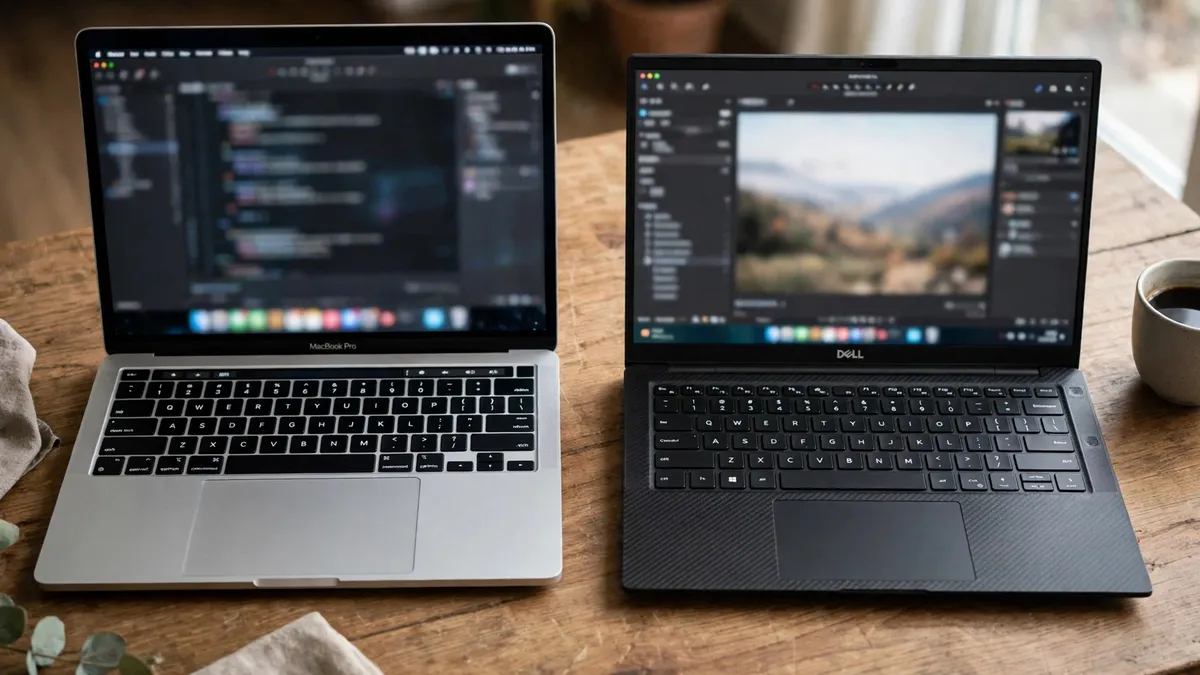
The MacBook Pro M5 vs Dell XPS 16 debate is the premium laptop question of the year. Apple pairs its M5 chip with a stunning Liquid Retina XDR display and battery life that embarrasses most Windows laptops, while Dell answers with a bigger 16-inch screen, Intel Core Ultra power, and optional Nvidia RTX graphics for serious creative work.
These are not budget machines. Both start well above $2,000 once you configure them sensibly, and both are aimed at people who earn their living on a laptop: video editors, developers, designers, and professionals who want one machine that does everything. The differences are real, though, and they matter more than the spec sheets suggest.
This comparison tests the two laptops where it counts: performance, display, battery life, keyboard and trackpad, ports, software, and price. Prices are approximate and change often, so check current pricing before you buy.
Key takeaways
- The MacBook Pro M5 wins on battery life, efficiency, and the sheer quality of its display.
- The Dell XPS 16 wins on screen size, graphics options, and flexibility with Windows software.
- For video editing and creative work, the MacBook is faster in most everyday tasks; the XPS pulls ahead with heavy GPU rendering.
- macOS and Windows are the real deciding factor for most buyers, more than any single spec.
- Both are excellent laptops — the wrong choice is usually the one that fights your existing workflow.
| Feature | MacBook Pro M5 | Dell XPS 16 |
|---|---|---|
| Display | 14.2-inch Liquid Retina XDR, 120Hz | 16.3-inch OLED or 4K+, up to 120Hz |
| Processor | Apple M5, up to 10-core CPU | Intel Core Ultra 7 or 9 |
| Graphics | Integrated M5 GPU, up to 10-core | Intel Arc or Nvidia RTX 4060/4070 |
| Battery life | Up to 24 hours video playback | Around 12 to 16 hours, varies by config |
| Weight | Around 1.55 kg | Around 2.1 kg |
| Ports | 3x Thunderbolt, HDMI, SD card, MagSafe | 3x Thunderbolt 4, microSD, USB-C |
| Starting price (approx.) | Around $1,999 | Around $2,299 |
MacBook Pro M5: the efficient all-rounder
The MacBook Pro M5 is the laptop to beat for most professionals. The M5 chip is fast, quiet, and remarkably efficient: it edits 4K video, compiles code, and runs local AI models without the fans spinning up, and it does it on battery for a full working day and beyond. In real use, the MacBook feels instant in a way few Windows laptops match, with apps opening immediately and no slowdown when you unplug.
The display is the other headline. The 14.2-inch Liquid Retina XDR panel is bright, accurate, and smooth at 120Hz, and it is one of the best screens you can get on any laptop. The speakers are excellent, the trackpad remains the best in the business, and the build is solid aluminium that feels like it will last a decade.
macOS is part of the package, for better and worse. If you live in Final Cut Pro, Logic Pro, or the Apple ecosystem, everything just works. If you depend on Windows-only software or games, you will need workarounds. The MacBook also has a fixed configuration: what you buy is what you keep, so choose RAM and storage carefully at checkout. If you are weighing a smaller Apple laptop too, our MacBook Air M5 vs MacBook Pro M5 comparison covers that choice.
The port selection is generous for a modern laptop: three Thunderbolt ports, HDMI, an SD card slot, and MagSafe charging mean most people can skip the dongle bag. The 1080p webcam is decent, and the six-speaker system is genuinely good for calls and music. None of this is flashy, but it adds up to a machine with very few daily annoyances.
Pros
- Outstanding battery life and silent, cool running.
- Superb XDR display, speakers, trackpad, and build quality.
- Excellent performance per watt for editing, coding, and everyday work.
Cons
- No discrete GPU option, so heavy 3D rendering lags behind RTX machines.
- RAM and storage are not upgradeable after purchase.
- Some Windows-only software and games do not run natively.
Dell XPS 16: the big-screen Windows flagship
The Dell XPS 16 is the Windows answer for people who want a large, beautiful laptop with real graphics power. Its 16.3-inch display is the star: the OLED option is vivid and deep, and the 4K+ panel is razor sharp for photo and video work. The extra screen space makes a genuine difference when you edit timelines, juggle windows, or work without an external monitor.
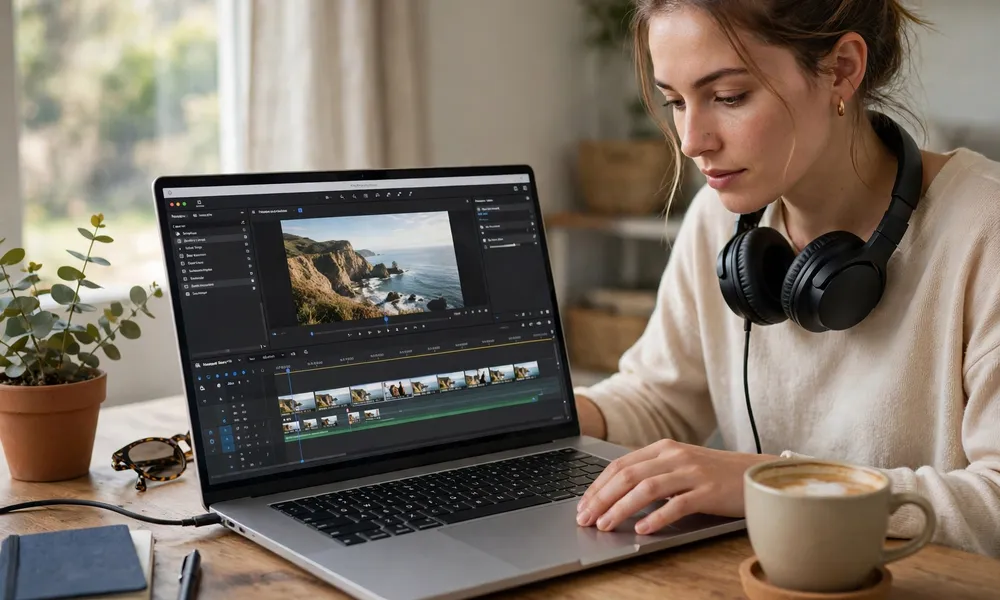
Under the hood, Intel Core Ultra processors pair with optional Nvidia RTX 4060 or 4070 graphics, which gives the XPS 16 an edge in GPU-heavy work: 3D rendering, CUDA-accelerated effects, and gaming after hours. Windows also means broader software compatibility, from engineering tools to games, and you can upgrade the storage later on many configurations.
The trade-offs are weight, battery, and heat. At around 2.1 kg it is noticeably heavier than the 14-inch MacBook, and battery life drops sharply under heavy load. The keyboard is good, though the capacitive function row divides opinion, and the fans are audible when the GPU works hard. Still, for a Windows-first creative professional, it is one of the strongest laptops you can buy, and the older MacBook Pro vs Dell XPS 14 comparison shows how this rivalry has evolved.
The design is striking too: a machined aluminium body, a near-borderless display, and a clean, minimal deck. The large glass trackpad and the backlit keyboard feel premium, even if the invisible touch function row takes a day or two to get used to. Dell also offers solid warranty options, including on-site service on higher tiers, which matters for a machine you depend on.
Pros
- Large, gorgeous 16.3-inch OLED or 4K+ display.
- Optional Nvidia RTX graphics for rendering, 3D work, and gaming.
- Full Windows compatibility and upgradeable storage on many configs.
Cons
- Heavier and less portable than the 14-inch MacBook Pro.
- Battery life falls well short of the MacBook under load.
- Fans get loud during sustained GPU work.
The verdict
For most people, the MacBook Pro M5 is the better laptop. It is faster in everyday work, lasts far longer on battery, runs silently, and has the best combination of display, speakers, and trackpad in a machine this size. If your work is video editing, coding, writing, design, or general professional use, the MacBook is the safer, more pleasant choice, and it is lighter in your bag too.
The Dell XPS 16 wins for a narrower group: Windows-first professionals who need a big screen, discrete RTX graphics, or software that only runs on Windows. If you render in 3D, lean on CUDA, game on the same machine, or simply prefer Windows and a 16-inch display, the XPS 16 is the right call — just accept the extra weight and shorter battery life. Check current pricing on both before deciding, as deals regularly shift the gap.
How to choose between the MacBook Pro M5 and Dell XPS 16
Start with your software, not the specs. List the five programs you use most. If any of them is Windows-only, or if your employer standardises on Windows, the XPS 16 saves you daily friction. If you work in Final Cut Pro, Logic Pro, or Xcode, the MacBook is the only sensible pick. Software lock-in decides more purchases than any benchmark.
Next, weigh portability against screen size. The MacBook Pro M5 is the better travel companion: lighter, cooler, and happy to work all day without a charger. The XPS 16 is the better desk machine: a bigger canvas for timelines and documents, at the cost of weight and battery. If you mostly work at a desk with a monitor, the screen-size advantage shrinks; if you work from cafes and flights, battery life matters more than anything.
Finally, think about graphics. For most creative work — editing, photo work, motion graphics — the M5’s integrated GPU is plenty. Only sustained GPU rendering, heavy 3D, and gaming genuinely need the XPS 16’s RTX graphics. If that is not your work, you are carrying the extra weight and heat for nothing. For a broader view of work machines, see our roundup of the best laptops for business in 2027.
Before you buy: a quick checklist
- Confirm your key software runs natively on your chosen platform.
- Choose RAM and storage at purchase on the MacBook — they cannot be upgraded later.
- Decide whether you need RTX graphics or the M5 GPU is enough.
- Test the keyboard and trackpad in a store if you type all day.
- Check battery claims against real-world reviews for your workload.
- Compare final configured prices, not starting prices.
Frequently asked questions
Is the MacBook Pro M5 faster than the Dell XPS 16?
For most everyday and creative tasks, yes. The M5 chip is faster in CPU work and more efficient, so the MacBook feels quicker in editing, compiling, and multitasking. The XPS 16 pulls ahead only in GPU-heavy work, where its optional Nvidia RTX graphics beat the M5’s integrated GPU.
Which laptop has better battery life?
The MacBook Pro M5, by a wide margin. It can last a full working day and beyond, with up to 24 hours of video playback in Apple’s testing. The XPS 16 manages around 12 to 16 hours in light use, and much less under heavy load, so it needs its charger nearby for demanding work.
Is the Dell XPS 16 good for video editing?
Yes, it is very good for video editing, especially with the RTX graphics option and the large OLED or 4K+ display. The extra screen space helps with timelines, and the GPU accelerates effects and exports. The MacBook is still the more efficient editing machine overall, but the XPS 16 is a strong Windows alternative.
Can the Dell XPS 16 run macOS software?
No. The XPS 16 runs Windows, so macOS-only apps such as Final Cut Pro and Logic Pro are not available. Some cross-platform tools work on both, but if your workflow depends on Apple-only software, the MacBook Pro M5 is the right machine.
Which laptop is better for students?
It depends on the course. The MacBook Pro M5 is better for portability, battery life, and general study, and it handles coding and media work well. The XPS 16 suits students in engineering, architecture, or 3D design who need Windows software and discrete graphics. Both are premium purchases, so a cheaper laptop may be the smarter student buy.
Should I wait for the next models?
Probably not, unless a new release is weeks away. Both laptops are current, and the performance gap between generations is now small for most users. A good deal on either machine today is worth more than a marginal upgrade tomorrow, so check current pricing and buy when the price is right.
The bottom line
The MacBook Pro M5 vs Dell XPS 16 choice comes down to your platform and your work. The MacBook is the better all-round laptop: faster in everyday tasks, far longer lasting on battery, quieter, lighter, and fitted with a superb display. It is the pick for most professionals, most editors, and most people who just want a laptop that never gets in the way.
Choose the Dell XPS 16 if you need Windows, a bigger screen, or RTX graphics for rendering, 3D work, or gaming. It is a beautiful, powerful machine that earns its place on a desk, even if it is heavier and thirstier than the MacBook. Either way, you are buying one of the best laptops available — the mistake is not picking the slower one, it is picking the one that fights your workflow.