
NordVPN is the strongest all-around starting point for most Australian users, while ExpressVPN, Surfshark, and Proton VPN fit different priorities. You may want more privacy at home, access to Australian services while traveling, or international streaming access. A VPN tunnel is the encrypted path between your device and a VPN server that routes your internet traffic through that server. Each service has different strengths, so the best match depends on what you do online and which devices you use.
NordVPN pairs broad everyday use with strong speed in an Australian route test. ExpressVPN is a speed-focused alternative, Surfshark covers unlimited simultaneous connections, and Proton VPN offers privacy tools and a free tier. These picks can help you compare speed, streaming, privacy, and the chance to get an Australian address while abroad. Streaming availability and promotional prices can change, so treat test results and offers as snapshots.
Key Takeaways
- NordVPN is the all-around starting point for most users.
- ExpressVPN suits buyers who put speed first.
- Surfshark allows unlimited simultaneous connections.
- Proton VPN offers a free tier and privacy-focused tools.
- Server location and your task matter more than broad access claims.
Choose a service based on the server location and the everyday task you need it to handle, not a promise of unrestricted access.
Best VPN Australia: Which Option Fits Your Needs?
A VPN is worth considering when you need an encrypted connection on public Wi-Fi or an Australian IP address while traveling. It can also limit what your local network can see about your browsing. Think of it as a privacy tool, not a way to disappear online.
A VPN encrypts traffic between your device and a VPN server, then changes the IP address websites see. That can help protect data on a hotel network or give you an Australian address while overseas. A VPN does not erase cookies or hide activity tied to an account where you sign in. It changes the route and IP address, not your identity on every service.

- It encrypts traffic between your device and the VPN server.
- It changes the IP address websites see for your connection.
- It does not erase cookies or signed-in account activity.
Australia’s social media minimum-age law took effect on December 10, 2025, for covered services. By October 2026, the country had moved to a further phase of mandatory age verification. The eSafety Commissioner’s age restriction rules explain that platforms must take reasonable steps to prevent Australians under 16 from having accounts.
A VPN does not exempt you from Australian law or a platform’s age-verification process.
A VPN also cannot make unlawful conduct legal or guarantee anonymity. A website can still connect your actions to your account, cookies, or other details you share. For more on the limits and uses of a VPN service and plan, compare what each layer of protection can and cannot do.
Treat a VPN as one privacy measure, not a substitute for careful account and device security.
What Should You Check Before Choosing a VPN?
Start with your main task, because a service suited to Australian streaming abroad may not be the best fit for privacy on a household network. Match the service to your routine, then compare its features, policy, and support. Test the VPN on your own connection before paying for a long plan.
VPN providers can differ in server locations, app controls, encryption, and support. A large network may help you find a useful location, but it cannot promise speed on your route. Check how each service works with your devices and the websites you use most.

Speed and Australian server coverage
Nearby servers often reduce latency, the delay before data starts moving. Routing also matters: a close server can still take a slow path across the network. A high server count alone does not prove that a VPN will be fast for you.
Check whether the provider offers Australian servers in locations that suit your plans. Sydney, Melbourne, Brisbane, Perth, and Adelaide may serve different users well. The best city depends on your distance from it, current routing, and whether you need local browsing or an Australian IP address abroad.
Privacy evidence and security controls
A written no-logs policy states what a provider says it does not collect. An independent audit can check parts of those claims, but it covers a defined scope and date. Read both as evidence, not as a promise that no tracking can happen.
AES-256 is a common encryption standard to look for in VPN documentation. OpenVPN and WireGuard are widely used protocols that manage the VPN connection. A kill switch can block internet traffic if the VPN drops, which helps prevent an accidental return to your regular connection.
Streaming, devices and support
Check for apps on the platforms you actually use, including computers, phones, and tablets. Count your household’s simultaneous connections, not just its devices. A television or router may need a different setup than a standard phone app.
Streaming access can change by server, time, and service. Look for a test of the specific country library you want, rather than a broad claim about streaming. Compare support hours and contact options if you expect help with setup or a failed connection.
- Test speed on your own internet connection.
- Check Australian server locations.
- Read the privacy policy and look for an independent audit.
- Compare device allowance and app compatibility.
- Review refund terms and renewal pricing.
A practical comparison of VPN features can help you weigh app support, data rules, and plan details. Keep your shortlist small enough to test each provider on the devices you rely on.
Check the refund terms before paying for a long plan, since eligibility can depend on the plan length.
How Do the Top VPNs Compare on Price and Devices?
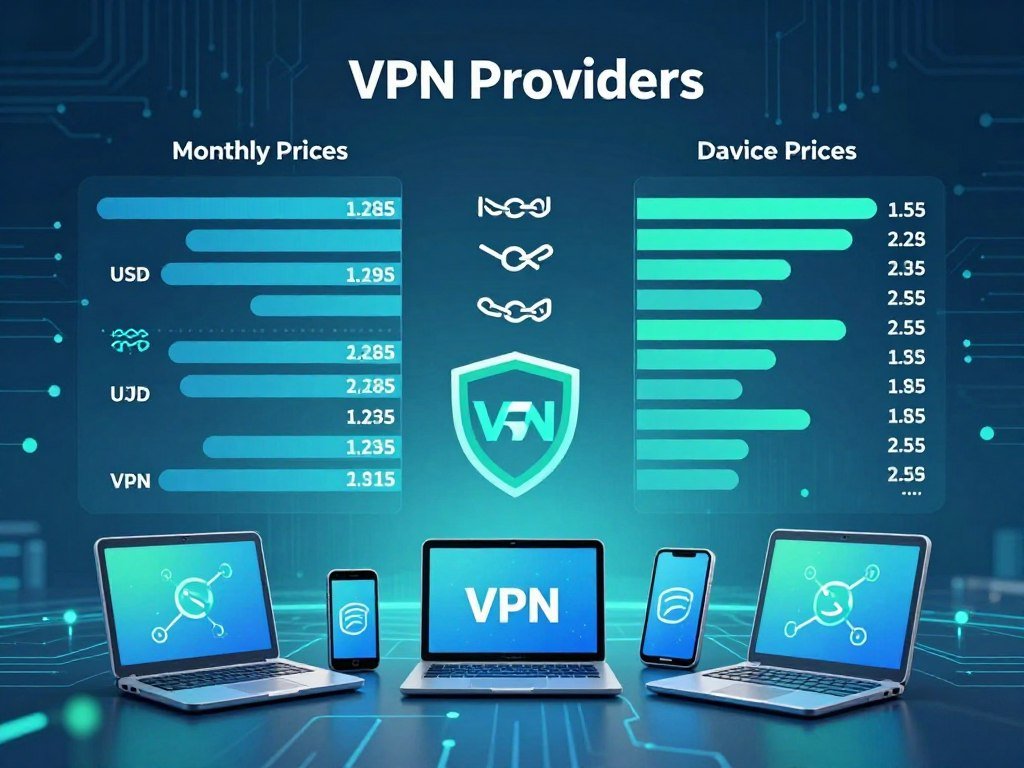
NordVPN leads the all-around comparison, while Surfshark is the clearest choice when one account needs to cover many devices. The best fit still depends on your budget, household size, and selected tier. These monthly prices are snapshots from the last audit, can change, and may require a long-term commitment.
The table compares entry prices for each provider’s longest-term plan and its simultaneous connections. A monthly equivalent can look low while requiring payment for a longer period upfront. Check the total charged at checkout and the renewal terms before choosing.
| Provider | Longest-term entry price at last audit | Simultaneous connections |
|---|---|---|
| NordVPN | US$3.09 per month | 10 |
| Surfshark | US$1.78 per month | Unlimited |
| ExpressVPN | US$2.99 per month | Up to 14 on top tier, fewer on cheaper tiers |
| Proton VPN | US$2.99 per month | 10 |
NordVPN was the overall pick in an Australia-focused comparison in 2026. Its balance of speed, privacy checks, and server choice made it a strong general option. A large household may value Surfshark’s unlimited connections more, while a solo user may care more about app features or the checkout total.
ExpressVPN’s device limit depends on the plan tier, so its top-tier allowance does not apply to every subscription. The same matters for services that split features between paid plans. Compare the exact plan, rather than assuming that the lowest advertised price includes every feature.
Prices can shift with promotions, plan terms, and renewal rates. NordVPN renewal can cost more than its first long-term monthly equivalent. Surfshark’s low entry figure also reflects a long commitment, rather than a month-to-month rate.
Compare the full checkout total and renewal terms, rather than choosing from a monthly equivalent alone.
NordVPN: Is It the Best All-Round Pick?
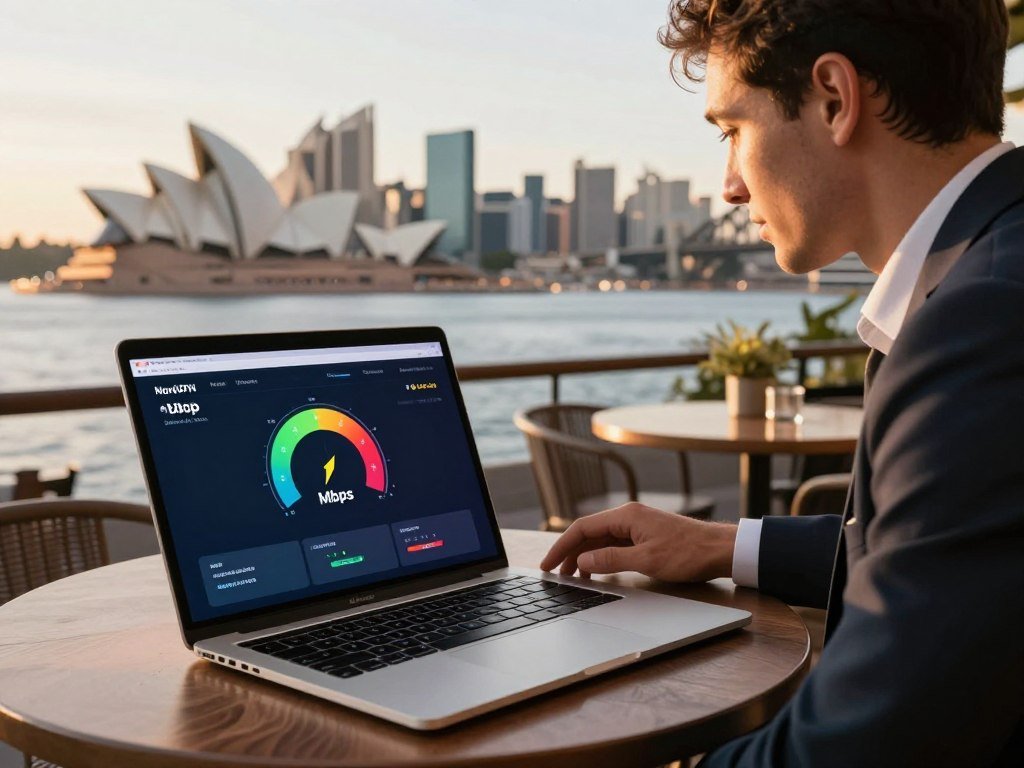
NordVPN earns its all-round recommendation by pairing independently audited no-logs claims with strong performance on a long-distance Australian route. Its privacy evidence is useful, though it cannot make your online accounts anonymous. On August 27, 2026, NordVPN retained 95.4% of the 90.12 Mbps no-VPN baseline in a Sydney route test.
The test recorded 85.99 Mbps download speed and 326 ms ping for NordVPN. It compared five services on the same route and date. The baseline was the download speed without a VPN connection.
| Provider | Sydney download speed | Speed retained | Ping |
|---|---|---|---|
| NordVPN | 85.99 Mbps | 95.4% | 326 ms |
| Surfshark | 82.85 Mbps | 91.9% | 375 ms |
| ExpressVPN | 86.12 Mbps | 95.6% | 438 ms |
| Proton VPN | 80.71 Mbps | 89.6% | 430 ms |
| IPVanish | 86.80 Mbps | 96.3% | 318 ms |
What its privacy checks establish
NordVPN’s no-logs policy had passed six independent audits, with the latest audit published in February 2026. An audit offers a review of stated practices within its scope. It does not prove that a user cannot be tracked through signed-in accounts or other online activity.
NordVPN also uses RAM-only servers. These servers wipe temporary data when they reboot, which limits what remains on that hardware. That design adds a privacy safeguard, but it does not erase information held by websites or accounts.
How RAM-only servers and NordLynx fit into the choice
NordLynx is based on WireGuard, a widely used VPN protocol. It is designed to give users a fast connection while carrying traffic through a VPN tunnel. Your actual speeds still depend on your network, chosen server, and route.
The Sydney numbers are one route test, not a forecast for every home or travel connection. The 326 ms ping is a measure of delay, while download speed shows how quickly data arrived. A video stream and an online game can react differently to those results.
Use the speed results as a comparison point, then test your own usual server and connection.
Surfshark: Is Unlimited Device Coverage Worth It?
Surfshark is the most straightforward option for a household that does not want to count connected devices. One subscription can cover many phones, computers, and tablets at the same time. Unlimited simultaneous connections can matter more than a small speed gap when several people use the VPN.
That allowance can simplify setup in a busy home, especially when each person has more than one device. Check the app support for your exact devices, since unlimited connections do not mean every platform supports every feature. A router may be needed for devices without a standard VPN app.
When unlimited connections matter
Surfshark may suit a family that wants protection on a phone, laptop, and tablet without swapping devices in and out. It can also fit a shared household with guests or several users. The benefit is less about raw speed and more about not managing a connection count.
A smaller household may not need that flexibility. If you use only a computer and phone, a plan with a fixed allowance may be enough. Think about who will use the account and which devices can run the app before deciding.
Streaming and speed trade-offs
Surfshark accessed Netflix in four tested regions in a 2026 test: the United States, United Kingdom, Germany, and Japan. That result says what happened in those tests, not what will happen on every server or service. Streaming access can change with location, time, and the platform’s rules.
In the August 27, 2026 Sydney route test, Surfshark recorded 82.85 Mbps download speed and retained 91.9% of the 90.12 Mbps baseline. Its ping was 375 ms. That was a solid download result, though another route or network can produce a different experience.
One household member may stream video while another joins a call or downloads files. Each task uses the network in a different way, so a single speed result cannot describe every home. Check the service at the time and location you plan to use it.
Choose it for the device allowance only after checking that its app supports every device you plan to protect.
ExpressVPN: Is Its Speed Worth the Price?
ExpressVPN is a strong speed-focused alternative, but its best fit depends on the plan tier and the kind of latency your activity can tolerate. Its Sydney test showed strong download speed, but the highest ping among the five services in that comparison. Video streaming may respond differently from latency-sensitive gaming.
On August 27, 2026, ExpressVPN recorded 86.12 Mbps download speed and retained 95.6% of a 90.12 Mbps baseline. Its ping was 438 ms, the highest figure among the five providers tested on that route. A high download result does not erase the effect of delay in real-time play.
Speed and connection quality
For video, a strong download rate can help keep a stream smooth when the route and service cooperate. Gaming and live calls can be more sensitive to ping because they rely on quick replies. Your home internet, server choice, and current routing can shift both measures.
ExpressVPN’s result is a snapshot from one Sydney route. It does not guarantee the same speed in another Australian city or from overseas. Use the figures as a point of comparison, then consider the task you need the service to handle.
Tier limits and refund terms
The longest-term entry price was US$2.99 per month at the last audit. This is a monthly equivalent for a long plan, not a current quote or a month-to-month price. Offers and checkout totals can change.
ExpressVPN allows up to 14 simultaneous connections on its top tier, with fewer on cheaper tiers. The limit matters if you want to cover a household, rather than one or two devices. Check the allowance for the precise plan before paying.
Its 30-day money-back guarantee is for new users. That condition may not apply to someone who has used the service before. Read the terms that appear with the plan you select, especially if you need a longer test period.
Check the device allowance of the exact tier you are considering before relying on it for a whole household.
Proton VPN: Who Benefits Most From Its Privacy Tools?
Proton VPN is a good fit when privacy tools and a clearly defined Australian network matter more than having the broadest feature set at the lowest price. Its location choices can help with local access and international browsing. Plus-server access requires the Plus plan.
Proton VPN listed 321 servers in Australia across five cities. Its full network list showed 21,722 servers in 149 countries. Australian locations can help you connect from within the country or get an Australian IP address while traveling abroad.
The paid network and Australian locations
A network spread across several Australian cities gives you more than one local option. A nearby location may be a practical choice for ordinary browsing, while an Australian server can provide an Australian IP address overseas. Your best option still depends on the route and the service you need.
Proton VPN’s Plus servers require a Plus plan. The standard network list and the plan’s server access are not the same thing. Check the plan details if you have a specific Australian city or server type in mind.
Privacy features and plan boundaries
Proton VPN’s privacy-minded approach includes app controls and policies that users can review before subscribing. Look at how the app handles connection drops, what the privacy policy says, and which settings are available on your devices. Those checks can help you judge the service without treating any single feature as proof of anonymity.
A VPN can reduce what a local network sees, but it does not hide activity from every website. Signed-in services can still tie activity to your account. A country’s location or a privacy feature alone cannot guarantee that no one can identify you.
Proton VPN in Australia can mean two different needs: a local Australian connection or an Australian IP address while abroad. Its listed city coverage speaks to the first, while connecting to an Australian server overseas can help with the second. The Plus plan matters if you want access to Plus servers.
Confirm that the Australian server location you want is available on your selected plan.
CyberGhost: How Does It Fit Long-Term Savings?
CyberGhost stands out for its listed long-plan entry price and a longer refund window that is limited to long plans. The low monthly equivalent needs context: it applies to the longest-term plan at the last audit, not a month-to-month plan. Its 45-day money-back guarantee applies to long plans.
The entry price was US$1.75 per month at the last audit, and prices can change. A long commitment may lower the monthly equivalent, but it can raise the amount due upfront. Compare the full charge with the plan length before deciding.
Make a short record before buying a long plan. A saved confirmation can help you find the order details and refund terms later. Use these checks:
- Confirm that the selected term qualifies for the 45-day refund window.
- Save the purchase confirmation and renewal date.
- Check the current cancellation process before relying on a refund.
CyberGhost may appeal if you have a clear need for a long plan and can commit to its term. The refund window gives more time than many short trials, but it applies only under stated conditions. Do not assume every plan receives the same period.
Read the refund conditions for the exact plan before you pay.
Private Internet Access: Is It Right for Customization?
Private Internet Access may suit users who want hands-on settings and P2P support rather than the simplest possible app. Its configurable controls appeal to curious users who want to adjust how the VPN behaves. A low entry price reflects a longest-term plan, not a guaranteed checkout price.
Private Internet Access was listed at US$1.59 per month on its longest-term plan at the last audit. Prices can change, and the monthly figure depends on that plan’s full term. Check the total charge and renewal terms before you decide.
Its apps offer configurable controls and support P2P use. Before subscribing, check the app’s protocol settings and kill switch. Review DNS leak protection, too, so you know what safeguards the app provides if the VPN connection drops.
For P2P, check the policy for the specific server you plan to use. A service’s general support for P2P does not mean every server has the same rules. Choose settings you understand, and avoid treating more controls as proof of a no-logs policy.
Some users may prefer a simple connect button over settings menus. Others may value control over the protocol and connection behavior. Your device and planned activity should guide that choice.
Verify the current P2P rules for the server and activity you intend to use.
Mullvad: Does Flat-Rate Privacy Suit You?
Mullvad is the clearest fit for readers who prefer a flat monthly rate and fewer account details. Its account options are a privacy preference, not proof that a user cannot be identified. The service has a 14-day refund window.
Mullvad supports accountless sign-up and accepts cash or cryptocurrency payments. Those choices can reduce the personal details tied to a payment or account, depending on how you use them. They do not prevent identification through other activity, devices, or online accounts.
The flat price is €5 per month, rather than an introductory monthly equivalent tied to a long contract. The same monthly rate makes the bill easier to compare across time. Its refund period is shorter than the long-plan window offered by some services.
Mullvad may suit someone who values a simple rate and flexible sign-up choices. Its payment options do not guarantee anonymity, and they do not replace good account security. Think about whether the features match your own privacy needs.
CNET’s Mullvad review also covers its account number sign-up, payment choices, and refund terms.
Check whether the shorter refund window gives you enough time to test the service on your own devices.
Which Free VPNs Work in Australia?
Proton VPN is the clearest free starting point if avoiding a data cap matters more than choosing a specific server location. Its free tier has unlimited data, but users cannot pick a server. No free plan should be assumed to offer a selectable Australian server.
A free VPN can help with basic browsing, but server choice and streaming access may be limited. For a wider look at free VPN alternatives, compare data limits, privacy controls, and the locations each plan lets you choose.
Proton VPN’s free tier
Proton VPN’s free plan includes unlimited data, servers in 10 countries, and 2,000 servers. It allows one simultaneous connection and does not let users choose a server location. The plan’s server selection does not guarantee an Australian endpoint.
In an October 2026 test, the free tier did not unblock the tested Netflix libraries. A 2026 free-VPN test ranked it first among 150 services, with an overall rating of 6.3 out of 10. Proton VPN was the only free tier without a bandwidth limit in a 2026 PCMag review.
Windscribe and TunnelBear limits
Windscribe’s free plan has servers in 10 countries and a monthly cap of 10 GB with an email address. Without an email address, the cap is 2 GB. TunnelBear’s free tier allows 2 GB per month.
Windscribe unblocked five Netflix libraries in an October 2026 test. That result applies to those tested libraries, not every streaming service or later session. A streaming test can change as services and VPN servers change.
What free-plan privacy checks can reveal
A 2026 review found that 88% of the free VPN apps it tested leaked identifiable data. That is a warning about the tested apps, not a claim about every free VPN. Read the privacy policy and check app permissions, leak controls, and the kill switch.
A leak result can show that a test app exposed identifying details under the test conditions. It cannot prove that every app behaves the same way or that a paid plan is always safe. Check what the app collects and how it handles your connection.
Unlimited data does not mean unlimited server choice, and a free plan may not provide the Australian endpoint you need.
Proton VPN is the strongest free option for unlimited data, while Windscribe may suit a limited streaming test. Neither should be promised to provide a selectable Australian server. Test the free tier for the exact Australian location and app you need before depending on it for travel or streaming.
Which VPNs Can Access Streaming Libraries?
NordVPN and Surfshark each accessed Netflix in four regions in one 2026 test, but that is a snapshot rather than a continuing promise. Streaming access can change when a service detects a VPN or updates its rules. No test guarantees access for every account, server, or future session.
A separate 2026 Netflix test checked the United States, United Kingdom, Australia, Japan, and Canada. It allowed each VPN up to 10 attempts per region. Around half of the tested VPNs had complete blocks in one or more regions.
| Service or test group | Result | Tested regions |
|---|---|---|
| NordVPN | Access in four tested regions | US, UK, Germany, Japan |
| Surfshark | Access in four tested regions | US, UK, Germany, Japan |
| Roughly half of VPNs in 2026 test | Complete block in at least one region | Regions varied across five-library test |
The five-region test and the NordVPN and Surfshark results are separate findings. The four-region results do not mean either service failed in Australia or Canada. The tests used different scopes, so keep each result tied to its tested regions.
Netflix may show a Limited catalog when it detects a VPN. Its ad-supported plans are completely blocked when a VPN is detected. If a library does not appear, check these points:
- Confirm that you selected the country for the library.
- Reconnect to another server in that country.
- Check whether your account uses an ad-supported plan.
- Test again later, since access can change over time.
Other streaming services may use different rules and detection methods. A result for one library does not predict what another platform will show. Check the streaming service’s current account and plan restrictions before troubleshooting the VPN.
How Do You Set Up a VPN on Your Devices?
For local use, start with a nearby Australian server; when abroad, select an Australian location if you need an Australian IP address. The right server depends on your purpose, distance, and current routing. A single city is not automatically best for everyone.
VPN apps commonly work on Windows, macOS, iOS, and Android. Australian servers may offer cities such as Adelaide, Brisbane, Melbourne, Perth, and Sydney. A nearby server is usually practical for local browsing, while a traveler abroad should select an Australian server for an Australian address.
| Situation | Server or setup choice | Practical goal |
|---|---|---|
| In Australia for ordinary browsing | Nearby Australian server | Local connection |
| Abroad and needing Australian sites | Australian server | Australian IP address |
| Smart TV or console without an app | Router support or Smart DNS, if available | Device-level access |
Choose a server for your location
Choose a city near you for local browsing, but consider the route and task as well. A Sydney server may suit one person and perform poorly for another. The best option depends on proximity, current routing, and whether you need local access or an Australian IP address.
Some smart TVs and game consoles do not run standard VPN apps. Router support or Smart DNS can cover certain devices, when the provider offers those options. The features and setup vary by service.
Install on a computer or phone
Use the official app for your operating system and follow its connection prompts. These steps work for a Windows PC, Mac, iPhone, or Android phone when the provider supports the device:
- Check that the app supports your device.
- Install the provider’s official app.
- Sign in to your account.
- Select a country or city.
- Connect and verify the displayed location.
For a PC, choose the Windows app; for an iPhone or Android phone, use the matching mobile app. The labels may differ, but the core steps are similar. Confirm that the chosen server matches your task before browsing.
Confirm that the VPN is connected and the displayed IP location matches the task before opening a sensitive account.
Conclusion
For most users, NordVPN is the best all-around pick, while the strongest alternative depends on the reader’s main priority. ExpressVPN suits speed-focused buyers, Surfshark fits households needing unlimited connections, and Proton VPN is the free and privacy-oriented alternative.
Your best choice should work with the location, device, and service you use most. Test the server and service you actually need before committing to a long plan. A real trial on your usual connection can reveal whether the app fits your routine.
Choose a provider, connect from your usual location and test your most important task during the applicable refund window.
FAQ
Can you use a VPN in Australia?
Yes, using a VPN in Australia is generally legal. A VPN encrypts traffic between your device and a VPN server, but it does not make unlawful activity legal or override platform rules. Covered social media services must follow Australia’s minimum-age law. A VPN also does not remove age checks or hide activity tied to accounts where you sign in.
What are the top 3 best VPNs?
NordVPN is the strongest all-around choice, ExpressVPN is a speed-focused alternative, and Surfshark suits people who need unlimited simultaneous connections. Proton VPN is another strong option for privacy-focused users. The best fit depends on your devices, server needs, and budget. Compare the plan limits and the locations you need before choosing a long-term subscription.
How much does ExpressVPN cost?
ExpressVPN’s longest-term entry price was US$2.99 per month at the last audit. Prices can change, and that monthly equivalent depends on the length of the plan. It is not a month-to-month quote. The amount due at checkout may cover a longer term, so compare the full charge, renewal terms, and device limit for the tier you want.
What is the best server for Australia?
Choose a nearby Australian server for local use, or an Australian server when abroad and needing an Australian IP address. The best city depends on routing, distance, and what you plan to do. A nearby server may help with latency, but a different route can perform better. Try a few available cities if your usual connection feels slow.
Is NordVPN illegal in Australia?
No, using NordVPN is not generally illegal in Australia. A VPN is a privacy tool, not permission to break Australian law. It also does not override a streaming service’s rules or guarantee access to every library. Platforms can still apply their own account and age checks, and websites can tie activity to an account where you sign in.
What is the best VPN for Australian users?
NordVPN is the overall pick for most Australian users. ExpressVPN may suit you better when speed is the main concern, while Surfshark fits homes with many devices. Proton VPN is a privacy-focused alternative with a free tier. Your choice should match the server location, app support, and streaming service you expect to use most often.
Why avoid NordVPN?
NordVPN may not suit you if you need unlimited simultaneous connections or a free tier. Its allowance is limited, and the free plan is not part of its offer. Surfshark is a better match for unlimited connections, while Proton VPN offers a free option. Compare each plan’s limits and renewal cost before deciding which trade-off matters most.
Is it worth getting a VPN in Australia?
A VPN can help protect traffic on public Wi-Fi and provide an Australian IP address while you travel abroad. It can also reduce what a local network sees about your browsing. It does not guarantee anonymity, erase cookies, or hide activity from accounts where you sign in. Use it alongside strong passwords and careful device security.
Which VPN gives Australia free?
Proton VPN’s free tier offers unlimited data, but it does not let users choose a server location. That means it does not guarantee a selectable Australian endpoint. The free plan allows one simultaneous connection and did not unblock the tested Netflix libraries in an October 2026 test. Try the location and app you need before depending on it.



