
An online AI image checker can give you a quick first assessment, but it cannot prove who created a picture. A surprising image on social media may raise concerns about fraud or misinformation, especially when it seems to show a real person or event. A careful check can help you decide what to trust.
A detector score is an image checker’s estimate of whether an image is AI-generated, not a verified record of who made it. You can treat that score as one clue, then look for provenance, meaning recorded information about an image’s origin and edits. Neither clue alone settles every question.
This process offers a practical way to check an image before you share a claim or accuse someone. Keep the original file and where you found it, because that context can help you assess a result.
Key Takeaways
- Use an image checker as a first screen, not proof of authorship.
- Compare results with the original post and its wider context.
- Search for matching images and check any provenance details.
- Odd visual details can prompt more checks, but do not prove fakery.
- Wait for independent confirmation before acting on a serious claim.
How to Check Whether an Image Is AI-Generated
Start with the clearest copy you can access, then run it through an image checker as a screening step. Free online options may help you check whether an image is AI-generated, but each service sets its own access and upload terms. A checker’s result is a clue, not confirmation.
Run an image detector as an initial screen
Use this short checklist to keep the first pass focused. Save the original file when possible, since a social media preview may be smaller or compressed. The exact result wording matters: “likely AI-generated” and a percentage are not claims about who made the image.
- Save or open the clearest image you can access.
- Upload the image to an online AI image detector and note its wording.
- Search the full image with Google Lens, then select a distinctive crop.
- Compare any matches with the original post and its context.
Use an image checker to screen a picture, not to prove its history or accuse its creator.
Free access and upload terms depend on the specific checker, so read its terms before sending sensitive images. A profile picture, private document, or family photo may contain details you do not want to share with a service.
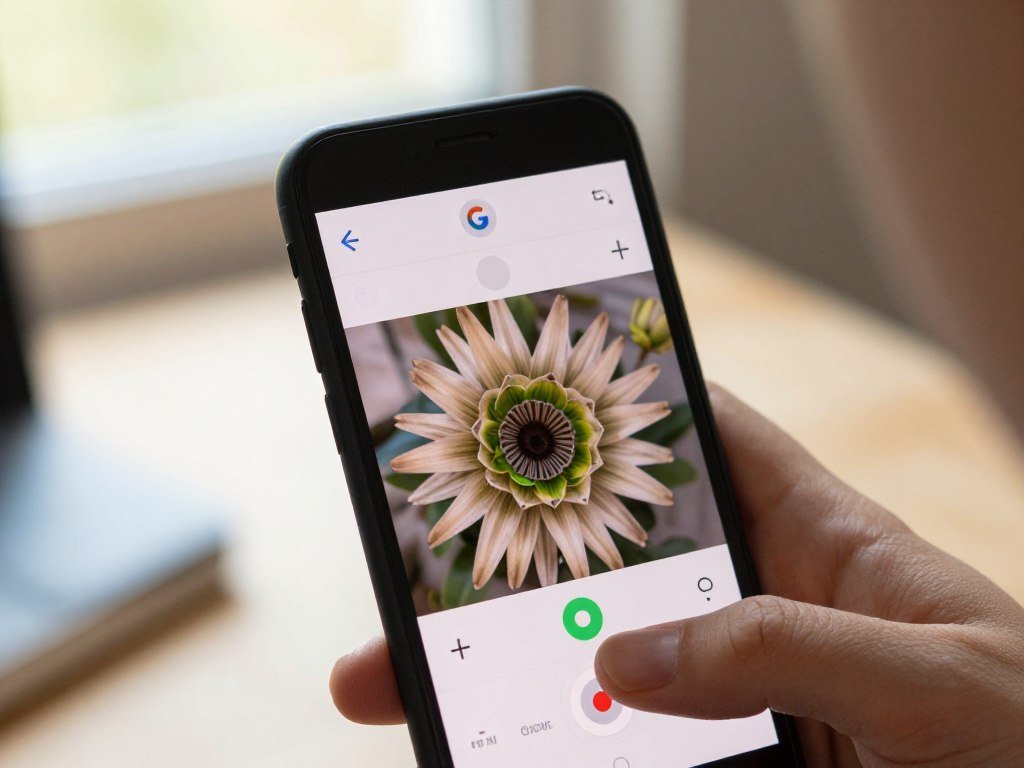
Use Google Lens to find matching images
On Android in 2026, Google Lens can search an image from Google results, a website, or a device upload. On iPhone or Android, you can search a camera photo or device upload and adjust the selected area. Lens may show similar images, pages containing those images, and details about pictured objects.
A Google Lens reverse image search can help reveal earlier appearances or related pages. This kind of search is called reverse image search: it looks for matching or visually similar images and related pages. Before treating a match as confirmation, open the page it came from and check whether it shows the same image in its original context.
What Visual Clues Can Reveal Synthetic Media?
A single strange detail is weak evidence, so look for several inconsistencies that do not fit the same scene. Patterns together can prompt a closer check, but one visual clue cannot settle authenticity. Convincing AI images may have no obvious flaws.
Image generators such as Midjourney, DALL·E, and Stable Diffusion can create realistic scenes. Real photos can also look odd after edits, filters, or compression, so treat visual clues as prompts for verification rather than verdicts.
- Check signs and labels for text that looks garbled or unreadable.
- Look for hands, faces, or accessories that change shape or fail to match.
- Notice objects that appear fused or warped into the background.
- Scan for repeating textures or sudden changes in detail.
- Compare shadows and reflections with the scene’s apparent light source.
For video, watch several moments and see whether details change between frames. A hand, face, or object that shifts without a clear cause may deserve more attention. One odd frame can come from motion blur or a quick edit, so check the wider clip.
A review of media forensics describes visual inconsistencies as one part of synthetic media detection, not a complete test. The media forensics review covers methods that study image patterns and other signs of manipulation. Treat visual clues as reasons to verify further, not as a standalone test of authenticity.
How Reliable Are AI Image Detectors?
A detector score is a probability-style estimate, and benchmark results show why it should not be treated as proof. Accuracy varies with the dataset and generator. No detector ranked first on every dataset in a 2026 evaluation.
That evaluation tested 16 AI-image detection methods across 12 datasets and 291 generators. Their average accuracy ranged from 37.5% to 78%. For images from newer generators, mean accuracy was lower in the listed tests:
Understand the limits of a detector score
| Generator | Mean detector accuracy on its images | Model |
|---|---|---|
| Firefly v4 | 18% | Firefly v4 |
| Imagen 4 | 19% | Imagen 4 |
| Flux Dev | 21% | Flux Dev |
| Midjourney v7 | 24% | Midjourney v7 |
| DALL·E 3 | 31% | DALL·E 3 |

These are results for stated tests, not a guaranteed score for an individual file. Accuracy can change across datasets: SAFE detector accuracy ranged from 3.2% to 99.8%. Five AI image detectors also marked real photographs as AI-generated 13.33% of the time in a test of 45 images.
Check how newer models and edits affect results
Newer image generators can be harder for detectors to recognize. In a 2024 CVPR Workshops study, realistic cropping, resizing, and JPEG compression lowered mean AUC scores for NPR, LGrad, and DIRE across 18 generators.
Their mean scores fell from 76.8 to 51.0, 69.7 to 49.4, and 65.2 to 49.9, respectively. A 2025 NeurIPS paper explores a model that explains image artifacts, but no tool can settle every file’s history. The NeurIPS 2025 study presents FakeVLM and its FakeClue dataset, which contains more than 100,000 images across seven categories.
If the decision could affect someone’s identity, money, or reputation, seek independent corroboration before acting.
What Can Watermarks and Metadata Prove?
A watermark can connect an image to a participating generation system, while an empty result cannot clear every other possibility. Provenance records can also show details about an image’s origin or edits. Missing records do not prove human authorship.
Google’s SynthID Detector is available globally in English and checks images, videos, or audio made with AI from Google or participating partners, including OpenAI, NVIDIA, and Kakao. As of 2026, SynthID had watermarked over 180 billion images and videos.
Check for a participating system’s watermark
SynthID adds an invisible watermark when an AI-generated image or video segment is created. It is designed to withstand cropping, filters, frame-rate changes, and lossy compression. A watermark check looks for that mark, unlike a general image detector, which estimates whether image patterns resemble generated content.
| Method | Signal checked | What a positive result can indicate | What an absent result means |
|---|---|---|---|
| SynthID watermark | Invisible mark from a participating system | Media links to a participating AI system | AI from other systems remains possible |
| C2PA metadata | Attached provenance information | Record may show content credentials or editing history | Missing data does not establish human authorship |
| Pixel-pattern detector | Visual patterns in image data | Score estimates resemblance to generated content | No score proves the image’s origin |
Treat missing provenance information as inconclusive
SynthID checks participating systems, not every AI generator, so no match does not rule out AI creation. C2PA metadata can offer a record of content credentials or edits, but platforms may remove metadata when media is uploaded or shared.
Google DeepMind’s SynthID details explain how the watermark is designed to remain detectable after common edits. Read any provenance record alongside the image and the context in which it appeared.
Can AI Tools Analyze a Picture or Make an AI Sticker?
ChatGPT can analyze visible details in a picture, but that ability is different from verifying how the picture was created. Image analysis can describe objects or read visible text. A description does not certify whether an image is AI-generated.
Ask a vision model to describe the image
OpenAI vision-capable models can answer questions about objects, shapes, colors, and textures. They can also read visible text, though model limits still matter. Check important interpretations against the image and other reliable information before acting on them.
For developers or high-volume workflows, OpenAI’s image-vision API accepts PNG, JPEG, WebP, and non-animated GIF files. A request can contain up to 1,500 images, with a maximum total payload of 512 MB. These limits are not requirements for ordinary ChatGPT use.
Create a Genmoji on a supported iPhone
Genmoji is Apple’s AI-created sticker option for making custom emoji-style images. You can create one from a text description, combine emoji with descriptions, or use a person in Photos. A Genmoji can include up to three people.
Genmoji requires an iPhone that supports Apple Intelligence. Apple’s iOS 27 instructions list iPhone 15 Pro, iPhone 15 Pro Max, and iPhone 16 models or later. Apple Intelligence on iOS 27 is also available on iPhone Duo and iPhone Air, among other eligible devices.
That feature does not mean every sticker on an iPhone was made with AI. A saved sticker may come from a photo, an app, or another person. Check Apple’s current device eligibility before relying on Genmoji features on a particular iPhone.
How to Check Whether a Video Is AI-Generated
Check the clip’s source and claim as well as its frames, because visual analysis alone cannot establish who made it. Several checks can help you judge a suspicious video. A video-checker result alone cannot establish authorship, intent, or full history.
Inspect more than one moment in the clip
Preserve the clip or public link, then watch several moments for continuity in faces, hands, objects, and motion. Listen for audio that does not match visible speech or events. A short clip may show only one moment, so its surrounding claim matters.
Check the original account and the claim made with the clip. Compare important details with independent reporting or records. A video on YouTube can carry a platform label, but that label does not by itself establish the clip’s full history or truth.
Treat video-checker results as one signal
Some online tools accept a video file or a supported public link. Access, file limits, and free-use terms vary by service, so check the rules before uploading private material. DetectVideo AI accepts video files or supported public links and analyzes available visual, motion, audio, metadata, and source signals.
Such signals can help focus your review, but they cannot tell you by themselves why a clip was made or whether its claim is true. A convincing result from one tool still needs independent support. Do not share a consequential clip as authentic until an independent source supports its central claim.
How Do Platforms Label Realistic AI Content?
YouTube requires creators to disclose realistic AI-generated or meaningfully AI-altered content. The rule targets realistic depictions, not every use of an AI feature. A platform label signals disclosure, not proof of every detail in a video.
Creators disclose qualifying content during upload by selecting Yes under AI use in Attributes. YouTube then adds a label. The platform may also label content made with its generative AI tools, content with C2PA metadata, or content its internal systems detect as AI-generated or altered.
- Realistic generated scenes or meaningful changes to real people, events, or places need disclosure.
- Non-realistic AI content and minor edits, such as beauty filters or background blur, do not need disclosure.
- YouTube can add labels automatically; repeated failure to disclose may lead to a manual label, removal, or Partner Program suspension.
Disclosure alone does not limit a video’s audience or ability to earn money. Check the label and the original context before deciding what a video proves.
A disclosure label tells you that content was marked as AI-generated or altered, not that every claim in it is true.
Conclusion
Use an image checker to get an initial assessment, then verify the result against the image’s source and context. A detector score starts the check; an original file, reverse-image matches, provenance, and independent context can strengthen your assessment.
Upload the image to the page’s checker, then confirm any meaningful claim before sharing or acting on it. Keep the file and its original post available while you review the result. If the image could affect someone’s safety, identity, or finances, wait for independent confirmation before acting.
FAQ
How to detect fake photos?
Combine an image detector’s estimate with a visual review, reverse image search, and checks of the original source. No single clue proves a photo is fake. Look for earlier appearances and compare dates, captions, and accounts. A real photo may contain odd details after editing, while a generated image may look convincing. Treat a suspicious result as a reason to check further.
How do I Google check a photo?
Use Google Lens on an iPhone or Android phone with a camera photo or device upload. Open Lens, choose the picture, then select a distinctive area to refine matching results. Lens can show similar images and pages that contain them. Open a match to see its caption and context, since a similar-looking result may not be the same picture.
Can ChatGPT identify a picture?
Yes, vision-capable ChatGPT models can describe visible content and read text in an image. You can ask what objects appear or what a sign says. That description does not prove whether the picture is AI-generated, and a model can misread details. Check important names, dates, or claims against the original image or a trusted record before relying on them.
How to tell if a sticker is AI?
Look for a creation label or a known generation context, since appearance alone cannot reliably show how a sticker was made. Check where the sticker came from, such as an AI sticker tool or a saved photo. A polished style or unusual design is not proof. If the creator or app offers a clear label, use that information as context.
Do iPhone stickers use AI?
Some iPhone stickers can use AI, but that does not mean every sticker is AI-generated. Genmoji uses Apple Intelligence to make custom emoji-style images from text or people in Photos. Other stickers may come from ordinary photos, apps, or messages. The way a sticker looks cannot reliably show which method made it.
Which iPhones are not AI?
Apple Intelligence on iOS 27 supports iPhone 15 Pro and Pro Max, iPhone 16 models or later, iPhone Duo, and iPhone Air among other eligible devices. iPhones outside the eligible range may not support those features. Support can also depend on the exact model and feature. Check Apple’s current device list for the model you own.
Does the iPhone have AI on it?
Yes, eligible iPhones have Apple Intelligence features, including supported iPhone 15 Pro and iPhone 16 families. Availability depends on the device and the specific feature. Genmoji is one option for making custom emoji-style images, while other features can help with tasks like writing or image use. Check eligibility for your exact model before expecting a feature to appear.



