
A stolen password can expose private messages, payment accounts or an organization’s files. Cybersecurity combines technology, practices and policies to protect digital systems and information. That protection helps reduce risk for individuals and businesses.
It matters in ordinary life, not just in an office or computer lab. Good security can help protect your privacy and finances, keep a business running, and support critical services such as hospitals and utilities. No single tool can remove every danger, but useful habits can make common attacks harder.
Key Takeaways
- Cybersecurity protects digital devices, accounts, networks, software and data.
- Information protection aims to preserve confidentiality, integrity and availability.
- Common threats include phishing, malware and ransomware.
- Unique passwords, MFA and software updates can reduce risk.
- Organizations need clear access rules, staff training and response plans.
- Cybersecurity lowers risk but cannot promise that every attack will fail.
Treat protecting accounts and devices as part of ordinary digital life, not a task reserved for large companies.
What Is Cybersecurity and Why Is It Important?
Cybersecurity is the practice of protecting digital systems, networks, devices, software and data from unauthorized access, theft, damage or disruption. It uses technology, processes and policies to prevent attacks, spot problems and support a response. All three matter because a blocked attack is not the only measure of security.
Cybersecurity covers prevention, detection and response, not just tools that block access. A program also needs ways to notice unusual activity and act when a system or account is affected.
The three goals of information protection
Information security aims to preserve confidentiality, integrity and availability, the three goals called the CIA triad. The CIA triad means the three information-protection goals of confidentiality, integrity and availability. Confidentiality limits information to approved people.
Integrity means data stays correct and changes only in approved ways. Availability means people can reach the information and systems they need. A payroll record, for example, should stay private, accurate and ready when payday arrives.
Protect information by keeping it private, accurate and available to the people who need it.
Cybersecurity and information security are related, not identical
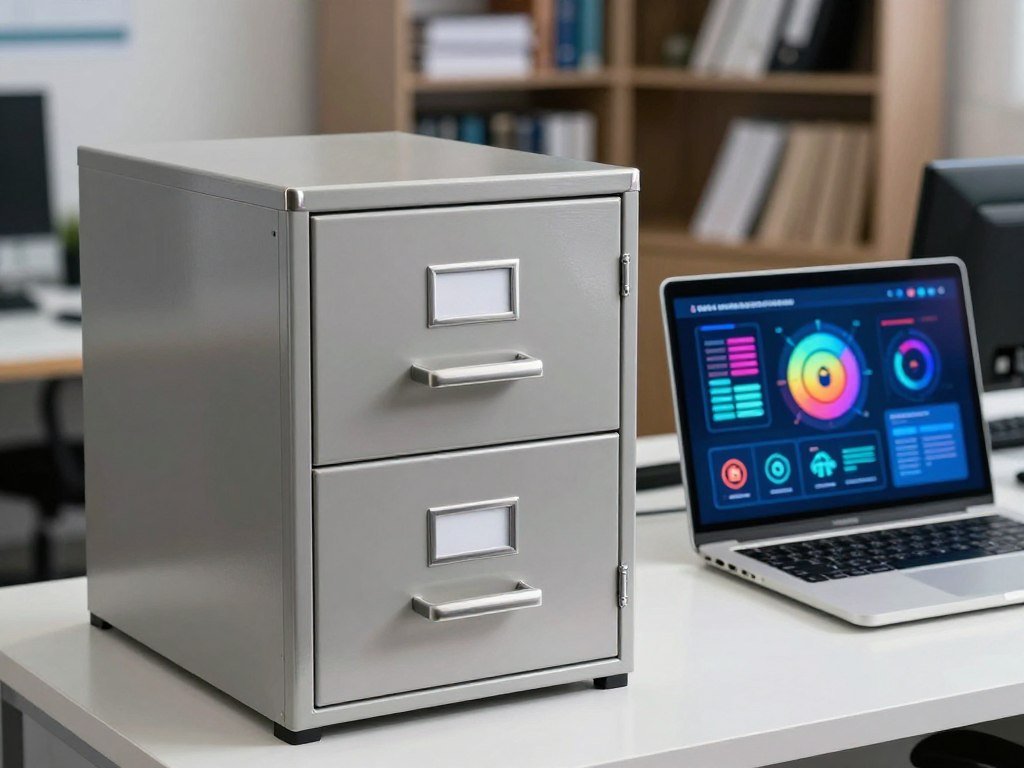
Information security is broader because it also covers information on paper, such as a locked filing cabinet of medical records. Cybersecurity focuses on digital devices, networks, software and data, including how people gain access.
A paper record needs information protection, while an exposed online account calls for cybersecurity measures.
Why Does Cybersecurity Matter in Everyday Life and Business?
Cybersecurity matters because a compromised account or system can affect someone’s money, privacy, work and access to essential services. It is important because it reduces the risk of harm to people, organizations and public services. Risk reduction is useful, even though protection cannot guarantee that an attack will never succeed.
These five reasons show why cybersecurity is important in an essay about people, businesses and society:
- Protect personal and financial information from exposure or misuse.
- Reduce identity theft, which can follow the loss of sensitive data.
- Keep business operations running when systems or accounts face attacks.
- Support critical services, including energy, hospitals, water systems and financial services.
- Preserve customer trust by treating sensitive information with care.

Individuals may face identity theft or financial fraud when private information is misused. Businesses can lose access to tools that support daily work, while public services may rely on connected systems to serve whole communities.
Cybersecurity also matters because trust takes time to build and can be shaken by a breach. A business that handles customer data should make clear choices about who can use it and why.
A disruption to a hospital or utility can reach people well beyond the organization whose system was attacked.
Which Cyber Threats Should You Recognize?
A message that creates urgency and asks you to sign in through an unfamiliar link may be an attempt to steal your credentials. Phishing uses deceptive email or text messages, while social engineering manipulates people into sharing information or taking an unsafe action. Pause before you act when a message pushes you to respond quickly.
Malware is malicious software; ransomware is a type of malware that blocks access to data and demands payment. Paying a ransom does not guarantee that attackers will restore files or stop using stolen information.
Phishing and social engineering
Phishing can ask you to reveal a password, send money or open a harmful link. Social engineering is the wider tactic of using trust, fear or urgency to influence someone. One message can use both methods, such as pretending to come from a manager and demanding a payment.
For the 2026 U.S. midterm elections, the FBI and CISA warned that phishing and smishing could target election officials, candidates and political organizations. That warning does not mean every election-related message is malicious; it makes checking unusual requests especially important.
Malware and ransomware
Malware can damage a device, steal data or give an attacker access. Ransomware locks or encrypts data so the owner cannot use it without a key. Attackers may also threaten to publish stolen files.

| Threat | How it works | Likely goal | Recognition clue |
|---|---|---|---|
| Phishing | Fake email or text asks for a sign-in | Steal credentials or money | Unfamiliar link and urgent wording |
| Social engineering | Manipulates trust or fear | Get a person to share data | Pressure to break normal rules |
| Malware | Harmful software runs on a device | Steal data or disrupt systems | Unexpected files or device changes |
| Ransomware | Locks or encrypts access to data | Demand payment | Files will not open and ransom appears |
Verify an unexpected request through a trusted contact method rather than replying to the message that raised the alarm.
What Do Cybercrime Reports Show About Risk?
The FBI’s IC3 recorded more than a million complaints and over $20 billion in reported losses in 2025. It received 1,008,597 complaints and recorded $20.877 billion in losses, a 26% increase from 2024. These are reported figures, not a count of every cybercrime or the full cost to each victim.
Cyber-enabled fraud made up 45% of complaints and 85% of reported losses, with 452,868 complaints and about $17.697 billion in losses. The gap shows why complaint volume and financial impact should be read separately.
Phishing and spoofing had the most complaints, with 191,561. Extortion ranked second by complaint count, with 89,129. Investment crime had the largest reported loss total among listed crime types, at about $8.649 billion.
Business email compromise losses reached about $3.047 billion, while tech and customer support scams caused about $2.135 billion in reported losses. Ransomware generated 3,611 complaints and about $32.3 million in reported losses. IC3 also received 22,364 complaints marked as AI-related.
The FBI’s 2025 IC3 annual report lists complaint counts and reported losses by crime type. These numbers reflect reports to IC3, not every incident that occurred.
Read complaint counts and reported losses as different measures of cybercrime, not as interchangeable rankings.
What Are the Main Types of Cybersecurity?
Cybersecurity has several specialties because a network, a cloud account and a mobile device face different points of exposure. Seven common areas are network, application, information, cloud, endpoint, IoT and operational security. Each area focuses on a different asset or way of working.
The seven areas often overlap, so an organization may need several protections for one system. The right mix depends on which systems and data it uses.
Network, endpoint and application security
Network security protects connected infrastructure and traffic moving between devices. Controls can help block unwanted connections and limit access to network services. Endpoint security focuses on devices such as computers, smartphones and servers, where users open files and run software.
Application security protects software and the data it handles. Developers and operators can reduce flaws through secure design, testing and access limits. A phone app, for example, may need protection for both its code and the customer information it stores.
| Security area | What it protects | Example measure | Typical concern |
|---|---|---|---|
| Network | Connected infrastructure and traffic | Firewall rules | Unwanted network access |
| Endpoint | Computers, phones and servers | Device protection software | Lost or infected device |
| Application | Software and its data | Security testing | Flaws in an app |
| Cloud | Hosted services and stored data | Account access controls | Public or misused cloud data |
Cloud, information, identity and IoT security
Cloud security protects online services, accounts and stored data. Information security guards data in digital or physical form, while identity security focuses on proving who users are and setting their access.
IoT security covers internet-connected devices such as cameras, sensors and smart appliances. Operational security protects the processes and decisions that keep systems safe, including how staff handle sensitive information.
Network security, endpoint tools and cloud controls can work together around one file or service. Start by identifying the asset that needs protection, then choose controls suited to that asset.
How Can Individuals Protect Their Accounts and Devices?
Start with the accounts that could expose your money, email or identity if someone else gained access. Use a different password for each account, then add multifactor authentication (MFA) to important logins. Separate passwords make it harder for one stolen credential to open several accounts.
Any form of MFA is better than none, and phishing-resistant MFA offers stronger protection against fake sign-in pages. CISA says FIDO authentication can block a login attempt at an imposter site.
Secure logins with unique passwords and MFA
A password manager can help you keep unique passwords without memorizing each one. MFA asks for another proof of identity, such as an app prompt or security key. That extra step can stop someone who has only learned your password.
When a service offers phishing-resistant MFA, choose it if you can. It is designed to resist fake login pages, while other MFA methods still add a useful barrier against unauthorized access.
Keep devices current and spot suspicious messages
Turn on automatic updates when possible. CISA recommends replacing unsupported operating systems, applications and hardware because they no longer receive needed fixes. Timely patching is an efficient, cost-effective way to reduce exposure to cyber threats.
Use this five-check routine to protect accounts and devices:
- Use a different password for each account.
- Enable MFA on important accounts.
- Install software and device updates.
- Pause before opening unexpected links.
- Report suspicious activity to the service or organization.
CISA’s cybersecurity best practices cover account safety, updates and caution around suspicious links. If an account offers phishing-resistant MFA, choose it over a password alone.
What Should Organizations Do to Reduce Cyber Risk?
An organization cannot protect accounts, devices and sensitive information consistently if it does not know what it owns or who can access it. Start with inventories of hardware, software, network connections, user accounts and critical information. A clear inventory helps staff spot gaps and assign work.
Give each user only the access needed for their job, and use unique passwords for user accounts. CISA recommends MFA for all users when possible, starting with privileged, administrative and remote-access accounts.
Limit access and map assets
Least-privilege access limits what a user or system can reach. It can reduce the damage if an account is misused. Teams should also know which data is sensitive and which systems support essential work.
Review accounts when people join, change roles or leave. Technical controls can enforce MFA and help identify accounts that do not meet the rule. These checks make security part of daily account management, not an occasional cleanup.
Train staff and secure organizational email
Formal staff training should cover MFA, updates, suspicious links and how to report unusual activity. CISA’s Cyber Essentials groups readiness around leaders, staff, systems, surroundings, data and crisis response. Its six elements help leaders treat security as shared work.
For organizational email, SPF and DKIM help limit spoofing of a company’s servers and domain name. Businesses using AI tools should also set privacy rules for client data and approved information. A careful approach to AI tools can include clear limits and human review.
CISA’s Cyber Essentials guidance covers readiness for small businesses and local government agencies. Review access when a person changes roles or no longer needs an account.
How Do Cybersecurity Frameworks Guide Protection?
A cybersecurity framework gives an organization a structured way to decide what to manage first without prescribing one universal set of controls. NIST Cybersecurity Framework 2.0 (NIST CSF 2.0) helps organizations of any size or sector understand, assess, prioritize and communicate risk. It is flexible guidance, not a mandatory recipe.
NIST CSF 2.0 has six functions that organize security work:
- Govern: set roles, policy and oversight.
- Identify: understand assets and risks.
- Protect: apply safeguards to limit risk.
- Detect: find possible security problems.
- Respond: take action when an incident occurs.
- Recover: restore services and improve after disruption.
Use NIST CSF 2.0 to organize risk management
NIST CSF 2.0 does not tell every organization which exact tools to buy or which steps to follow. It links to more guidance, so teams can choose practices that fit their needs. Compared with earlier versions, it gives more weight to governance and supply-chain risk.
A common teaching model names four information security principles: confidentiality, integrity, availability and authentication. Authentication checks who is trying to gain access. These four principles are not the same as NIST CSF 2.0’s six functions.
Read national indexes as benchmarks, not checklists
The ITU Global Cybersecurity Index assesses national engagement through legal, technical, organizational, capacity development and cooperation measures. The World Bank Global Cybersecurity Index dataset covers 194 economies, with an overall score and five pillar scores.
| Tool | Scope | Structure | Use |
|---|---|---|---|
| NIST CSF 2.0 | Organizations of any size or sector | Six risk-management functions | Guide local cybersecurity decisions |
| ITU Global Cybersecurity Index | National cybersecurity engagement | Five pillars | Compare national efforts |
| World Bank dataset | 194 economies | Overall score and five pillar scores | Review country-level measures |
National indexes compare broad efforts, while an operating framework helps a team manage its own risk. Use a framework to organize decisions, then select controls that fit the organization’s actual risks.
What Should You Do During and After a Cyber Incident?
A written plan helps people make clear decisions when a suspected breach or ransomware incident disrupts normal work. A small business plan should assign actions before, during and after an incident. Clear roles help staff act without guessing who should make each call.
Review the written plan quarterly and after incidents or near misses, as CISA recommends. A tabletop exercise lets staff role-play an attack scenario and test whether the plan gives them useful steps.
Prepare before an incident
Plan who will make decisions, who will contact staff and customers, and who will work with technical support. Keep contact details and key records available to the people responsible for response. A plan should also describe how the business will resume work.
CISA recommends automatic, continuous backups of critical data and system configurations, including protected offline copies. Offline backups can remain available when attackers compromise systems or copies connected to them.
Contain, recover and learn
During an incident, follow the organization’s response plan and avoid improvised changes that could erase useful evidence. These four steps give teams a clear sequence:
- Follow the response plan and assigned roles.
- Limit further access using the organization’s procedures.
- Preserve relevant records for review.
- Restore systems and data from protected backups.
Keep records of what happened, when staff noticed it and which systems were affected. That detail can support recovery and help the team improve its plan after the immediate problem ends.
Test a protected backup by restoring a file, not just by confirming that a backup job ran.
What Are the Limits and Trade-Offs of Cybersecurity?
Cybersecurity can reduce the chance and impact of an attack, but it cannot make every system or person invulnerable. It supports privacy, operations and trust, yet every control has costs or limits. Good protection manages risk; it does not promise perfect safety.
Five common trade-offs are cost, staff time, extra login steps, configuration complexity and alert fatigue. These are practical challenges to manage, not reasons to avoid security.
Layered protection reduces risk, not every possibility
Security measures may require money for tools, support or staff. They also take time to set up and maintain. Extra checks can slow a login, especially when a control asks users for proof at each step.
Poorly configured controls can interrupt legitimate work or leave a gap that staff do not notice. Too many alerts can make it harder to spot a serious warning. Teams need to tune controls so they help without creating needless friction.
Choose controls that reduce meaningful risks without blocking the work people are authorized to do.
Cybersecurity work requires ongoing learning
Systems, software and attacker methods change, so people in security roles need to keep learning. U.S. employment for information security analysts is projected to grow 29% through 2034. The work can suit people who enjoy solving problems and explaining technical risks clearly.
For businesses, the advantages include lower risk and stronger protection for data and operations. The disadvantages include cost, time and possible interruptions, especially when controls do not fit how people work.
Training and regular review help teams adjust as their needs change. Security should support real work while making unauthorized access harder.
Conclusion
Strong cybersecurity starts with practical habits and controls that match the risks you actually face. It is shared work: people protect accounts and devices, while organizations protect systems and sensitive information.
You do not need to fix every risk today. Pick one important account, check whether it has MFA, and turn it on if available. Organizations can take the same first step by finding a critical account that still lacks MFA.
Check one important account today and turn on MFA if it is available.
FAQ
Why do we need cyber security?
Cybersecurity helps protect privacy, identity, money, business operations and essential services from digital attacks. It can reduce the chance that someone misuses an account or disrupts a system. Protection is not a guarantee, so people and organizations still need plans for suspicious activity and recovery. Strong habits matter for personal email and payment accounts, not just workplace systems.
Which country is no. 1 in cybersecurity?
No single country is number one across every cybersecurity measure. Rankings depend on the index and edition, and the ITU Global Cybersecurity Index assesses national engagement across five pillars. Those pillars cover legal, technical, organizational, capacity development and cooperation measures. A country’s score is a benchmark for national efforts, not a universal measure of every person’s safety online.
Is cybersecurity a growing field?
Yes, U.S. information security analyst employment is projected to grow 29% through 2034. The field includes work in risk management, network security, incident response and other areas. Roles vary, so some focus on technical systems while others emphasize policy or communication. People entering the field should expect to keep learning as software, systems and threats change.
What are the 7 types of cyber security?
The seven common types are network, application, information, cloud, endpoint, IoT and operational security. Network security protects connected infrastructure, while endpoint security focuses on computers, phones and servers. Application and cloud security protect software and hosted services. The areas often overlap, so one system may need several kinds of protection at once.
Is cybersecurity hard to learn?
Beginners can start with basic computer and network skills, then build knowledge through practice. Cybersecurity is broad, so learning one area at a time can make it easier to manage. Try understanding how accounts, devices and networks connect before studying complex tools. The field keeps changing, which makes continued learning part of the work.
What are the 5 C’s of cybersecurity?
There is no universally adopted five-C standard for cybersecurity. A recognized alternative is NIST CSF 2.0, which uses six functions: Govern, Identify, Protect, Detect, Respond and Recover. The functions help organizations organize risk work, but they do not prescribe one set of controls. Teams choose measures that fit their systems, goals and risks.
What skills are needed for cyber security?
Useful skills include computer and network fundamentals, careful analysis, communication, problem-solving and a willingness to keep learning. Security workers often need to explain risks in plain language so others can act on them. Coding helps in some roles, such as software security, but not every cybersecurity job requires it. Curiosity and steady practice can help beginners build these skills.
What are the five most common cybersecurity threats?
Five common examples are phishing, social engineering, malware, ransomware and credential theft. Phishing tricks people through deceptive messages, while social engineering uses pressure or trust to influence them. Malware is harmful software, and ransomware blocks access to data. Credential theft exposes login details that attackers may try to use on accounts or systems.



