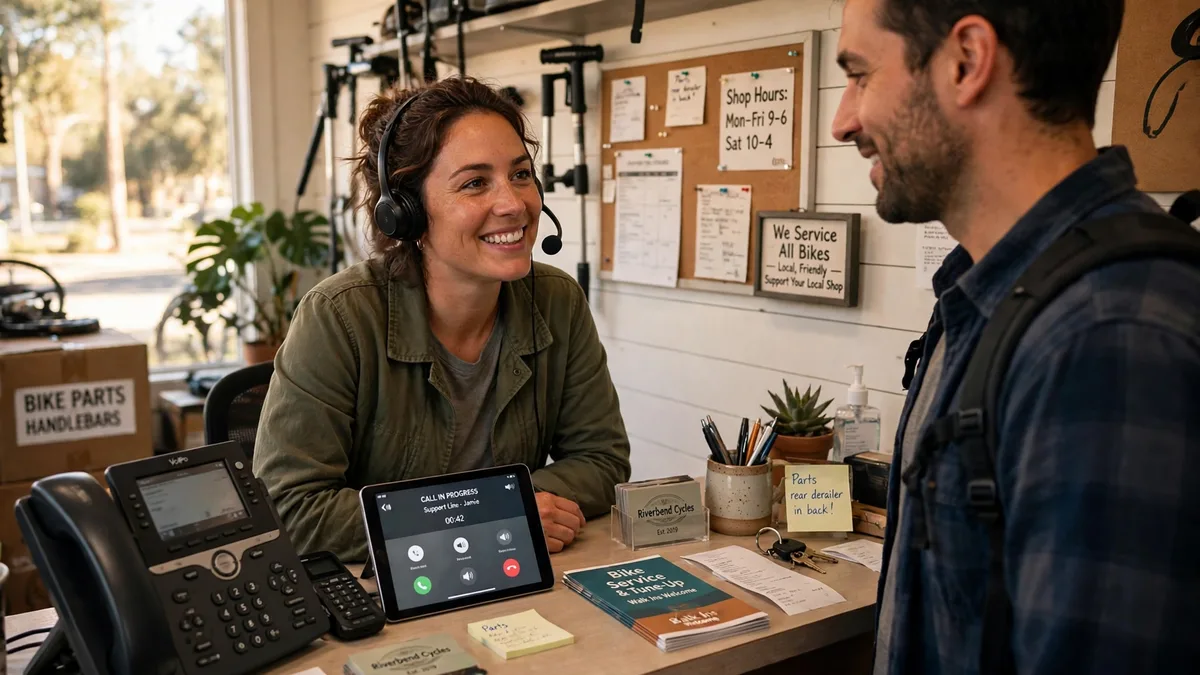
AI Receptionist vs Human Receptionist
An AI receptionist vs human receptionist decision is one more small businesses now face, because answering the phone well has become both harder and more expensive. Calls arrive at all hours, customers expect an instant answer, and a missed call is often a lost customer. AI receptionists promise to answer every call, day and night, for a fraction of a salary, while human receptionists promise warmth, judgement, and the kind of service no script can fake.
The choice is not as simple as cheap versus expensive. AI systems have improved fast: modern voice agents sound natural, book appointments, take messages, and route urgent calls to the right person. But they still stumble on unusual requests, strong accents, and emotional callers, and some customers simply prefer talking to a person. A human receptionist reads the room in a way software cannot, yet a person can only answer one call at a time and needs breaks, holidays, and a salary.
This comparison looks at both options honestly, side by side, on cost, availability, call quality, and the customer experience. The goal is not to declare one side the winner for everyone, but to help you work out which one fits your business, your call volume, and your customers in 2027. Prices here are approximate and can change, so check current pricing before you decide.
Key takeaways
- AI receptionists answer every call instantly, 24/7, and cost far less than a full-time salary.
- Human receptionists win on empathy, judgement, and handling unusual or emotional situations.
- AI works best for routine calls such as bookings, FAQs, and message-taking; humans handle the rest.
- Many small businesses get the best result from a hybrid setup: AI first, human backup for complex calls.
- Your call volume, industry, and customer expectations matter more than the technology itself.
| Factor | AI receptionist | Human receptionist |
|---|---|---|
| Monthly cost (approx.) | About $30–$300 | About $2,000–$4,000+ salary |
| Availability | 24/7, no breaks | Working hours only |
| Calls at once | Unlimited simultaneous calls | One call at a time |
| Empathy and judgement | Limited, script-based | Strong, natural, adaptable |
| Routine tasks | Fast and consistent | Reliable but slower |
| Setup time | Hours to a few days | Weeks of hiring and training |
The AI Receptionist: Always On, Always Polite
An AI receptionist is a voice agent that answers your business phone line, greets callers by your company name, and handles the conversation using speech recognition and a large language model. It can check your calendar and book appointments, answer common questions about hours, prices, and location, take detailed messages, and transfer urgent calls to a real person. The caller usually hears a natural-sounding voice and may not realise they are speaking to software at all.
The biggest advantage is coverage. The AI never sleeps, never takes lunch, and never lets a second caller go to voicemail while it is busy with the first. For a dental clinic, a law office, or a home-services company, that means every after-hours call and every peak-hour overflow gets answered and logged. Many systems also send a written summary of each call to your inbox or CRM, so nothing is forgotten and follow-ups are easy to track.
The limits are real, though. AI agents follow their training and scripts, so a caller with a complicated problem, a thick accent, or a flood of emotion can confuse them. They cannot read body language, sense when someone is upset, or make a judgement call that bends the rules for a loyal customer. And some callers dislike talking to machines on principle, which can cost goodwill even when the AI technically does the job. The best AI tools for small business can help you judge whether an AI receptionist fits alongside the rest of your stack.
The Human Receptionist: Warmth, Judgement, and Trust
A human receptionist does far more than answer the phone. They greet visitors, remember regular clients by name, calm an angry caller, spot when a request is urgent even if the caller does not say so, and handle the odd situations that no script covers. That human touch builds trust in a way that matters most in industries where the relationship is the product, such as healthcare, legal services, and high-end hospitality.

Humans also adapt. A receptionist who has worked at your business for a year knows which clients get priority, which suppliers to put through immediately, and how your boss likes messages written. They can multitask across the front desk, email, and walk-ins, and they notice things an AI never will, like a regular client sounding unwell or a visitor who needs help finding the lift. That flexibility is the core of the job, and it is also what makes it expensive.
The drawbacks are the mirror image of the AI’s strengths. One person can only take one call at a time, so the second caller waits or goes to voicemail. Coverage stops at the end of the working day, and sick days and holidays need cover. Hiring and training take weeks, and the total cost of salary, benefits, and desk space runs into thousands of dollars a month. For a small business with modest call volume, that is a heavy fixed cost to carry.
Head-to-Head: Cost, Coverage, and Quality
On cost, the AI wins by a wide margin. A typical AI receptionist plan runs from about $30 a month for basic call answering to around $300 for higher call volumes and advanced features, while a full-time human receptionist costs several thousand dollars a month once salary and benefits are counted. Even a part-time receptionist usually costs more than the most expensive AI plan. For a business watching every dollar, that gap is hard to ignore, though the cheapest option is not always the best value if it frustrates callers.
On coverage, the AI wins again. It answers at midnight, on Sundays, and during the lunch rush, and it handles ten simultaneous calls as easily as one. A human team would need multiple staff and shift rotas to match that, which most small businesses cannot afford. But on quality, the human pulls ahead. Empathy, creative problem-solving, and the ability to handle a caller who is upset, confused, or asking something nobody predicted are still human strengths, and customers notice the difference immediately.
Consistency is a split decision. The AI gives the same polite, accurate answer every time and never has a bad day, which is excellent for routine questions. The human is more variable but also more capable: they can go off-script to save a relationship, offer a gesture of goodwill, or recognise a sales opportunity the AI would miss. The right choice depends on which of these your customers value more, and that varies a lot by industry.
Verdict: Which One Wins in 2027?
For most small businesses in 2027, the honest verdict is that neither option wins outright, because they solve different problems. If your calls are mostly routine, appointment bookings, opening hours, directions, simple quotes, the AI receptionist is the better buy. It answers everything, costs little, and frees your team to do work that actually needs a person. A solo practice or a two-person firm can sound like a much bigger operation overnight.
But if your callers are often anxious, vulnerable, or dealing with high-value decisions, a human receptionist earns their cost. Medical clinics, law firms, funeral homes, and luxury services all depend on trust built in the first thirty seconds of a call, and that is still a human skill. The smartest setup for many businesses is the hybrid: let the AI answer first, handle the routine calls, and transfer anything complex, emotional, or valuable to a person. You get near-total coverage at a fraction of the cost, without sacrificing the human touch where it counts. Good CRM software for small business makes the hybrid work, because every AI-handled call lands in the same system your team already uses.
How to Choose Between an AI and a Human Receptionist
Start by measuring your calls. Look at a month of call logs and sort them: how many were routine bookings or questions, how many needed a human decision, and how many arrived outside working hours? If more than half were routine, an AI will pay for itself quickly. If most needed judgement or empathy, invest in a person. Also consider your callers: older clients and high-value customers tend to prefer humans, while younger customers often do not mind an AI as long as it solves their problem fast.
Then think about budget and growth. An AI receptionist scales instantly if your call volume doubles, while a human hire does not. A hybrid setup gives you a middle path: start with AI, add human cover for peak hours or VIP callers, and review the call summaries monthly to see what the AI handled well and where it struggled. Whatever you choose, protect your customer data, because call recordings and transcripts are sensitive. What cybersecurity means for your business is worth understanding before you hand your phone line to any new system, AI or otherwise.
Quick Checklist Before You Decide
- Review a month of call logs to see how many calls are routine versus complex.
- Count how many calls arrive outside working hours or go unanswered at peak times.
- Ask your customers whether they mind speaking to an AI, or prefer a human voice.
- Trial an AI receptionist for two weeks and listen to real call recordings.
- Check pricing, call limits, and data-privacy terms before signing up.
- Plan a fallback: make sure complex or upset callers can always reach a person.
Frequently Asked Questions
How much does an AI receptionist cost?
Most plans run from about $30 a month for basic answering to around $300 a month for higher volumes and advanced features such as appointment booking and CRM integration. Prices are approximate, so check current pricing on each provider’s site before you buy.
Will customers know they are talking to an AI?
Often, yes, but not always. Modern voice agents sound very natural, and many callers complete routine requests without noticing. Good practice is to be transparent: a brief line such as “you are speaking with our virtual assistant” builds trust and avoids awkward moments when the AI cannot help.
Can an AI receptionist book appointments?
Yes. Most AI receptionists connect to calendars such as Google Calendar or Outlook, check availability in real time, book or reschedule appointments, and send confirmations. They can also collect the caller’s details and pass them to your team automatically.
Is an AI receptionist good for a medical or legal practice?
It can help with routine calls such as bookings and directions, but sensitive practices usually need a human for anything clinical, emotional, or confidential. A hybrid setup works well: AI handles the routine, and a trained person takes the calls that need care and discretion.
Can an AI receptionist replace my front-desk staff?
It can replace the phone-answering part of the job, but not the rest. Greeting visitors, handling deliveries, managing the waiting area, and building relationships with regulars still need a person. Many businesses use AI to cover the phones and keep their staff focused on the people in the room.
What happens when the AI cannot help a caller?
A good system transfers the call to a human, takes a detailed message, or offers a callback. When you set one up, test this fallback yourself: call with an unusual request and confirm the caller reaches a person quickly instead of going around in circles.
The Bottom Line
AI receptionist vs human receptionist is not a contest with one winner. AI gives you 24/7 coverage, instant answers, and low cost, while a human gives you empathy, judgement, and trust. The businesses that get this right in 2027 are the ones that match the tool to the call: routine work to the AI, complex and emotional work to a person.
Measure your calls, trial an AI for a couple of weeks, and build a hybrid setup if your customers need both speed and warmth. Done well, your phone stops being a bottleneck and starts being an advantage, whatever the hour a customer decides to call.