Android vs iOS tablets is the tablet question that matters most in 2027, because the two platforms now offer genuinely different answers to the same needs. Android tablets win on choice and price, with models from under $150 to premium devices over $1,000. iPadOS tablets win on app quality, long software support, and accessories, starting at around $349 for the standard iPad and rising past $1,000 for the iPad Pro.
The gap between the two has narrowed in hardware. Both sides now offer sharp high-refresh screens, fast chips, good speakers, and optional keyboards and styluses. The real differences are in software, app ecosystems, multitasking, file handling, and how long a tablet stays useful. Those differences decide which tablet fits your work, study, and entertainment.
This comparison covers the full range: budget tablets, mid-range models, and premium flagships from Samsung, Google, Lenovo, and Apple. Prices are approximate starting prices, and they change often, so check current pricing before you buy. The verdict is given by use case, because the best tablet for a student is not the best tablet for a designer.
Key takeaways
- Android tablets offer more choice and lower starting prices, from under $150.
- iPads offer the best tablet apps, the longest software support, and the best stylus experience.
- For note-taking and drawing, the iPad with Apple Pencil is still the safer pick.
- For media, browsing, and flexibility, a good Android tablet costs less and does more.
- Your phone matters: iPads pair best with iPhones, Android tablets pair best with Android phones.
Android vs iOS tablets at a glance
| Factor | Android tablets | iOS tablets (iPad) |
|---|---|---|
| Starting price | About $150 | About $349 |
| Choice of models | Wide: Samsung, Google, Lenovo, Xiaomi | Narrow: iPad, iPad Air, iPad Pro, iPad mini |
| Tablet apps | Good, but many are stretched phone apps | Excellent: most major apps are tablet-first |
| Stylus | S Pen and USI pens, often included | Apple Pencil, sold separately |
| Software updates | 3 to 7 years, varies by brand | 5 to 7 years, consistent |
| Multitasking | Split screen, floating windows, desktop modes | Stage Manager, split view, improving yearly |
| Best for | Value, media, Android users | Apps, drawing, iPhone users, longevity |
Android tablets: choice, value, and flexibility
Android tablets cover every price point. A Samsung Galaxy Tab A model or a Lenovo Tab can handle reading, streaming, video calls, and homework for under $200. A Samsung Galaxy Tab S model, starting at around $500 to $650, adds a bright high-refresh display, a fast chip, and an included S Pen, making it a genuine iPad Air rival. Google’s Pixel Tablet, starting at around $399, adds a smart-home dock and clean software.
Flexibility is Android’s biggest strength. You can expand storage with a microSD card on many models, connect USB drives and external displays, customise the home screen freely, and choose between several app stores and browsers. Samsung’s DeX mode turns a tablet into a desktop-like workspace with windows and a taskbar, which is genuinely useful for office work. A good tablet stand turns any of these models into a comfortable second screen or a hands-free media device.
The weakness is the app ecosystem. Many Android apps are still phone apps stretched to fit a large screen, with wasted space and awkward layouts. The situation has improved, and major apps such as YouTube, Netflix, and Microsoft Office work well. But for professional creative apps, the iPad still has the deeper catalogue, and that gap matters if your work depends on specific software.
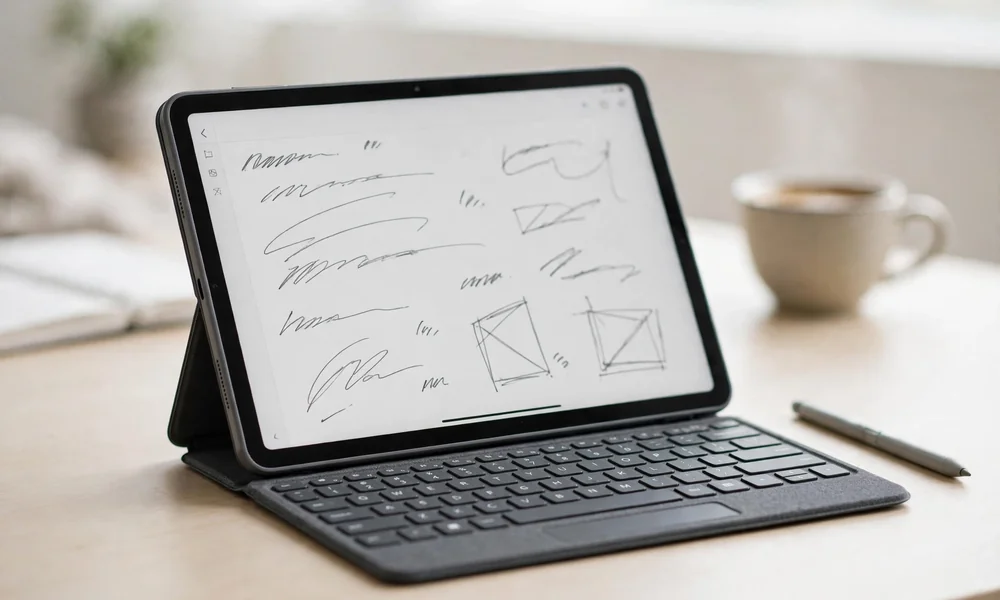
Software support varies by brand, which is the other thing to check before buying. Samsung now promises up to seven years of updates on its flagship tablets, matching Apple. Budget models get less, sometimes only three years. A cheap tablet that stops receiving updates after two years is a false economy, so check the update promise for the exact model, not just the brand.
Pros: lower prices and more choice; expandable storage on many models; flexible file handling and desktop modes; stylus often included; great for media and Android users.
Cons: fewer tablet-first apps; update support varies by brand and model; accessories are less standardised; resale value is lower than iPad.
iOS tablets: apps, polish, and longevity
The iPad range is simple: the standard iPad from around $349, the iPad Air from around $599, the iPad mini from around $499, and the iPad Pro from around $999. Every model runs the same iPadOS, gets the same long update support, and works with the same huge library of tablet apps. That consistency is a large part of the appeal: you do not need to research update policies or worry about a model being abandoned early.
Apps are where the iPad earns its premium. Drawing apps such as Procreate, video editors such as LumaFusion and DaVinci Resolve, music apps such as GarageBand, and note apps such as GoodNotes and Notability are built for the large screen first, and they feel like it. The Apple Pencil, from around $79 to $129 depending on the model, offers low latency and pressure sensitivity that artists and note-takers consistently rate as the best in the category.
Multitasking has improved steadily. Stage Manager lets you arrange overlapping windows, split view puts two apps side by side, and the Files app now handles external drives and folders far better than early versions. It is still not a full desktop operating system, and some professional workflows remain awkward. For most people, though, the iPad now covers browsing, email, documents, notes, drawing, and media without compromise.
The costs are real. Accessories are expensive: the Pencil and the keyboard case are sold separately, and a fully equipped iPad Air can cost $300 to $400 more than the tablet alone. Storage cannot be expanded, so you must buy the capacity you need up front, and freeing up storage on an iPhone uses the same tricks that help on an iPad, since both run on the same storage model. Repair costs are also high, and Apple controls repairs more tightly than Android makers.
Pros: best tablet apps and creative software; longest, most consistent updates; best stylus experience; strong resale value; excellent build quality and accessories.
Cons: higher prices, especially with accessories; no expandable storage; file handling is still less flexible than Android; locked into Apple’s ecosystem.
Performance, screens, and everyday use compared
For everyday use, both platforms are fast enough. Streaming, browsing, email, video calls, and reading feel smooth on any current mid-range tablet from either side. The performance gap only appears in heavy work: editing 4K video, drawing large illustrations, or running several demanding apps at once. Apple’s M-series chips in the iPad Air and iPad Pro lead here, while Samsung’s flagship chips are close behind and budget chips on both sides are fine for light use.
Screens are excellent across the board at the mid-range and above. Both sides offer 120Hz refresh rates, bright panels, and good colour accuracy on their premium models. Android tablets often include OLED screens at lower prices, which gives deeper blacks for films. iPads use LCD on most models and mini-LED or OLED on the Pro, with very accurate colour for photo and video work.
Battery life is similar, at around 10 hours of mixed use for most models. Android tablets often charge faster, while iPads hold battery health well over years. Focus apps for work run well on both platforms, and the real productivity difference comes from the apps you need: if your essential app exists only on iPad, or only works well there, that settles the choice regardless of hardware.
The verdict
Choose an Android tablet if you want the best value, already use an Android phone, want expandable storage or a desktop mode, or mainly stream media, browse, and read. A Samsung Galaxy Tab S model is the strongest Android pick for most buyers, while a Tab A model is the best choice under $200.
Choose an iPad if you draw, take handwritten notes, need specific creative or professional apps, or want the longest useful life with the least research. The standard iPad is the best value in the range, the iPad Air is the sweet spot for most buyers, and the iPad Pro is only worth it for serious creative work.
If you are unsure, the standard iPad is the safest default. Its app library, update support, and resale value make it the lowest-risk tablet purchase, even though it costs more than a comparable Android tablet. If your budget is tight, a Samsung or Lenovo tablet gives you more screen and storage for the same money.
How to choose
Start with your phone and your apps. An iPad works best with an iPhone, Mac, and Apple services, sharing messages, photos, and files seamlessly. An Android tablet works best with an Android phone and Google services. Switching platforms means moving your apps, notes, and purchases, so the ecosystem you already own is a real factor, not a minor detail.
Then list the three apps you will use most. If they are drawing, notes, or professional creative apps, check that they exist and work well on your chosen platform before buying. If they are streaming, reading, and office apps, both platforms cover them, and price decides.
Finally, budget for the accessories you will actually use. A stylus, keyboard, and case can add $150 to $400 to an iPad, while many Android tablets include the stylus and sell keyboards more cheaply. Compare the complete cost, check the update promise for the exact model, and check current pricing, since tablet prices drop often during sales.
Checklist: before you buy
- Check that your three most-used apps exist and work well on the platform.
- Match the tablet to your phone: iPad with iPhone, Android tablet with Android.
- Choose at least 128GB of storage, since it cannot be expanded on iPad.
- Check the update promise for the exact model, not just the brand.
- Budget for the stylus, keyboard, and case you will actually use.
- Hold the tablet in a shop if you can: weight and size matter more than specifications.
Frequently asked questions
Which is better, Android or iOS tablets?
Neither is better for everyone. Android tablets offer better value, more choice, and more flexibility. iPads offer better apps, longer updates, and the best stylus experience. Choose by your apps, your phone, and your budget.
Are Android tablets good for drawing?
Yes, especially Samsung’s Galaxy Tab S models with the included S Pen, which is excellent for notes and sketching. For professional illustration, the iPad still has the deeper app library, led by Procreate and similar tablet-first apps.
How long do tablets last?
A good tablet lasts four to six years. iPads typically receive five to seven years of software updates. Samsung flagships now promise up to seven years, while budget Android tablets may get only three, so check the exact model.
Can a tablet replace a laptop?
For light work, yes: email, documents, browsing, notes, and video calls work well with a keyboard case. For heavy multitasking, professional software, or large file management, a laptop remains more capable and more flexible.
Is the iPad worth the extra cost?
It is worth it if you need its apps, draw or take notes by hand, or want the longest support and best resale value. If you mainly stream media and browse, a cheaper Android tablet does the same job for less money.
Which Android tablet is best in 2027?
The Samsung Galaxy Tab S range is the strongest overall Android choice, with a great screen, an included stylus, and long update support. Google’s Pixel Tablet and Lenovo’s Tab range are good alternatives at lower prices.
The bottom line
Android vs iOS tablets is a choice between value and polish. Android gives you more tablet for less money and more freedom to customise it. iPadOS gives you the best apps, the best stylus, and the longest support, at a higher price.
Match the tablet to your phone, check your essential apps first, and buy the complete setup, not just the tablet. The right choice is the one that runs your daily work and play without friction.