Asana AI vs Monday AI for Project Management in 2027
Asana AI vs Monday AI for project management in 2027 is a comparison that rewards starting with Asana, because Asana’s AI answers the question most project teams actually ask: will this work get done on time, and what is quietly going wrong? Asana Intelligence was built for delivery: it reads tasks, comments, due dates, and dependencies, then drafts status updates, flags work at risk, and suggests the next step when something stalls.
Monday AI comes at the same problem from the opposite direction. Monday.com is a visual work system built for speed, and its AI is best at creating: describing a workflow in plain words and getting a working board back, turning meeting notes into tasks, and drafting the everyday writing that fills a project. It is the faster tool to start with and the friendlier one for mixed teams, but it is thinner on the risk and dependency intelligence that keeps a complex programme honest.
This comparison leads with Asana because the deciding factor in 2027 is not which AI writes the prettiest task description. It is which assistant helps a manager keep promises to clients and their own team. We compare both tools on six decision points — task drafting, risk alerts, status reporting, automation, goals, and onboarding — with examples from product sprints and agency work.
Key takeaways
- Asana AI leads on delivery: Smart status, risk flags, and goal tracking keep multi-project work honest.
- Monday AI leads on speed: it builds boards and automations from plain language faster than any rival.
- Both charge AI through higher tiers or add-ons, so the cheapest plan buys only a taste.
- Asana’s AI rewards tidy projects; Monday’s AI rewards teams that improvise and iterate quickly.
- Pick Asana if missed deadlines are your biggest cost; pick Monday if slow setup and rigid structure are.
Asana AI vs Monday AI at a glance
| Decision point | Asana AI | Monday AI |
|---|---|---|
| Task drafting | Writes and rewrites task descriptions and summaries from project context | Turns notes and plain words into tasks, boards, and descriptions |
| Risk alerts | Flags at-risk work, blocked tasks, and drifting goals | Lighter risk signals; relies more on dashboards |
| Status reporting | Smart status drafts across projects and portfolios | Board summaries and update drafts, one board at a time |
| Automation | Rule-based workflows with AI summaries and routing | Plain-language automation builder, very easy to use |
| Goals and portfolios | Strong: goals, portfolios, and cross-project health | Workable via dashboards, but less structured |
| Onboarding | Easy, but best results need tidy setup | Very easy; most teams running the same day |
| Starting price | From about $10.99 per user, per month; AI on higher tiers | From about $9 per seat, per month; AI on higher tiers |
Asana AI: the delivery co-pilot
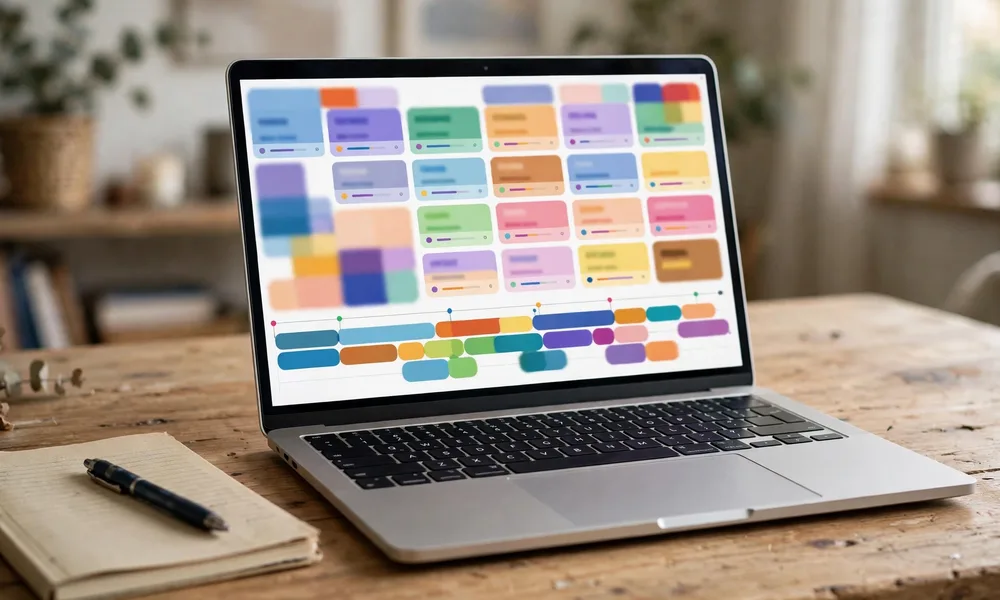
Asana AI, built on Asana Intelligence, behaves like a careful deputy. Its signature feature is Smart status: it reads a project’s tasks, comments, and progress and drafts a status update that says what is on track, what is at risk, and why. A manager running five projects can generate five honest updates in the time it used to take to write one.
Asana AI also spots drifting goals, flags work blocked by a dependency, and suggests the next step when a task has sat untouched too long. In a product sprint, that might mean warning that a design review is blocking three engineering tasks; in agency work, flagging a deliverable with no owner a week before the client expects it. The catch is that Asana AI rewards good structure: tidy projects get sharp output, messy ones get vague summaries. The full AI also sits on higher tiers, so the starting price of about $10.99 per user per month does not buy the full set.
Pros:
- Smart status and risk alerts are the best in this class of tools.
- Goals and portfolios give leaders a true cross-project view.
- Drafts and summaries save hours of reporting time every week.
Cons:
- Needs tidy projects with owners, dates, and dependencies to shine.
- Full AI features require a higher-priced tier.
- Less visual and flexible than Monday for ad-hoc work.
Monday AI: the fast builder
Monday AI behaves like a helpful colleague who is very good at starting things. Describe the workflow you need in plain words — a client onboarding board, a content calendar, a hiring pipeline — and it builds the columns, groups, and statuses for you. It turns a meeting note into tasks, drafts updates from board activity, and suggests automations such as notifying an owner when a status changes.
The automation builder is the part teams praise most. Where Asana’s workflows reward careful design, Monday’s let anyone describe what should happen and get a working automation without training. That matters for small teams with no operations person. Where Monday AI falls short is delivery discipline: dependency handling and risk prediction are thinner, so a team running a 200-task launch will need more manual checking, and reporting is board by board rather than portfolio-wide.
Pros:
- Builds boards and automations from plain language in minutes.
- Very easy to learn, even for non-technical team members.
- Strong dashboards and everyday writing help.
Cons:
- Risk and dependency intelligence is thinner than Asana’s.
- Reporting is board by board, not portfolio-wide.
- Full AI features sit on higher-priced tiers.
Where the AI actually differs
On task drafting, both tools are good and the difference is small. Monday is faster at turning a rough idea into a structured board, while Asana is better at drafting within an existing project, because it understands the surrounding work. A marketing team planning a launch from scratch will prefer Monday’s speed; a product team adding tasks to a running sprint will prefer Asana’s context.
On risk, the gap is wide and it is Asana’s to win. Asana AI watches dependencies and goals and speaks up before a deadline slips, while Monday AI mostly reports what has already happened. Ask each tool which three tasks are most likely to make your project late: Asana will name them with reasons, while Monday will show you a dashboard and leave the judgement to you. On reporting, Asana again leads for multi-project managers, since Smart status works across portfolios while Monday’s summaries live on individual boards. On automation the lead flips, and on onboarding Monday wins outright, with most teams running the same day.
Pricing is close enough that it should not decide the pick. Monday starts from about $9 per seat per month and Asana from about $10.99 per user per month, with the fuller AI features on higher tiers in both cases. Check current pricing before buying, since both vendors change AI packaging often. Decide on the work first and the price second.
The verdict
Choose Asana AI if your team’s biggest cost is missed deadlines, unclear ownership, or status meetings that eat the week. Its AI is a delivery co-pilot: it watches the work, warns you early, and writes the updates. That is worth more than a faster board builder to any team running client work or product launches.
Choose Monday AI if your team’s biggest cost is slow starts, rigid tools, or teammates who avoid the project system altogether. Its AI removes friction: boards appear from plain words, automations take minutes, and everyone can use it. For small, fast-moving teams and marketing departments, Monday is the better buy. Either way, the right test is a two-week pilot on a real project, not a feature checklist.
How to choose between Asana AI and Monday AI
Start by naming your team’s most expensive failure from the last three months. If it was a deadline that slipped without warning, a client deliverable with no owner, or a status meeting where nobody knew the truth, Asana’s risk and reporting AI targets that failure directly. If it was a project that never got set up or a workflow that took weeks to build, Monday’s speed targets that failure instead.
Next, look at who will use the tool every day. Asana suits teams that already think in tasks, owners, and deadlines — product, operations, and agency delivery teams. Monday suits mixed teams where sales, marketing, and operations share one system. A team that tracks clients closely should also weigh the best CRM software for small business alongside the project tool. Finally, pilot both on the same real project for two weeks and judge them on what happened: how fast the team got running, how many risks were flagged early, and how long the weekly status update took.
Checklist: before you pay for Asana AI or Monday AI
- Name your team’s most expensive project failure from the last three months.
- Run a two-week pilot of each tool on the same real project.
- Check which AI features are included in the tier you would actually buy.
- Confirm the tool connects to your email, calendar, and file storage.
- Test the AI’s status drafts and risk flags on a messy project.
- Ask who owns the setup and the weekly review — AI output still needs a human check.
Frequently asked questions
Is Asana AI or Monday AI better?
Asana AI is better for delivery-led teams with hard deadlines, because its risk alerts and Smart status keep work honest. Monday AI is better for fast-moving teams that need boards and automations quickly and want a tool everyone adopts without training.
Do I have to pay extra for the AI features?
Usually, yes. Both vendors put their fuller AI features on higher tiers or paid add-ons rather than the cheapest plan. Budget for the tier that includes the AI you actually want, and confirm current pricing before buying, since both companies change AI packaging often.
Can either AI run a project on its own?
No. Both tools draft, flag, and summarise, but neither makes judgement calls about priorities or client promises. A human still owns the plan and checks the AI’s output. That pattern holds across AI writing tools too — see our guide to the best AI tools for research writing.
Which is easier to learn?
Monday AI is easier on day one: most teams build their first board and automation within an hour, with almost no training. Asana AI is easy to start but rewards a day or two of careful setup before its best features show their value.
Can I switch from one to the other later?
Yes, both tools export tasks and import from common formats. The cost is not the data but the habits: automations, templates, and reporting need rebuilding, and the team needs retraining. That is why a two-week pilot before committing matters.
Are Asana AI and Monday AI safe for client data?
Both vendors offer enterprise-grade security, permissions, and audit controls on their business tiers. The practical risks are human: staff pasting sensitive client details into AI prompts, or sharing a board too widely. Set clear rules about what goes into the AI — our explainer on what cybersecurity is covers the basics.
The bottom line
Asana AI vs Monday AI for project management in 2027 comes down to a single choice: do you want an assistant that watches the work, or one that builds it fast? Asana’s AI is the watcher — Smart status, risk flags, and goal tracking that keep delivery honest — and it is the better pick for teams whose promises carry real cost. Monday’s AI is the builder, and it is the better pick for teams that need speed and adoption above all.
For most delivery-led teams, Asana AI is the recommendation, with Monday AI a close second for fast-moving, mixed teams. Run the two-week pilot on a real project, judge both on flagged risks and time saved, and pick the assistant that fixes your team’s most expensive failure.