Best AI Avatar Generators in 2027
The best AI avatar generators in 2027 can turn a single selfie into a polished profile picture, a talking video presenter, or a whole cast of digital characters in minutes. What once needed a photo studio and a video crew now fits in a browser tab, and the results are good enough that most people cannot tell a generated avatar from a real photograph at a glance. That is why creators, job seekers, marketers, and small teams now use avatar tools every day.
But not every generator is built for the same job. Some specialise in realistic headshots for LinkedIn and CVs, others in animated presenters that read your script on camera, and a few in playful stylised portraits for social media. Picking the wrong one means paying for video features you will never use, or getting cartoonish results when you needed a corporate headshot.
This guide compares the leading options on realism, control over style and expression, speed, and what pricing really costs past the free trial. Prices here are approximate and can change, so check current pricing on each provider’s site before you buy.
Key takeaways
- HeyGen and Synthesia lead for talking video avatars, with the most natural lip-sync and voices in 2027.
- HeadshotPro and Aragon AI lead for realistic professional headshots from a single selfie.
- Lensa remains the best choice for fun, stylised portraits, but it is not built for business use.
- Free plans are useful for testing, yet serious work usually needs a paid plan for higher resolution and commercial use.
- Always check commercial-use terms and the privacy policy before uploading photos of yourself or anyone else.
| Generator | Best for | Output type | Starting price (approx.) |
|---|---|---|---|
| HeyGen | Talking video avatars | Video + photo | From about $24/month |
| Synthesia | Training and corporate video | Video | From about $29/month |
| HeadshotPro | Professional headshots | Photo | From about $25 per session |
| Aragon AI | Realistic LinkedIn headshots | Photo | From about $35 per session |
| D-ID | Speaking photo avatars | Video | From about $5/month |
| Lensa | Stylised fun portraits | Photo | From about $4 per pack |
| Fotor AI Avatar | Quick casual avatars | Photo | Free tier, Pro from about $9/month |
1. HeyGen — Best for Talking Video Avatars
HeyGen is the most versatile generator here, and the one most creators reach for first. Build a digital twin from a short video of yourself, pick from a large library of stock avatars, or generate a brand-new face. Paste a script, choose a voice, and the avatar delivers it with lip-sync close to real speech, with improved gestures and head movement in the 2027 version.
Translation is a real strength: one script can be delivered in dozens of languages, voice and lip movements matched to each. The editor suits beginners, while the API lets larger teams plug avatar video into their apps. For marketing videos, product explainers, and personalised outreach in one tool, HeyGen is the safest all-round bet.
Pros: Excellent lip-sync; huge avatar library; strong multilingual support.
Cons: Costs add up for heavy users; best twins need good source video; free plan watermarks exports.
2. Synthesia — Best for Training and Corporate Video
Synthesia owns the corporate corner of the avatar market. Its workflow is built around scripts, slides, and templates rather than cameras, so a training team can turn a dull policy document into a presenter-led video in an afternoon. The avatars look professional and restrained, which suits onboarding, compliance, and internal communications far better than flashier social media tools.
Where Synthesia pulls ahead is scale. Shared workspaces, brand kits, and approval flows let a whole department produce consistent videos, and the broad voice library handles technical terms and brand names well. It is not cheap, and not the tool for a quick TikTok, but for dozens of polished videos a month it is hard to beat.
Pros: Built for teams; consistent professional avatars; good brand controls.
Cons: Higher starting price; formal feel for creative content; limited free testing.
3. HeadshotPro — Best for Professional Headshots
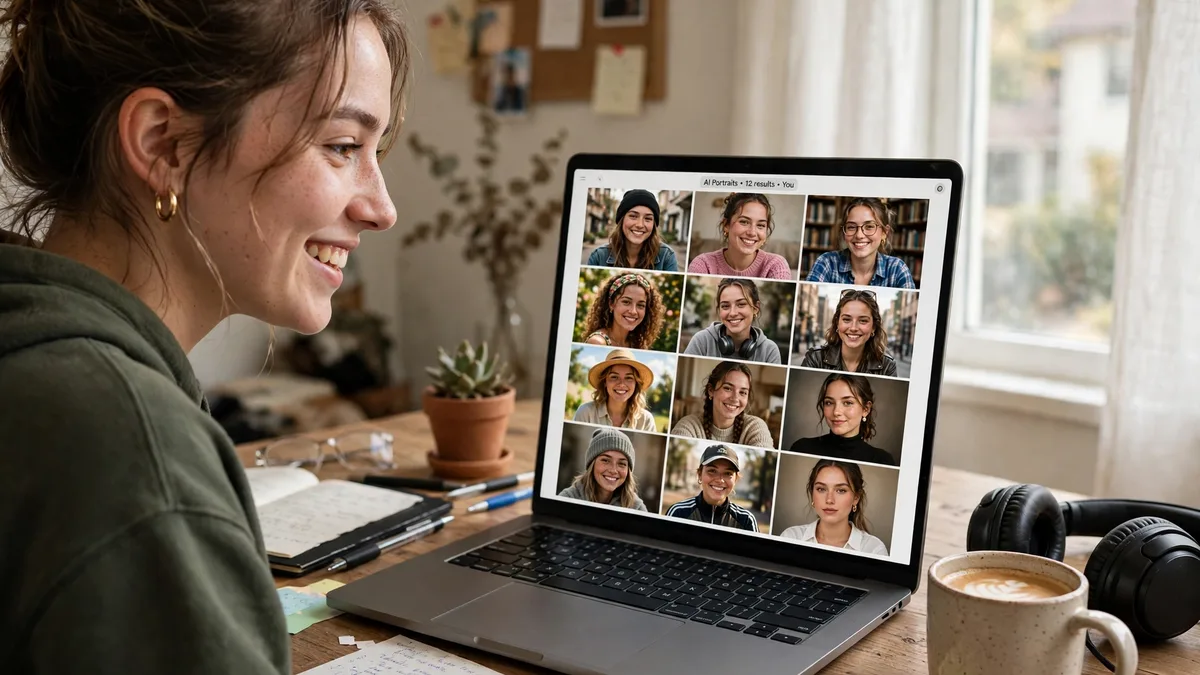
HeadshotPro does one thing and does it well: it turns ordinary selfies into studio-quality professional headshots. Upload a handful of photos and you receive a gallery of portraits in different outfits, backgrounds, and lighting styles, consistently among the most realistic in this category, with natural skin texture and believable clothing.
Per-session pricing suits people who need headshots once or twice a year rather than weekly. Job seekers, founders, and consultants get a full set of portraits for less than one studio session, usually within two hours. The limitation is scope: no video, no stylised art, and no avatar library, so anything beyond a headshot needs a second tool.
Pros: Very realistic headshots; affordable one-off pricing; fast turnaround.
Cons: Photo-only, no video; quality depends on your selfies.
4. Aragon AI — Best for Realistic LinkedIn Headshots
Aragon AI rivals HeadshotPro with a slightly stronger emphasis on LinkedIn-ready results: clean backgrounds, soft studio lighting, and business attire, exactly what recruiters expect. Retouching is subtle rather than heavy-handed, so faces still look like the person in them, which matters when the photo represents you at work.
Upload is straightforward, and the gallery usually contains several genuinely usable shots rather than one lucky hit. Team plans let a small company generate consistent headshots for everyone without a photographer. Pricing sits a little above HeadshotPro, but the consistency justifies it for people who will use the photo everywhere.
Pros: Natural LinkedIn-ready results; team plans; subtle retouching.
Cons: Slightly pricier; photo-only; fewer creative styles.
5. D-ID — Best for Speaking Photo Avatars
D-ID takes a different approach: instead of generating a new face, it animates a photo you already have. Upload a portrait, add a script or audio clip, and the image starts talking, blinking, and moving its head. The effect is surprisingly convincing for short clips, and it is the cheapest way here to add a speaking presenter to a website, a training module, or a customer message.
Developers like the well-documented API, which is easy to embed in chatbots, virtual assistants, and learning platforms. The low price makes it a good experiment tool, though quality on long clips falls short of HeyGen or Synthesia. For greetings, FAQs, and short explainers, a talking photo is often all you need, and D-ID delivers it with minimal fuss.
Pros: Very affordable; animates any photo; strong API.
Cons: Quality drops on long clips; limited body movement.
6. Lensa — Best for Stylised Fun Portraits
Lensa is the playful outlier. Its Magic Avatars feature transforms selfies into illustrated portraits in styles from fantasy and sci-fi to pop art and anime. The results are eye-catching and shareable, which is why it went viral and remains the go-to for social media profiles meant to stand out rather than look corporate.
It is not a business tool and does not pretend to be one: no talking avatars, no team features, and stylised output that would look out of place on a CV. But for personal branding on Instagram, gaming profiles, and dating apps, Lensa delivers distinctive portraits at a very low price, though pack quality varies and you may need a few sets to find images you love.
Pros: Distinctive art styles; very cheap; great for social profiles.
Cons: Not for professional use; results vary between packs.
7. Fotor AI Avatar — Best for Quick Casual Avatars
Fotor AI Avatar is the simplest option here, built into the broader Fotor photo editor. Upload a selfie, pick a style, and get a set of avatars within minutes, with no learning curve. Styles lean casual and creative, from 3D cartoon looks to painterly portraits, and the built-in editor lets you crop, retouch, and resize without switching apps.
The free tier is genuinely usable, making Fotor a good first stop if you are curious and do not want to pay before seeing results. The trade-off is realism: the portraits are clearly AI-generated, so they suit social media and gaming far better than a job application.
Pros: Free tier; very easy to use; built-in photo editing.
Cons: Less realistic; no video; best styles need a paid plan.
How to Choose the Right AI Avatar Generator
Start with the end use, not the feature list. For a CV or LinkedIn, realism is everything, so shortlist HeadshotPro or Aragon AI. For a presenter who delivers scripts on camera, HeyGen or Synthesia are the sensible choices; the decision between them comes down to solo creator versus corporate team. For fun social profiles, Lensa or Fotor will do the job for a few dollars.
Next, check the practical details. Look at the commercial-use terms, especially if the avatar will appear in ads or client work. Test the free tier or cheapest plan with your own photos first, because results vary with lighting, angles, and source quality. And think about volume: a per-session headshot tool is cheaper for occasional use, while a monthly video plan wins if you publish every week. The best AI tools for small business often pair well with an avatar generator, and the best AI writing tools can help you draft the scripts your avatar will read. If you are thinking bigger, how to make money with AI covers ways creators are turning these tools into income.
Quick Checklist Before You Generate
- Use clear, well-lit selfies taken from different angles for the most realistic results.
- Confirm the tool allows commercial use if the avatar will appear in ads or client work.
- Check the privacy policy to see how your photos are stored and whether they train models.
- Test a free or cheap plan first before paying for a monthly subscription.
- Generate several options and compare them side by side before choosing a final image.
- Never upload photos of someone else without their clear permission.
Frequently Asked Questions
Are AI avatar generators safe to use?
Reputable generators are generally safe, but always read the privacy policy first: how long photos are stored, whether they train models, and whether you can delete your data. Stick to well-known providers and avoid uploading sensitive photos to unknown apps.
Can I use an AI avatar for my LinkedIn profile?
Yes, and many people do. Choose a headshot-focused tool like HeadshotPro or Aragon AI, pick a natural style with business attire, and make sure the result genuinely resembles you, or it can backfire at interviews and meetings.
How much does an AI avatar generator cost?
It varies widely. Casual photo apps start around a few dollars per pack, headshot sessions cost roughly $25 to $35, and video avatar platforms run from about $5 to $30 a month. Prices are approximate, so check current pricing on each provider’s site before you buy.
Do AI avatars look realistic in 2027?
The best ones do, especially for still headshots. Video avatars have improved too, with better lip-sync and movement, though long clips can still show small tells such as stiff hands or odd blinking. For most everyday uses, the results are convincing.
Can I create an avatar that looks like me?
Yes. Most tools build your avatar from your own selfies or a short video clip, so the result is based on your real face. The more varied and well-lit your source photos are, the closer the match.
Can I use AI avatars for commercial work?
Usually yes on paid plans, but terms differ by provider. Some free tiers limit use to personal projects, while paid plans generally include commercial rights. Read the licence terms for your tool and plan before using an avatar in ads, client projects, or products you sell.
The Bottom Line
The best AI avatar generators in 2027 split cleanly by job: HeyGen and Synthesia for video presenters, HeadshotPro and Aragon AI for professional headshots, D-ID for affordable talking photos, and Lensa and Fotor for fun, casual portraits. There is no single winner, because the right tool depends on what the avatar is for and where it will be seen.
Start with a clear use case, test the cheapest plan with your own photos, and check the commercial and privacy terms before you commit. Done that way, an AI avatar is a fast, affordable shortcut to professional-looking images and video, without a studio or a big budget.