
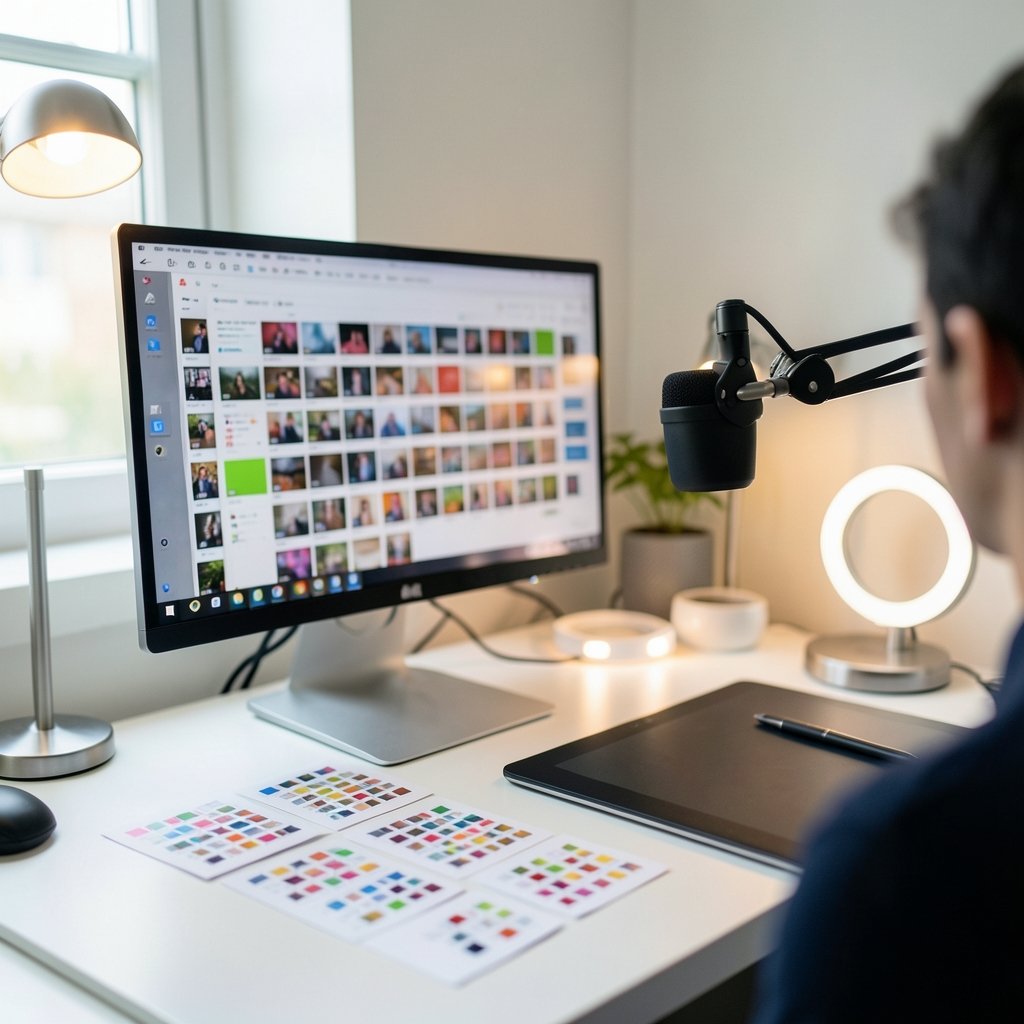
What makes a viewer stop scrolling and tap a video they’ve never heard of? It’s rarely the title alone. The thumbnail does the heavy lifting first, and in 2027 that tiny 1280×720 image is still the single most contested piece of real estate on the internet. AI thumbnail makers have flooded the market promising to design that image for you in seconds. Some genuinely help. Others produce glossy, generic art that quietly kills your click-through rate.
This guide cuts through the noise. It explains what these tools actually do well, where they fail, and how to pick one that fits your channel instead of fighting it.
Why thumbnails still decide everything in 2027
YouTube’s recommended thumbnail spec has barely moved in years: 1280×720 pixels, a 16:9 aspect ratio, under 2 MB, in JPG, PNG, or GIF format. That stability matters because it means the real battle isn’t technical. It’s psychological. A thumbnail has roughly a heartbeat to communicate a promise, a face, a conflict, or a payoff.
Two things changed the game. First, custom thumbnails require phone verification and a channel in good standing, so the tool you use assumes you can upload a custom image at all. Second, YouTube rolled out native Test & Compare thumbnail testing to eligible channels in 2024. That last development is quietly the most important one, because it means you no longer have to guess whether an AI-generated design works. You can let the audience decide.
The catch? Many AI tools now advertise “A/B testing” as a premium feature. In practice, that often means nothing more than generating several variants for you to eyeball. Real testing happens on YouTube’s side, with real viewers. Keep that distinction in mind before you pay extra for it.
How AI thumbnail makers actually work

Almost every text-to-image thumbnail tool runs on some descendant of latent diffusion, the technique described in a widely cited 2021 research paper that underpinned the image-generation boom. You type a prompt, the model interprets it, and it produces an image. Simple in theory. Messy in practice.
The messiness shows up in three predictable places:
- Text rendering. Early diffusion models were famously bad at spelling. OpenAI’s DALL·E 3, announced in September 2023, specifically claimed major improvements here. But “improved” is not “solved.” Short, punchy words usually render fine. Long phrases, unusual fonts, and brand names still break.
- Composition control. Models love filling the frame. Thumbnails need negative space for text and a clear focal point. Left unchecked, AI produces busy images that read as noise at small sizes.
- Consistency. If your channel has a visual identity, AI will happily ignore it unless you build a repeatable prompt or template.
The practical lesson: treat AI as a drafting assistant, not a final designer. It’s brilliant at generating backgrounds, textures, stylized faces, and concept art. It’s mediocre at the last 10 percent, which is exactly the part viewers judge.
The main categories of AI thumbnail tools
The market splits into three rough buckets, and each suits a different kind of creator.
| Category | What it does well | Where it struggles | Best for |
|---|---|---|---|
| Dedicated thumbnail generators | Built-in templates, text overlays, YouTube sizing presets | Less artistic range, generic output | Beginners, faceless channels, fast turnarounds |
| General image generators | Stunning visuals, strong style control | No text layout, manual resizing needed | Creators with basic design skills |
| All-in-one design platforms | Templates plus AI features, easy editing | AI is often an add-on, not the core | Channels that want one tool for everything |
Dedicated thumbnail tools win on convenience. You paste a title, pick a template, and get something uploadable. The trade-off is sameness. If thousands of creators use the same templates, thumbnails start blending together, and viewers develop banner blindness.
General image generators like Midjourney, DALL·E, Adobe Firefly, and various Stable Diffusion-based services win on originality. You get images nobody else has. But you’ll still need a separate editor for text and cropping, which is fine if you enjoy that step and painful if you don’t.
All-in-one platforms sit in the middle. Canva’s AI features, for example, let you generate imagery and lay out text in the same place. That’s a real workflow advantage, especially for creators publishing several times a week.
If you want a deeper comparison of the dedicated options, there’s a solid breakdown of the best AI thumbnail makers for YouTube that covers the tool-by-tool trade-offs in more detail.
What to check before you commit to a tool
Pricing changes constantly, and features appear and disappear monthly. Rather than chase a specific tool, judge any candidate against a short checklist.
- Does it export at exactly 1280×720? Anything else means manual resizing, and manual resizing is where text gets cropped.
- Can you control text placement? If the tool forces text into fixed zones, you’ll fight it on every video.
- Does it keep files under 2 MB? Oversized files fail to upload, usually at the worst possible moment.
- Can you save reusable templates? Consistency across videos builds channel recognition.
- What are the licensing terms? This one deserves its own section below.
A common mistake is choosing a tool based on a flashy demo. Demos use ideal prompts and polished source images. Your actual workflow involves a rushed Tuesday night and a title you wrote in ninety seconds. Test any tool with a real, messy, last-minute thumbnail before you pay for a year.
The licensing and copyright trap nobody warns you about
Here’s where enthusiasm meets reality. In March 2023, the U.S. Copyright Office issued guidance stating that material generated purely by AI isn’t copyrightable, because copyright requires human authorship. Translation: the AI image you generate may not be something you legally “own” in the way you own a photo you shot yourself.
That doesn’t mean you can’t use it on YouTube. It means you should think carefully about how much of the final image is your own creative contribution. Adding your own text, layout, cropping, and compositing strengthens your claim to the finished work. Uploading a raw AI output and calling it yours is shakier ground.
Then there’s the vendor safety question. Adobe has marketed Firefly as trained on licensed content and “commercially safe,” a claim Adobe has made since 2023. It’s a reasonable selling point, but it’s a vendor claim, not settled law. Treat marketing language about commercial safety as a starting point for your own due diligence, not a guarantee.
Finally, disclosure. YouTube began requiring creators to flag realistic altered or synthetic content in March 2024. Whether that extends clearly to thumbnails is genuinely ambiguous. The safest habit is transparency where content could mislead, and restraint where an AI image implies something the video doesn’t deliver.
Matching the tool to your channel type
The “best” tool depends almost entirely on what kind of channel you run. A faceless documentary channel and a talking-head vlog have almost nothing in common in their thumbnail needs.
Faceless channels benefit most from AI. There’s no host to photograph, so generated scenes, objects, and atmospheric imagery do the work. Dedicated thumbnail generators with strong template libraries are usually the fastest path.
Talking-head creators need something different: a strong cutout of their face, expressive, well-lit, placed against a clean background. AI can generate the background and effects, but the face should come from real footage. Viewers connect with recognizable humans, and a synthetic face reads as uncanny at thumbnail size.
Gaming and reaction channels lean on bold text, high contrast, and expressive emotion. AI is decent at stylized art here but weak at capturing genuine reaction energy. Use it for backgrounds and effects, keep the real screenshots and real faces.
Educational channels often need diagrams, arrows, and clear labeling. This is where AI struggles most, because precision matters. A general image generator plus a proper editor beats a one-click thumbnail tool almost every time.
Practical tips that separate good AI thumbnails from bad ones
Experience from creators who use these tools daily points to a handful of habits that consistently work.
Prompt for composition rather than content alone. Instead of “a scientist in a lab,” try “a scientist on the left third of the frame, dark background on the right, dramatic side lighting.” You’re directing, not requesting.
Generate more than you need. Produce six to ten options, then pick two. The first output is rarely the best, and the cost of extra generations is usually trivial.
Design for mobile first. Most viewers see your thumbnail at the size of a postage stamp. If the image doesn’t read at that size, it doesn’t work. Squint at it. Step back from the screen.
Keep text to three or four words. AI handles short text better, and viewers process it faster. Long phrases get skipped entirely.
Test with real audiences. Native thumbnail testing exists for a reason. Guessing is expensive. Let data settle arguments, and if you’re also thinking about how views translate into money, the math on what 1 million views on YouTube actually pays in 2025 is a useful reality check on why click-through rate matters so much.
Build a swipe file. Save thumbnails from your niche that made you stop. Feed those references into your prompts. AI responds well to described references, even without image input.
Common mistakes to avoid
The failures are predictable, which means they’re avoidable.
- Over-relying on AI for text. Always proofread. Misspellings on a thumbnail are brutal.
- Chasing trends too late. Whatever style is saturating your niche right now is probably already fatiguing.
- Ignoring brand consistency. Random styles per video confuse returning viewers.
- Skipping the human review. AI doesn’t know your video. You do. A thumbnail that misrepresents content tanks retention even if it earns the click.
- Assuming a tool is permanent. The market is volatile. Tools vanish or get acquired. Keep your source files and templates portable.
That last point is underrated. Creators who build their workflow around one proprietary tool sometimes lose years of templates overnight. Export your layered files. Keep backups.
Where AI thumbnails are heading
Forecasting 2027 with confidence is a fool’s errand, and any “best of” ranking is editorial judgment, not fact. But a few trajectories seem reasonable.
Expect tighter integration between thumbnail generation and video content itself, with tools suggesting imagery based on transcript analysis. Expect better text rendering as models mature. Expect YouTube’s native testing to become more sophisticated, which will push creators toward data-driven design and away from gut instinct.
Also expect scrutiny. As synthetic imagery becomes indistinguishable from photography, platform policies will likely tighten around disclosure. Creators who build transparent, honest workflows now will adapt more easily than those who don’t.
If you’re curious how AI models are being judged on output quality more broadly, the comparison work on DeepSeek vs ChatGPT vs Gemini output quality in 2027 offers useful context on how fast these systems are improving and where they still stumble.
Conclusion
The best AI thumbnail maker for your channel in 2027 isn’t the one with the flashiest demo or the longest feature list. It’s the one that fits your workflow, respects YouTube’s specs, exports cleanly at 1280×720, and leaves room for your own judgment at the finish line. AI is genuinely excellent at the heavy lifting: backgrounds, textures, concepts, variations. It’s still mediocre at the final 10 percent, which is exactly where human taste earns its keep.
Start with a dedicated tool if speed matters. Move to a general generator plus an editor if originality matters more. Either way, test with real viewers, proofread every word, keep your files portable, and stay honest about what’s synthetic. The creators who win the click in 2027 won’t be the ones who generate the most images. They’ll be the ones who know which image to ship.
FAQ
Do AI thumbnail makers actually improve click-through rates?
Not automatically. A tool can produce a technically clean thumbnail, but click-through rate depends on relevance, emotion, and contrast with competing videos. AI speeds up production and helps you test more variants. The improvement comes from testing and iteration, not from the tool itself.
Are AI-generated thumbnails allowed on YouTube?
Yes, AI-generated thumbnails are generally allowed, provided they follow YouTube’s thumbnail specs and don’t mislead viewers. YouTube requires disclosure of realistic altered or synthetic content in some contexts, and the rules around thumbnails specifically are not fully clear. When an AI image implies something the video doesn’t show, that’s a risk worth avoiding.
Can I copyright an AI-generated thumbnail?
It’s complicated. Guidance from the U.S. Copyright Office holds that material generated purely by AI isn’t copyrightable because copyright requires human authorship. Adding your own text, layout, cropping, and compositing strengthens your claim to the finished image. Raw AI output offers weaker protection.
What size should a YouTube thumbnail be?
YouTube recommends 1280×720 pixels at a 16:9 aspect ratio, with a minimum width of 640 pixels and a file size under 2 MB. JPG, PNG, and GIF are supported. Any AI tool you choose should export to these exact specifications to avoid manual resizing and cropping problems.
Which type of AI tool is best for beginners?
Dedicated thumbnail generators with built-in templates are usually the easiest starting point. They handle sizing, text overlays, and layout without requiring design skills. Once you outgrow the templates, a general image generator paired with a simple editor gives you more originality and control.
Will AI thumbnail tools replace human designers?
Unlikely in the near term. AI handles generation and variation well but struggles with the judgment calls that make a thumbnail work: what to emphasize, what to omit, and how to represent the video honestly. Designers who use AI as a drafting tool will likely outperform both pure AI workflows and designers who ignore it.



