
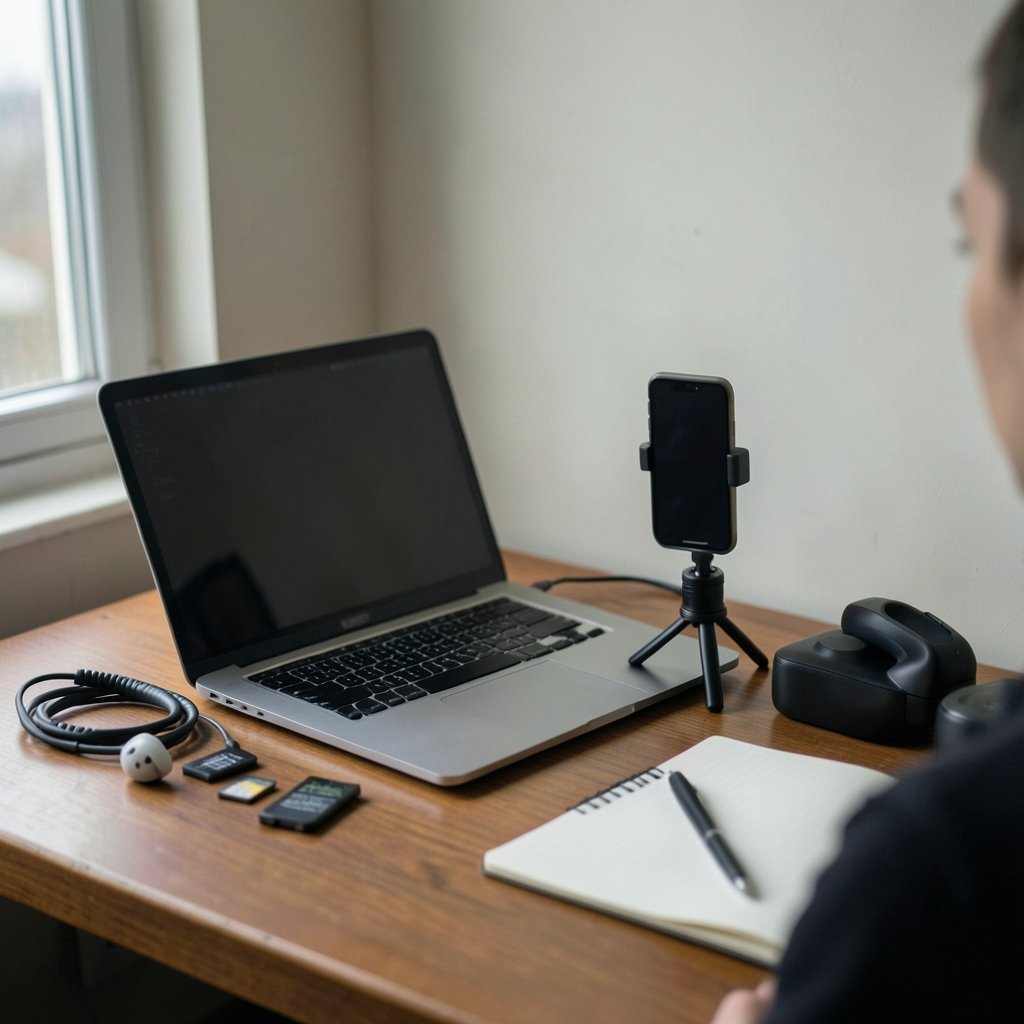
What would you do with an extra ten hours every week? For most short-form creators, that is roughly the time swallowed by cutting clips, writing hooks, fixing captions, and re-exporting the same video for three different apps. AI tools promise to give those hours back. The catch is that the market is now crowded with assistants that all claim to do the same thing, and the differences between them matter far more than the marketing suggests.
This guide breaks the landscape into the jobs creators actually do, explains what each category of tool is genuinely good at, and flags the mistakes that quietly wreck reach. No hype, no magic bullets. Just a practical map for anyone building on TikTok, Reels, and the short-form formats that copy them.
Why the tool stack matters more than any single tool
The biggest shift in 2027 is not a specific app. It is that creators now assemble a stack rather than picking one editor. A typical workflow touches four stages: ideation, production, post-production, and distribution. Each stage has different demands, and a tool that excels at one usually stumbles at another.
A script generator that produces brilliant hooks will not reframe a horizontal interview into vertical video. A captioning engine with near-perfect accuracy will not tell you which of your three openings holds attention. Treating any single product as the answer is the most common mistake in this space.
There is also a quality floor to consider. Viewers have become remarkably good at spotting generic AI output. Templated voiceovers, stock AI b-roll, and obviously synthetic faces now read as low-effort. The tools that help most are the ones that remove grunt work while leaving your voice intact, not the ones that generate content in place of it.
AI video editors: where most of the time is saved

Editing is the heaviest lift, and it is where AI has improved fastest. The core features worth evaluating are consistent across the category:
- Auto-reframing that tracks faces and subjects when converting 16:9 footage to 9:16, keeping the subject centered without manual keyframing
- Silence and filler removal that cuts dead air and “ums” from talking-head footage in one pass
- Text-based editing, where you edit the transcript and the timeline updates to match
- Auto-captioning with word-level timing for the animated caption styles short-form audiences expect
- Scene detection that splits long recordings into clip candidates
The practical tip here: always review auto-reframes at full speed before exporting. Subject tracking still loses faces during fast pans, crowded scenes, and moments when someone turns away from camera. A 30-second spot check catches the errors that would otherwise look careless.
A second tip that saves real money: test caption accuracy on your own audio before committing to a paid tier. Accents, crosstalk, and background music affect transcription quality unevenly, and a tool that scores well on clean studio audio can struggle with street interviews or noisy cafés. Run the same two-minute clip through three trials before you pay for a year.
For creators who also write long-form scripts and blog posts around their videos, the workflow overlap is worth planning for. The same principles that make AI writing tools useful for content creators apply to script drafting: give the model your voice samples, constrain the output length, and edit aggressively rather than publishing the first pass.
Script, hook, and idea generators
The first three seconds decide most of a clip’s fate, and this is where language models earn their keep. The useful pattern is not “write me a viral script.” It is feeding the model a specific input: your topic, your audience, the emotion you want, and two or three examples of your own past openings that performed well.
What actually works in practice:
- Generate 15 to 20 hook variations, not three. Volume beats polish at the ideation stage.
- Ask for hooks in distinct structural categories (question, contradiction, confession, statistic, visual promise) so you are comparing approaches rather than synonyms.
- Read every option aloud. Anything you would not say to a friend gets cut.
- Keep a running document of winners and losers, and paste it into future prompts as context.
The common failure is sameness. Models default to a recognizable rhythm, and audiences notice when every video opens with the same cadence. Deliberately asking for unusual structures, or writing the first line yourself and letting the model build the rest, breaks the pattern.
If you are comparing model quality for this kind of work, a structured side-by-side evaluation helps more than gut feeling. A framework like this judge of output quality across DeepSeek, ChatGPT and Gemini is a reasonable starting point for building your own scoring rubric.
Voiceover, avatars, and synthetic presenters
Text-to-speech has crossed the uncanny valley for narration, and AI avatar presenters are viable for certain formats: explainers, listicles, product demos, and faceless channels. They are a poor fit for anything that depends on personality, reaction, or trust, which is most of what performs on TikTok.
Three practical cautions apply. First, disclosure rules are tightening. Platform policies and emerging transparency obligations around AI-generated media increasingly expect labeling, and provenance standards for synthetic content are becoming part of normal publishing hygiene. Creators who plan to scale faceless channels should build labeling into the workflow now rather than retrofitting later.
Second, voice cloning requires clean source audio and explicit consent from anyone whose voice you clone. Using a cloned voice without permission is a legal and reputational hazard, not a clever shortcut.
Third, synthetic narration tends to flatten pacing. Real speech has breath, hesitation, and emphasis that TTS smooths out. If you use it, add pauses manually and vary sentence length in the script to compensate.
Music, sound, and the licensing trap
AI music generators are genuinely useful for background beds, stingers, and transition sounds, especially for creators who cannot afford a subscription library. The trap is licensing clarity. Generated tracks sit in a murky zone: some platforms grant broad commercial rights, others restrict monetized use, and the terms change.
The practical rule is boring but effective. Keep a record of every generated track you publish with, including the tool, the date, and the terms in force at that moment. If a claim ever lands on your video, that record is your defense. Also check whether the generator’s output is likely to match existing training material closely; near-duplicate melodies can trigger copyright matches even when you generated the audio yourself.
Analytics and testing tools
The most underrated AI category is not creative at all. It is testing and analysis. Tools that score thumbnails and cover frames, predict hook retention, or cluster your comments into content ideas save more time than any editor.
What works in practice is a simple weekly ritual. Pull your five best and five worst performing clips, paste the transcripts into a model, and ask it to identify structural differences: opening type, length, caption density, pacing. Do this for a month and patterns appear that no dashboard surfaces on its own.
Be skeptical of tools that promise to predict virality. They mostly measure similarity to past hits, which means they reward imitation and punish experiments. Use them to catch obvious problems, not to choose your creative direction.
Posting, scheduling, and cross-platform repurposing
Distribution tools have quietly become AI-assisted. Smart scheduling that suggests posting windows based on your own audience data, automatic caption and hashtag adaptation per platform, and bulk repurposing of one video into multiple aspect ratios are all standard now.
The mistake here is over-automation. Cross-posting identical captions across platforms reads as lazy, and each app’s audience responds to different framing. A better pattern: automate the export and scheduling, but rewrite the first line of the caption for each platform by hand. It takes two minutes and consistently outperforms fully automated posting.
For creators who run multiple content streams, the lessons from workflow automation tools carry over directly. The same thinking behind build tools that beat the usual automation suspects applies to content pipelines: the value is in connecting steps, not in replacing judgment.
A realistic comparison of tool categories
| Category | Time saved | Best for | Main weakness |
|---|---|---|---|
| AI video editors | High | Talking heads, long-to-short conversion | Reframing errors on complex motion |
| Script and hook generators | Medium | Ideation, volume of options | Output sameness, generic phrasing |
| TTS and avatars | High | Faceless and explainer formats | Weak for personality-driven content |
| AI music | Low to medium | Background beds, stingers | Licensing ambiguity |
| Analytics and testing | Medium | Finding patterns in your own data | Rewards imitation over experiments |
| Scheduling and repurposing | High | Multi-platform publishing | Encourages lazy identical captions |
Mistakes that cost creators reach
Five errors show up again and again.
Chasing every new tool. Switching editors every month means never learning one deeply. Pick a stack, commit for a quarter, then reassess.
Letting AI write the personality. The tools are strongest at structure and weakest at voice. Keep the opinions, jokes, and reactions human.
Skipping the review pass. Auto-captions, auto-cuts, and auto-reframes all need a human check. The five minutes you skip is the five minutes viewers notice.
Ignoring disclosure. Labeling synthetic content is increasingly expected, and unlabeled AI media can attract both platform penalties and audience distrust.
Optimizing for the algorithm instead of the first three seconds. Retention tools measure what happened, not what will work next. The opening still has to earn the scroll-stop on its own merits.
Creators who also run security or infrastructure work alongside content will recognize the pattern from another field: tool sprawl creates blind spots. The reasoning in this comparison of how Wazuh, Security Onion and CrowdSec each protect different layers mirrors the content stack problem, where overlapping tools create the illusion of coverage without the substance.
How to choose without wasting a month
Start with the bottleneck, not the wishlist. Track where your hours actually go for one week. If editing eats 60 percent of your production time, buy an editor and ignore everything else. If ideation is the stall, a script tool matters more.
Then run a paid trial on real work, not demo footage. Give each candidate one actual video with your actual audio and your actual deadline. The tool that survives that test is the one worth keeping.
Finally, budget for the boring parts: storage, export limits, and how each tool handles your file formats. Creators routinely fall in love with a feature set and then discover the export cap on the tier they can afford.
Conclusion
The best AI tools for TikTok and Reels creators in 2027 are not the ones with the longest feature list. They are the ones that remove repetitive work while leaving your taste, timing, and voice untouched. Build a small stack around your real bottleneck, review every automated output before it ships, label synthetic content honestly, and keep a record of what you generate. Do that, and the tools buy back the hours. Skip it, and you will spend those hours fixing what the automation got wrong.
Frequently Asked Questions
Do I need AI tools to grow on TikTok and Reels in 2027?
No. Plenty of accounts grow on strong ideas and consistent posting alone. AI tools help most with volume and speed, which matters if you publish daily or repurpose long recordings. If you post twice a week and edit quickly, the return on a large tool stack is modest.
Are AI-generated voiceovers and avatars penalized by platforms?
Platforms generally allow synthetic media when it is disclosed, and many now require labeling for realistic AI-generated content. The bigger risk is audience rejection: viewers tend to disengage from content that feels impersonal. Disclosure plus a genuine reason to use synthetic narration works better than hiding it.
How accurate are auto-captions in 2027?
Accuracy is high on clean audio and drops noticeably with accents, crosstalk, background music, and noisy environments. The reliable approach is to test each tool on your own recordings before paying annually, and to always proofread captions before publishing, since a single wrong word can change the meaning of a clip.
Can AI actually predict whether a video will go viral?
Not reliably. Most prediction tools measure how similar a clip is to past performers, which rewards imitation and penalizes experimentation. They are useful for catching structural problems like slow openings or weak captions, but they should not drive creative decisions.
What is the biggest licensing risk with AI music?
The main risk is unclear commercial terms. Some generators grant broad rights, others restrict monetized use, and terms change without much notice. Keep a record of which tool generated each track, when, and under what terms, so you can respond if a claim appears on your video.
How many AI tools should a solo creator actually use?
Most solo creators get the best results with three to four: one editor, one ideation or scripting tool, one scheduling tool, and optionally one analytics aid. More than that creates overlap, subscription creep, and switching costs that outweigh the time saved.



