Best AI tools for bookkeeping automation in 2027 take the repetitive work out of small business accounts: capturing receipts, matching bank transactions, chasing invoices and closing the month. The best tools do not just record what happened; they categorise it, flag what looks wrong and leave a clean trail an accountant can trust.
What matters most is how much of the work actually disappears. A tool that still needs every transaction checked by hand has not automated anything, however smart its marketing sounds. Look for bank feeds that reconcile themselves, receipt capture that reads the right amounts, and reports a non-accountant can understand.
The eight tools below cover the full range, from all-in-one accounting software to specialist receipt and invoice automation. Prices are approximate starting prices; check current pricing before buying, because plans and add-ons change often.
Key takeaways
- QuickBooks Online is the best overall pick for most small businesses, with the widest app and accountant support.
- Xero is the best choice for small teams that want clean multi-user bookkeeping without a steep learning curve.
- Botkeeper and Bench suit owners who want the bookkeeping done for them rather than doing it themselves.
- Dext and Vic.ai are the strongest specialist add-ons for receipt capture and invoice automation.
- Every tool here still needs a human review before tax filing, however confident its automation looks.
At a glance: the shortlist
| Product | Best for | Starting price | Standout limit |
|---|---|---|---|
| QuickBooks Online | All-round bookkeeping | From $35 per month | Add-ons add up |
| Xero | Small teams | From $15 per month | Payroll costs extra |
| Botkeeper | Done-for-you bookkeeping | From $199 per month | Needs onboarding time |
| Dext | Receipt capture | From $24 per month | Specialist, not full accounts |
| Vic.ai | Invoice automation | Custom pricing | Enterprise lean |
| Puzzle | Startup accounting | From $0 per month | Young product |
| Bench | Bookkeeping service | From $349 per month | Monthly fee is high |
| Zoho Books | Budget bookkeeping | From $0 per month | Fewer third-party apps |
QuickBooks Online — Best overall
QuickBooks Online is the default choice for small business bookkeeping, and its AI features now handle much of the daily grind. Bank transactions are categorised automatically, receipts are matched to expenses, and invoices can be chased with reminders that go out on their own.
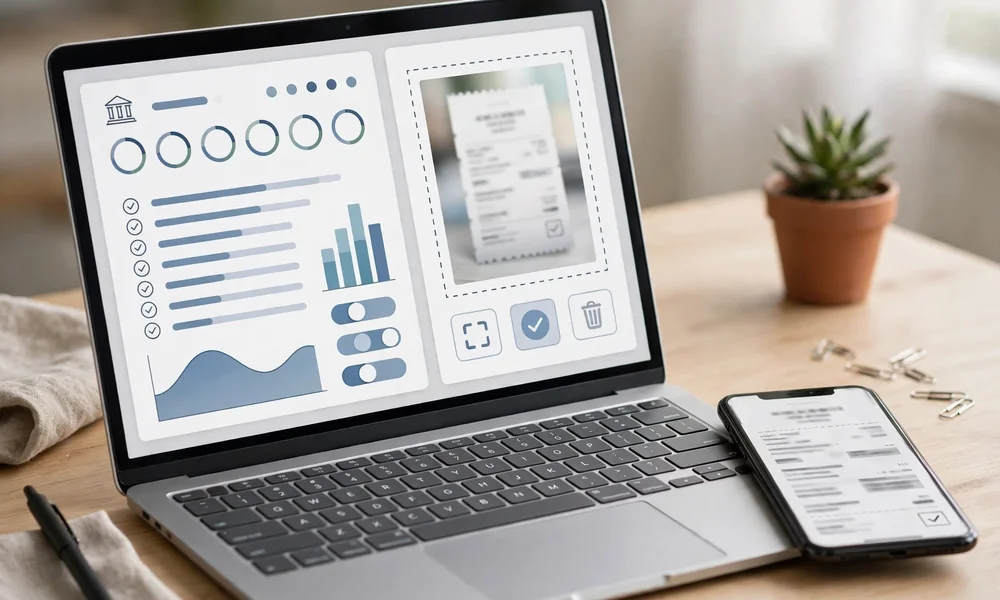
The reason it stays on top is the ecosystem around it. Accountants know it, banks connect to it and hundreds of apps plug into it, so a business rarely outgrows it quickly. Reporting covers profit and loss, cash flow and tax summaries without needing a spreadsheet export.
Pros: Widest accountant and app support, strong automation, clear reports.
Cons: Costs rise with add-ons, and the interface can feel busy for very small businesses.
Xero — Best for small teams
Xero is clean, cloud-first accounting software that suits small teams and their advisers. Bank reconciliation is fast, invoices are easy to send and track, and multiple users can work in the same books without stepping on each other.
Its automation covers bank rules, recurring invoices and expense claims, and the dashboard shows cash flow at a glance. Xero is popular with accountants outside the US as well, which helps businesses with international clients or suppliers.
Teams that also automate what they owe suppliers should look at the best AI tools for accounts payable automation alongside their bookkeeping software.
Pros: Clean interface, good multi-user support, strong bank reconciliation.
Cons: Payroll and some advanced features cost extra, and the app range is smaller than QuickBooks.
Botkeeper — Best for done-for-you bookkeeping
Botkeeper pairs AI software with a human bookkeeping team, so the business owner does very little of the work. Transactions are categorised by the software, then reviewed by Botkeeper staff, and the books are closed each month with reports the owner can read.
That hybrid model suits owners who hate bookkeeping and can afford to hand it over. It also works well for firms that manage books for many clients, because the same workflow scales across dozens of businesses.
Pros: Books done for you, human review included, scales across many clients.
Cons: Monthly cost is higher than software alone, and onboarding takes time.
Dext — Best for receipt capture
Dext, formerly Receipt Bank, turns paper receipts and invoices into bookkeeping data. Snap a photo or forward an email, and Dext extracts the supplier, date, amounts and tax, then sends the entry to the accounting software with the image attached.
For businesses drowning in receipts, that single automation saves hours a week and removes the end-of-month shoebox. It also flags duplicates and missing items, so fewer expenses slip through unrecorded.
Pros: Excellent receipt extraction, duplicate detection, works with major accounting tools.
Cons: It is a specialist add-on, not a complete bookkeeping system on its own.
Vic.ai — Best for invoice automation
Vic.ai focuses on accounts payable: it reads invoices, codes them to the right account, routes them for approval and flags anything unusual. Finance teams that process hundreds of invoices a month can cut the manual work sharply.
The AI learns from past approvals, so coding gets more accurate over time, and the approval flow keeps a clear record of who signed off on what. That audit trail matters when the month-end close or an external review comes around.
Pros: Strong invoice coding, approval workflows, clear audit trail.
Cons: Custom pricing and an enterprise lean make it a stretch for very small firms.
Puzzle — Best for startups
Puzzle is modern accounting software built for startups, with AI that categorises transactions and keeps the books close to real time. It is designed for founders who want clean financials for investors without hiring a full finance team yet.
The interface is simpler than older accounting tools, and it handles revenue recognition and burn reporting that startups actually need. A free starting plan makes it easy to try before committing to a paid tier.
Pros: Startup-friendly reports, real-time categorisation, free starting plan.
Cons: Young product with a smaller app ecosystem than the established names.
Bench — Best for bookkeeping service
Bench is a bookkeeping service rather than software alone: a dedicated bookkeeper keeps the books up to date, and the owner reviews reports in a simple dashboard. It suits owners who want a person responsible for the numbers, not another tool to learn.
Monthly reports, tax-ready financials and year-end support are included, which makes Bench a good fit for businesses that want to hand the whole job over. The trade-off is the monthly fee, which is higher than buying software and doing it yourself.
Pros: Dedicated bookkeeper, tax-ready reports, very little owner effort.
Cons: Monthly fee is high, and hands-on owners may find it restrictive.
Zoho Books — Best for budget
Zoho Books is capable accounting software at a low price, with a free plan for very small businesses. It covers invoicing, expenses, bank reconciliation and tax, and it connects well with the rest of the Zoho suite.
Automation covers recurring invoices, payment reminders and bank rules, which is enough for many small firms. The price is the main attraction: businesses get solid bookkeeping without the monthly cost of the bigger names.
Pros: Low cost with a free plan, solid core features, good Zoho integration.
Cons: Fewer third-party apps and accountants than QuickBooks or Xero.
How to choose
Start with who will actually do the bookkeeping. If the owner wants it done for them, a service such as Bench or Botkeeper beats any software. If the owner or a small team will do it, choose software they enjoy opening, because a tool nobody opens does not automate anything.
Check bank connections for your country and compare expense checks with the best AI tools for expense auditing before deciding. Check bank connections for your country and your bank, receipt capture accuracy on your own receipts, and how reports look before you buy. Prices below are approximate starting prices; check current pricing before buying, and confirm what the trial includes and what costs extra after it ends.
Finally, check how the tool handles the messy end of the month. Run the same set of real transactions through each shortlisted tool and compare how many needed manual fixes, how clear the reports looked, and how long the month-end close actually took. A tool that sails through clean demo data but stalls on split payments, refunds and part-paid invoices will cost more time than it saves, so test with your own books rather than a vendor sample.
Checklist: before you pay
- Trial the tool with your own bank feed and a month of real receipts before paying.
- Check that bank reconciliation actually clears most transactions without manual help.
- Confirm the tool exports clean reports your accountant can use at tax time.
- Check renewal pricing, user limits and what happens to your data if you cancel.
- Verify the tool connects to your bank, your invoicing tool and your tax software.
- Check support hours and whether help comes from a person or only a help centre.
Frequently asked questions
What is bookkeeping automation?
It is software that captures receipts, categorises bank transactions, matches invoices and prepares reports with little manual entry. The goal is to cut routine data entry while keeping a record a human can check.
Can AI bookkeeping replace an accountant?
No. Automation handles routine entries, but an accountant is still needed for tax advice, year-end accounts and anything unusual. Most businesses use automation to cut the busywork, then pay an accountant for the judgement, the tax planning and the year-end review that software cannot safely give.
How accurate is automated categorisation?
Accuracy is high for regular, repeated transactions and lower for unusual ones. Good tools learn from corrections, and a quick weekly review of uncategorised items keeps errors from building up.
Is my financial data safe in these tools?
Reputable tools use bank-grade encryption and read-only bank connections, and they do not move money without permission. Check the vendor’s security page and data location before connecting a bank feed.
Do I still need to keep receipts?
Yes, in most cases. Digital copies stored in the tool usually satisfy record-keeping rules, but check the requirements in your country and keep originals for anything the tool could not read clearly.
Which tool is best for a sole trader?
A low-cost option such as Zoho Books or Xero usually fits, because the volume is small and the needs are simple. Owners who want no involvement at all should compare the done-for-you services instead, and the best web hosting for bookkeepers guide is useful if the practice also needs its own site.
The bottom line
For most small businesses, QuickBooks Online is the best overall pick, with Xero the best choice for small teams that want a cleaner interface. Owners who want the work done for them should compare Botkeeper and Bench, and add Dext if receipts are the main pain.
Whichever route you take, trial the tool on real transactions, review the automation weekly at first, and keep an accountant in the loop before tax time. Revisit the choice after one full quarter, check whether the books are cleaner and the close is faster, and switch if the automation is still leaving you with a pile of manual fixes each month. The best bookkeeping tool is the one that quietly keeps the books right, not the one with the longest feature list. Pick the tool your team will actually use every week, and the automation will pay for itself.