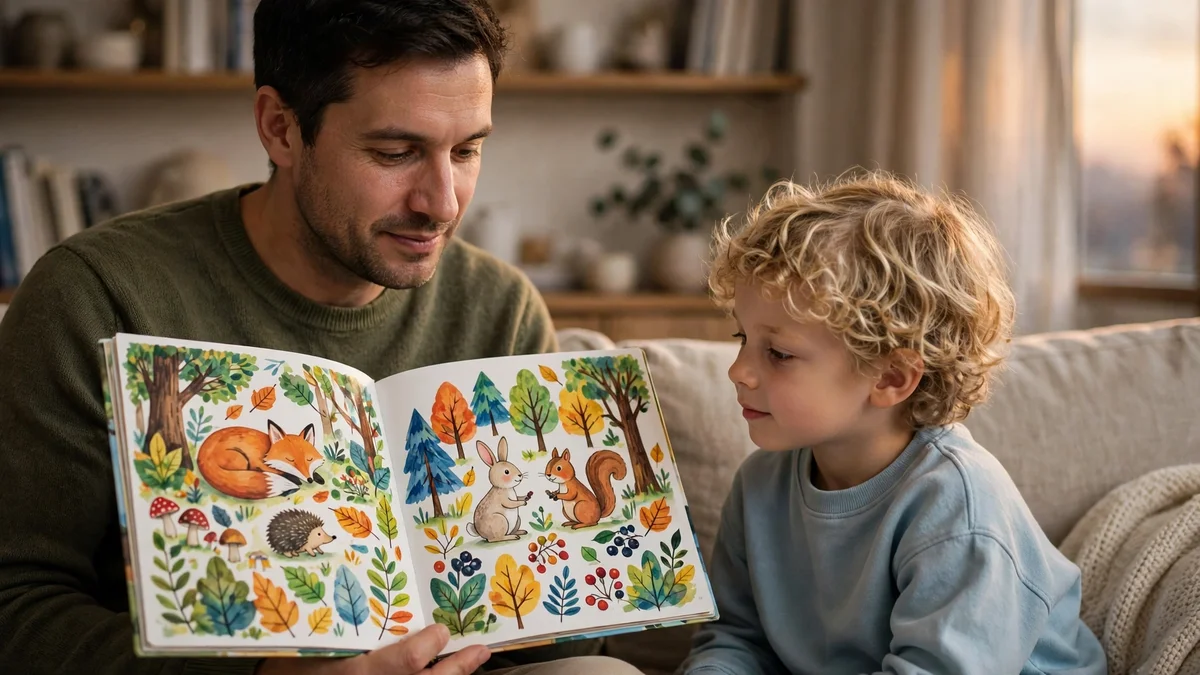
A good children’s story needs a clear hero, a small problem, a gentle adventure and an ending that feels safe, and the best AI tools for children’s stories in 2027 can help a parent, teacher or new author build exactly that in an evening. These tools turn a bedtime idea into a complete story with age-appropriate language, a steady pace and characters a child will ask for again tomorrow night.
What matters most is not how fast the story appears. It is whether the language fits the child’s age, whether the story has a real shape instead of wandering, and whether the pictures match the words. The strongest tools in this list combine story generation with illustration and reading-level controls, so the finished book works as something to read aloud, not just as text on a screen.
The shortlist below covers every use. ChatGPT leads as the most flexible all-round storyteller, Claude writes the gentlest and most natural prose, and StoryBee is the best tool built specifically for children. Once Upon a Bot personalises stories with your child’s name, Story Tyke adds illustrations, and Canva turns a finished story into a real picture book.
Key takeaways
- ChatGPT is the best overall choice for children’s stories, with the most control over age, tone and length.
- Claude writes the most natural, gentle prose, and is the best pick for read-aloud bedtime stories.
- StoryBee is the best tool built specifically for children, with illustrations and reading levels included.
- Expect to pay from free to about $20 a month; most dedicated story tools have a usable free tier.
- Always read the story yourself first: AI can slip in words, themes or pacing that do not suit a young child.
At a glance: the shortlist
| Product | Best for | Starting price | Standout limit |
|---|---|---|---|
| ChatGPT | Flexible story writing | Free; Plus from $20/month | No built-in illustrations |
| Claude | Gentle read-aloud prose | Free; Pro from $20/month | No built-in illustrations |
| StoryBee | Stories built for children | Free tier; paid from about $8/month | Shorter stories on free tier |
| Once Upon a Bot | Personalised bedtime stories | Free tier; paid from about $5/month | Illustration options are limited |
| Story Tyke | Illustrated stories | Free tier; paid from about $5/month | Art style choices are limited |
| Canva | Turning stories into picture books | Free; Pro from about $15/month | Not a dedicated story writer |
| Sudowrite | Richer storytelling craft | From about $19/month | Built for adult fiction first |
| Jasper | Story series and volume | From about $39/month | Expensive for casual use |
ChatGPT — Best overall
ChatGPT is the most flexible children’s story tool because you control everything in the prompt: the child’s age, the hero’s name, the setting, the lesson and the length. Ask for a 500-word bedtime story for a four-year-old about a brave little fox, and it will produce one with a clear beginning, middle and end. Ask again with a different hero and you have tomorrow night’s story.

The weakness is pictures: matching one character across pages takes extra work. The same prompting skills also transfer to the AI tools for storytelling adult authors use.
Pros: Total control over age, tone and length; free tier is genuinely useful; easy to make series with the same characters.
Cons: No built-in picture book workflow; illustrations need separate effort; quality depends on the prompt.
Claude — Best for gentle, well-paced stories
Claude writes the most natural-sounding children’s stories of any general AI tool. Its prose is calm, its dialogue sounds natural, and it keeps stories gentle: small problems, kind resolutions, no sudden scares. That makes it the best pick for bedtime, when the last thing a parent wants is a story that winds a child up instead of settling them down.
Like ChatGPT, it does not illustrate, so pair it with a picture tool if you want a finished book.
Pros: Warm, natural prose; excellent pacing for bedtime; keeps long stories consistent.
Cons: No built-in illustrations; paid plan needed for heavy daily use.
StoryBee — Best built-for-kids story generator
StoryBee is designed from the ground up for children’s stories. You pick the age range, the theme and the main character, and it generates an illustrated story with reading-level controls, so the same idea can become a simple tale for a three-year-old or a longer adventure for an eight-year-old. The illustrations are generated to match the text, which removes the hardest part of making a picture book.
Stories are simple and wholesome by design, best for younger children. For parents and teachers who want a finished, illustrated story with no prompting skill required, it is the easiest option on this list.
Pros: Built specifically for children; illustrations included; reading-level controls; easy free tier.
Cons: Stories are simple and best for younger children; shorter stories on the free tier.
Once Upon a Bot — Best for personalised bedtime stories
Once Upon a Bot turns your child into the hero. Enter a name, an age, a favourite animal or a place, and it builds a bedtime story around them, with a gentle moral at the end.
Stories are short, a few minutes to read aloud, and the reading level adjusts to the age you enter. Illustration options exist but are limited compared with StoryBee or Story Tyke, so this is a tool for the story itself rather than a finished picture book.
Pros: Personalised stories with the child’s name; very easy to use; low price.
Cons: Short stories; limited illustration options.
Story Tyke — Best for illustrated stories
Story Tyke focuses on the illustrated storybook: it writes the story and generates matching pictures for each page, with a consistent art style throughout. That consistency matters, because a picture book where the hero changes appearance on every page breaks the spell for a child. The tool offers a few art styles to choose from, from soft watercolour to bright cartoon.
Stories can be shared as a digital book or printed, which makes it a good choice for a gift: a personalised storybook for a birthday or a holiday.
Pros: Consistent illustrations across pages; printable books; good for gifts.
Cons: Limited art style choices; writing is simpler than general AI tools.
Canva — Best for turning stories into picture books
Canva is not a story writer, but it is the best place to turn a finished story into a book a child can hold. Its Magic Write feature drafts or polishes text, its image tools generate or place illustrations, and its book templates handle the layout: page size, text placement and cover design. A story written in ChatGPT or Claude can become a finished picture book in Canva in an afternoon.
The template library includes children’s book layouts, and the print service can produce a real paperback. For teachers, the classroom sharing features are useful too.
Pros: Complete picture book layout and printing; huge template library; works with text from any AI writer.
Cons: Not a dedicated story writer; best AI features need the Pro plan.
Sudowrite — Best for richer storytelling craft
Sudowrite is built for fiction writers, and its tools work just as well for children’s stories that need more craft than a simple generator provides. That craft matters for an author writing a book to publish.
It has no child-specific safety filters or reading levels, so the writer must keep language and themes age-appropriate. Used with that care, it is the best tool on this list for a story that will be read by strangers as well as by family.
Pros: Strong craft tools for description and plot; excellent rewriting; good for authors aiming to publish.
Cons: Built for adult fiction; no child-specific controls; paid only.
Jasper — Best for story series and volume
Jasper is a marketing-focused AI writer, but its brand voice and template features make it useful for anyone producing a series of children’s stories at volume: a teacher making a story a week, or an author building a whole collection with the same characters and tone.
The price is the drawback. Starting from about $39 a month, Jasper is hard to justify for a parent who wants one bedtime story a night.
Pros: Consistent voice across a whole series; useful templates; strong for volume production.
Cons: Expensive for casual use; built for marketing, not children’s fiction.
How to choose
Start with who the story is for. For a bedtime story tonight, ChatGPT or Claude will do the job for free, and Claude is the better pick if the child needs something calm. For a finished illustrated book, StoryBee or Story Tyke will get you there faster, and Canva will turn the result into a printed book.
If the goal is publishing rather than bedtime, the craft tools matter more. Sudowrite will lift the writing, and Jasper will keep a whole series consistent. If the story grows into a book, our guide to AI tools for ebook writing covers the next step.
Finally, check the price before you commit. Most dedicated story tools have a free tier that is genuinely usable, and the paid plans are cheap. Prices here are approximate starting prices, so check current pricing on the product’s own plan page before buying.
Checklist: before you pay
- Try the free tier first, and read the full story aloud before showing it to a child.
- Check the reading level matches the child’s age, not just the age you entered.
- Confirm the illustrations keep the same characters from page to page.
- Check the renewal price, not just the introductory offer.
- Make sure you can export or print the finished story.
- Confirm you own the rights to stories and pictures you create with the tool.
Frequently asked questions
Can AI write a good children’s story?
Yes, for short bedtime stories and simple picture books. AI handles structure and gentle language well, but the best stories usually start from a human idea shaped with AI help.
Which AI tool is best for children’s stories?
ChatGPT is the best all-round choice for its flexibility and free tier. Claude writes the gentlest prose for bedtime, and StoryBee is the best dedicated children’s tool because it includes illustrations and reading levels.
Are AI-generated children’s stories safe for kids?
Mostly, but not automatically: AI can include words or themes that do not suit a young child. Always read the story yourself first, whatever tool you use.
Can I illustrate a children’s story with AI?
Yes. StoryBee and Story Tyke generate illustrations matched to the text, and Canva can lay them out as a picture book. Character consistency across pages is the main thing to check, since some tools redraw the hero differently on every page.
How much do AI children’s story tools cost?
Most have a free tier, and paid plans start from about $5 to $20 a month. General tools such as ChatGPT and Claude start free, with paid plans from about $20 a month. Prices are approximate, so check current pricing before buying.
Can I publish a children’s book written with AI?
Yes, but check the tool’s terms first: some grant you full rights to what you create, while others have limits. The writing process is similar to longer forms of life writing, and our guide to AI tools for memoir writing covers the tools authors use when a book is meant for publication.
The bottom line
For most parents and teachers, ChatGPT is the right pick: it is free, flexible, and a good prompt produces a solid bedtime story in seconds. If bedtime calm matters most, use Claude instead. If you want a finished illustrated book with no prompting, StoryBee is the easiest choice, and Story Tyke is the best for a printed gift.
Whichever tool you choose, read the story aloud before the child hears it. The read-aloud test catches the awkward sentence, the too-hard word and the ending that lands wrong, and no tool can do that for you. Prices and plans change often, so check current pricing before you buy, and keep the stories coming: the best children’s story is usually the next one.