The best AI tools for code completion in 2027 finish your lines, suggest whole functions, and predict the next edit before you make it. Good completion is quiet: it appears when it is right, stays out of the way when it is not, and understands enough of your code to suggest the method you actually meant. The difference between the best and the rest is measured in keystrokes saved and interruptions avoided.
Completion quality depends on context. A tool that only sees the current file will guess; a tool that understands your imports, your project structure, and your recent edits will usually get it right. Latency matters too. A suggestion that arrives half a second late is worse than no suggestion at all, because it breaks your flow.
We compared nine completion tools on suggestion accuracy, speed, language and editor support, codebase awareness, privacy controls, and price. Prices below are approximate starting prices; check current pricing before you buy.
Key takeaways
- GitHub Copilot is the best overall code completion tool, with the widest language and editor support.
- Tabnine is the best choice for teams that need code to stay private, with on-premises deployment and a no-training guarantee.
- Supermaven is the best fast, lightweight completer, with very low latency and a generous free tier.
- JetBrains AI is the best completion option inside JetBrains IDEs, because it understands the whole project.
- Accuracy depends on context: tools that index your codebase beat tools that only see the current file.
At a glance: the shortlist
| Product | Best for | Starting price | Standout limit |
|---|---|---|---|
| GitHub Copilot | Most developers and teams | Free tier; Pro from about $10/month | Multi-line suggestions vary by language |
| Tabnine | Privacy and on-premises use | Free; Pro from about $12/month | Smaller community than Copilot |
| Supermaven | Speed and low latency | Free tier; Pro from about $10/month | Fewer enterprise controls |
| Codeium | Free, fast completion | Free for individuals; Pro from about $10/month | Agent features are newer |
| JetBrains AI | JetBrains IDE users | Free tier; from about $8/month | Limited to JetBrains editors |
| Continue.dev | Open-source flexibility | Free and open source; paid from about $10/month | Needs more setup than rivals |
| Amazon Q Developer | AWS and cloud teams | Free tier; Pro from about $19/month | Best inside AWS, weaker outside it |
| CodeGeeX | Multilingual completion | Free tier; paid plans vary | Smaller English-language community |
| Fitten Code | Budget-friendly completion | Free tier; paid plans vary | Fewer integrations than the leaders |
GitHub Copilot — Best overall
GitHub Copilot is the reference point for AI code completion. It suggests lines, blocks, and whole functions as you type, in VS Code, Visual Studio, JetBrains IDEs, Neovim, and more, and it supports the widest range of languages of any tool here. Its suggestions for common patterns are usually idiomatic, because it has seen so much public code, and Copilot Chat lets you ask questions about the code without leaving the editor.
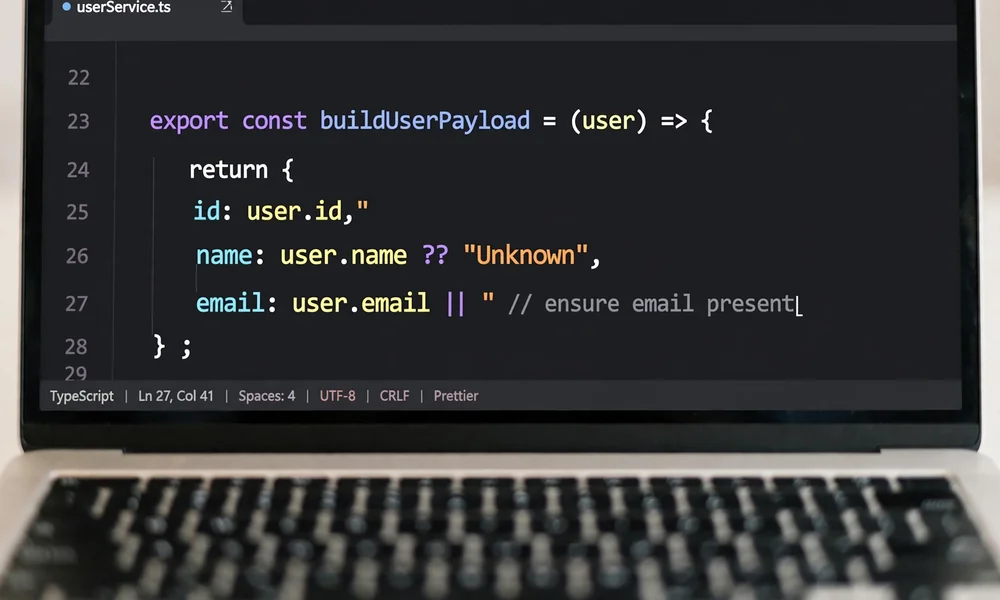
Copilot’s main strength is consistency: it is good in most languages, in most editors, most of the time. For a team that wants one completion tool that works for everyone, Copilot is the default, and the best AI tools for developers guide compares it with the wider set of AI coding assistants.
Pros: Widest editor and language support; strong suggestion quality; deep GitHub integration.
Cons: Agent features need higher plans; multi-line quality varies by language.
Tabnine — Best for privacy
Tabnine is the completion tool for teams that cannot send their code to a third-party cloud. It can run on your own servers or in a private cloud, and it promises never to train on your code. It offers whole-line and full-function completion, a chat assistant, and code review features, in most popular editors and IDEs.
Tabnine’s suggestions are solid rather than spectacular, and its community is smaller than Copilot’s, so there are fewer guides and third-party integrations.
Pros: On-premises deployment; no training on your code; strong admin controls.
Cons: Smaller community; fewer integrations than the leaders.
Supermaven — Best for speed
Supermaven is built for one thing: fast, accurate inline completion with very low latency. Its model is designed to suggest long completions quickly, and it keeps a large context window, so it can draw on more of your codebase than most rivals. Developers who try it usually notice the speed first: suggestions appear before they have finished thinking about the next line.
The free tier is generous, which makes Supermaven easy to evaluate on real work.
Pros: Very low latency; long completions; generous free tier.
Cons: Fewer enterprise controls; smaller feature set beyond completion.
Codeium — Best free completion
Codeium, now part of the Windsurf family, offers fast AI completion free for individual developers, in more than 70 languages and most major editors. It suggests lines and functions, understands surrounding code, and includes a chat assistant for explaining and refactoring. The paid Pro plan adds more usage and priority, but the free tier is genuinely usable for daily work.
Codeium’s suggestion quality is close to the leaders on common languages, and its free tier makes it the best starting point for developers who want to try AI completion without paying.
Pros: Free for individuals; fast suggestions; wide language and editor support.
Cons: Agent features are newer; less polished than Copilot.
JetBrains AI — Best inside JetBrains IDEs
JetBrains AI is built into IntelliJ IDEA, PyCharm, WebStorm, and the other JetBrains IDEs, and it understands the whole project the way the IDE does. Its completions draw on your codebase, your dependencies, and the IDE’s own knowledge of your code, which makes its suggestions unusually accurate for Java, Kotlin, Python, and JavaScript projects.
Outside JetBrains IDEs it does not exist, so it is only an option if your team already uses them.
Pros: Deep project awareness; seamless IDE integration; strong on Java, Kotlin, and Python.
Cons: Limited to JetBrains editors; no standalone option.
Continue.dev — Best open-source option
Continue.dev is an open-source AI coding assistant for VS Code and JetBrains IDEs that puts you in control of the model. You can connect it to a commercial model, a local model, or your own hosted model, and you can customise how it reads your codebase. Its completion, chat, and edit features cover the same ground as the commercial tools, with the difference that you own the setup.
The trade-off is setup time: Continue.dev needs more configuration than Copilot or Supermaven, and you are responsible for choosing and paying for a model. For developers who want to run a local model for privacy, or teams that want full control over their AI stack, that flexibility is worth the effort.
Pros: Open source; use any model including local ones; full control over data.
Cons: Needs more setup; model costs are separate.
Amazon Q Developer — Best for AWS teams
Amazon Q Developer is Amazon’s AI assistant for developers working in AWS. It completes code inline, generates tests, explains code, and helps with AWS services, including Lambda, DynamoDB, and the AWS command line. It can also help modernise old code, for example by suggesting upgrades from Java 8 to a newer version.
Outside AWS it is a competent general completer, but it is not the best choice. The best AI tools for software development guide covers how Q Developer compares with the other enterprise assistants.
Pros: Strong AWS knowledge; code transformation features; generous free tier.
Cons: Best value inside AWS only; higher Pro price than rivals.
CodeGeeX — Best multilingual completion
CodeGeeX is a multilingual code completion tool that supports a wide range of programming languages and natural languages, including Chinese and English prompts. It offers inline completion, code translation between languages, and a chat assistant, in VS Code, JetBrains IDEs, and other editors.
Its English-language community is smaller than Copilot’s, so there are fewer tutorials and less community support, but its completion quality is solid, especially for developers working across languages or in multilingual teams.
Pros: Strong multilingual support; code translation; free tier available.
Cons: Smaller English-language community; fewer integrations.
Fitten Code — Best budget-friendly completion
Fitten Code is a free AI code completion tool that supports many languages and editors, including VS Code, JetBrains IDEs, and Visual Studio. It offers whole-line and full-function completion, and it is designed to be lightweight, so it does not slow down the editor. A paid plan adds more features, but the free tier covers everyday completion well.
Fitten Code does not match the leaders on suggestion quality for unusual languages, and it has fewer integrations than Copilot or Tabnine.
Pros: Free for everyday use; lightweight; wide editor support.
Cons: Suggestion quality varies by language; fewer integrations.
How to choose
Start with your editor and your stack. If you use JetBrains IDEs, try JetBrains AI first. If you work in AWS, try Amazon Q Developer. If you need your code to stay private, Tabnine or a local model with Continue.dev are the serious options. Everyone else should start with GitHub Copilot, Supermaven, or Codeium, and compare them on the same real task.
The test that matters is simple: open a file you know well, write code for an hour with the tool on, and count how often you accept a suggestion unchanged. A good completer should save you keystrokes without breaking your concentration, and the best AI tools roundup gives a wider view of how these assistants fit into a general AI toolkit.
Checklist: before you pay
- Try the free tier on a real file from your own project, not a demo.
- Check whether your code is used to train models, and whether you can opt out.
- Measure latency: suggestions must arrive before you finish typing the line.
- Confirm the tool supports your editor, your languages, and your version control setup.
- Look at the renewal price, not just the introductory offer.
- Check the cancellation terms and whether you can export your settings and history.
Frequently asked questions
What is the best AI tool for code completion in 2027?
GitHub Copilot is the best overall choice for most developers, because it works in the most editors and languages and its suggestions are consistently good. Supermaven is the fastest, Tabnine is the best for privacy, and JetBrains AI is the best inside JetBrains IDEs.
Is there a good free AI code completion tool?
Yes. Codeium and Fitten Code are free for individual developers, Supermaven has a generous free tier, and GitHub Copilot offers a free tier with limits.
How is code completion different from code generation?
Code completion finishes lines and functions as you type, inside your editor, with minimal interruption. Code generation creates larger pieces of code, whole files, or entire features from a prompt, often through a chat or an agent.
Do AI completion tools work offline?
Most do not, because they send your code to a cloud model. Tabnine can run on your own servers, and Continue.dev can connect to a local model, which are the main options if you need completion without sending code to a third party.
Will AI completion slow down my editor?
A good completion tool should not. Supermaven, Codeium, and Fitten Code are designed to be lightweight.
Can I use more than one completion tool at once?
You can, but it usually causes conflicts, because both tools try to suggest at the same time. Pick one primary completer, and use a second tool only for chat or agent work where it does not compete for the same keystrokes.
The bottom line
For most developers, GitHub Copilot is the right completion tool: it works everywhere, it is reasonably priced, and its suggestions are reliable. Developers who care most about speed should try Supermaven, teams with strict privacy rules should try Tabnine, and JetBrains users should try JetBrains AI before anything else. Run each finalist on real code for a few days, keep the one whose suggestions you accept most, and turn off any tool that interrupts more than it helps.