
The best AI tools for code generation in 2027 can turn a plain-language description into working functions, components, and even full features. Developers use them to scaffold new projects, write boilerplate in seconds, convert designs into code, and generate tests alongside the implementation. The strongest tools understand your existing codebase, so the code they produce matches your conventions instead of fighting them.
What separates a good code generation tool from a gimmick is accuracy. Generated code that looks right but fails tests, ignores your error handling, or invents library functions wastes more time than it saves. The tools here were judged on code quality, project context, editor and language support, and price.
Our shortlist runs from GitHub Copilot, the default for most teams, through agent-style editors such as Cursor and Windsurf, terminal-first Claude Code, and app builders including Replit Agent, v0, and Bolt.new. Prices below are approximate starting prices; check current pricing before you buy.
Key takeaways
- GitHub Copilot is the best overall code generation tool for most developers, with the widest editor and language support.
- Cursor is the best AI-first editor, with agents that plan and apply multi-file changes across a project.
- Claude Code is the best terminal-first option for experienced developers who live in the command line.
- Replit Agent, v0, and Bolt.new are the fastest ways to turn a prompt into a working web app prototype.
- Every tool here produces code that needs review and testing; none of them replaces running your test suite.
At a glance: the shortlist
| Product | Best for | Starting price | Standout limit |
|---|---|---|---|
| GitHub Copilot | Most developers and teams | Free tier; Pro from about $10/month | Agent features need higher plans |
| Cursor | AI-first editing and agents | Free tier; Pro from about $20/month | Usage-based pricing can climb |
| Claude Code | Terminal-first power users | From about $17/month with a plan | No graphical editor included |
| Windsurf | Agentic multi-file edits | Free tier; Pro from about $15/month | Younger ecosystem than Copilot |
| Replit Agent | Prompt-to-app prototypes | Free tier; paid from about $20/month | Not built for large production codebases |
| v0 by Vercel | UI and front-end generation | Free tier; paid from about $20/month | Focused on React and the web |
| Bolt.new | Full-stack web apps fast | Free tier; paid from about $20/month | Token costs add up on big apps |
| ChatGPT with Codex | Planning and long tasks | From about $20/month | Heaviest use needs the higher plans |
| Gemini Code Assist | Google Cloud developers | Free tier; paid from about $19/month | Best inside Google Cloud |
GitHub Copilot — Best overall
GitHub Copilot remains the default code generation choice for most developers. It completes lines and whole functions as you type, drafts new files from a comment or prompt, writes unit tests, and explains unfamiliar code in plain language. Copilot Chat and its agent mode can plan and carry out multi-step changes across files.
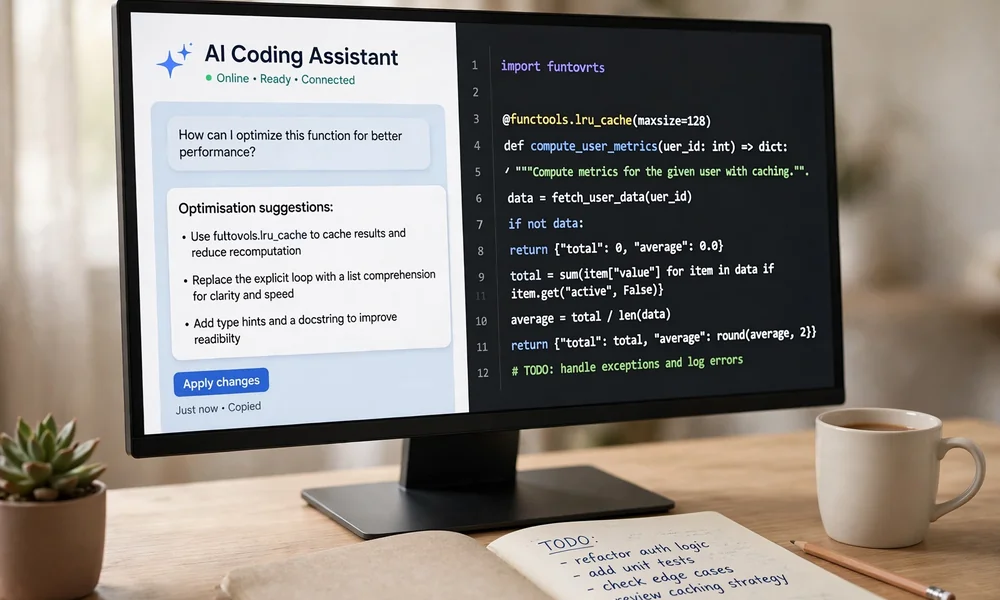
Because Copilot is trained on a huge corpus of public code, its suggestions for common patterns are usually idiomatic and ready to use. For teams that want one tool that works everywhere, Copilot is the safe pick, and the best AI tools for developers guide compares it with the other general-purpose assistants.
Pros: Widest editor and language support; strong chat and agent modes; deep GitHub integration.
Cons: Agent features are newer and less deep; higher plans needed for the full feature set.
Cursor — Best AI-first editor
Cursor is a code editor built around AI from the start, rather than an assistant bolted onto an existing editor. Its chat understands your whole codebase, its agent mode can plan a feature, edit several files, run commands, and fix the errors it finds, and its tab completion predicts multi-line edits as you work. Developers who switch usually do so because the agent feels like a junior colleague rather than a suggestion box.
Cursor is strongest on greenfield features and medium-sized refactors, where it can hold the plan in mind across files.
Pros: Genuinely agentic multi-file editing; excellent codebase awareness; fast iteration.
Cons: Requires switching editors; usage-based costs can climb quickly.
Claude Code — Best terminal-first option
Claude Code runs in the terminal and turns plain-language instructions into code changes across your repository. You describe the feature or fix, it reads the relevant files, makes the edits, runs your tests, and reports what changed. There is no graphical editor to learn.
The quality of its output is consistently high, especially on well-structured projects where it can follow existing patterns.
Pros: Strong reasoning on long tasks; works directly on your repo; no editor switch needed.
Cons: Terminal-only interface; reviewing large diffs takes care.
Windsurf — Best agentic multi-file edits
Windsurf, from Codeium, pairs a full editor with an agent that can plan and apply changes across a project, run terminal commands, and preview the result. Its Cascade agent keeps track of what it has done and what still needs doing, which makes it good at features that touch the front end, the API, and the database in one pass.
Windsurf is a strong alternative to Cursor for developers who want agentic coding without Cursor’s pricing model.
Pros: Capable multi-file agent; built-in completion; generous free tier.
Cons: Younger ecosystem; fewer third-party integrations.
Replit Agent — Best prompt-to-app prototypes
Replit Agent takes a short description and builds a working web application: front end, back end, and database, running in the browser with no local setup. You can then refine it in plain language, asking for new pages, features, or fixes, and deploy it from the same workspace. It is the fastest route in this guide from an idea to something you can share with a colleague or a client.
The generated apps are real and functional, but they are prototypes rather than production systems.
Pros: Fastest idea-to-working-app path; no setup; built-in hosting and deployment.
Cons: Not built for large production codebases; costs rise with heavy use.
v0 by Vercel — Best UI and front-end generation
v0 by Vercel generates user interfaces from text prompts and images, producing clean React and Tailwind code that you can copy into your project or deploy on Vercel. It is unusually good at turning a rough sketch or a screenshot into a polished layout, and it iterates well: ask for a darker header or a different layout and it revises just that part.
Its focus is narrow by design: v0 is a front-end tool, not a full-stack generator, so you will still need a back end and a database from elsewhere. For teams building marketing pages, dashboards, and product interfaces, it saves hours of layout work and produces code that a front-end developer can actually maintain.
Pros: Excellent UI output; works from text or images; clean React and Tailwind code.
Cons: Front-end only; best paired with Vercel hosting.
Bolt.new — Best full-stack web apps fast
Bolt.new builds complete web applications from a prompt, in the browser, with no installation. It scaffolds the project, writes the front end and the server code, installs packages, and runs the app so you can test it immediately. You refine it by chatting, and you can export the code or deploy it when it is ready.
Bolt.new is at its best on small to medium web apps: landing pages with real functionality, internal tools, dashboards, and demos.
Pros: Full-stack generation in the browser; instant preview; easy export and deployment.
Cons: Token costs add up on big apps; output needs review before production.
ChatGPT with Codex — Best planning and long tasks
ChatGPT with Codex combines a strong reasoning model with an agent that can work on coding tasks in the background. You can ask it to plan a feature, implement it across files, run tests, and open a pull request, then review the result when it is done. It is particularly good at the planning stage: breaking a vague request into concrete steps before writing any code.
Because Codex runs in the cloud rather than inside your editor, the workflow is different from Copilot or Cursor. The best AI tools for software development guide covers how these agent workflows fit into a wider development process.
Pros: Strong planning and reasoning; works in the background; good pull request workflow.
Cons: Cloud-based rather than in-editor; heavy use needs pricier plans.
Gemini Code Assist — Best for Google Cloud developers
Gemini Code Assist is Google’s AI coding assistant, built into VS Code, JetBrains IDEs, and Google Cloud tools. It generates code, completes functions, explains code, and helps with Google Cloud services, including BigQuery and Firebase.
Outside Google Cloud it is a solid general-purpose assistant, though not as deep as Copilot or Cursor on agent-style work.
Pros: Generous free tier; strong Google Cloud knowledge; good editor support.
Cons: Agent features are less mature; best value inside Google Cloud only.
How to choose
Start with how you work. If you want AI inside the editor you already use, GitHub Copilot is the obvious first try. If you want an agent that can carry a whole feature, Cursor or Windsurf will feel like a bigger step forward, and Claude Code is the pick if you prefer the terminal. If the goal is a working prototype rather than production code, Replit Agent, v0, or Bolt.new will get you there in an afternoon.
Then check the practical constraints, including data privacy rules and renewal pricing. Run each finalist on a real task from your own backlog and review the diff carefully before committing, and the best AI writing tools roundup uses the same try-it-on-real-work approach for a different kind of AI tool.
Checklist: before you pay
- Try the free tier on a real task from your own project, not a toy example.
- Check whether your code is used to train models, and whether you can opt out.
- Confirm the tool supports your editor, your languages, and your version control setup.
- Look at the renewal price, not just the introductory offer.
- Test how the tool handles your existing tests and your code review process.
- Check the cancellation terms and whether you can export your settings and history.
Frequently asked questions
What is the best AI tool for code generation in 2027?
GitHub Copilot is the best overall choice for most developers, because it works in the editors they already use and supports the widest range of languages. Cursor is better if you want an AI-first editor with agentic multi-file editing, and Claude Code is better if you prefer working in the terminal.
Can AI code generation tools write a whole app?
Yes, for small to medium web apps. Replit Agent, Bolt.new, and v0 can turn a prompt into a working application with a front end, back end, and database.
Is AI-generated code safe to use in production?
It can be, but only after the same review and testing you would apply to human-written code. Generated code can contain subtle bugs, security flaws, or invented library calls.
Do these tools work with my existing codebase?
Most of the tools here read your project files and use them as context, so their suggestions match your conventions. Cursor, Claude Code, and Windsurf are strongest at this.
How much do AI code generation tools cost?
Most paid plans start at about $10 to $20 per developer per month, with free tiers for evaluation. Agent-heavy use can cost more where pricing is usage-based.
Will AI code generation replace developers?
No. These tools speed up writing boilerplate and routine code, but they still need a developer to define the problem, review the output, and take responsibility for the result.
The bottom line
For most developers, GitHub Copilot is the right starting point: it works everywhere, it is reasonably priced, and its output is reliable. Developers who want more autonomy from their AI should try Cursor or Claude Code, and anyone who needs a working prototype fast should try Replit Agent, v0, or Bolt.new. Whichever tool you pick, treat its output as a draft, and spend the saved time on design and hard problems rather than on shipping unreviewed code.