Best AI Tools for Coworking Spaces in 2027
Running a coworking space in 2027 means juggling more than desks and coffee. Members book rooms at midnight, ask the same five questions every week, pay late, cancel, and rebook, and expect the Wi-Fi, the door code, and the invoice to just work. The best AI tools for coworking spaces take that repetitive load off your team, so your team can welcome people, fix problems, and build a community members want to stay in.
AI has moved well past the novelty stage for shared workspaces. Desk booking now predicts demand, chatbots answer member questions around the clock, voice agents take calls when the front desk is busy, and billing tools chase overdue invoices without anyone on your team sending an awkward reminder. None of this replaces a good community manager. It gives that manager their day back.
This guide covers seven AI tools for booking, member communication, billing, and space management. Prices below are approximate starting prices, so check current pricing on each vendor’s site before you decide. If you are still choosing the underlying platform, our guide to the best software for coworking spaces in 2027 covers the main systems these AI tools sit on top of.
Key takeaways
- Envoy and Robin are the strongest starting points for AI-assisted booking of desks, rooms, and visitors.
- Density turns occupancy data into decisions about which desks and rooms earn their keep.
- Intercom Fin and Smith.ai handle member questions and phone calls around the clock, so no enquiry waits for office hours.
- Otter.ai captures meeting and event notes automatically.
- Zapier AI ties the rest together, automating billing reminders and onboarding.
| Tool | Best for | Standout AI feature | Starting price |
|---|---|---|---|
| Envoy | Desk and room booking with visitors | Smart booking and visitor automation | From around $99 per month per location |
| Robin | Scheduling desks and rooms at scale | AI scheduling and usage insights | Quote-based pricing |
| Density | Understanding real space usage | Anonymous occupancy sensing and forecasts | Quote-based pricing |
| Intercom Fin | Answering member questions instantly | Chatbot trained on your help content | From around $0.99 per resolved conversation |
| Smith.ai | Never missing a phone call | Voice receptionist for calls and tours | From around $285 per month |
| Otter.ai | Meeting and event notes | Automatic transcripts and summaries | From around $17 per user per month |
| Zapier AI | Automating billing and admin workflows | Workflow builder across your apps | Free plan; paid from around $20 per month |
1. Envoy
Envoy is the tool most coworking operators reach for first when booking starts to get messy. Members book from their phones, guests check in at the door, and the front desk stops being a bottleneck. It adds booking suggestions, automatic visitor invites, and reminders that cut down on no-shows.
For a single-location space, Envoy covers the daily flow. Members see what is free, book in seconds, and get a door code or check-in link without messaging anyone. For operators with two or three locations, the same system keeps booking rules consistent across sites.
Pros:
- Smooth booking and visitor check-in in one system
- Booking suggestions reduce empty rooms and double bookings
Cons:
- Priced per location, so costs add up across many sites
- Deeper billing features need another tool alongside it
2. Robin
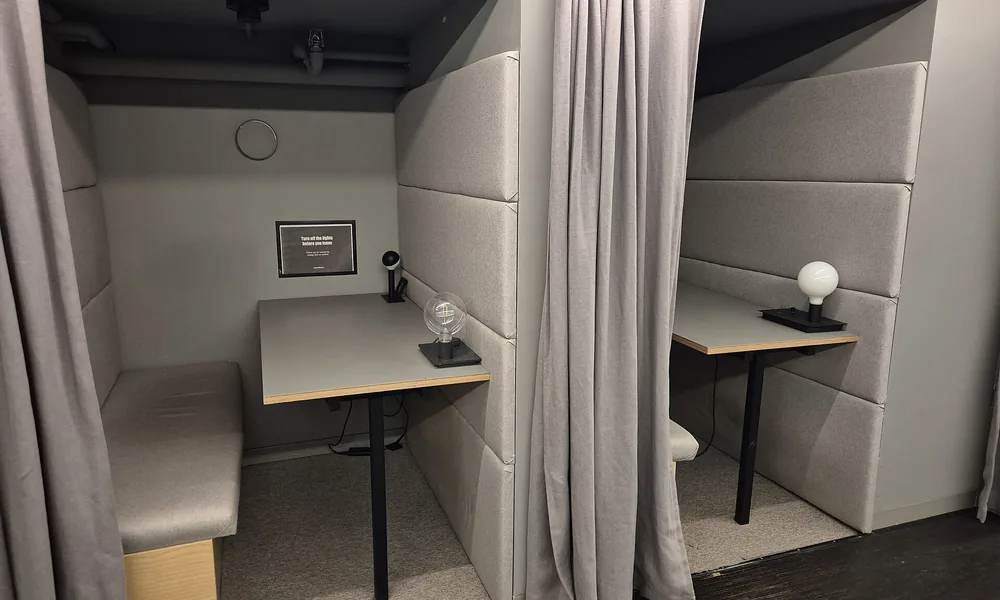
Robin focuses on the scheduling side of a shared workspace: who sits where, which rooms are free, and how the space is used across the week. Its AI suggests desks and rooms based on team patterns and past bookings, which matters most when a space is busy.
Where Robin earns its keep is in the data it surfaces. Instead of guessing whether you need more phone booths or fewer large meeting rooms, you can see the pattern: the four-person rooms sit empty while the two-person booths are booked solid. That is the kind of evidence that makes a refit decision easy to defend.
Pros:
- Strong scheduling for desks, rooms, and hybrid teams
- Usage insights that guide layout and pricing decisions
Cons:
- Quote-based pricing makes budgeting harder upfront
- More than a small single-room space needs
3. Density
Density answers a question every coworking operator asks but few can answer honestly: is anyone actually using this space? Its sensors count people anonymously as they move through the building, turning those counts into occupancy trends, peak hours, and demand forecasts. No cameras, no names, just numbers.
That data changes real decisions. If the data shows your lounge is packed on Tuesdays and empty on Fridays, you can run events on Tuesdays and offer Friday day-pass deals. It works best next to a booking tool, feeding real usage into the system that takes the bookings.
Pros:
- Accurate, anonymous occupancy data without cameras
- Demand forecasts help with staffing and pricing
Cons:
- Quote-based pricing, aimed at larger spaces
- Needs sensors installed throughout the building
4. Intercom Fin
Every coworking space fields the same questions again and again: the Wi-Fi password, how to book a room, bringing a guest, where to park. Intercom Fin is an AI chatbot that answers those questions instantly, trained on your help pages, onboarding docs, and past answers. It works on your website and in your member app at 2am, when nobody is at the desk.
The point is not to replace your team. It is to clear the repetitive half of the inbox so your team can handle the questions that need a person: a billing dispute, a complaint, a member who wants to upgrade. Fin hands those to a human with the conversation history attached.
Pros:
- Instant answers to routine member questions, day and night
- Hands tricky conversations to your team with full context
Cons:
- Only as good as the help content you feed it
- Members with unusual requests still need a human
5. Smith.ai
Missed calls are missed tours, and missed tours are missed members. Smith.ai is an AI voice receptionist that answers your phone when your team is busy, on a tour, or out for the day. It answers common questions, takes messages, books tours, and sends a clean summary to your team.
This matters more for coworking than for most businesses because so many new members start with a phone call or a walk-in question. A caller who reaches a helpful voice at the first try is far more likely to book a tour than one who reaches voicemail. Many of your members are solo workers, and the best AI tools for freelancers in 2027 show how the same always-on help shapes what they expect from a workspace too.
Pros:
- Every call answered, including outside office hours
- Books tours and qualifies leads without staff time
Cons:
- Monthly cost is significant for a very small space
- Complex enquiries still need a human follow-up
6. Otter.ai
Coworking spaces run a lot of meetings: member onboarding, community events, workshops, and founder meetups. Otter.ai joins those meetings, transcribes them, and produces a summary with action items, so nobody has to take notes or wonder what was agreed. For events, the transcript becomes content for members who could not attend.
It is a small tool with an outsized effect on how professional a space feels. A new member who gets a neat summary after their onboarding call feels looked after. The free tier covers occasional use.
Pros:
- Automatic transcripts and summaries for every meeting
- Event content you can reuse for members who missed it
Cons:
- Accuracy drops with heavy accents or background noise
- Needs a clear policy on recording member meetings
7. Zapier AI
Zapier AI is the glue. It connects the tools above to each other and to your billing system, then automates the small jobs in between: when a new member signs up, create their invoice, send the door code, and schedule the onboarding call. When an invoice goes overdue, send a polite reminder and flag it for your team.
Its AI builder lets you describe the workflow in plain language instead of building it click by click, which is what makes it usable for a small team without a developer. Billing automation is the standout: a calm, automatic sequence of reminders recovers more money than chasing invoices by hand. It pairs well with the wider set of best AI tools for small business in 2027, many of which cover the same admin ground.
Pros:
- Connects hundreds of apps with plain-language setup
- Automates billing reminders, onboarding, and follow-ups
Cons:
- Complex workflows can get fragile as tools change
- Paid plans climb with the number of tasks run
How to choose the right AI tools for your coworking space
Start with the problem, not the tool. If the front desk drowns in the same five questions, start with a chatbot. If tours are missed because nobody answers the phone, start with a voice receptionist. If rooms sit empty while members complain nothing is free, start with booking and occupancy data. One tool that fixes a real daily pain beats five tools that look impressive in a demo.
Next, check the integrations. An AI tool that cannot talk to your booking system or billing tool creates more manual work than it saves, so confirm the connection exists before you pay. Trial everything with real members for two weeks and ask what annoyed them. Finally, budget for the monthly total, not the headline price, which grows quietly as your space fills up.
Your AI rollout checklist
- Pick the single biggest daily pain point and fix that first
- Confirm each tool connects to your booking and billing systems
- Tidy your help pages before turning on a chatbot
- Trial with real members for two weeks and collect their feedback
- Set a policy for recording meetings and member data
- Review the monthly total every quarter
Frequently asked questions
Do AI tools replace community managers in a coworking space?
No. They take over repetitive tasks like answering the same questions, sending reminders, and taking bookings, so the community manager can focus on members, events, and problems that need a person. Automating the human side loses the community feel that keeps members renewing.
What is the cheapest way to start with AI in a coworking space?
Start with the free tiers. Otter.ai and Zapier both have useful free plans, and a chatbot can start small on your most-asked questions only. Pick one pain point, prove the saving in a month, then spend it on the next tool.
Will members mind talking to an AI chatbot?
Most do not, as long as answers are fast and accurate and a human is easy to reach when the bot cannot help. Problems start when the bot loops, guesses, or hides the way to a real person.
Do I need occupancy sensors to manage a coworking space?
Not for a small space. Booking data is enough when you have one or two rooms. Sensors earn their keep once you have several rooms or more than one location, when guessing about usage starts costing real money.
Can AI tools handle coworking billing?
They can automate much of it: invoices, reminders, failed payment retries, and plan changes. They do not replace your billing system, so keep your invoicing tool as the source of truth.
Is member data safe with AI tools?
It is as safe as the vendor you choose, so read the data policy before you sign up. Check where data is stored, whether conversations train the vendor’s models, and how to delete member data on request.
The bottom line
The best AI tools for coworking spaces in 2027 are the ones that quietly remove repetitive work: Envoy and Robin for booking, Density for knowing how the space is really used, Intercom Fin and Smith.ai for answering members and callers at any hour, Otter.ai for meeting notes, and Zapier AI for tying billing and admin together. Start with the pain your team feels every day, trial one tool, and expand from there.
A coworking space wins members with its people and its atmosphere, not its software. AI earns its place when it gives your team more time to be present in the building and notice the member thinking about leaving before they do. Choose tools that protect that time, and the rest takes care of itself.