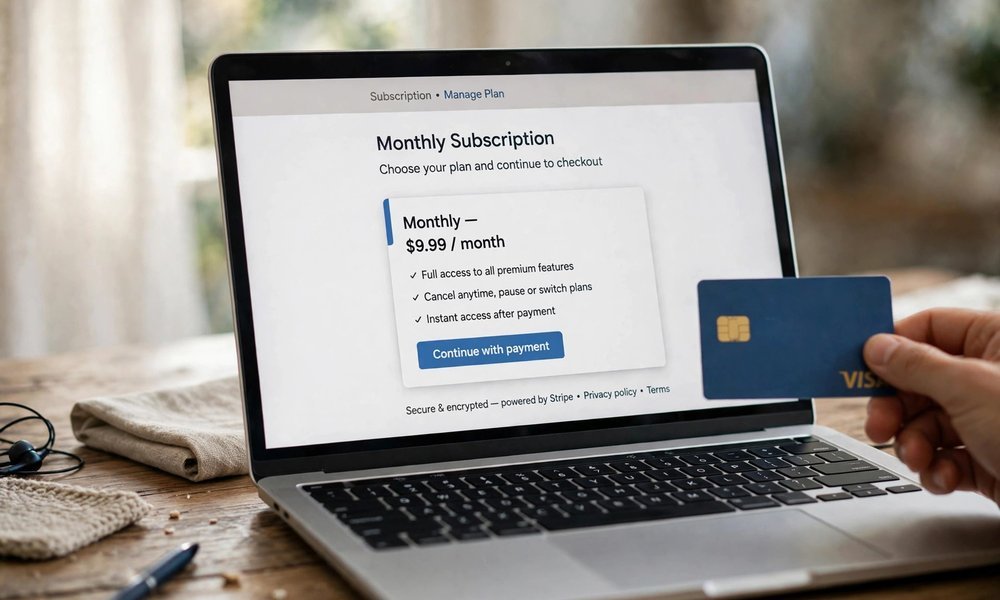
A subscription page has a harder job than a normal sales page. It must explain a recurring charge, show what the subscriber gets every month, handle the first payment, and make cancelling feel fair rather than hidden.
We chose tools that do more than generate a pretty landing page. Every pick here uses AI to draft real page content, and every pick can publish a working page with a subscription offer on it, either through built in payments or through a clean connection to a payment provider.
The shortlist covers eight tools: Durable for the fastest all round launch, Hostinger AI Website Builder for the lowest cost, 10Web for WordPress teams, Mixo for a quick test of a new subscription idea, Typedream for clean modern pages, Unicorn Platform for startup style pricing pages, Hocoos for AI built pages with commerce, and B12 for teams that want AI drafting plus human design help.
Key takeaways
- Durable is the best overall pick for small teams, because it drafts the page, the plans, and the copy in minutes and publishes a working site.
- Hostinger AI Website Builder is the cheapest route to a live subscription page, with AI drafting included on low cost plans.
- 10Web suits WordPress teams that want AI building without leaving the WordPress system they already know.
- Mixo and Typedream win on speed and clean design, while Unicorn Platform, Hocoos, and B12 cover more specialised needs.
- Check the payment fees and the plan limits before you launch, since the page builder price is only part of the real cost.
At a glance: the shortlist
| Product | Best for | Starting price | Standout limit |
|---|---|---|---|
| Durable | Best overall | From $15 a month | AI credits limit heavy editing |
| Hostinger AI Website Builder | Lowest cost | From $3 a month | Commerce features need a higher plan |
| 10Web | WordPress teams | From $10 a month | Needs WordPress hosting included in plan |
| Mixo | Fast idea testing | Free start, paid from $9 a month | Free plan limits pages and visitors |
| Typedream | Clean modern pages | Free start, paid from $8 a month | Smaller template range than rivals |
| Unicorn Platform | Startup pricing pages | Free start, paid from $8 a month | Blog and commerce tools are basic |
| Hocoos | AI built pages with commerce | Free start, paid from $5 a month | AI generated copy needs checking |
| B12 | AI drafting plus human help | From $49 a month | Highest starting price here |
Durable — Best overall
Durable is the fastest route from an idea to a live subscription page in this roundup. Answer a few questions about the business, and the AI builds a full site in under a minute, including a pricing section with plan names, prices, and a short list of what each plan includes. The AI can also draft follow up emails for new subscribers, which helps a small team keep in touch without writing every message by hand.
Durable also covers the business steps around the page. Built in invoicing, a simple customer manager, and AI written marketing copy mean the subscription does not stop at the signup button. The limits are fair: AI credits cap heavy regeneration, and the design options are simpler than a full design tool. Our guide to setting up a subscription page covers the structure the page needs, and Durable follows it closely: how to set up a business website subscription page in 2027.
Pros: Very fast AI site building, usable plan copy, and built in invoicing and customer tools. Cons: AI credits limit heavy editing, and design options are simpler than rivals.
Hostinger AI Website Builder — Best for lowest cost
Hostinger AI Website Builder is the cheapest way to get an AI built subscription page online. The AI asks about the business, drafts the pages, writes the copy, and suggests images, all inside hosting plans that start near three dollars a month. The builder includes a free domain on some plans, which keeps the total cost of a first subscription site very low.
The trade off sits in the commerce tier.
Pros: Very low starting price, fast AI drafting, and hosting included. Cons: Full commerce needs a higher plan, and AI copy needs a human check.
10Web — Best for WordPress teams
10Web suits teams that already run WordPress and want AI help without leaving it. The AI builder recreates or drafts pages from a prompt, then hands the result to the WordPress editor, where the team can change plans, prices, and copy with familiar tools. The page speed tools compress images and cache pages automatically, which keeps the subscription page fast even with large images.
The builder includes AI writing, AI images, and optimisation tools that keep the page fast.
Pros: AI building inside WordPress, hosting included, and strong optimisation tools. Cons: Steeper learning curve, and AI drafts need real editing.
Mixo — Best for fast idea testing
Mixo is built for testing an idea before committing to it. Describe the subscription in one sentence, and the AI returns a landing page with a headline, plan descriptions, and an email signup form. The built in email capture stores every signup in one list, so the team can contact interested visitors when the full offer launches.
The free plan is genuinely useful for that test, though it limits pages and visitors.
Pros: Very fast idea testing, simple AI prompts, and a useful free plan. Cons: Not a full business system, and free plan limits visitors.
Typedream — Best for clean modern pages
Typedream builds subscription pages that look calm and modern, with generous spacing, clean type, and a pricing section that reads well on a phone. The AI can draft the page from a short description, and the editor feels more like writing a document than wrestling with a page builder. The Notion style editor will feel familiar to teams that already plan content in documents, which shortens the learning curve.
The template range is smaller than the biggest builders, and the commerce tools are lighter, so a team selling many tiers with complex billing rules may need a payment provider alongside Typedream.
Pros: Clean modern design, document style editing, and fair prices. Cons: Smaller template range, and lighter commerce tools.
Unicorn Platform — Best for startup pricing pages
Unicorn Platform is aimed at startups, and its pricing page blocks show it. The templates include the familiar startup layout: a headline, a monthly and yearly toggle, three tiers, and a comparison table below. The comparison table below the plans lets a team show feature differences clearly, which helps visitors pick the right tier.
The blog and commerce tools are basic, so Unicorn Platform works best as a focused landing page builder rather than a whole website system.
Pros: Startup style pricing layouts, built in toggle and comparison table, and low prices. Cons: Basic blog and commerce tools, and limited depth beyond landing pages.
Hocoos — Best for AI built pages with commerce
Hocoos takes the AI builder idea further into commerce. Answer questions about the business and the AI builds the site, the store, and the subscription offer together, including product pages and payment setup. The store tools handle digital downloads as well as physical goods, so a team can sell a course and a monthly box from one site.
The AI generated copy needs a careful read, since it can invent details about the offer that sound confident but are wrong.
Pros: AI built site and store together, low starting price, and simple setup. Cons: AI copy needs checking, and free plan limits commerce.
B12 — Best for AI drafting plus human help
B12 is different from every other tool here, because it pairs AI drafting with real human designers. The AI builds a first version of the subscription page, then a design team refines it, checks the copy, and helps launch it. The design team also reviews the page for accessibility, which helps subscribers using screen readers or keyboard navigation.
The price reflects that help.
Pros: Human design help on top of AI drafting, polished results, and launch support. Cons: Highest starting price here, and more setup than a pure AI builder.
How to choose
Start with the billing model. A simple monthly subscription with two or three plans fits any tool here. A model with trials, annual discounts, and add ons needs a builder that handles toggles and plan comparisons cleanly, which points to Durable or Unicorn Platform. Our explainer on what a subscription means for a small business sets out the models in plain terms: what a business website subscription is for small businesses. Read it before you build, so the page matches the model you actually sell.
Next, check the payment path. Some tools take payments directly, others connect to a payment provider, and the fees differ.
Finally, plan for change. Prices rise, plans get renamed, and a new tier appears.
Checklist: before you pay
- Build the real subscription page in the trial, with your actual plans, prices, and billing periods.
- Test the full signup flow yourself, including the first payment and the confirmation email.
- Check the payment fees on top of the builder price.
- Confirm the cancellation path is clear and easy to find on the page.
- Read every AI written line and fix any invented feature or wrong price.
- Check the page on a phone and confirm the toggle and signup button are easy to use.
Frequently asked questions
Can an AI tool build a subscription page that takes real payments?
Yes, when the tool includes commerce or connects to a payment provider.
How many plans should a subscription page show?
Two or three works best for most small teams.
Should I show monthly and yearly prices together?
Yes.
Is AI written copy safe to publish as it stands?
No.
What is the cheapest way to test a subscription idea?
Mixo and Hostinger both offer cheap or free starts.
How does a subscription page differ from an order page?
A subscription page sells a recurring charge with a billing period and a cancellation path, while an order page sells a one off purchase. Our roundup of AI tools for order pages shows the other side of that split: best AI tools for creating order pages for small teams in 2027.
The bottom line
For most small teams, Durable is the safest pick in this roundup, because it drafts the page, the plans, and the copy in minutes and publishes a working site at a fair price. Hostinger is the pick when budget comes first, 10Web is the pick for WordPress teams, and Mixo is the pick for testing an idea fast. Typedream, Unicorn Platform, and Hocoos all earn their place for teams that want a clean page, a startup layout, or commerce in the same tool, while B12 is the pick when human design help matters more than price.
Whichever tool you choose, the rule stays the same. Show the recurring price clearly, say what the subscriber gets every month, and make cancelling easy to find. A subscription page that does those three things will keep subscribers longer than a clever page that hides the terms.
Note: Prices and plans change. Check the current plan details before buying. All links in this article go to other occcy.com guides.