A vague job description costs a hiring team weeks. It attracts the wrong applicants, invites the same questions in every interview, and quietly filters out strong candidates who cannot tell what the job actually involves. The best AI tools for job descriptions in 2027 fix that problem at the source: they turn a rough list of duties into a clear, structured posting that a qualified candidate can read once and understand.
The tools in this guide were judged on the things that matter to recruiters and hiring managers. Each one drafts complete postings from a short brief, flags biased or exclusionary language, keeps the tone consistent with the employer brand, and produces text that survives a screening system.
Our shortlist covers eight tools, from all-round writing platforms such as Jasper and Copy.ai to specialists built only for hiring, such as Textio, Ongig and JobDescription.ai. Jasper leads for teams that write postings every week, Textio leads for inclusive language, and JobDescription.ai leads for small teams that need a fast free draft. Prices below are approximate starting prices; check current pricing before buying.
Key takeaways
- Jasper is the best overall choice for teams that draft job descriptions every week.
- Textio is the best option for spotting biased or exclusionary language before a posting goes live.
- JobDescription.ai is the best free starting point for a small team or a one-off hire.
- Expect to pay roughly $18 to $49 per user per month for a capable writing tool, with hiring specialists priced higher.
- Never publish an AI draft untouched: check the salary range, the location, and every listed requirement against the real role.
At a glance: the shortlist
| Product | Best for | Starting price | Standout limit |
|---|---|---|---|
| Jasper | Overall drafting | About $39 per month | Templates need setup to match a brand voice |
| Textio | Inclusive language | Custom pricing | No free plan for teams |
| Ongig | Job description optimisation | About $179 per month | Built for hiring only |
| Copy.ai | Fast first drafts | About $49 per month | Needs editing for senior roles |
| Writer | Brand consistency | About $18 per user, per month | Best value needs the team plan |
| JobDescription.ai | Free drafts | Free plan available | Shallow editing features |
| ChatGPT | Flexible drafting | About $20 per month | No hiring-specific checks |
| Workable | All-in-one hiring | About $149 per month | Writing is one feature among many |
Jasper — Best overall
Jasper is a general AI writing platform with templates built for job descriptions, and it earns the top spot because it handles the full drafting cycle. A recruiter enters the role title, the team, the location and a few bullet points of duties, and Jasper returns a structured posting with a summary, responsibilities, requirements and benefits.
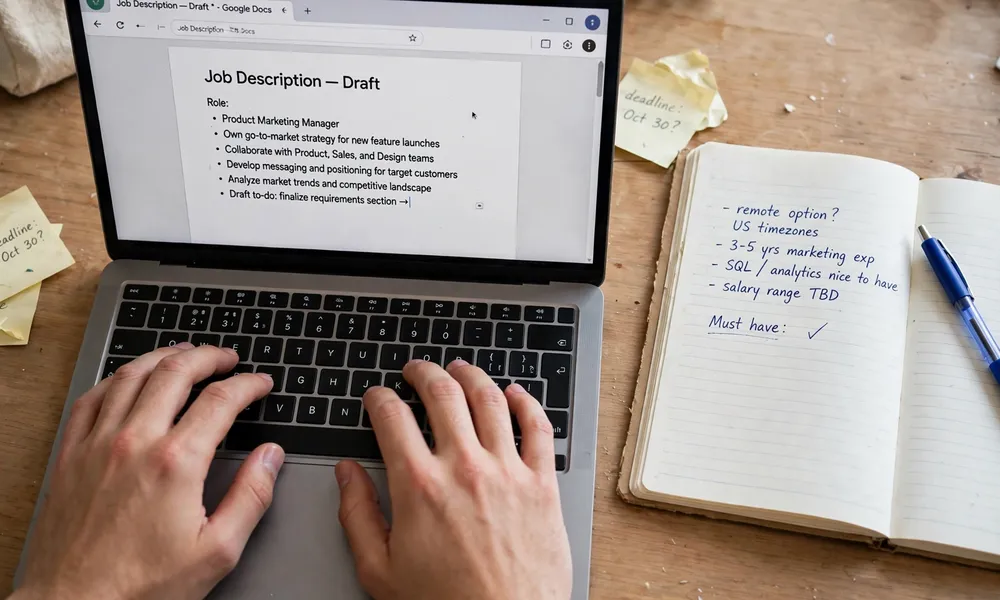
The brand voice feature is the reason Jasper suits teams that hire often. Once the voice is set, postings for engineering, sales and support roles all sound like they came from the same company. For teams that also shape the candidate side of hiring, pairing Jasper with AI resume building tools keeps both sides of the process consistent.
Pros: strong structured templates, brand voice controls, reusable templates for repeat roles.
Cons: voice setup takes time, and pricing rises quickly for larger teams.
Textio — Best for inclusive language
Textio is the specialist to use when the wording of a posting matters as much as its content. It scores a draft as it is written, flagging masculine-coded phrases, jargon, and requirements that quietly discourage qualified applicants.
Pros: precise bias and tone scoring, suggested replacements, performance data by role and location.
Cons: custom pricing with no free team plan, and it does not write a posting from scratch.
Ongig — Best for job description optimisation
Ongig focuses on one job: making an existing job description perform better. It audits a posting for readability, length, jargon, gendered language and missing information, then rewrites the weak parts.
The strongest feature is its library of proven phrasing for common sections such as benefits, working arrangements and equal opportunity statements.
Pros: detailed audit scores, proven phrasing library, strong consistency controls.
Cons: hiring-only scope, and the starting price is high for a small team.
Copy.ai — Best for fast first drafts
Copy.ai is the quickest route from a blank page to a usable draft. Its job description workflow asks for the role, the company and a few details, then produces several versions in seconds.
The tool works best for common roles where the duties are well understood, such as customer support, sales development and operations. For senior or unusual roles, the drafts need more editing, because the output leans on generic phrasing.
Pros: very fast drafts, several tone options, useful beyond hiring.
Cons: generic wording for senior roles, and drafts need a careful edit before publishing.
Writer — Best for brand consistency
Writer is built for organisations that need every public document to sound the same, and job descriptions are a natural fit. Its style guide feature enforces approved terms, banned phrases and tone rules as the draft is written, so a posting cannot accidentally promise a benefit the company does not offer or use a term the legal team removed.
For hiring, that control is valuable at scale. A company posting fifty roles a quarter can trust that each one uses the same job titles, the same benefits wording and the same inclusive language rules.
Pros: enforced style guides, terminology control, affordable entry price.
Cons: best features need the team plan, and setup takes longer than simpler tools.
JobDescription.ai — Best for free drafts
JobDescription.ai does exactly what its name promises: it writes a job description from a job title and a few details, free, in under a minute. The output follows the standard structure — summary, responsibilities, qualifications and benefits — and it is clean enough to edit directly. For a small business hiring its first employee, or a manager writing a single posting, that is often all that is needed.
The limits are clear.
Pros: free, very fast, clean standard structure.
Cons: no bias or tone checks, and shallow editing features.
ChatGPT — Best for flexible drafting
ChatGPT is the most flexible option on this list, because it does whatever the prompt asks. A recruiter can ask for a posting, then ask for a shorter version for a job board, a version aimed at graduates, and a list of interview questions based on the same role — all in one conversation. That back-and-forth suits hiring managers who know the role well and want to shape the wording themselves.
The weakness is the absence of hiring-specific safeguards.
Pros: flexible rewriting and repurposing, strong at tailoring tone, low price.
Cons: no built-in bias checks, and it can invent requirements if the prompt is vague.
Workable — Best for all-in-one hiring
Workable is an applicant tracking system with an AI job description generator built in, which makes it the best choice for teams that want writing inside their hiring workflow. The generator drafts a posting from the role details, and the posting flows straight into the pipeline, the careers page and the job boards without copying text between tools.
The value is the workflow.
Pros: writing inside the hiring workflow, one-click publishing to job boards, applicant data tied to each posting.
Cons: writing quality is good rather than best in class, and the price reflects a full hiring platform.
How to choose
Start with volume. If the team writes more than a few postings a month, a dedicated tool with templates and a brand voice — Jasper or Writer — pays for itself in saved hours. If hiring is occasional, a free tool such as JobDescription.ai or a flexible option such as ChatGPT is enough, provided a person reviews every draft.
Next, weigh the risk of the wording itself. Roles in competitive fields and companies that care about a broad applicant pool should put Textio or Ongig in the process, even if another tool writes the first draft. Teams planning growth should also look at the wider toolkit, including AI business plan tools for the hiring roadmap that sits behind the postings.
Finally, test the output on a real hire. Draft the same role in two tools, show both versions to the hiring manager, and compare them line by line: which one states the duties more plainly, which one lists requirements the manager actually recognises, and which one a candidate could read in under a minute and understand. The tool that wins that test is the one to buy, because a posting is judged by the applicants it brings in, not by the features on a pricing page. Keep the winning template, save the approved wording for benefits and working arrangements, and reuse it for the next role instead of starting from a blank page each time.
Checklist: before you pay
- Run a free trial on a real open role, not a test role, and compare the draft with the current posting.
- Check whether the price is per user or per team, and what the renewal price is after any introductory offer.
- Confirm the tool exports clean text that pastes properly into your job boards and careers page.
- Test the bias and readability checks on a posting you already know is weak.
- Confirm who owns the generated text and whether it can be reused across roles.
- Check that cancelling is simple and that your saved templates can be exported first.
Frequently asked questions
Can an AI tool write a complete job description on its own?
Yes, for standard roles the tools in this guide produce a complete draft from a short brief. A person should still check the salary range, the location, the reporting line and every requirement, because those details come from the real role, not from the tool.
Do AI job description tools remove biased language?
Specialists such as Textio and Ongig are built for that and score a draft as it is written. General writing tools do not check for bias unless asked, so a team relying on them should run the draft through a bias check before publishing.
How much should a small business pay for a job description tool?
Very little to start. A free tool such as JobDescription.ai covers occasional hiring, and a general tool at roughly $18 to $49 per month covers a team that hires regularly. Pay more only when the volume or the brand risk justifies it.
Will an AI-written job description hurt search rankings on job boards?
No, provided the posting is clear, specific and honest.
Can I use the same tool for other hiring documents?
Most of the tools here handle related writing: offer letters, interview questions, rejection emails and internal role profiles. For wider writing needs, AI copywriting tools are a useful companion.
How do I keep AI job descriptions accurate?
Feed the tool the real facts: the actual duties, the real salary range, the location and the true requirements. Ask for a short draft first, check it line by line, and keep a human approval step before any posting goes live.
The bottom line
For most teams, Jasper is the safest pick. Add Textio when inclusive language matters, and use JobDescription.ai or ChatGPT when hiring is occasional and the budget is small.
The tool matters less than the review step. A clear, honest posting written with AI and checked by a person will always beat a polished posting that misstates the role, because the candidates it attracts are the ones the team actually wants.