
Customers search a help center the way they search the web: they type a question in plain language and expect the right answer in seconds. The best AI tools for knowledge base search in 2027 do exactly that, reading the meaning of a question instead of matching keywords and surfacing the single most relevant article instead of a page of near-misses.
That matters because most support tickets start as failed searches. When a customer cannot find an answer, they open a ticket, and every ticket costs time and money. A good AI search layer cuts ticket volume, shortens resolution time, and shows you what customers search for and never find — the best possible list of articles to write next.
We compared seven tools on search accuracy, AI answering, ease of setup, and pricing. Algolia leads for the most accurate search, Zendesk AI is best for teams already on Zendesk, and Document360 is the best all-round pick for teams that need search and a help center in one product.
Key takeaways
- Algolia offers the most accurate AI search in this list, with semantic ranking and typo tolerance.
- Zendesk AI is best for teams already using Zendesk, since search, tickets, and AI answers share one system.
- Document360 is the best all-rounder, combining a knowledge base and AI search in one product.
- Helpjuice is the best choice for teams that want strong search analytics and fast setup.
- Check the pricing model before you buy: some tools charge per search request and costs grow with traffic.
At a glance: the shortlist
| Product | Best for | Starting price | Standout limit |
|---|---|---|---|
| Algolia | Search accuracy | Free tier, then usage-based | Needs developer setup |
| Zendesk AI | Zendesk teams | From $19 per agent per month | Best inside Zendesk only |
| Document360 | All-round help center | From $149 per project per month | AI features on higher tiers |
| Helpjuice | Fast setup and analytics | From $120 per month | Smaller integration list |
| Coveo | Enterprise search | Custom pricing | Expensive for small teams |
| Guru | Agent-facing answers | From $10 per user per month | Weaker public help center |
| Intercom | Chat plus search | From $29 per month | AI answers cost extra |
Prices are approximate starting prices — check current pricing before buying.
Algolia — Best for search accuracy
Algolia is a search engine first and a knowledge base tool second, and that focus shows in the results. Its AI understands intent, tolerates typos, handles synonyms, and ranks answers by relevance rather than keyword frequency.
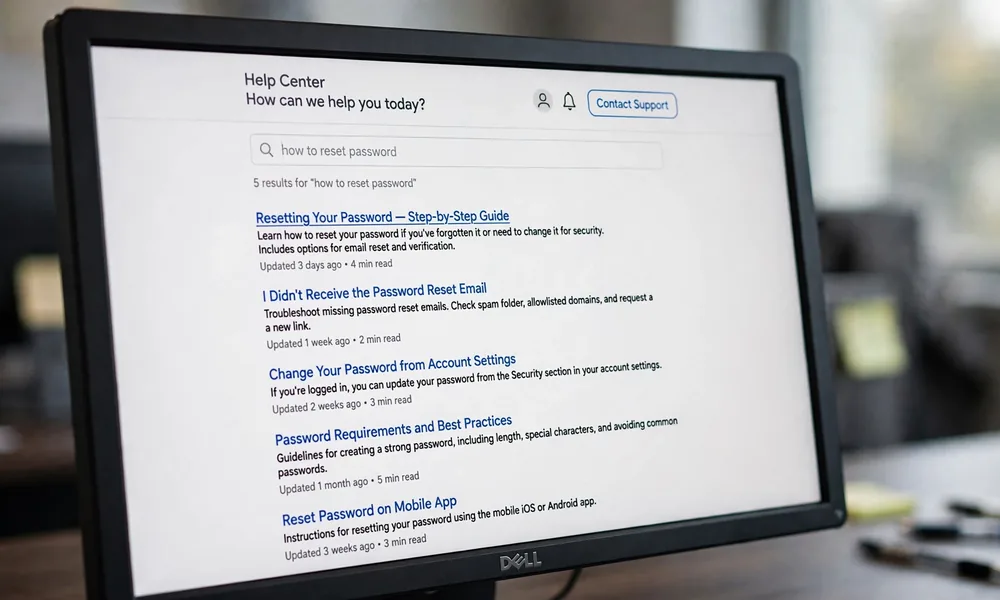
Search teams get real control: tune ranking rules, promote the right article for common questions, and test changes before they go live. Analytics show which queries return no results, and the AI generates short answers from your articles.
The catch is setup: Algolia is a developer tool, so connecting it and keeping the index in sync takes engineering time, and usage-based pricing means a traffic spike raises the bill. For teams that treat search as a product, it is the most accurate option available.
Pros: Best-in-class relevance and typo tolerance, strong analytics, AI-generated answers.
Cons: Needs developer setup, usage-based pricing, no built-in help center.
Zendesk AI — Best for Zendesk teams
If your support team already runs on Zendesk, Zendesk AI is the obvious choice. Its search sits on the same articles your agents use, understands the question, returns the best answer, and can deflect the ticket entirely when the article solves the problem — all in one system, with no index to sync.
Beyond search, Zendesk AI drafts replies, summarizes long tickets, and routes conversations by intent. Analytics show which articles resolve issues and which questions keep turning into tickets. For teams already on Zendesk, adding AI search is a small step with a clear return.
The limitation is the ecosystem: it works best inside Zendesk, and the most powerful AI features sit on higher-priced plans. Teams that pair it with a good AI support ticket triage tool get the most value, since deflection and smart routing cut ticket volume from both ends.
Pros: No separate index to maintain, AI answers and deflection built in, strong analytics.
Cons: Best inside Zendesk, advanced AI costs extra, per-agent pricing adds up.
Document360 — Best all-rounder
Document360 combines a full knowledge base with AI-powered search in one product. You write articles in its editor, organize them into categories, and the AI search handles the rest: semantic understanding and instant answers that feel like asking a question rather than guessing keywords. For teams that need both together, it removes the integration work entirely.
The AI assistant, Eddy, drafts articles, summarizes long guides, and answers questions from your content. Analytics show which searches fail and where customers get stuck, and version control, review workflows, and multi-language support are included.
The trade-off is that the most useful AI features sit on higher tiers, so around $149 per project per month buys a solid help center but not the full AI package. For a team replacing both at once, Document360 is the cleanest single purchase.
Pros: Help center and AI search in one tool, strong editor and workflows, good analytics.
Cons: Best AI features cost extra, per-project pricing, heavier than a search-only tool.
Helpjuice — Best for fast setup and analytics
Helpjuice is built for teams that want a knowledge base live this week, not next quarter. Setup takes hours: import your articles, pick a theme, and the AI search is ready, with semantic matching and instant results as you type.
Helpjuice stands out on analytics: it tracks every search, shows which queries fail, and reports which articles solve problems, so content teams know what to write next. The AI suggests related articles and flags outdated content.
The integration list is shorter than the enterprise tools, and design options are more limited, so teams wanting a fully custom look may find it restrictive. For most small and mid-sized teams, fast setup and clear analytics are hard to beat.
Pros: Very fast setup, excellent search analytics, simple for non-technical teams.
Cons: Fewer integrations, limited design customization, starting price is mid-range.
Coveo — Best for enterprise search
Coveo is an enterprise search platform that indexes content from across the business — help centers, documentation, forums, and internal systems — and returns one unified answer. Its AI understands the customer’s context, including plan and product version, and personalizes results. For a large company with scattered content, that unified index is the attraction.
Machine learning improves ranking based on clicks and whether users open a ticket afterward. It also handles commerce and service in one platform, and analytics show performance by segment, product, and region.
Coveo is custom priced for enterprise budgets, with implementation that needs a dedicated team. Small and mid-sized companies will find it too heavy and too expensive, but for a large organization with fragmented content, it is the most complete option.
Pros: Unified index across many sources, personalized results, deep analytics.
Cons: Custom enterprise pricing, long implementation, overkill for small teams.
Guru — Best for agent-facing answers
Guru is designed for the agent’s side of the desk. It sits inside Slack, Zendesk, Salesforce, and the browser, and its AI search finds the right internal answer the moment an agent needs it. An agent asks a question and gets a verified answer card.
The verification workflow is the key feature: experts confirm answers and Guru flags outdated content, so agents stop sharing old information. AI suggests answers and creates content from conversations, and search understands the ticket’s context.
Guru is weaker as a public help center: its public-facing search exists but is not its strength, and teams needing a polished customer-facing knowledge base will want a dedicated tool. Combining Guru for agents with a solid AI knowledge base tool covers both sides well.
Pros: Fast answers inside agent workflows, verification keeps content accurate, good AI suggestions.
Cons: Weaker public help center, per-user pricing adds up, needs expert upkeep.
Intercom — Best for chat plus search
Intercom pairs AI knowledge base search with live chat and its Fin AI agent, so customers can move from self-service to a human without repeating themselves. A customer searches, reads an article, and if that does not solve the problem, the conversation continues in the same window with the full context attached — the handoff that sets Intercom apart.
The AI search understands natural language and generates answers from your articles, with sources cited. Fin resolves a large share of common questions automatically, and analytics show which still need a human.
The cost structure needs care: the base plan starts around $29 per month, but AI answers are billed per resolution on top, so a busy support operation should model the total cost before committing. Teams already using Intercom for chat get the most value.
Pros: Smooth handoff from search to chat to human, AI agent resolves common questions, clean help center.
Cons: AI resolutions billed separately, costs scale with volume, best inside Intercom.
How to choose
Start by deciding who searches: a public help center needs different features than an internal wiki for agents, and the best tool for one is rarely the best for the other. Algolia and Coveo win on search quality, Document360 and Helpjuice on all-in-one simplicity, and Guru on the agent’s side of the desk.
Next, test with real customer questions: take the 50 most common questions from your tickets, run them through a trial, and count how many return the right answer first. Also check how the tool handles failed searches — does it show the queries that returned nothing, and help you write the missing article?
Finally, model the total cost: usage-based pricing looks cheap at low volume and expensive at scale, while per-agent pricing grows with the team. Check the renewal price and the cost of AI answers, and confirm the tool integrates with your helpdesk so search and tickets share one source of truth. A related guide on AI customer onboarding tools covers the other side of the content split, from first login to first success.
Checklist: before you pay
- Test the search with your 50 most common real customer questions.
- Check whether AI answers are included or billed per resolution.
- Confirm the tool indexes all your content sources, not just the help center.
- Ask how to export your articles and search data if you cancel.
- Check the failed-search analytics so you can see what customers cannot find.
- Get the renewal price in writing, including how usage-based costs scale.
Frequently asked questions
What is AI knowledge base search?
It is search that understands the meaning of a question instead of matching keywords. It ranks help articles by relevance, tolerates typos, and can generate a direct answer from your content.
How is AI search different from regular help center search?
Regular search matches words. AI search understands intent, so a customer who types “how do I get my money back” finds the refund policy even if the article says “reimbursement” instead.
Can AI search reduce support tickets?
Yes. When customers find the right answer quickly, fewer open tickets, and the biggest gains come from fixing the searches that return no results.
Do I need a developer to set up AI search?
It depends on the tool: Helpjuice and Document360 need no code, while Algolia and Coveo need engineering time to connect and keep the index in sync.
What happens when AI search cannot find an answer?
A good tool logs the failed query, routes the customer to a human, and adds the question to a list of content gaps for your team to write.
How much does AI knowledge base search cost?
Budget roughly $10 to $150 per month for small teams. Enterprise platforms are custom priced, and usage-based tools charge more as search traffic grows.
The bottom line
For most teams, Document360 is the best single purchase: a full help center with AI search built in. Teams wanting the most accurate search should choose Algolia, and teams already on Zendesk should add Zendesk AI rather than buying a second system.
Whatever you choose, test it with real customer questions, check the cost of AI answers, and watch the failed searches — the fastest way to cut tickets is to find out what customers cannot find and write it.