The best portable monitors for students in 2027 add a second screen to a laptop without adding much weight, and the Arzopa A1 Gamut Slim leads on value with a bright 15.6-inch 100% sRGB panel from about $109. A portable monitor turns a cramped dorm desk or library table into a real study station, with lecture notes on one screen and an essay or code editor on the other.
Students need a different balance than professionals do. Low price and light weight matter more than factory calibration, battery-friendly power draw matters more than peak brightness, and a screen that survives a backpack matters more than a premium finish. Prices below are approximate starting prices, so check current pricing before buying, since student-budget monitors are discounted often.
We compared eight portable monitors on price, weight, screen quality, ports, and how well they work in a library, a lecture hall, and a small dorm room. The shortlist runs from a $109 budget panel to a $279 compact OLED, with every pick light enough to carry alongside a laptop and textbooks.
Key takeaways
- Best overall value: Arzopa A1 Gamut Slim, a 15.6-inch 100% sRGB panel from about $109.
- Best lightweight: Lenovo ThinkVision M14, just 570 grams and easy to carry all day.
- Best compact OLED: Innocn 13A1F OLED, a 13.3-inch OLED that fits in small bags.
- Best all-rounder: ViewSonic VG1655, with dual USB-C and a sturdy folding cover stand.
- Do not buy a portable monitor without USB-C video input; adapters add cost and clutter to a student setup.
At a glance: the shortlist
| Product | Best for | Starting price | Standout limit |
|---|---|---|---|
| Arzopa A1 Gamut Slim | Best value | From $109 | Basic brightness |
| ViewSonic VG1655 | All-round use | From $199 | Heavier than slim rivals |
| Lenovo ThinkVision M14 | Lightest carry | From $229 | 1080p only |
| ASUS ZenScreen MB16ACE | Slim 15.6-inch screen | From $189 | No touch support |
| UPERFECT 15.6-inch 1080p | Budget big screen | From $149 | Average colour out of the box |
| Innocn 13A1F OLED | Compact OLED | From $279 | Smaller 13.3-inch screen |
| KYY K3-2 | Under $150 | From $129 | Basic stand |
| Lepow Z1-Gamut | Notes and research duo | From $139 | 250-nit brightness |
Arzopa A1 Gamut Slim — Best overall value
The Arzopa A1 Gamut Slim is the best student portable monitor because it gets the essentials right for about $109. The 15.6-inch 1080p IPS panel covers 100% of sRGB, so colours look natural for design coursework and media, and the slim metal-look body weighs under 700 grams. A single USB-C cable connects video and power to most laptops.
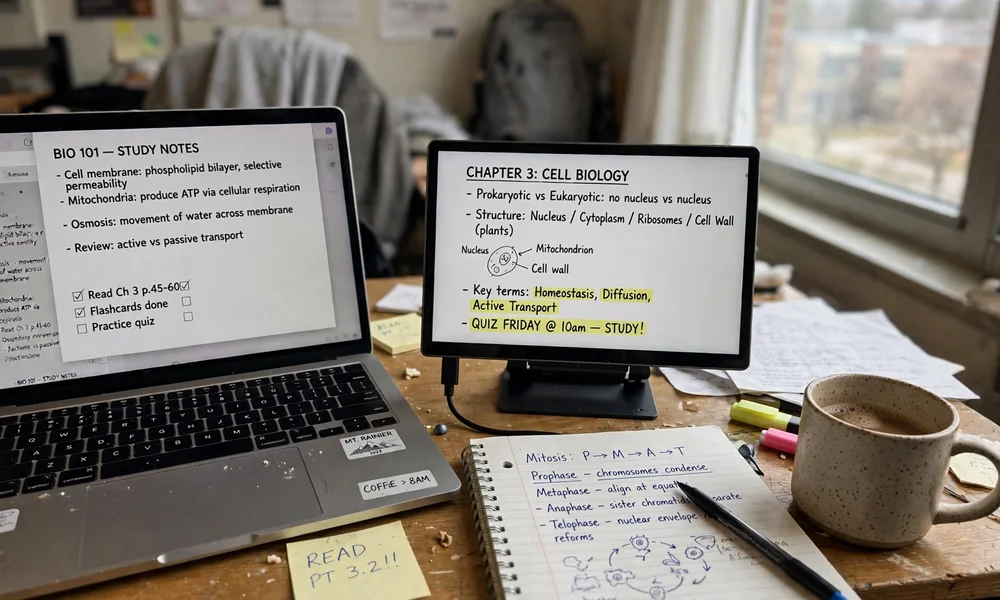
Brightness is modest at around 300 nits, which is fine indoors but struggles in direct sunlight, and the built-in stand is the folding cover, which works but takes a moment to set up. For lectures, library sessions, and dorm desks, it is the best balance of price, weight, and screen quality in this list, and it pairs well with any machine in our guide to the best laptops for students.
Pros: Very low price, 100% sRGB panel, light and slim, single-cable USB-C. Cons: Modest brightness, cover stand is fiddly, no touch input.
ViewSonic VG1655 — Best all-rounder
The ViewSonic VG1655 costs more at about $199, but it is the most dependable all-rounder here. The 15.6-inch 1080p IPS panel has wide viewing angles, so a study partner can read the screen from the side, and dual USB-C ports plus mini HDMI mean it connects to laptops, tablets, and even some phones without an adapter hunt.
The folding cover doubles as a sturdy stand with two viewing angles, and the build feels tougher than cheaper rivals, which matters in a bag full of textbooks. It is a little heavier than the slimmest models, but the extra durability is worth it for students who carry their setup across campus every day.
Pros: Dual USB-C and mini HDMI, sturdy cover stand, wide viewing angles, tough build. Cons: Heavier than slim rivals, 1080p only, no touch support.
Lenovo ThinkVision M14 — Best lightweight
At 570 grams, the Lenovo ThinkVision M14 is the lightest full-size portable monitor in this roundup, and the difference is obvious after a day of carrying it. The 14-inch 1920 x 1080 IPS panel is bright and sharp, with good colour for study and media, and the slim profile slips into a laptop sleeve beside the machine itself.
Power draw is low, so it barely dents laptop battery life, and the adjustable stand tilts from nearly flat to upright. The 14-inch size is smaller than 15.6-inch rivals, so split-screen work feels tighter, but for students who walk everywhere, the weight saving is the deciding factor.
Pros: Just 570 g, low power draw, bright sharp panel, excellent adjustable stand. Cons: Smaller 14-inch screen, 1080p only, premium price for the size.
ASUS ZenScreen MB16ACE — Best slim 15.6-inch
The ASUS ZenScreen MB16ACE is one of the thinnest portable monitors available, at under 8 mm thick, and it weighs about 710 grams. The 15.6-inch 1080p IPS panel is clear and bright enough for library and classroom use, and ASUS includes a pen holder and a smart case that works as a stand in both portrait and landscape.
Portrait mode is a genuine bonus for students: rotate the screen and a full research paper or long web page fits without scrolling. The panel is not the most colour-accurate here, so design students should look at the Arzopa or ViewSonic instead, but for notes, coding, and writing, the ZenScreen is a polished choice.
Pros: Ultra-slim under 8 mm, portrait mode, smart case stand, light at 710 g. Cons: Average colour accuracy, no touch, single USB-C port.
UPERFECT 15.6-inch 1080p — Best budget big screen
UPERFECT’s 15.6-inch 1080p portable monitor starts around $149 and gives students a large, bright IPS screen with USB-C and mini HDMI inputs. The panel is fine for essays, spreadsheets, and video lectures, and the included cover stand holds it at a comfortable angle on a desk or library table.
Colour is average out of the box, so it is not the pick for photography or design coursework, and the plastic body feels less premium than the ASUS or Lenovo. But as a big second screen for general study on a tight budget, it delivers where it counts and leaves money for textbooks.
Pros: Low price, large 15.6-inch screen, USB-C and mini HDMI, decent brightness. Cons: Average colour, plastic build, basic stand.
Innocn 13A1F OLED — Best compact OLED
The Innocn 13A1F OLED shrinks the portable monitor to 13.3 inches and swaps the panel for OLED, which makes it the most eye-catching screen in this roundup. Text looks crisp, video looks vivid, and the small size fits in bags that cannot take a 15.6-inch panel. At about $279 it is a treat rather than a budget buy.
The smaller screen means less room for split-screen work, and OLED panels need sensible care with static images left on screen for hours. For students who watch a lot of video, edit photos, or simply want the best-looking screen that still fits in a small bag, it is worth the premium.
Pros: Gorgeous OLED image, compact 13.3-inch size, very light, crisp text. Cons: Smaller workspace, OLED retention risk, highest price per inch.
KYY K3-2 — Best under $150
The KYY K3-2 is a 15.6-inch 1080p portable monitor that regularly sells for about $129, making it one of the cheapest ways to add a second screen. It covers the basics: an IPS panel with decent viewing angles, USB-C and mini HDMI, built-in speakers for video lectures, and a cover that folds into a stand.
Brightness and colour are basic, and the stand is less stable than the ViewSonic’s, so it suits a flat desk better than a wobbly lecture hall table. For students who want the largest screen for the least money and mostly use it indoors, the K3-2 is a practical buy.
Pros: Very cheap, large 15.6-inch screen, built-in speakers, USB-C and HDMI. Cons: Basic brightness, wobbly stand, average colour.
Lepow Z1-Gamut — Best for notes and research
The Lepow Z1-Gamut pairs a 15.6-inch 1080p IPS panel with 100% sRGB coverage for about $139, which is a rare combination at this price. Keeping a textbook PDF or research paper open on the Lepow while writing on the laptop is exactly the workflow it is built for, and the slim body adds little weight to a bag.
The 250-nit brightness is the weakest point, so it is best indoors, and the speakers are thin. The included cover stand works well on a flat desk. For students who split their time between reading and writing, the Z1-Gamut offers the best colour and screen size per dollar in the budget tier.
Pros: 100% sRGB at a low price, large screen, slim and light, good for reading. Cons: Dim 250-nit panel, weak speakers, no touch.
How to choose
Start with your laptop. Check it has a USB-C port that supports video output, known as DisplayPort Alt Mode, because most portable monitors rely on it. If your laptop only has HDMI, pick a model with mini HDMI and carry the cable. Then set a weight limit: under 750 grams is comfortable for daily carry, while anything over 900 grams starts to feel like a second laptop.
Screen size is the next decision. A 14-inch panel suits small bags and lecture halls, while 15.6 inches is better for split-screen essays and coding. Brightness of 300 nits or more is worth paying for if you study near windows. For a full study setup, our guide to the best laptops for college students covers machines that pair well with a second screen.
Checklist: before you buy
- Confirm your laptop supports USB-C video output, or buy a model with HDMI.
- Weigh the monitor with its cover, not just the bare panel.
- Check the return window so you can test for dead pixels at home.
- Make sure the stand works on a flat library table, not just a desk.
- Budget for a USB-C cable if the included one is too short.
- Check battery impact: bright panels drain a laptop faster during lectures.
Frequently asked questions
Do portable monitors work with Chromebooks?
Most do, over USB-C, and ChromeOS treats them as a normal second display. Check the specific model for Chromebook support, and prefer USB-C models to avoid adapter trouble.
Will a portable monitor drain my laptop battery?
Yes, a little. A portable monitor draws power from the laptop over USB-C, typically cutting battery life by 10 to 20 percent. Keep brightness moderate and plug in during long study sessions.
Can I use a portable monitor in portrait mode?
Many models support it, including the ASUS ZenScreen MB16ACE. Portrait mode is ideal for reading long documents and code, and Windows, macOS, and ChromeOS all let you rotate the display.
Is 15.6 inches too big to carry to class?
Usually not. A 15.6-inch portable monitor is about the size of a magazine and under 800 grams, so it fits in most laptop bags. If your bag is small, a 13.3 or 14-inch model is safer.
Do I need a separate power adapter?
Usually no. Most student portable monitors run from the laptop over a single USB-C cable. A separate power brick is only needed for very bright panels or older laptops with weak USB-C power.
What else do I need for a good study setup?
A laptop stand helps a lot: it lifts the laptop screen to eye level beside the portable monitor. See our guide to the best laptop stands for options that travel well.
The bottom line
Buy the Arzopa A1 Gamut Slim if you want the best student portable monitor for the least money; it covers the essentials for about $109. Choose the Lenovo ThinkVision M14 if weight matters most, the Innocn 13A1F OLED for the best-looking compact screen, or the ViewSonic VG1655 if you want the toughest all-rounder.
Whichever you pick, keep it simple: one USB-C cable, a flat desk, and your notes on one screen and your work on the other. Check current pricing before ordering, since student monitors are discounted often, and test the screen for dead pixels in the first week.