
The best AI tools for lawyers in 2027 are the ones that cut the hours spent on research, review and drafting without putting client confidentiality or accuracy at risk. If you want a short answer, Harvey and CoCounsel lead for large firms, Lexis+ AI and Westlaw Precision with CoCounsel suit firms already invested in those research platforms, and Luminance and Kira are the strongest choices for document review and due diligence. The rest of this guide compares them, explains where each one fits, and covers the confidentiality and verification rules that matter more in law than in almost any other profession.
Legal work has always been document-heavy. A single matter can involve thousands of pages of contracts, disclosure and case law, and the cost of missing something is real. AI tools now help with the parts of that work that are repetitive: finding relevant authorities, summarising long documents, flagging unusual clauses, and drafting first versions of standard documents.
Key takeaways
- Harvey and CoCounsel lead for general legal assistance in larger firms; Lexis+ AI and Westlaw AI suit firms already on those platforms.
- Luminance and Kira are the strongest picks for document review, due diligence and contract analysis.
- Client confidentiality rules out many general-purpose AI tools — check data handling terms before uploading anything.
- Every AI output needs verification against the original source; hallucinations in citations are a known risk.
What makes a good legal AI tool
A good legal AI tool is judged on three things that matter more in law than in most fields: accuracy, confidentiality and auditability. Accuracy comes first because a wrong citation or a missed clause has consequences that go beyond embarrassment. The best legal tools are built on verified legal databases rather than general web data, and they show their sources so you can check them. If a tool gives you an answer without a citation you can verify, treat it as unconfirmed.
Confidentiality is the second test. Client information is protected by professional obligations, and uploading it to a tool that trains on user data or stores it insecurely is a serious risk. Before any firm adopts a tool, someone needs to read the data processing terms, check where data is stored, and confirm whether the vendor uses client data to train models. Many general-purpose AI tools are not suitable for client work for exactly this reason.
Harvey: best for large firms
Best for: large firms that want a general-purpose legal AI assistant across research, drafting and review.
Harvey is built specifically for legal work and is used by a number of large firms. It can answer research questions, draft documents, summarise long files and review contracts, drawing on legal data rather than general web content. Its strength is breadth: one tool that covers many of the tasks a junior associate would otherwise do by hand.
Harvey is typically sold to firms rather than individual lawyers, and pricing is arranged directly with the vendor, so check current pricing and expect an enterprise conversation. The main question for a firm considering Harvey is fit: it is designed for firms with enough volume to justify the cost, and smaller practices may find more focused tools better value.
CoCounsel: best for research and drafting
Best for: lawyers who want an AI assistant grounded in a major legal research database.
CoCounsel, from Thomson Reuters, is built on Westlaw’s legal content and is designed for research, document review and drafting. Because it draws on a verified legal database, its answers come with citations you can check in the underlying sources. That grounding is its main advantage over general-purpose AI tools, where invented citations are a well-documented problem.
CoCounsel is available as part of Westlaw Precision and as a standalone product, and it is aimed at firms of all sizes, though pricing is typically arranged per firm. Check current pricing. If your firm already uses Westlaw, CoCounsel is the natural first AI tool to evaluate, because it builds on research workflows your lawyers already know.
Lexis+ AI: best for Lexis users
Best for: firms already using LexisNexis who want AI-assisted research inside a platform they know.
Lexis+ AI brings conversational research to the LexisNexis platform, letting lawyers ask questions in plain language and receive answers linked to cases, statutes and secondary sources. Its strength is the breadth of the Lexis database behind it and the fact that answers are grounded in that content. For firms that already rely on Lexis for research, adding the AI layer is a smaller change than adopting an entirely new platform.
As with CoCounsel, pricing is arranged with the vendor and depends on the firm’s existing relationship. Check current pricing. The decision here is mostly about platform: if your firm’s research already lives in Lexis, Lexis+ AI is the path of least resistance.
Luminance: best for due diligence
Best for: due diligence and large-scale document review in transactions.
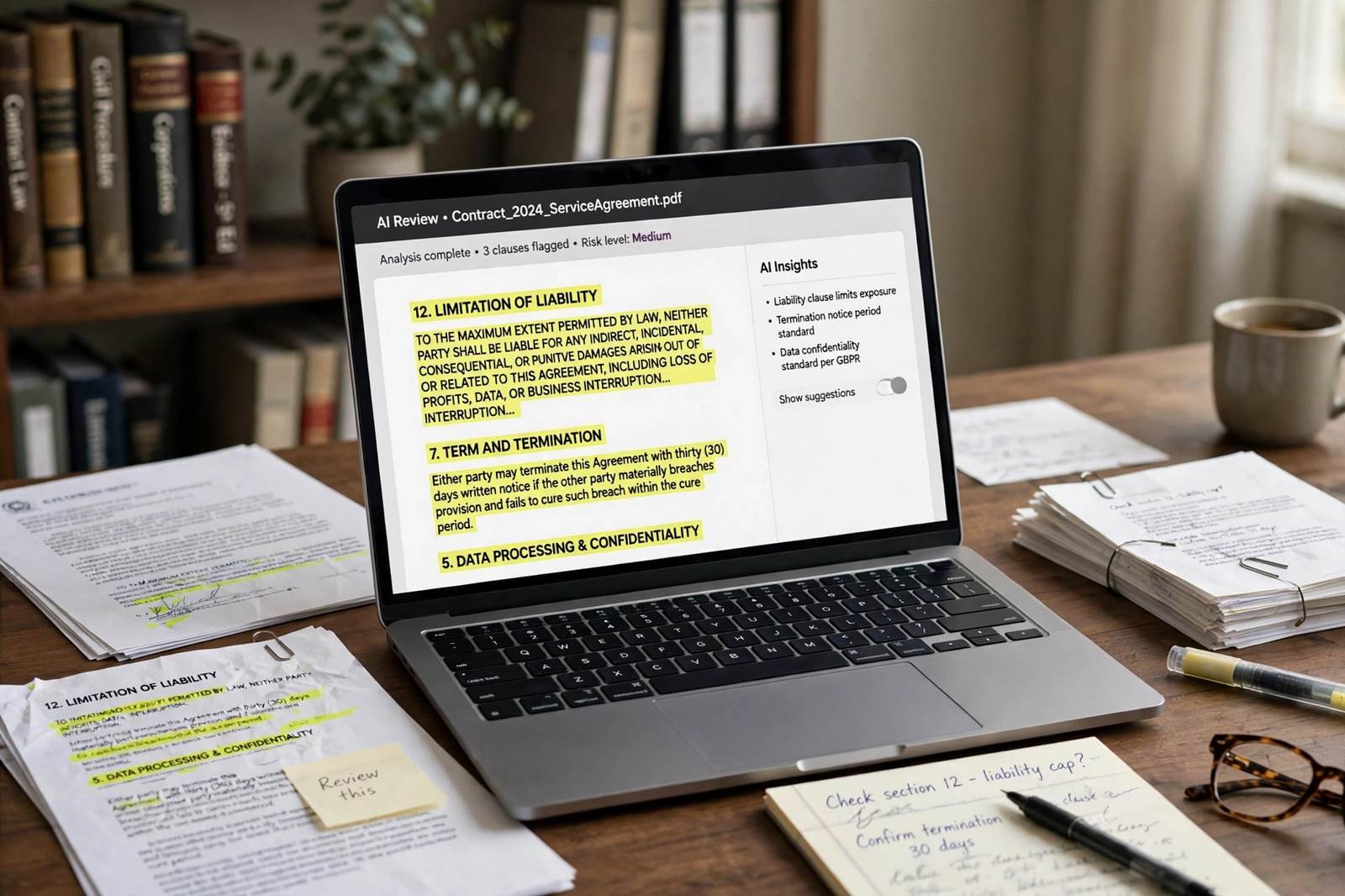
Luminance is designed for the specific problem of reviewing large volumes of documents quickly — the due diligence exercise in a merger or acquisition, or a disclosure review in litigation. It reads contracts and other documents, identifies key clauses, flags anomalies and unusual terms, and lets reviewers work through a data room far faster than manual review allows. It can also highlight documents that need a human look, which is where its value lies: it directs attention rather than replacing it.
Luminance is an enterprise product with pricing arranged per engagement or subscription. Check current pricing. It is best suited to firms and teams that handle enough transactional volume to justify it, though it is also used by in-house teams.
Kira: best for contract analysis
Best for: extracting and analysing clauses across large sets of contracts.
Kira, from Litera, focuses on contract analysis. It identifies and extracts clauses from contracts, compares them against a firm’s preferred positions, and flags provisions that need attention. This makes it useful for due diligence, for auditing a portfolio of contracts, and for post-merger integration work where hundreds of agreements need to be checked against a standard.
Kira’s strength is its clause library, built up over years of use across many firms. Check current pricing and ask for a demonstration on your own documents before committing.
How the leading tools compare
| Tool | Best for | Price model | Standout feature |
|---|---|---|---|
| Harvey | Large firms, general assistance | Enterprise pricing | Broad legal assistant across tasks |
| CoCounsel | Research and drafting | Per-firm pricing | Grounded in Westlaw content |
| Lexis+ AI | Lexis users | Per-firm pricing | Conversational research on Lexis data |
| Luminance | Due diligence | Enterprise pricing | Flags anomalies across large document sets |
| Kira | Contract analysis | Per-firm pricing | Clause extraction and comparison |
A practical checklist for choosing a legal AI tool
Choosing a legal AI tool is as much a compliance decision as a technology one. Work through this checklist with your firm’s IT and compliance leads before signing anything.
- Confirm the data terms. Does the vendor train on your data? Where is data stored? Is there a data processing agreement that meets your jurisdiction’s requirements? Get answers in writing.
- Check the citation grounding. Ask for a demonstration using your own matters. Verify every citation the tool produces against the original source.
- Match the tool to the task. Due diligence, research and drafting are different jobs. Pick the tool built for your biggest bottleneck, not the one with the longest feature list.
- Test with real documents. A vendor demo on clean sample data tells you little. Trial the tool on a closed matter and compare its output with work your team has already done.
- Plan supervision. Decide who checks AI output, how it is checked, and how that checking is recorded. Junior lawyers need guidance on when to trust a tool and when to verify.
Accuracy, hallucinations and your duty to verify
The most serious risk with legal AI is hallucinated citations — references to cases or statutes that do not exist, presented with complete confidence. This is a documented problem with general-purpose language models, and it has already led to professional consequences for lawyers who filed work containing invented authorities. Legal-specific tools reduce the risk by grounding answers in verified databases, but they do not remove it.
The practical rule is simple: verify every authority a tool gives you. Check the case exists, check the proposition it is cited for, and check that the citation is current. This is not extra work invented by AI; it is the same verification a careful lawyer has always done. The tool saves time on finding material, not on checking it.

Confidentiality: the question that decides everything
Before any legal AI tool is used on client work, the confidentiality question has to be answered. Client information is protected by professional duties, by contract, and in many jurisdictions by law. Uploading it to a service that stores it insecurely, shares it with third parties, or uses it to train models can breach those duties.
The tools in this guide are designed for legal work and typically offer enterprise terms that address these concerns, including commitments not to train on client data. But terms vary, and they change. Read the current terms, get a data processing agreement in place, and confirm the position in writing. General-purpose AI tools, including free consumer chatbots, should be assumed unsuitable for client work unless their terms say otherwise. For a broader discussion of keeping work data private when using AI, see our guide on how to use AI safely at work without sharing private data.
FAQs
Can AI tools replace legal research?
No. They can make research faster by finding relevant authorities and summarising them, but the judgement about which authorities matter, how they apply, and what to argue remains the lawyer’s work.
Are AI-generated citations safe to rely on?
Only after verification. Tools grounded in verified legal databases are far more reliable than general chatbots, but every citation should still be checked against the original source before it is used.
Which AI tool is best for a small law firm?
It depends on your work. If you already use Westlaw or Lexis, start with their AI offerings. For contract-heavy work, Kira is worth evaluating. Many vendors offer trials, so test on a real matter before committing.
Can I use a free AI chatbot for client work?
Almost certainly not. Free consumer tools typically have terms that are incompatible with client confidentiality obligations. Use tools designed for legal work with proper data processing terms.
Do I need to disclose AI use to clients or courts?
Rules vary by jurisdiction and are still developing. Some courts now require disclosure when AI has been used to prepare filings. Check your local rules and your bar’s guidance, and disclose when in doubt.
The bottom line
The best AI tools for lawyers in 2027 are the ones that respect what makes legal work different: the need for verifiable sources, the duty of confidentiality, and the requirement that a human takes responsibility for the work. Harvey and CoCounsel lead for general assistance, Lexis+ AI suits firms already on that platform, and Luminance and Kira are the strongest choices for review and contract analysis. Start with your biggest bottleneck, trial the tool on a closed matter, read the data terms, and verify everything it produces. If your firm is also looking at research tools for non-legal work, our guide to the best AI tools for researchers covers the academic side, and the best AI tools for HR teams covers another professional use case.