Best AI Tools for Optometrists in 2027
The best AI tools for optometrists in 2027 do not diagnose eye disease or replace the clinician in the exam room. They do the work around the exam: answering the phone when the front desk is busy, filling empty slots, chasing patients overdue for a recall, suggesting frames, and turning spoken exam notes into tidy records. That admin layer is where time and money leak away.
What matters most is fit with the systems a practice already runs. An AI receptionist is useless if it cannot see the real appointment book, and a frame tool is useless if the dispensary never stocks what it suggests. The eight tools below were picked for optometry practices specifically, and each is judged on the same things: how well it connects to optometry software, how much staff time it saves, what it costs, and where it falls short.
Prices below are approximate starting prices, so check current pricing before buying. Weave leads overall because it covers the most daily jobs in one place, Solutionreach is the strongest for recalls, and Fittingbox is the clearest pick for frame recommendations. The rest covers records, bookings, reviews, and exam notes.
Key takeaways
- Weave is the best overall AI tool for optometrists, covering calls, messaging, bookings, and recalls in one system.
- Solutionreach is the best pick for recall campaigns, filling empty slots before they become lost revenue.
- Fittingbox is the best choice for frame recommendations, letting patients try frames on virtually before visiting the dispensary.
- Expect roughly $200 to $600 a month for a full AI front-desk and recall setup, with single-purpose tools starting lower.
- None of these tools gives medical advice: they handle admin, bookings, and retail, and patient data needs a proper data agreement first.
At a glance: the shortlist
| Tool | Best for | Starting price | Standout limit |
|---|---|---|---|
| Weave | All-round front desk | About $250 a month | Needs setup to match the diary |
| Solutionreach | Recalls and reminders | Custom pricing | No public price |
| RevolutionEHR | Records admin | About $250 a month | Learning curve for new staff |
| Eyefinity EHR | Multi-location practices | Custom pricing | Heavier system for solo practices |
| Fittingbox | Frame recommendations | Custom pricing | Needs good frame photos |
| NexHealth | Online bookings | Custom pricing | Setup depends on the EHR |
| Podium | Reviews and messaging | About $250 a month | AI replies need checking |
| Freed | AI exam notes | About $99 a month | Notes must be reviewed |
1. Weave — Best overall
Weave is the closest thing to a complete AI front desk for an optometry practice. Its AI receptionist answers calls, books eye exams into the real diary, takes messages, and handles routine questions about hours and insurance, so the front desk is not choosing between the patient on the phone and the patient at the counter. Texting, email, and payment reminders run from the same inbox.
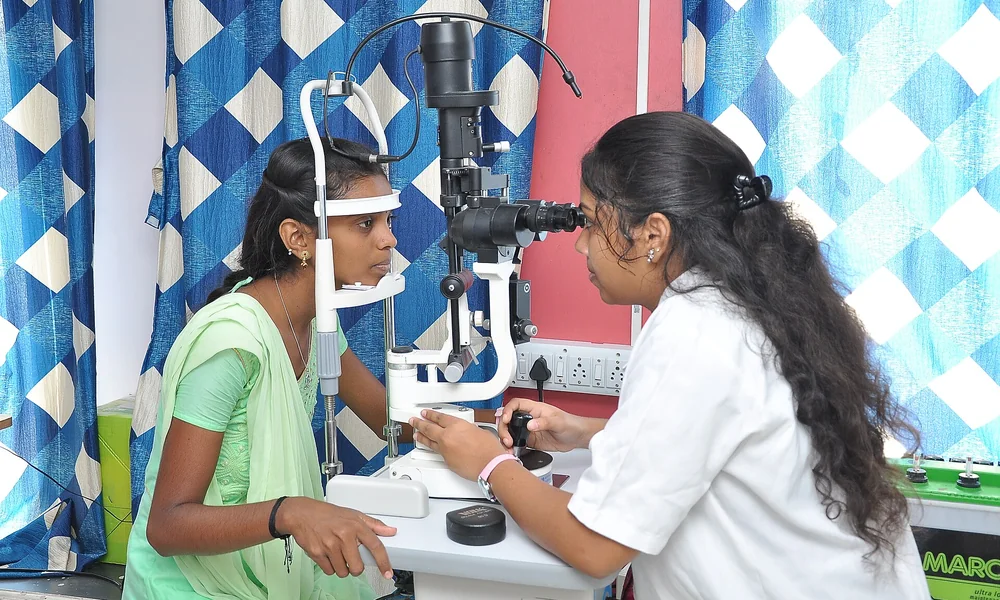
Missed calls are the quiet leak in most optometry businesses, because a patient who cannot get through books elsewhere. Weave logs every call and shows staff the whole conversation before they call back.
Pros: AI call answering tied to the real diary; texting, recalls, and payments in one inbox.
Cons: Setup takes time to match appointment types; costly for a very small practice.
2. Solutionreach — Best for recalls
Solutionreach is built around one job: getting overdue patients back into the chair. It reads the practice management system, finds patients due for an eye exam, and runs recall campaigns by text and email timed to each patient’s history. Patients can confirm, reschedule, or book from the message itself.
The difference is targeting: a lens wearer overdue for an exam gets a different message from a patient who bought glasses two years ago and never returned. In optometry the recall is also the trigger for a lens order, a frame sale, and a new prescription.
Pros: Recall campaigns tied to real patient history; self-service rescheduling from messages.
Cons: Custom pricing; a recall tool first, not a full front desk.
3. RevolutionEHR — Best for records admin
RevolutionEHR is an electronic health record system made for optometry, and its value is how much admin it removes from the record itself. Exam templates, coding, billing, and inventory sit in one cloud system, and AI-assisted features help with dictation and note summaries.
Orders, recalls, and claims all draw on the same record, so a frame order, a lens prescription, and a recall date are not re-typed three times. Our roundup of the best AI tools for patient intake covers the paperwork side for practices fixing forms and insurance checks first.
Pros: Built for optometry; records, billing, and inventory in one place.
Cons: Learning curve for staff switching systems; cost adds up per provider.
4. Eyefinity EHR — Best for multi-location practices
Eyefinity EHR suits practices with more than one location, or one planning to grow into one. Records, schedules, and orders are shared across sites, so a patient can be examined in one branch and collect frames in another without re-keying details. It also ties into VSP and other vision plan workflows.
The AI angle is quieter here: automated eligibility checks and claims scrubbing flag missing details before a claim goes out, because a rejected claim costs more staff time than the exam that produced it.
Pros: Shared records across locations; vision plan and claims workflows built in.
Cons: Heavier than a solo practice needs; custom pricing.
5. Fittingbox — Best for frame recommendations
Fittingbox is the tool in this list that patients actually enjoy using. Its virtual try-on lets a patient see frames on their own face from a phone or an in-store screen, and its recommendation engine narrows hundreds of frames to a shortlist that suits the patient’s face shape and style. A guided shortlist turns a long browse into a purchase.
Staff spend less time pulling frames that do not suit the patient, and patients who tried frames on at home arrive knowing what they want. Recommendations are only as good as the frame data behind them, so photograph real stock properly.
Pros: Virtual try-on patients genuinely use; recommendations that shorten the frame search.
Cons: Custom pricing; needs accurate frame photos and catalogue data.
6. NexHealth — Best for online bookings
NexHealth focuses on the booking flow: real-time online scheduling that reads the practice’s actual availability, collects intake forms and insurance details before the visit, and sends reminders patients can act on. A patient booking at 10pm gets a real slot, not a request that sits in an inbox until Monday.
Insurance details collected badly are a slow bleed: wrong plan numbers and eligibility discovered only when the patient is already in the chair. NexHealth structures that information as it is collected, so staff only touch the cases that need a human.
Pros: Real-time booking from the live diary; intake and insurance details collected upfront.
Cons: Custom pricing; value depends on the EHR integration.
7. Podium — Best for reviews and messaging
Podium is a messaging and reviews platform with AI that drafts replies, answers routine questions, and asks happy patients for a review at the right moment. Reviews are not vanity: most new patients choose an eye exam the way they choose a restaurant, by reading what the last twenty people said.
The AI drafting needs care: read every draft before sending, because a generic reply to a specific complaint reads worse than no reply. Used well, the value is speed, with routine questions answered in minutes.
Pros: Review requests timed to happy patients; one inbox for text, web chat, and reviews.
Cons: AI replies need human checking; costly for a small practice.
8. Freed — Best for AI exam notes
Freed is an AI scribe: it listens to the exam conversation, drafts the clinical note, and leaves the optometrist to check and sign it rather than typing it from scratch. Cutting the note from ten minutes to two changes the shape of a busy clinic day.
The rule is simple: the optometrist reads every note before signing it. AI scribes make mistakes and can invent plausible-sounding detail. Used as a draft a clinician reviews, Freed is one of the fastest returns in this list.
Pros: Drafts exam notes in minutes; structured notes that are easy to review.
Cons: Every note must be reviewed before signing; data agreements must be in place first.
How to choose
Start with the biggest leak, not the shiniest tool. If the phone rings unanswered all day, an AI receptionist like Weave pays for itself in weeks. If the diary has empty slots while hundreds of patients are overdue, Solutionreach is the fix. If the dispensary is where revenue stalls, Fittingbox is the place to start. If notes follow the optometrist home, Freed is the cheapest relief on this list.
Then check the integration before the price. Ask each vendor, in writing, which practice management system it connects to and whether the connection is two-way. A tool that cannot read the real appointment book will create double bookings. Trial with real staff and real patients, and measure missed calls answered and recalls booked. Our guide to the best appointment booking software is a useful cross-check if bookings are the main problem.
Checklist: before you pay
- Confirm the tool connects two-way to your practice management system and reads the live diary.
- Check the data agreement covers patient information and how recordings and messages are stored.
- Trial with real appointment types, real staff rotas, and real patients before signing a contract.
- Compare the renewal price, not just the first-year offer, and ask what each tier actually includes.
- Ask how patient data is exported if you leave, and whether there is a cancellation fee.
- Agree who reviews AI-drafted messages and notes, and never let either go out unchecked.
Frequently asked questions
Can AI tools replace the optometrist?
No. Every tool here handles admin, bookings, recalls, frames, or notes. The exam, the prescription, and any clinical judgement stay with the optometrist.
Which AI tool should a solo optometrist buy first?
Usually the one that fixes the biggest daily leak: for most solo practices that is missed calls and empty slots, so Weave or Solutionreach comes first.
Do these tools work with my existing practice software?
It depends on the combination, and it is the first thing to check. Weave, NexHealth, and Solutionreach all integrate with common optometry systems, but confirm your exact system with the vendor before buying.
Is patient data safe with AI tools?
Only if the vendor has a proper data agreement and stores data securely. Check the agreement, ask where data is held, and do not use a tool that cannot answer those questions clearly.
How much should a practice budget for AI tools?
A single-purpose tool starts around $99 a month, while a full front-desk and recall setup runs roughly $200 to $600 a month. Start with one tool, measure the return, then add the next one.
Do frame recommendation tools actually sell more glasses?
They help when the catalogue is accurate and staff use the shortlist to guide the patient. Virtual try-on shortens the search and gives patients confidence, but it does not replace a good dispensing optician. For the website side, our roundup of the best web hosting for optometrists covers the platform those pages run on.
The bottom line
For most optometry practices, Weave is the best first buy in 2027 because it covers the widest set of daily jobs: calls answered, bookings taken, recalls sent, and messages handled in one place. Add Solutionreach if recalls are the weak spot and Fittingbox if the dispensary needs help.
What to watch next is integration rather than new features: the tools that win will read the practice management system properly and stay out of clinical decisions. Prices and plans change often, so re-check pricing and the data agreement before signing.