Best AI tools for packaging design help brands create boxes, labels and bottles that stand out on a shelf and photograph well online. A small brand no longer needs a full agency retainer to test a new look: AI can generate label concepts, build 3D mockups, check how a design reads at shelf distance and prepare print-ready files. The best AI tools for packaging design in 2027 balance creative generation with the practical details of print, materials and dielines.
What matters most is the gap between the screen and the shelf. A design that looks striking in a render can fail when printed on kraft card, wrapped around a curved bottle or viewed under supermarket lighting. The strongest tools in this guide generate realistic mockups, respect bleed and safe areas, and export files a printer can actually use.
The shortlist below covers eight tools, from dedicated packaging platforms to general design tools with strong packaging features. Pacdora leads for most brands, Canva is the best choice for quick label work, and Adobe Illustrator with Firefly is the pick for professional print production.
Key takeaways
- Pacdora is the best overall pick for packaging, with 3D mockups, dieline templates and AI label generation from around $19 per month.
- Canva is the best choice for fast label and box designs, with templates, brand kits and easy team sharing.
- Adobe Illustrator with Firefly is the best option for professional print work, with full control over vectors, colour and bleeds.
- Free plans work for concept testing, but print-ready exports and high-resolution mockups usually need a paid plan.
- Always order a physical proof: screen colours and materials never match print exactly.
At a glance: the shortlist
| Product | Best for | Starting price | Standout limit |
|---|---|---|---|
| Pacdora | 3D packaging mockups | Free plan; paid from $19 per month | Advanced exports need Pro plan |
| Canva | Quick labels and boxes | Free plan; Pro from $12.99 per month | Print control is limited |
| Adobe Illustrator | Professional print work | From $22.99 per month | Steep learning curve |
| Packmage | AI label concepts | Free plan; paid from $15 per month | Smaller template library |
| ArtiosCAD | Structural box design | Quote-based pricing | Expensive for small brands |
| BoxHero | Simple box mockups | Free plan; paid from $12 per month | Limited label design tools |
| Adobe Express | Beginners and social mockups | Free plan; Premium from $9.99 per month | Not built for print production |
| Figma | Team design and iteration | Free plan; paid from $15 per user per month | No native 3D mockups |
Pacdora — Best overall
Pacdora is built specifically for packaging, and it shows. You pick a box, bag, bottle or tube from its library of dieline templates, customise the size, and design the artwork on a flat template that folds into a realistic 3D mockup. AI features generate label artwork from a prompt, suggest colour palettes and render the finished pack from any angle.
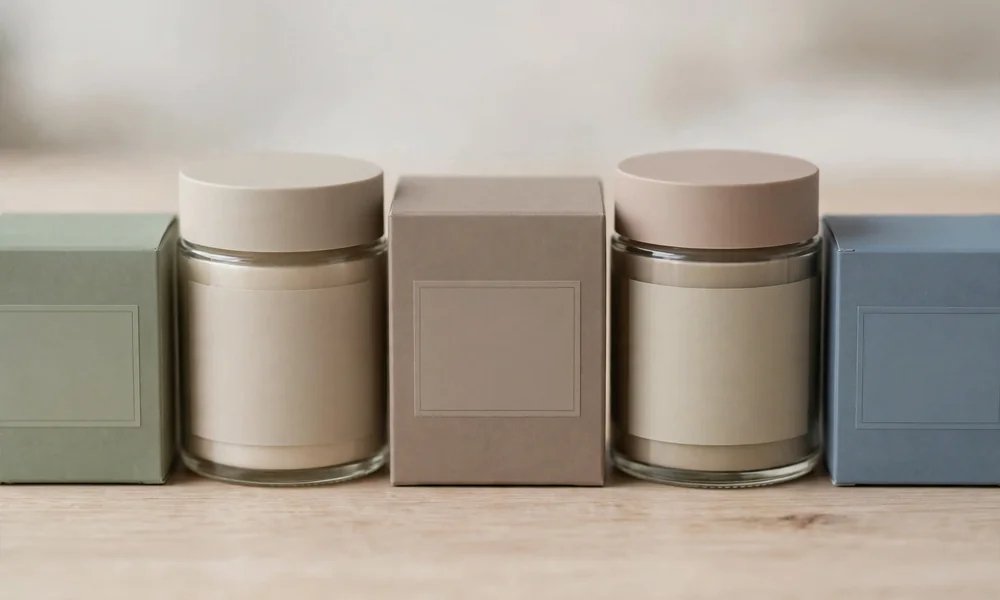
The 3D mockups are the reason to choose Pacdora: show a retailer exactly how the product will look on a shelf and test several colourways in an afternoon. Exports include print-ready files and dielines a supplier can work from.
Pros: Purpose-built for packaging; realistic 3D mockups; large dieline library; AI artwork generation.
Cons: Advanced exports need the Pro plan; the artwork editor is simpler than Illustrator; some niche pack formats are missing.
Canva — Best for quick labels and boxes
Canva is the fastest route from an idea to a finished label. Thousands of packaging templates cover food, cosmetics, candles and supplements, and the AI tools generate design variations, suggest layouts and remove backgrounds from product photos. A small brand can design a label, a box and the social posts to launch it in a single session.
Brand kits keep colours, fonts and logos consistent as a range grows from one SKU to ten. The limits are in print control: complex bleeds, spot colours and foil finishes need a professional tool. The visual side of a launch pairs with the best AI tools for product design.
Pros: Very fast; huge template library; easy brand kits; good AI design suggestions.
Cons: Limited print control; no true 3D mockups; best features need Pro.
Adobe Illustrator — Best for professional print work
Adobe Illustrator remains the industry standard for packaging artwork, and Firefly AI adds generative fills, text-to-vector graphics and recolouring to the workflow. A designer can generate a pattern or illustration from a prompt, then refine it as editable vector artwork with full control over colour, bleeds and separations.
The cost is skill and price: Illustrator expects design knowledge and, at around $22.99 per month, is the priciest tool here. But when a printer asks for a CMYK file with correct bleeds, it delivers without a workaround. Most brands concept in Pacdora or Canva and finish in Illustrator.
Pros: Full vector and colour control; print-ready output; Firefly AI generation; trusted by printers.
Cons: Steep learning curve; highest starting price here; overkill for a single simple label.
Packmage — Best for AI label concepts
Packmage focuses on one job: generating label concepts fast. Describe the product, the audience and the mood, and it returns a set of distinct label directions with typography, colour and imagery. That makes it useful at the very start of a project, when a brand is choosing between a minimal look, a bold look and a heritage look.
The concepts are a starting point: export a favourite and refine it in Canva, Figma or Illustrator, checking small text such as ingredients and barcodes. It shortens the concept stage from weeks to days.
Pros: Fast concept generation; varied design directions; easy to brief; low starting price.
Cons: Smaller template library; concepts need refinement elsewhere; limited mockup options.
ArtiosCAD — Best for structural box design
ArtiosCAD is the professional tool for the structure of a box rather than its artwork. It designs folding cartons, corrugated boxes and displays, checks that they fold correctly, and calculates material use. Large brands and packaging manufacturers use it to design shelf-ready packaging and retail displays that survive shipping and stack neatly.
For a small brand it is usually too much: pricing is quote-based and it expects structural packaging knowledge. If your supplier already uses it, ask for the dieline rather than buying a licence yourself.
Pros: Precise structural design; material optimisation; trusted by manufacturers; handles displays and cartons.
Cons: Quote-based pricing; needs specialist knowledge; not a graphic design tool.
BoxHero — Best for simple box mockups
BoxHero does one thing well: turning a flat box design into a clean 3D mockup in minutes. Upload your artwork, pick a box style, and it renders the finished pack from several angles. It is ideal for ecommerce listings, where a good pack shot can lift conversion, and for showing a client a concept without printing a sample.
Its strength is speed and price: design the flat artwork in Canva, mock it up in BoxHero, and use the renders on your store and social channels. Mockup skills transfer to other work, covered in the guide to the best AI tools for mockup design.
Pros: Very quick mockups; low price; easy to use; good for ecommerce listings.
Cons: Limited design tools; no dieline library; mockup styles are basic.
Adobe Express — Best for beginners and social mockups
Adobe Express is the lighter sibling of Illustrator, built for speed. Its templates and AI features help a beginner create a label, a pack shot for Instagram and a launch banner in one sitting. Generative AI can create backgrounds and product imagery, and the brand kit keeps everything consistent.
Like Canva, it is not a print production tool: use it for concepts, social mockups and short-run labels. Test the look online first, gather feedback, then invest in professional print files.
Pros: Very easy to use; good AI image tools; strong social templates; low price.
Cons: Not built for print production; limited packaging templates; no 3D mockups.
Figma — Best for team design and iteration
Figma is where packaging design happens when a team is involved. Designers, marketers and founders can comment on the same label file in real time, compare versions and approve changes without emailing files back and forth. AI features generate imagery, suggest layouts and help with repetitive tasks such as resizing a design for different pack sizes.
Figma has no native 3D mockups, so pair it with Pacdora or BoxHero for renders. Its value is process: a brand with several products and reviewers moves faster in Figma. The branding on the pack is covered in the guide to the best AI tools for logo design.
Pros: Excellent collaboration; version history; strong plugins; free plan for small teams.
Cons: No native 3D mockups; not a print tool; paid seats add up for large teams.
How to choose
Start with the pack, not the software. Know the format, the material and the printer’s requirements before you design anything. A folding carton, a glass jar and a flexible pouch each need different dielines, bleeds and finishes, and the tool you choose must handle your format.
Next, match the tool to the stage. Early concepts belong in Packmage or Canva. Realistic mockups belong in Pacdora or BoxHero. Print production belongs in Illustrator. Team review belongs in Figma. Most brands will use two tools rather than one, and that is normal: concept fast, then finish properly.
Finally, check the print path. Ask your printer which file formats they accept, whether they need CMYK, and what bleed they require. Test the export with one product before designing a whole range, and check current pricing on the tool’s plan page before buying.
Checklist: before you pay
- Confirm the pack format, material and dieline with your supplier first.
- Try the free plan with your real product name, colours and legal text.
- Check that exports are print-ready, including CMYK and bleed settings.
- Confirm the renewal price, not just the introductory offer.
- Check whether high-resolution mockups or extra exports cost more.
- Order a physical proof before a full print run.
Frequently asked questions
What is the best AI tool for packaging design for a small brand?
Pacdora is the best all-round choice for a small brand: dielines, 3D mockups and AI artwork in one place from around $19 per month. Canva is best if you only need a label quickly.
Can AI design packaging that is ready to print?
AI can generate strong concepts and mockups, but print-ready files still need human checks. Bleeds, colour modes, barcodes and legal text must be verified, and a physical proof is the only reliable way to confirm colour and material.
Do I need 3D mockups?
3D mockups are worth it when you need to show a retailer, distributor or investor how the product will look on a shelf. They also improve ecommerce listings. For a simple label on an existing pack, a flat proof may be enough.
How much does packaging design software cost?
Most tools here start between $10 and $23 per month, with free plans for basic use. ArtiosCAD is quote-based and costs far more, which is why most small brands ask their supplier for dielines instead.
Can I use Canva for packaging that will be printed?
Yes, for simple labels and short runs, Canva works well and can export print-ready PDFs. For complex packaging with foil, embossing or spot colours, finish the artwork in Illustrator or work with a designer who does.
What should I check before a full print run?
Check the dieline, bleed, colour mode, barcode and legal text, then order a physical proof and check it under normal lighting before committing to a print quantity.
The bottom line
For most brands, Pacdora is the right starting point: it is built for packaging, produces realistic mockups and exports files a supplier can use. Canva is the pick for fast labels, Illustrator is the pick for professional print work, and Figma is the pick when a team needs to review and approve designs together.
Whichever tool you choose, the packaging must protect the product, read clearly at shelf distance and print accurately. Concept quickly with AI, verify the print details and order a proof.