Best AI Tools for Pet Groomers in 2027
Pet groomers in 2027 spend as much time running a small business as holding clippers, and the best AI tools for pet groomers take the admin off the table. Booking messages, reminders, no-shows, and rebooking nudges eat hours every week, and that is exactly the work modern AI handles well. The tools below were chosen for small salons and mobile groomers, not large vet chains.
What matters most is how a tool behaves on a busy Saturday, not how clever it sounds. A tool that double-books a poodle and a doodle is worse than none, and a photo edit that flatters a matted rescue dog costs trust. The picks here were judged on grooming-specific fit, honest pricing, and afternoon setup. Tools that only suit generic salons, or lock your client list behind an export fee, did not make the cut.
The shortlist covers the whole working day: booking and reminders, client messaging, photo records, pricing quotes, and rebooking. Most groomers need only two or three of these, and the guide below says which combinations suit a one-chair salon, a three-groomer shop, and a mobile van. Prices are starting prices as listed in 2027, and every tool offers a trial or free tier.
Key takeaways
- Best overall is MoeGo: booking, reminders, and client records in one grooming-specific system.
- Best budget start is a free-tier combo of a booking tool and ChatGPT for message templates.
- Best for mobile groomers is Daysmart Pet, whose route-aware scheduling fits a driving day.
- Expect roughly $30 to $130 a month for a single-groomer setup beyond free tiers.
- Avoid uncapped per-text charges, and never let an AI auto-reply to a medical question about a pet.
At a glance: the shortlist
| Product | Best for | Starting price |
|---|---|---|
| MoeGo | All-round salon management | From about $60 a month |
| Daysmart Pet | Mobile groomers | From about $50 a month |
| Gingr | Multi-service pet businesses | From about $130 a month |
| ChatGPT | Messages, quotes, and posts | Free tier; paid from $20 a month |
| PetDesk | Reminders and rebooking | From about $30 a month |
| Square Appointments | Payments plus booking | Free tier; paid from $29 a month |
| Claude | Long client notes and policies | Free tier; paid from $20 a month |
| Canva AI | Before-and-after marketing | Free tier; Pro from $15 a month |
MoeGo — Best overall
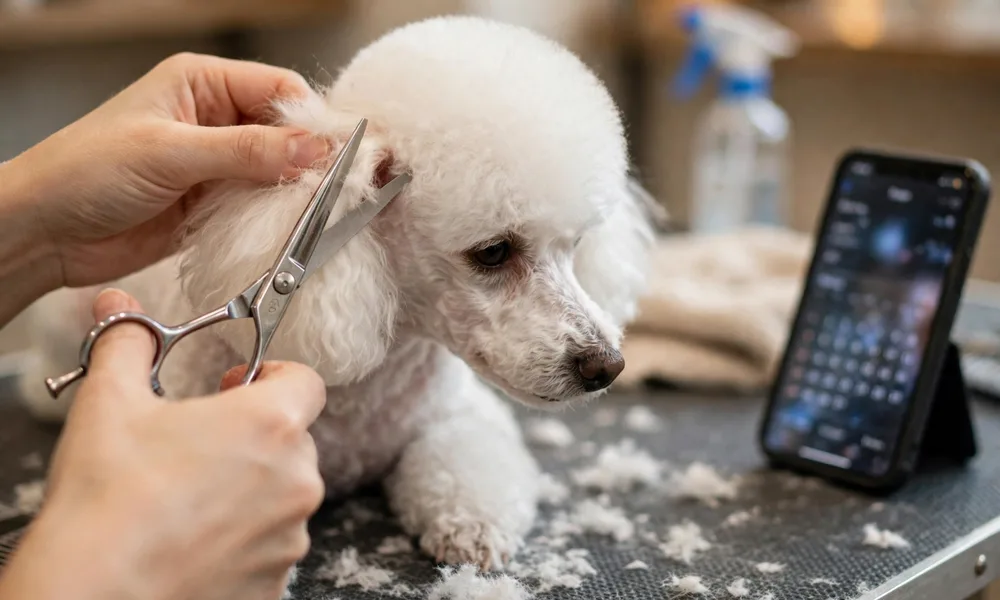
MoeGo is the closest thing to a complete front desk for a grooming salon, which is why it leads this list. Built for pet grooming, its booking already understands breed, coat type, and add-ons. Clients book online, reminders go out by text, and no-shows fall. Each pet record holds temperament, matting, and the exact cut requested, with photos attached, so a returning doodle gets the same trim. Our report on the best AI tools for fitness coaches shows the same pattern.
Pros: Built for grooming, strong reminders, good pet records with photos.
Cons: Per-groomer pricing adds up, and the cheapest plan limits reports.
Daysmart Pet — Best for mobile groomers
Daysmart Pet suits groomers who work out of a van, because its scheduling is built around routes and drive time, not a fixed shop calendar. You can block travel gaps, cluster clients by neighbourhood, and see when a day is overbooked before you are stuck in traffic. Online booking, deposits, and reminders are included, and the mobile app works well between stops. Pet records hold vaccination dates and grooming notes, and built-in payments keep card takings and tips in one place. Setup takes most of a day.
Pros: Route-aware scheduling, built-in payments, reliable mobile app.
Cons: Setup takes a full day, and the design feels dated.
Gingr — Best for multi-service pet businesses
Gingr fits salons that also offer daycare, boarding, or training, because it treats them as one business instead of bolting grooming onto a kennel system. A client who boards a dog for a week and books a bath before pickup is handled in a single record, with one invoice and one message thread. It also covers service templates, add-ons, and groomer commissions. The price is the problem: from around $130 a month, it costs more than most one-chair groomers recover quickly.
Pros: One system for grooming, boarding, and daycare; good report cards and commissions.
Cons: Expensive for grooming-only shops; too much tool for a solo groomer.
ChatGPT — Best for messages, quotes, and posts
ChatGPT is not a grooming tool, which is both its strength and its weakness. It does not book appointments or store pet records, but it is the fastest way to write the words a grooming business runs on: reply templates for common questions, price quotes, cancellation policies, rebooking nudges, and social posts showing off a fresh cut. A groomer who spends twenty minutes a day answering the same five questions by text can cut that to five minutes. Feed it your real services, prices, and tone once, then edit before sending, because raw output can invent services you do not offer. The free tier covers most small shops.
Pros: Free tier covers most writing tasks, fast, flexible for any message.
Cons: No grooming knowledge built in; unchecked output can invent details.
PetDesk — Best for reminders and rebooking
PetDesk focuses on the one job that quietly decides a grooming business: getting clients back on time. Its reminder and rebooking messages are its core strength, with automated texts before appointments and gentle nudges when a regular is overdue for a groom. For salons whose biggest leak is clients who forget to rebook, that focus pays for itself fast. The app also lets clients request appointments and see visit history, cutting phone time. Booking itself is lighter than MoeGo or Daysmart Pet, but as a second tool beside a basic calendar it is a sensible, low-cost pick.
Pros: Strong reminders and rebooking nudges, easy for clients, low starting price.
Cons: Booking is lighter than full salon systems; scheduling controls are basic.
Square Appointments — Best for payments plus booking
Square Appointments makes sense for groomers who already take card payments through Square, because booking, payment, and tips then live in one system with one login. Clients book online, pay a deposit or the full groom, and get reminders automatically. The free tier is genuinely usable for a solo groomer, and the paid plan adds team calendars. The compromise is pet records: Square knows customers, not pets, so coat notes and photos need workarounds, and there is no grooming-specific flow for breed or add-ons.
Pros: Free tier, payments and booking in one place, simple to set up.
Cons: Pet records are basic, with no grooming-specific fields.
Claude — Best for long client notes and policies
Claude is the writing tool to reach for when the document is long: a policy handbook, a matted-coat disclaimer, an intake form, or care instructions for a senior dog. It handles long documents better than most chatbots and produces clean drafts that need less fixing. It also turns messy visit notes into tidy per-pet summaries after a quick check. Like ChatGPT, it knows nothing about grooming until told. The free tier is enough to test.
Pros: Excellent with long documents, careful with detail, good at summarising notes.
Cons: Needs careful prompting; no booking or pet-record features.
Canva AI — Best for before-and-after marketing
Canva AI earns its place because grooming is a visual business, and before-and-after photos are a groomer’s best advertising. Its AI tools clean up a quick phone photo, remove a cluttered background, suggest layouts for a price list, and draft captions in seconds. A groomer who posts two good transformations a week will get more bookings from that than from any paid ad. It is not a business system, so it pairs with one of the tools above rather than replacing them. The one rule is honesty: never edit a photo so much that the groom differs from the dog the owner collects.
Pros: Fast before-and-after posts, easy templates, free tier is useful.
Cons: Not a booking tool, and heavy editing can mislead clients.
How to choose
Start from how clients reach you. If most bookings come by text and phone, a reminder-first tool like PetDesk plus a writing helper fixes your biggest leak. If online booking is already half your diary, MoeGo or Daysmart Pet is worth the cost because the calendar, records, and reminders work together. Mobile groomers should decide on route planning first: a tool that ignores drive time costs an appointment a day.
Then check three things before paying: can you export your client list without a fee; does the reminder system charge per text; and can a new groomer learn it in a day. Our guide to the best AI tools for wedding planners makes the same point.
Checklist: before you pay
Run through these checks during the free trial, while you can still walk away.
- Book a test appointment as a client and check the reminder texts arrive on time.
- Export your client list and pet notes to confirm nothing is locked inside the tool.
- Check the true monthly cost, including text charges and card processing.
- Confirm the cancellation terms in writing, including notice period.
- Test the tool on your phone, since half your admin will happen between grooms.
- Ask one regular client to book online and say where the flow confused them.
Frequently asked questions
Do I need an AI booking tool if I only groom a few dogs a day?
Not necessarily. A solo groomer with under ten dogs a week can manage with a calendar, a writing helper, and a reminder tool. A full system earns its fee when no-shows cost more than it does.
Can AI tools write replies to clients for me?
Yes, for routine questions about prices and availability, once you give them your real details. Always read the reply first, and never let an AI answer a question about a pet’s health.
Will AI photo tools mislead my clients?
They can if you over-edit. Light background clean-up is fine, but changing the coat or shape of the groom misrepresents your work, and owners compare the photo with the dog they collect.
What is a fair monthly cost for a small grooming salon?
Most one-to-three-groomer salons land between $30 and $130 a month for one main system. Anything far above that should be earning its keep with boarding or daycare, not grooming alone.
Can I switch tools later without losing my client list?
Usually yes, if you checked export before signing up. Names, phone numbers, and pet notes should export as a file you can move. Photos are the part most often lost, so keep originals backed up outside any single tool.
Are AI tools safe for handling pet health notes?
They are safe for admin notes like coat condition, but health details belong in your own records or with the vet. Do not paste medical information into a general chatbot. Our roundup of the best AI tools for accountants covers the same habit.
The bottom line
For most grooming salons in 2027, MoeGo is the best single purchase: booking, reminders, and pet records in one grooming-specific system at a price a small shop can justify. Mobile groomers should pick Daysmart Pet instead for its route-aware diary, and a solo groomer on a tight budget can start with Square Appointments or PetDesk plus a free writing tool.
Judge your choice after a month of real Saturdays, not a demo. If no-shows fall and rebookings rise, the tool is earning its fee. If the diary is no calmer, cancel during the trial window and try the next option.