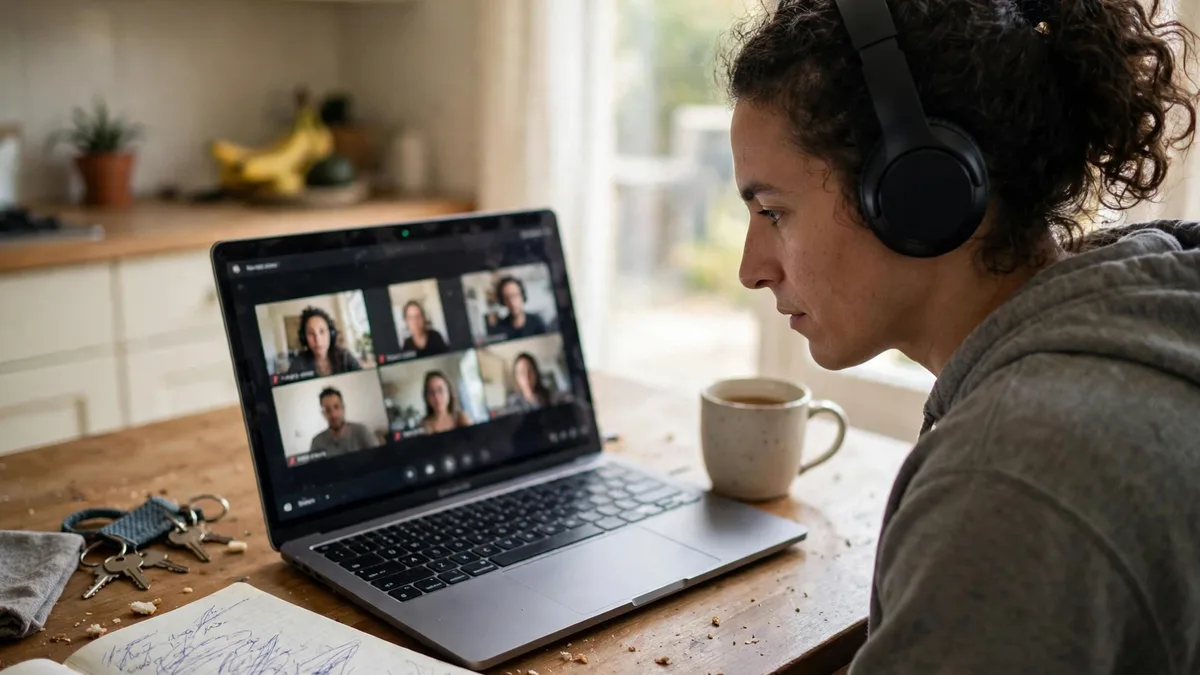
Podcast editing used to be the slowest part of making a show. A 45-minute episode could eat an entire evening of cutting ums, levelling voices and hunting for one cough buried in a great answer. In 2027 that work looks very different, because the editing software now listens first and cuts second.
The best AI tools for podcast editing in 2027 can remove filler words with one click, erase background noise, match the loudness of two very different microphones, and turn a finished recording into a text document you edit like a word processor page. The eight tools below were picked for real podcast work: they handle long recordings and export clean audio.
None of them replaces judgement. An AI editor can cut a pause, but it cannot tell whether that pause was awkward or dramatic. The tools that win in 2027 do the boring work fast and leave the creative decisions to you. This guide explains what each one does well, what it costs, and where it falls short.
Key takeaways
- Text-based editing is the biggest time saver: editing the transcript edits the audio, and most tools cut filler words automatically.
- Descript and Riverside lead for full editing workflows, while Auphonic and Cleanvoice are best for fast cleanup.
- Voice tools can rescue a bad recording, but they cannot fix a terrible microphone or a noisy room.
- Most good tools have a usable free tier, and paid plans generally start at around $10 to $25 a month.
- Pick for your workflow, not for features: solo shows, interviews and multi-track productions need different tools.
What the best AI podcast editors actually do
Every tool on this list does the same three jobs in different ways. First, it transcribes the recording, turning speech into searchable text. Second, it finds the problems: filler words, long silences, repeated words, background hum and the moment someone knocked the microphone. Third, it fixes them, either automatically or with a single click, and exports audio that sounds consistent throughout.
The difference is how much control they hand back. Some, like Descript, give you a full editor where the transcript is the timeline: delete a sentence in the text and it disappears from the audio. Others, like Auphonic, are almost entirely automatic: upload the file, wait a few minutes, download a polished version. Automatic tools suit podcasters who record clean audio and want it published quickly, while transcript editors suit shows that need restructuring and rearranging an interview.
Two features matter more than any other. The first is filler-word removal that works across accents and speaking speeds, because a tool that deletes half your sentences is worse than none. The second is loudness normalisation that brings a quiet guest and a loud host to the same level without making either sound compressed or flat. If a tool does those two things well and exports reliably, it is already worth paying for. It helps to understand how microphones work before blaming the software for a muddy recording.
How AI editing works under the hood
Underneath the friendly interface, an AI podcast editor runs a chain of models. Speech recognition converts the audio into words with timestamps. A second model classifies the sounds that are not speech: breaths, clicks, hum, room tone and silence. A third handles speaker separation, telling the host apart from the guest even when they talk over each other. The editor then presents all of that as a transcript you can read, search and edit.

The most useful trick is filler-word detection. The model does not search for the letters “um”; it listens for the sound, in context, and marks it. Good tools show you what they plan to remove first. The best editors let you set a threshold, such as trimming gaps longer than one second down to half a second, which keeps the pace without making the hosts sound breathless.
Voice enhancement is the other headline feature. These tools study thousands of hours of clean speech, then rebuild your recording to sound closer to a studio take: less room echo, steadier volume, clearer consonants. It works well on decent recordings but struggles with echoing kitchens and cheap headsets, and pushing it too far creates a metallic sound listeners notice at once. The honest rule is that AI can improve a good recording and rescue a mediocre one, but it cannot rebuild a bad one. For remote interviews, dedicated AI transcription tools can handle the text side while the editor handles the sound.
The eight best AI tools for podcast editing in 2027
1. Descript
Descript remains the standard for text-based editing: it transcribes your audio and you edit the words. It removes filler words in bulk, shortens silences, and Studio Sound cleans up noisy recordings with one toggle. Overdub can patch a misspoken word in your own voice. Paid plans begin at around $12 a month. It suits podcasters who restructure episodes and want one tool for editing, transcription and publishing.
2. Adobe Podcast
Adobe Podcast is built around Enhance Speech, which turns echoey, distant recordings into something close to studio quality. It runs in the browser, so there is nothing to install, and it handles single-track cleanup brilliantly. It is more of a rescue tool than a full editor, so many podcasters clean audio here first and edit it elsewhere. It is the best choice when your recording environment is the problem.
3. Riverside
Riverside records each guest on a separate local track, so a bad connection no longer ruins the audio, and its AI editor turns the recording into a text timeline with automatic filler removal and silence trimming. It also generates clips for social media. Plans start at around $15 a month. It is the strongest option for remote interviews and shows with two or more hosts.
4. Auphonic
Auphonic is the quiet workhorse. Upload a file and it levels loudness, removes hum and hiss, trims silences and adds chapter marks, all automatically. It charges by processed hours, with a free monthly allowance for short shows. It suits podcasters who edit elsewhere and want a final polish pass, or who publish often and want consistency.
5. Cleanvoice
Cleanvoice focuses on one job: removing filler words, stutters, mouth sounds and dead air from a finished recording. It supports many languages and works on audio and video. Pricing starts at around $10 a month. It is ideal as a fast cleanup step before the final mix, especially for interview shows where guests fill every pause with “you know” and “like”.
6. Podcastle
Podcastle combines recording, AI editing and publishing in one browser workspace. Its Magic Dust feature removes background noise, its text editor works like Descript, and it can generate show notes and transcripts automatically. Plans start at around $12 a month. It fits beginners who want one subscription instead of three.
7. Kapwing
Kapwing started as a video editor, and that is its strength for podcasters who also publish video. Its AI tools remove silences, clean audio, generate captions and cut clips for social platforms from the same timeline. Plans start at around $16 a month. If your show lives on YouTube as well as in podcast apps, Kapwing saves editing the same episode twice.
8. Audacity with AI plug-ins
Audacity is free and open source, and in 2027 it is no longer the basic editor it once was. AI plug-ins add noise reduction, transcription and stem separation, and the core editor stays fast and reliable for precise manual cuts. It takes more setup than the tools above, with no cloud backup or automatic filler removal built in. It is the best choice on a zero budget, and it pairs well with AI voice generation tools when a show needs narration or a re-recorded line.
The caveats that matter
No tool on this list is perfect, and the problems are predictable. Automatic filler removal can delete words that matter, especially in fast speech. Voice enhancement can make a voice sound processed. Browser tools depend on your upload speed, and free tiers often limit minutes, export quality or project counts, with the feature you need most usually behind the paywall.
| Detail | What is known |
|---|---|
| Best all-round editor | Descript, for text-based editing and filler removal |
| Best audio rescue | Adobe Podcast Enhance Speech, for noisy or echoey rooms |
| Best for remote interviews | Riverside, with separate local tracks per guest |
| Best automatic polish | Auphonic, with loudness levelling and hum removal |
| Cheapest starting point | Audacity with AI plug-ins, free and open source |
| Typical paid starting price | Around $10 to $25 a month, with free tiers available |
| Biggest limitation | AI cannot fix a bad microphone, a noisy room or a lost recording |
| Best workflow for beginners | One tool for recording, editing and publishing, such as Podcastle |
Checklist: picking the right editor for your show
- Count your monthly minutes first, because free tiers run out fast on weekly shows.
- Test filler-word removal on your own voice before paying, since accuracy varies by accent.
- Check that the tool exports the format your podcast host accepts, usually WAV or high-bitrate MP3.
- Confirm it handles multi-track recordings if you interview guests remotely.
- Keep a backup of the original recording, because destructive AI edits cannot always be undone.
- Try the free tier on a real episode, not a test clip, before committing to a yearly plan.
Frequently asked questions
Do AI podcast editors replace human editing?
No. They remove the repetitive work: cutting filler words, levelling volume and trimming silence. Decisions about structure, pacing and which stories to keep still need a human, and the best results come from AI doing the first pass and a person doing the final listen.
Can AI fix a recording made in a noisy room?
Partly. Enhancement tools can reduce echo, hum and background noise, and often make a mediocre recording listenable. They cannot remove a loud television, a barking dog, or heavy echo without making the voice sound unnatural.
Which AI podcast editor is best for beginners?
Podcastle or Descript, because both combine recording, transcription and editing in one place with a free tier. Pick the one whose interface feels natural and stick with it for five episodes before judging it.
How much do AI podcast editing tools cost in 2027?
Most offer a free tier with limited minutes, and paid plans generally start at around $10 to $25 a month. Heavy users and teams pay more, and annual billing normally cuts the monthly price by about a fifth.
Is my audio safe when I upload it to an AI editor?
Reputable tools store recordings on encrypted servers and let you delete projects, but terms differ by company. Read the privacy policy before uploading unreleased interviews, and avoid uploading anything you would not want stored on a third-party server.
Can these tools edit video podcasts too?
Yes. Descript, Riverside and Kapwing all edit video alongside audio, removing silences and filler words from both tracks at once. Auphonic and Cleanvoice are audio-only, so video podcasters pair them with a separate video editor.
The bottom line
For most podcasters in 2027, Descript is the safest first choice, Riverside is the best pick for remote interviews, and Auphonic is the cheapest way to make every episode sound consistent. Start with the free tier of one tool, edit three real episodes with it, and only pay when you can point to the hours it saved you.
The gap between a home recording and a studio recording will keep shrinking. What will not change is the part that matters most: a clear voice, a good microphone and something worth saying. AI editing removes the friction between the recording and the listener, and that is exactly what it is for.
Note: Pricing and features change often, so check the tool’s own website before subscribing, and test every editor on a real episode before committing to a paid plan.