

Editing is the part of podcasting nobody enjoys: hours of cutting ums, long pauses and background noise for every hour of recording. AI podcast editors have taken over most of that work — they transcribe the episode, flag the filler, level the voices, remove the hum, and in some cases even generate show notes and clips while they are at it.
The result is that a solo podcaster can now publish a polished episode in the time it used to take just to clean one up. But the tools differ: some edit by transcript, some by waveform, and some are really full production suites that happen to include AI.
We edited the same three episodes — an interview, a solo monologue and a two-host chat — in each tool and compared the results. The seven below produced the cleanest audio with the least effort, and they pair well with AI tools for online courses if your podcast doubles as course material.
Key takeaways
- Descript is the best overall pick, because editing a transcript is faster than editing a waveform.
- Adobe Podcast is the best choice for audio quality, with remarkable noise and echo removal.
- Alitu is the best option for beginners who want the whole workflow in one place.
- Auphonic is the best tool for automatic levelling and loudness standards.
- Avoid tools that compress your audio on export — always check the output quality settings.
At a glance: the shortlist
| Product | Best for | Starting price | Standout limit |
|---|---|---|---|
| Descript | Overall podcast editing | From about $12/month | No true multitrack mixing |
| Adobe Podcast | Audio quality cleanup | From about $10/month | Editing features are basic |
| Alitu | Beginner all-in-one | From about $32/month | Higher price, fewer pro features |
| Auphonic | Levelling and loudness | From about $11/month | Not a full editor |
| Riverside | Remote recording plus editing | From about $15/month | Editing is lighter than Descript |
| Podcastle | AI voice and editing | From about $12/month | Smaller feature set |
| Cleanvoice | Filler and noise removal | From about $10/month | No show notes or clips |
Descript — Best overall
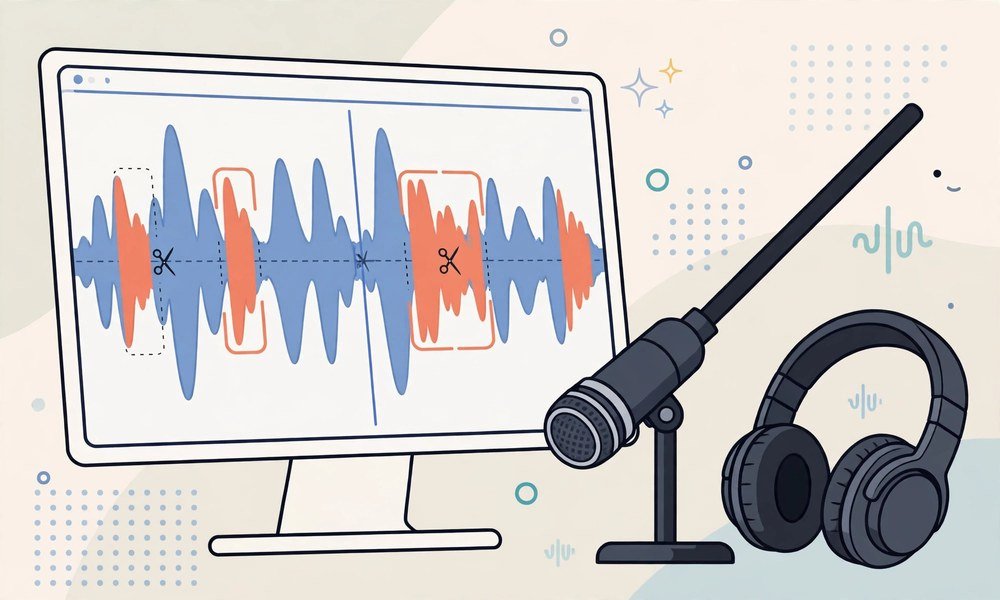
Descript is the default podcast editor for a reason: it transcribes your episode, and you edit by deleting words from the text. Filler words, repeated takes and dead air disappear with a few clicks, and Studio Sound removes room echo and background noise in one pass.
The Overdub feature can even fix a misspoken word in your own voice without a re-record. Descript also exports clips and audiograms, so one episode becomes social content too — and it works well alongside AI tools for streamers if you record live shows as well as podcasts.
Pros: Fastest editing workflow, transcript-based cuts, Studio Sound cleanup, Overdub fixes
Cons: No true multitrack mixing, collaboration sits on higher plans
Adobe Podcast — Best for audio quality
Adobe Podcast’s Enhance Speech is the most impressive audio cleanup we tested: it takes a recording made in a noisy room on a cheap microphone and makes it sound close to studio quality. For podcasters without a treated room, that single feature is transformative.
The editing tools themselves are lighter than Descript — this is a cleanup and recording tool first. Use it to rescue bad audio, then edit in your main editor if you need deep cuts.
Pros: Remarkable noise and echo removal, simple interface, good remote recording
Cons: Editing features are basic, no transcript-based cutting
Alitu — Best for beginners
Alitu is built for people who want to podcast without learning audio engineering. Upload your recordings and it cleans them, levels them, adds your intro and outro music, and publishes the finished episode — the whole workflow in one place.
The tradeoff is control: experienced editors will miss fine-grained tools. But for a new podcaster, Alitu removes every technical barrier between recording and publishing, which is exactly the point.
Pros: Complete beginner workflow, automatic cleanup and publishing, no audio skills needed
Cons: Higher price, fewer professional editing features
Auphonic — Best for levelling and loudness
Auphonic is a specialist: it levels voices, removes noise and hum, and masters your episode to broadcast loudness standards automatically. Podcast networks use it as a final step because it makes every episode sound consistent, whoever recorded it and wherever.
It is not an editor — you still cut the episode elsewhere — but as a finishing pass it is unmatched. The free tier covers two hours a month, which is enough for many hobby podcasters.
Pros: Best automatic levelling, broadcast loudness standards, generous free tier
Cons: Not a full editor, no transcript or clip features
Riverside — Best for remote recording plus editing
Riverside records remote guests in studio quality, with separate tracks for each voice, then offers AI editing on top: text-based cuts, filler removal and automatic clips. For interview podcasts with guests in different cities, it replaces two tools with one.
The editing is lighter than Descript, so heavy cut-downs still feel easier elsewhere. But recording quality is the foundation of a good podcast, and Riverside’s local recording means a guest’s bad connection never ruins the audio.
Pros: Studio-quality remote recording, separate tracks per guest, built-in AI editing
Cons: Editing depth trails Descript, costs rise with recording hours
Podcastle — Best for AI voice and editing
Podcastle combines a browser-based recorder and editor with AI voices that can read your script or fill a gap in your own voice. Its text-to-speech is natural enough for intros, ads and corrections, and the editor handles the usual filler removal and noise cleanup.
The feature set is smaller than Descript’s, but the all-in-one approach — record, edit, publish — suits solo creators who want one tab open. The AI voice tools are the standout reason to choose it.
Pros: Good AI voices, record and edit in one place, easy to learn
Cons: Smaller feature set, fewer advanced editing tools
Cleanvoice — Best for filler and noise removal
Cleanvoice does one thing well: it analyses your audio and removes filler words, mouth sounds and background noise automatically, with a simple timeline to review each cut. It is the cheapest way to get a cleaner episode without learning an editor.
There are no show notes, clips or publishing features — this is a pure cleanup pass. Pair it with a free editor and you have a capable budget workflow for under ten dollars a month.
Pros: Cheapest effective cleanup, simple review timeline, fast turnaround
Cons: No show notes, clips or publishing features
How to choose
Start with your recording quality, because no editor fixes a truly bad recording completely. A decent microphone and a quiet room matter more than any AI feature — Adobe Podcast can rescue a lot, but it cannot invent audio that was never captured.
Then choose by workflow: transcript editing if you cut a lot, a cleanup specialist if your audio is the problem, an all-in-one if you are starting out. And remember that editing is only half the job — check AI tools for writing for help turning each episode into show notes and a blog post.
Checklist: before you pay
- Check the monthly minutes or hours limit against your episode schedule.
- Confirm the export format and bitrate — avoid tools that downsample your audio.
- Test noise removal on your actual microphone and room before paying.
- Make sure you can export the edited audio without a watermark or lock-in.
- Check whether the tool meets podcast loudness standards for your hosting platform.
- Read the renewal price and the cost of extra hours beyond your plan.
Frequently asked questions
Can AI really edit a podcast as well as a human?
For routine cleanup — filler words, pauses, noise, levelling — AI is now as good as most humans and far faster. For creative decisions like pacing, music and story structure, a human editor still wins. Most podcasters use AI for the first pass and a human ear for the final listen.
Do I need a transcript editor or a waveform editor?
Transcript editors like Descript are faster for cutting content, because you read and delete words instead of scrubbing audio. Waveform editors give finer control over music, fades and timing. Many podcasters use both: transcript for cuts, waveform for polish.
How long does AI podcast editing take?
A one-hour episode typically takes ten to twenty minutes of AI processing plus a short review pass. Compare that with two to four hours of manual editing, and the time saving is the main reason podcasters switch.
Will AI noise removal make my voice sound robotic?
Good tools like Adobe Podcast and Descript preserve your voice well, though aggressive settings can thin it out. Use the default strength first and only increase it if noise remains. Always listen to the result on headphones before publishing.
Can these tools generate show notes and clips too?
Yes — Descript, Castmagic-style features and Riverside generate show notes, quotes and social clips from the transcript. If that matters to you, pick a tool with those features built in rather than adding a second subscription.
What loudness should my podcast be?
Most platforms target around -16 LUFS for stereo podcasts, and tools like Auphonic master to that standard automatically. Consistent loudness matters more than the exact number — listeners notice volume jumps between episodes.
The bottom line
For most podcasters, Descript is the right choice: transcript editing plus Studio Sound covers the whole workflow. If your recordings sound bad, add Adobe Podcast for cleanup; if you are new, Alitu removes every barrier to publishing.
Whichever tool you choose, keep a backup of your raw recordings. AI processing is a one-way step in most tools, and you will want the originals if you ever re-edit an episode.
Note: Prices and plans change. Check the product’s current plan details before buying — no link is provided here by design, all links in this article go to other occcy.com guides.



