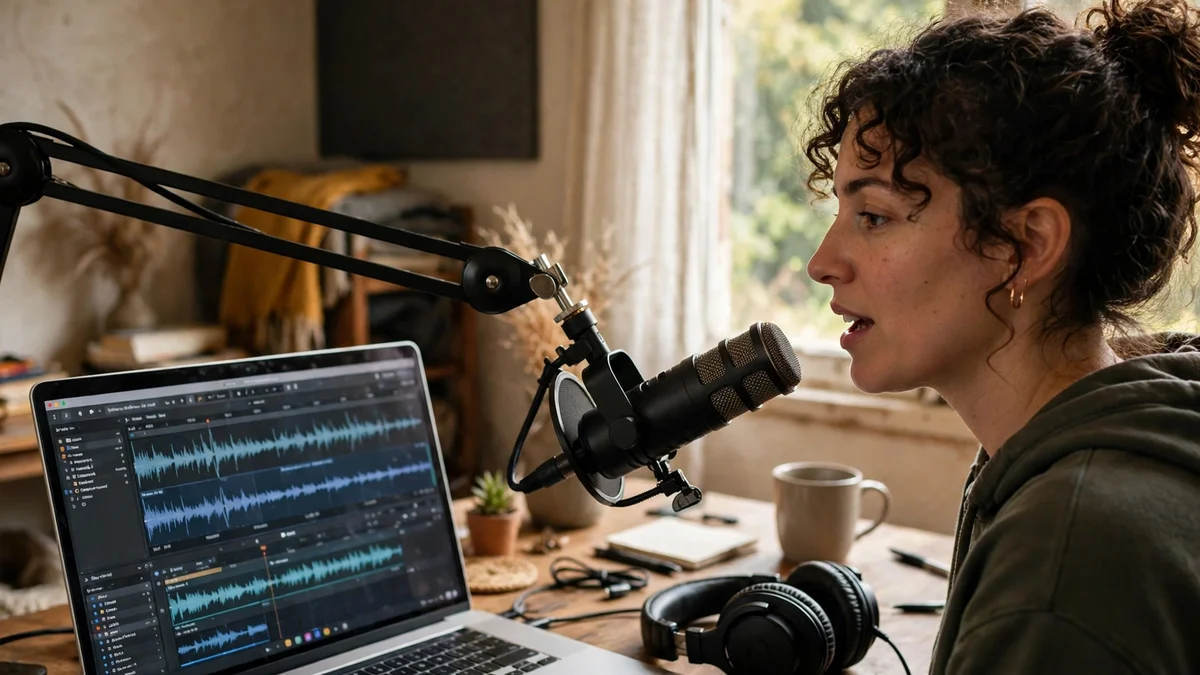
The best AI tools for podcasters in 2028 do the boring work so you can focus on the conversation. Editing out filler words, writing show notes, cutting clips for social media, and cleaning up noisy audio used to eat hours after every recording. Now a new generation of AI podcast tools handles those jobs in minutes, and the results sound surprisingly natural.
Podcasting has never been more competitive. Millions of shows are fighting for the same listeners, so production quality matters as much as the content itself. A show with crisp audio, tight editing, and smart promotion stands out immediately, while a show buried under ums, long pauses, and muddy sound gets skipped.
This roundup compares the leading AI tools for podcasters in 2028, from full editing suites to specialist apps for transcription, voice cleanup, and short-form clips. We looked at audio quality, ease of use, pricing, and how well each tool fits into a real podcast workflow, so you can build a toolkit that matches your show, your budget, and your time.
Key takeaways
- AI editing tools now remove filler words, silences, and mistakes by editing a transcript instead of audio waveforms.
- Descript and Riverside lead for all-in-one recording and editing, while Adobe Podcast excels at cleaning up poor audio.
- Clip tools such as OpusClip and CapCut turn long episodes into short social videos that actually get watched.
- Most tools offer free tiers, but serious weekly podcasters should budget for a paid plan with enough processing minutes.
- The best workflow pairs one editor, one audio enhancer, and one clip tool rather than juggling a dozen overlapping apps.
| Tool | Best for | Standout feature | Starting price |
|---|---|---|---|
| Descript | All-in-one editing | Text-based audio editing | Free tier available |
| Riverside | Remote recording | Studio-quality local tracks | Free tier available |
| Adobe Podcast | Audio cleanup | Enhance Speech AI | Free tier available |
| OpusClip | Social clips | AI viral-score ranking | Free tier available |
| CapCut | Video podcast editing | Auto captions and effects | Free tier available |
| Castmagic | Show notes and content | One-click content generation | Paid plans |
| Auphonic | Audio levelling | Automatic loudness mastering | Free tier available |
| Podcastle | Beginners and solo shows | AI voices and simple studio | Free tier available |
1. Descript
Descript remains the most transformative AI tool for podcasters, because it lets you edit audio by editing words. Record or upload an episode, and Descript transcribes it. Delete a sentence from the transcript and it disappears from the audio. Remove every um and uh with one click, shorten pauses automatically, and rearrange segments by dragging text around.
Beyond text editing, Descript includes Studio Sound, which removes background noise and room echo, and Overdub, which can generate a realistic clone of your voice to fix a misspoken word without re-recording. The free plan covers short projects, while paid plans unlock more transcription hours and full Overdub.
Pros:
- Edit audio by editing the transcript
- One-click filler word and silence removal
- Studio Sound cleans up noisy recordings
Cons:
- Transcription hours are limited on cheaper plans
- Overdub voice cloning needs a short training sample
2. Riverside
Riverside is the best AI tool for podcasters who record with remote guests. Each participant is recorded locally in high quality, so a guest’s shaky Wi-Fi never ruins the audio or video. After the call, Riverside’s AI turns the raw tracks into a polished episode with Magic Clips, text-based editing, and automatic show notes.
The platform records separate audio and video tracks for every speaker, up to 4K video, and its AI producer can remove silences, normalise levels, and generate shareable clips with captions. Pricing starts with a free tier for short recordings, with paid plans adding more hours, 4K video, and full AI features.
Pros:
- Local recording protects against bad connections
- Separate tracks for every speaker in high quality
- Magic Clips create social videos automatically
Cons:
- Editing is lighter than a dedicated editor
- 4K video and long hours need a paid plan
3. Adobe Podcast
Adobe Podcast’s Enhance Speech is the closest thing to magic in podcasting. Upload a recording made on a phone in a noisy room, and the AI returns audio that sounds like it was captured in a studio with a professional microphone. It removes background noise, echo, and hum while preserving the natural character of the voice.
The wider Adobe Podcast studio adds browser-based recording, text-based editing, and AI-generated templates for intros and transitions. The free tier includes limited Enhance Speech processing, with the full experience on a paid plan.
Pros:
- Enhance Speech dramatically improves poor recordings
- Microphone check helps you record better from the start
- Browser-based recording and simple editing
Cons:
- Full features require a paid plan
- Editing tools are lighter than Descript
4. OpusClip
OpusClip turns long podcast episodes into short, shareable videos. Paste a YouTube link or upload a file, and its AI finds the most engaging moments, cuts them into vertical clips, adds captions, and scores each clip for viral potential. For podcasters trying to grow on TikTok, Instagram Reels, and YouTube Shorts, it is the fastest path from episode to promotion.
The virality score is the standout feature: rather than guessing which moment will land, you get a ranked list of clips with reasons for each score. The editor lets you adjust captions, framing, and length, and the AI highlights keywords as they are spoken.
Pros:
- Finds the best moments automatically
- Virality scores rank clips before you post
- Auto captions with keyword highlighting
Cons:
- Free plan is limited to a few clips
- Clip choices sometimes need manual tweaking
5. CapCut
CapCut has grown from a mobile video editor into a serious tool for video podcasters. Its AI features include automatic captions, background removal, silence detection, and smart reframing that keeps speakers centred in vertical clips. For shows that publish video versions on YouTube and social platforms, CapCut covers the whole journey from raw recording to finished post.
The desktop and web versions handle multitrack timelines, and the template library makes it easy to give every episode a consistent look. AI voice enhancement, noise reduction, and auto-generated subtitles save hours. CapCut is free to start, with a Pro plan unlocking premium effects, cloud storage, and higher export quality.
Pros:
- Strong free tier for video podcast editing
- Auto captions and smart reframing for clips
- Large template and effects library
Cons:
- Audio editing is less powerful than Descript
- Premium effects need the Pro plan
6. Castmagic
Castmagic is the AI tool for podcasters who hate writing show notes. Upload an episode and it generates titles, summaries, timestamps, quotes, social posts, newsletters, and even blog drafts, all based on the actual transcript. Instead of spending an hour after each recording on admin, you get a full content pack in minutes.
The quality of the output is high because Castmagic works from the full conversation rather than a short summary. You can customise the prompts, set your show’s tone, and save templates for recurring formats such as interviews or solo episodes.
Pros:
- Generates show notes, titles, and social posts in minutes
- Output is based on the full transcript, not a summary
- Custom prompts and templates match your show’s voice
Cons:
- No free tier, only paid plans
- Output still benefits from a quick human review
7. Auphonic
Auphonic is a specialist, and it does one job brilliantly: making your audio loud, clear, and consistent. Its AI analyses your recording, balances levels between speakers, removes background noise and hum, and masters the final file to podcast loudness standards. The result is an episode that sounds the same volume from start to finish, on any device.
The service also handles silence cutting and chapter marks, and it can publish directly to your podcast host with show notes and artwork attached. Multitrack support means each speaker’s track is levelled separately before mixing, which is exactly what remote recordings need.
Pros:
- Automatic loudness and levelling to podcast standards
- Noise and hum removal with multitrack support
- Direct publishing to podcast hosts
Cons:
- Not a content editor or transcription tool
- Interface looks dated next to newer apps
8. Podcastle
Podcastle is the friendliest AI tool on this list, built for beginners and solo podcasters who want to record, edit, and publish without learning a professional editor. The browser-based studio records high-quality audio and video, and its AI tools remove silences, enhance voices, and generate show notes and transcripts.
Its AI voices are a useful addition for intros, ads, and narration, letting solo creators produce segments without recording every line themselves. The text-based editor works like Descript’s, with filler-word removal and drag-and-drop rearrangement, and the hosting features mean you can publish from the same dashboard.
Pros:
- Very easy to learn for first-time podcasters
- Recording, editing, and hosting in one place
- AI voices for intros, ads, and narration
Cons:
- Less depth than specialist editors
- Best AI features need a paid plan
How to choose the best AI tools for podcasters
Start with your biggest bottleneck. If editing takes the longest, a text-based editor such as Descript or Podcastle will save the most time. If your recordings sound bad, fix that first with Adobe Podcast or Auphonic before buying anything else. If growth is the problem, a clip tool such as OpusClip or CapCut will do more for your show than another editor.
Next, think about your format. Remote interview shows need a recorder such as Riverside that captures clean local tracks, while video podcasts need a video-capable tool such as CapCut or Riverside. Finally, watch your processing limits: most AI tools charge by transcription hours, processing minutes, or clips per month, so check your real usage before choosing a plan. Build your stack gradually, picking one editor, one audio enhancer, and one clip tool. For the wider creative toolkit, compare the broader best AI tools to see what else can help your production, use the best AI writing tools for scripts and show notes, and round out video episodes with the best video editing software for more advanced cuts.
AI podcasting checklist
- Record each speaker on a separate track whenever possible
- Run noisy audio through an enhancer before editing
- Remove filler words and long silences with one AI pass
- Level all speakers to the same loudness before publishing
- Generate show notes, timestamps, and a title from the transcript
- Cut at least three short clips from every episode for social media
Frequently asked questions
What are the best AI tools for podcasters in 2028?
Descript leads for all-in-one editing, Riverside for remote recording, Adobe Podcast for audio cleanup, and OpusClip for social clips. Castmagic handles show notes, Auphonic masters loudness, and CapCut covers video editing.
Can AI tools fully edit a podcast episode?
AI can handle most of the mechanical work: removing filler words, cutting silences, levelling audio, and generating show notes. A human should still review the final edit for flow, factual accuracy, and tone, especially for interviews where context matters.
Do AI podcast tools sound natural?
Yes, for editing and cleanup. Removing ums, balancing levels, and enhancing speech preserve the speaker’s natural voice. Most listeners still prefer a real host for the main content.
How much do AI tools for podcasters cost?
Most tools offer free tiers with limited hours or clips, and paid plans typically run from around ten to thirty dollars a month for individual creators. A weekly podcaster should expect to pay for at least one editor and one clip tool.
Will AI tools replace a podcast editor?
For straightforward shows, AI now covers most of what a basic editor did. Complex productions with music, sound design, and narrative structure still benefit from a human editor, but AI makes a solo creator’s workflow far faster either way.
Can I use AI tools for a video podcast?
Yes. Riverside records high-quality video, CapCut edits it with auto captions and reframing, and OpusClip cuts vertical clips for social platforms. Descript also handles video editing through its transcript-based workflow.
Bottom line
The best AI tools for podcasters in 2028 are Descript for editing, Riverside for recording, and OpusClip for promotion, with Adobe Podcast and Auphonic on hand to make every episode sound its best. That combination covers the whole workflow, from the first recording to the clips that bring in new listeners, without needing a production team.
Start simple: pick one editor, record your next episode, and let the AI handle the filler words, the noise, and the show notes. You will get hours back every week, and your show will sound noticeably better.