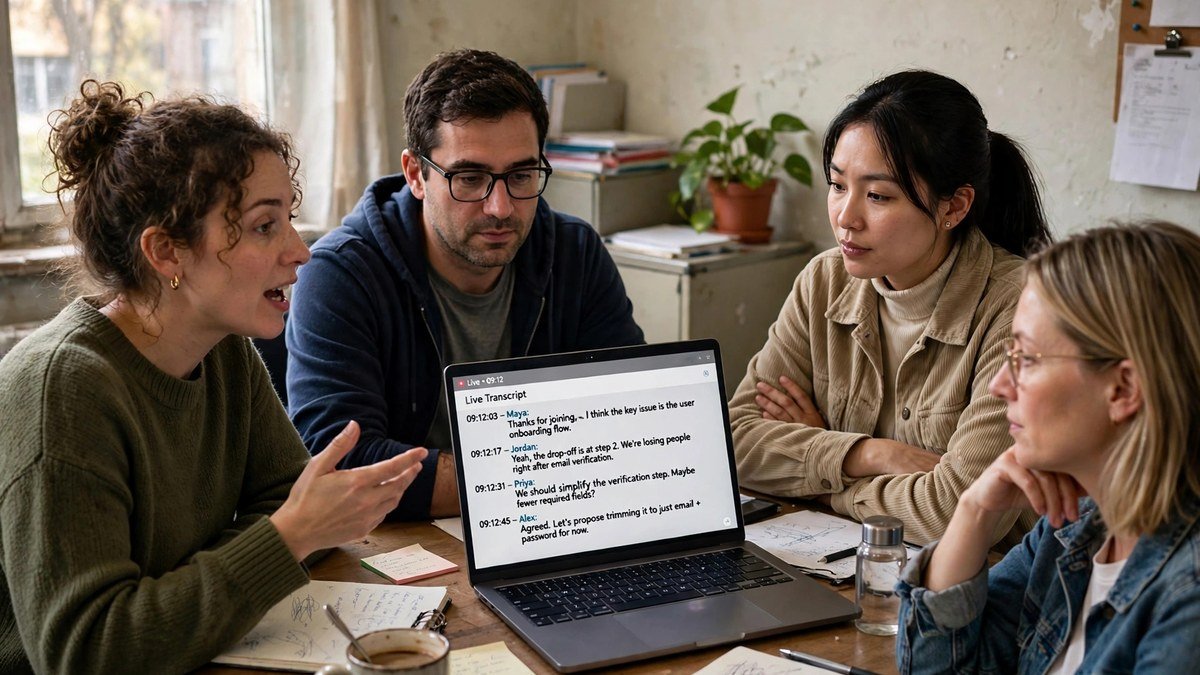
A small team does not need a transcription tool built for a call centre. It needs one that joins the calls the team already has, turns the talk into a readable record, and hands back the decisions and action items before anyone has to ask. The best AI tools for transcribing meetings for small teams do that quietly in the background: they record, transcribe, summarise, and file the result where the team can find it.
What matters most is not raw transcription speed. It is whether the transcript names the right speaker, whether the summary catches the actual decision rather than the small talk, and whether the tool works on the platforms the team already uses. A transcript nobody can search is barely better than no transcript at all, and a tool that needs a day of setup will not survive its first week on a team of five.
This roundup covers eight tools chosen for teams of roughly two to twenty people, and deliberately skips the biggest names already covered in our other transcription guides. Every tool here joins live meetings, produces a searchable transcript with speaker labels, and costs little enough for a small team to run without a procurement process. Tactiq leads overall for accuracy and value, Sembly AI is the strongest for follow-up automation, and Jamie is the best pick for teams that dislike bots joining their calls. Prices below are approximate starting prices; check current pricing before buying.
Key takeaways
- Tactiq is the best overall pick for small teams, with accurate live transcripts, strong summaries, and a genuinely useful free plan.
- Sembly AI is the best choice for follow-up automation, turning meetings into tasks, summaries, and CRM updates without extra work.
- Jamie is the best option for teams that do not want a bot in their calls, since it records locally and never joins as a visible participant.
- Expect to pay from about $10 per user per month for a solid paid plan, with most small-team options landing between $10 and $25 per user per month.
- Tell everyone a meeting is being recorded and check consent rules first; a transcript is only useful if the team trusts how it was made.
At a glance: the shortlist
| Product | Best for | Starting price | Standout limit |
|---|---|---|---|
| Tactiq | Overall accuracy and value | Free; paid from about $10 per user per month | Free plan caps monthly hours |
| Sembly AI | Follow-up automation | Free; paid from about $10 per user per month | Best automations need paid plans |
| Jamie | No-bot recording | Free; paid from about €24 per user per month | Higher price than rivals |
| Claap | Video meeting libraries | Free; paid from about $24 per user per month | Free plan limits recording hours |
| Airgram | Simple team notes | Free; paid from about $18 per user per month | Fewer integrations than rivals |
| Fellow | Agendas and action items | Free; paid from about $10 per user per month | Transcription is an add-on, not the core |
| Parrot AI | Accurate searchable records | Free trial; paid from about $25 per user per month | No generous free tier |
| Rewatch | Searchable video archive | Free; paid from about $20 per user per month | Best for video-first teams |
Tactiq — Best overall
Tactiq is the most balanced meeting transcription tool a small team can pick. It joins Zoom, Google Meet, and Microsoft Teams calls, transcribes live with speaker labels, and produces a summary with action items once the call ends. Accuracy on clear audio is strong, and the transcript is searchable, so finding a decision from a meeting three months ago takes seconds rather than a full replay.

Teams that also turn meeting talk into slides can compare options in our roundup of the best AI tools for creating presentations for small teams, which covers the next step after the notes are done.
Pros: Accurate live transcripts; searchable archive; useful free plan. Cons: Free plan caps monthly hours; advanced summaries need paid plans.
Sembly AI — Best for follow-up automation
Sembly AI is built for the part of meetings that usually gets forgotten: the follow-up. It joins calls, transcribes them, and then turns the conversation into summaries, action items, and updates for the team’s project tools and CRM. A sales call can update a deal record automatically; a standup can produce a task list without anyone typing it up afterwards. For a small team where everyone wears several hats, that automation is worth more than a slightly better transcript.
Pros: Strong follow-up automation; CRM and task integrations; good summaries. Cons: Best automations need paid plans; interface takes a little learning.
Jamie — Best for no-bot recording
Jamie takes a different approach from every other tool here: it never joins a call as a visible bot. Instead it records locally on the user’s own computer, transcribes the audio, and produces a summary with action items. Nobody in the meeting sees a bot participant, nobody gets a notification that a stranger has joined, and the recording never has to pass through a third-party meeting room.
Pros: No bot joins the call; strong privacy; accurate transcripts. Cons: Higher price; fewer team-wide integrations.
Claap — Best for video meeting libraries
Claap treats meetings as a video library, not a pile of text files. Every call is recorded, transcribed, and stored with searchable chapters, so a team member can jump to the exact minute a topic came up instead of reading a whole transcript. Comments and clips can be shared with colleagues who missed the call, which makes it useful for teams spread across time zones. The AI summaries are solid, with action items and key decisions pulled out automatically.
Pros: Searchable video library; easy clip sharing; good summaries. Cons: Free plan limits recording hours; best for video-first teams.
Airgram — Best for simple team notes
Airgram keeps meeting transcription simple, which is exactly what a small team needs when it just wants notes without a learning curve. It joins calls on the main platforms, transcribes with speaker labels, and produces a clean summary with action items. The interface is plain and fast, and the transcript editor lets a team member fix a name or a term in seconds.
Pros: Simple and fast; good agenda and note templates; fair pricing. Cons: Fewer integrations than rivals; free plan caps hours.
Fellow — Best for agendas and action items
Fellow starts from the meeting itself rather than the recording. It gives every meeting a shared agenda, a place for notes, and a list of action items with owners and due dates, and then adds AI transcription and summaries on top. For a team whose meetings drift, that structure is the real value: the tool makes the meeting better before it makes the transcript better.
Pros: Best meeting structure; action items with owners; clean summaries. Cons: Transcription needs paid plans; heavier than pure transcription tools.
Parrot AI — Best for accurate searchable records
Parrot AI is built for teams that need the record to be right. It transcribes meetings with high accuracy, handles accents and technical terms better than most tools at this price, and stores every transcript in a searchable library where a quote can be found in seconds. The summaries are concise and practical, with decisions and action items pulled out rather than buried in a wall of text.
Pros: High accuracy; strong search; clean practical summaries. Cons: No generous free tier; higher starting price.
Rewatch — Best for searchable video archive
Rewatch turns a team’s meetings into a searchable video archive. Every call is recorded and transcribed, and the transcript is linked to the video moment by moment, so clicking a sentence jumps straight to that part of the recording. For a team that onboards new people, reviews client calls, or wants to find how a decision was reached, that link between text and video is genuinely useful.
Pros: Transcript linked to video moments; good for onboarding and review; clean library. Cons: Best for video-first teams; storage limits on cheaper plans.
How to choose
Start with how the team meets. A team that lives on video calls needs a tool that joins them automatically and handles the platforms already in use; a team that meets clients needs to think about whether a visible bot is acceptable, which is where Jamie’s no-bot design earns its price. Then check the transcript quality on the team’s real calls, not a demo: accents, crosstalk, and jargon are where cheap tools fail and good ones earn their money. Meeting decisions often become contracts, and our roundup of the best AI tools for creating contracts for small teams covers the paperwork that follows.
Checklist: before you pay
- Test the tool on a real meeting with the team’s actual audio, accents, and jargon before paying.
- Confirm the monthly recording hour cap on the plan you would buy, and what happens when it runs out.
- Check that transcripts export in full, with speaker labels and timestamps, at no extra fee.
- Confirm where recordings are stored, how long they are kept, and whether they train models.
- Check the consent rules where the team operates, and tell everyone a meeting is being recorded.
- Confirm the renewal price, not just the introductory or annual-discount price.
Frequently asked questions
What is the best AI tool for transcribing meetings for a small team?
Tactiq is the best overall pick for accuracy, value, and a useful free plan. Sembly AI is best for follow-up automation, and Jamie is best for teams that do not want a bot joining their calls.
Do these tools work with Zoom, Google Meet, and Teams?
Most of them join all three automatically, with Tactiq, Sembly AI, Claap, and Airgram covering the main platforms. Jamie works differently, recording locally instead of joining as a bot, so it works with any meeting tool on the user’s computer.
How accurate is AI meeting transcription?
On clear audio with one speaker at a time, the best tools are accurate enough to trust for notes and summaries.
Is it legal to record and transcribe meetings?
Rules vary by place, and some require every participant’s consent before recording. Tell everyone a meeting is being recorded, check the consent rules where the team operates, and avoid recording calls about sensitive matters without clear permission.
Can a small team transcribe meetings for free?
Yes, for a light meeting load. Tactiq, Sembly AI, Claap, Airgram, Fellow, and Rewatch all have free plans with monthly hour caps, and Jamie has a free tier too.
What happens to the recordings after the meeting?
Most tools store recordings and transcripts in a searchable library, with retention rules set by the plan. Check how long recordings are kept, whether they can be deleted on request, and whether the vendor uses them to train models.
The bottom line
For most small teams, Tactiq is the safest pick: accurate transcripts, a searchable archive, and a free plan that covers a normal meeting load. If follow-up is the bottleneck, Sembly AI’s automation is worth the same money. If a visible bot would change how a meeting feels, Jamie’s no-bot recording is worth its higher price. Test on a real meeting first, check the hour cap, and tell everyone the call is being recorded.
Prices and plans change often, so confirm the current plan details and test the tool on the team’s own calls before committing to a paid plan. And remember the unglamorous side of running a team: our roundup of the best AI tools for bookkeeping for small teams covers the admin tools that keep the business side tidy while the meeting tools handle the talking.
Note: Prices and plans change. Check the product’s current plan details before buying — no link is provided here by design, all links in this article go to other occcy.com guides.