What if you could turn a 40-minute interview into a week of social clips before your coffee goes cold? That is not a fantasy pitch. It is what small teams are doing right now with AI-assisted editing software, often on hardware they already own. The catch is that “AI video editing” means wildly different things depending on which tool you open. Some apps write a transcript and let you cut video by deleting words. Others generate footage that never existed. A few just slap captions on your clips and call it artificial intelligence.
This guide sorts the tools by what they actually do for a small business, where they fall short, and how to pick one without burning a month on trials. Pricing and features change constantly, so treat every recommendation as a starting point to verify, not a permanent verdict.
What AI video editing actually means for a small team
Before comparing tools, it helps to separate three jobs that get lumped together.
Transcript-based editing treats your video like a text document. The software transcribes the audio, and you delete sentences to delete footage. This is the single biggest time-saver for anyone producing talking-head content, interviews, or training videos.
Generative video creates new clips from a text prompt or a still image. It is great for B-roll, abstract backgrounds, and short social hooks. It is not a replacement for editing your own footage.
Assisted cleanup covers the small stuff: auto-captions, background noise removal, filler-word detection, eye-contact correction, and auto-reframing from landscape to vertical. Individually these feel minor. Together they can cut an edit session in half.
A practical buying tip: most small businesses need one transcript-based editor plus one cheap source of captions and vertical crops. Buying a single expensive suite for everything is usually the wrong move. If you want a broader view of where automation fits, this roundup of the best AI automation tools for small businesses covers the workflow side well.
The best AI video editing tools for small businesses, compared
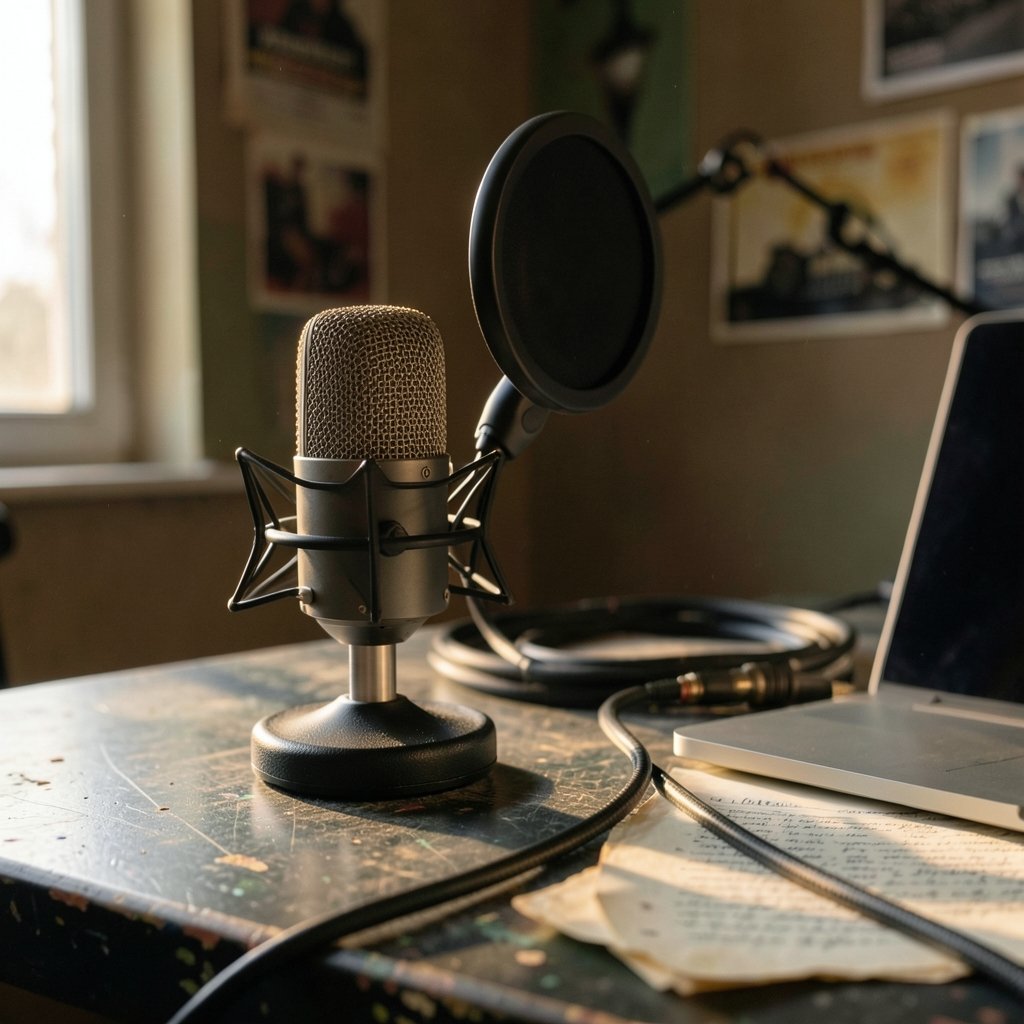
Here is how the main contenders stack up for a team of one to twenty people. All of these are established tools with real user bases; the differences are in workflow and cost model.
| Tool | Best for | Core AI strength | Watch out for |
|---|---|---|---|
| Descript | Podcasts, interviews, training | Edit video by editing a transcript; studio sound cleanup | Voice cloning features need careful consent handling |
| Adobe Premiere Pro | Teams already in Creative Cloud | Text-based editing, speech enhancement, generative extend | Steeper learning curve; subscription cost adds up |
| CapCut | Social-first small brands | Auto-captions, background removal, templates | Regulatory status in some markets has been in flux |
| Canva | Non-editors making marketing clips | Text-to-video, magic edit, brand templates | Less precise control over fine cuts |
| Runway | B-roll and experimental visuals | Text and image to video generation | Not a full editor; clips are short |
| Pika | Quick generative clips | Fast prompt-to-video | Limited length and consistency |
| YouTube Studio | Repurposing long content | Auto-captions and translation | Captions need manual review |
Descript: the transcript-first workhorse
Descript popularized the idea of editing video by editing text, and it remains the most natural fit for anyone whose content is mostly spoken. Filler-word removal, studio sound, and overdub voice cloning arrived over 2022 and 2023. For a small business producing a weekly podcast or a library of how-to videos, the time savings are real and immediate.
The practical warning: voice cloning is powerful and easy to misuse. Get written consent from anyone whose voice you clone, and disclose synthetic speech where audiences would reasonably expect a real person. Regulators are paying attention to this. The EU AI Act, Regulation (EU) 2024/1689, sets transparency obligations for AI-generated content, with general obligations phasing in from August 2026. Rules and guidance are still evolving, so check current status before you publish avatar-led ads.
Adobe Premiere Pro: the safe bet for teams already paying for Creative Cloud
Premiere Pro added text-based editing in its April 2023 release and speech enhancement around the same period. Later AI features, including generative extend, were announced at Adobe MAX in October 2024. If your team already uses Adobe tools, the AI additions do not require a new subscription.
Adobe’s commercial-safety positioning around Firefly, launched in March 2023 and trained on licensed and Adobe Stock content, is a genuine selling point for businesses nervous about rights. Model versions and terms have changed repeatedly since launch, so verify the current terms rather than relying on older marketing.
A common mistake here: teams buy Premiere for the AI features and then never use them because the interface overwhelms new editors. If nobody on your team has edited before, start simpler. A beginner-friendly path is outlined in this guide to video editing software for beginners that actually works.
CapCut: fast, free, and worth a compliance check
CapCut, owned by ByteDance, became the default for social-first creators because the free tier covers auto-captions, background removal, and templates that look polished with minimal effort. For a small brand pumping out short-form video, it is hard to beat on speed.
The caveat is availability. CapCut’s status in the US was affected by the broader 2024–2025 regulatory saga around ByteDance, so confirm it is accessible and appropriate for your market before building a workflow around it. Do not assume yesterday’s access equals tomorrow’s.
Canva: for the team with no editor at all
Canva’s Magic Studio, launched in October 2023, brought text-to-video and magic edit to people who have never opened a timeline. The output will not win awards for precision, but for a small business making promotional clips, product teasers, and social posts, it removes the “we need to hire an editor” bottleneck entirely. Pair it with a solid presentation workflow and you cover most internal comms too; this look at AI presentation tools for small businesses that save real time follows the same logic.
Runway and Pika: generative clips, not full edits
Runway’s Gen-2 launched in 2023 and pushed text-to-video into mainstream creative work. Pika offers similar prompt-to-clip generation. Both are excellent for B-roll, transitions, and concept visuals. Neither replaces a real editor for a 10-minute brand video. Newer model versions have shipped since, and release details after early 2025 are unverified, so check the official documentation before committing budget.
How to choose without wasting a month on trials
Most small businesses overthink this. A simple decision path works better than a feature matrix.
- Count your content types. Mostly talking heads? Start with Descript. Mostly short social clips? CapCut or Canva. Mostly ads with generated visuals? Add Runway or Pika alongside a basic editor.
- Check your existing subscriptions. If you already pay for Creative Cloud, Premiere Pro is nearly free at the margin.
- Test with one real project, not a demo. Run a genuine 10-minute edit through two tools and time it. The winner is usually obvious within an hour.
- Confirm rights and disclosure rules. Read the current terms on commercial use and AI disclosure. This matters more than any feature.
- Budget for storage and rendering. AI features are processor-hungry. Cloud rendering costs can surprise small teams, and so can infrastructure bills; this breakdown of Azure virtual machine costs for small projects and businesses is a useful reality check if you host anything yourself.
Match the tool to your hardware first
A frequent and expensive mistake is subscribing to a heavy editor before checking whether the laptop can handle it. AI features like speech enhancement and generative extend lean on the GPU. If your team is on older machines, either pick lighter cloud-based tools or plan a hardware refresh. This guide to the best MacBook for video editing in 2026 walks through which configurations actually hold up under render load.
Where AI editing still falls short
Honesty matters more than hype here.
Captions are not reliably accurate. Auto-captions have existed on YouTube since around 2009–2010 and have improved steadily, but names, jargon, and accents still trip them up. Always review before publishing. A wrong product name in a caption is a small embarrassment; a wrong price is a real problem.
Generative clips lack continuity. Ask for the same character across five shots and you will usually get five different people. Plan generative footage as standalone inserts, not narrative sequences.
AI cannot fix a bad recording. Muddy audio and shaky footage get marginally better with cleanup, not rescued. Spend ten minutes on lighting and a decent microphone before spending money on software.
Disclosure is becoming non-optional. Beyond the EU rules, advertising regulators have been tightening guidance on AI-generated claims and endorsements. If you use an AI avatar to deliver a testimonial, that is a compliance question as well as a creative one. Check current business guidance in your market before publishing.
“Best” is subjective and dated. No authoritative ranking exists, and every tool on this list has changed pricing or features multiple times. Date your comparisons internally so your team knows when to re-evaluate.
Practical tips that save real hours
A few habits separate teams that get value from AI editing and teams that abandon it after a month.
- Record with editing in mind. Pause between takes, avoid overlapping speech, and slate each segment. Transcript-based editing works far better on clean audio.
- Build a caption style preset once. Consistent fonts and colors save a decision on every single video.
- Batch your edits. Cut three videos in one session rather than one at a time; the mental setup cost is the expensive part.
- Keep a raw archive. AI cleanup is destructive if you overwrite originals. Store untouched files.
- Name files like an adult. Date, project, version. Future you will be grateful.
If your team also produces voiceover or narration, pairing your editor with a dedicated speech tool can cut recording time further; this roundup of AI voice generators for small businesses that actually work covers the practical options. And if you are weighing up a broader content stack, the same buying logic applies to AI video generators for small businesses. Teams building custom internal tools around their media pipeline may also find this guide to AI coding assistants for small businesses in 2026 useful for automating the boring parts.
Conclusion
The best AI video editing tool for a small business is the one that removes your specific bottleneck, not the one with the longest feature list. If your problem is time spent cutting interviews, Descript wins. If it is social output volume, CapCut or Canva gets you moving today. If it is rights and platform safety, Premiere Pro with Firefly-backed features is the conservative choice. Generative tools like Runway and Pika are additives, not replacements.
Pick two candidates, run one real project through each, and let the clock decide. Then check the terms, review every caption, and disclose synthetic content where required. The technology is genuinely useful now. The discipline around it is still what separates good video from fast video.
Frequently asked questions
Are AI video editing tools good enough for professional client work?
Yes, with review. Transcript-based editing and speech enhancement are reliable enough for client deliverables, and many agencies use them daily. The weak points are auto-captions and generative continuity, both of which need human checking. Treat AI as a fast first pass, not a final cut.
How much should a small business budget for AI video editing software?
Most small teams can cover their needs for somewhere between nothing and a modest monthly subscription per editor. Free tiers from CapCut and Canva handle basic social content. Paid tiers add transcript editing, longer exports, and better cleanup. Avoid annual commitments until a tool has survived at least one real project.
Do I need special hardware to use AI editing features?
Not always, but it helps. Cloud-based tools run on modest laptops, while desktop editors with heavy AI features benefit from a dedicated GPU and plenty of RAM. Check system requirements before subscribing. Many teams discover their bottleneck is the machine, not the software.
Is it legal to use AI-generated voices and avatars in marketing?
It depends on consent, disclosure, and your market’s rules. Using a cloned voice without permission is a clear problem. Using AI avatars in ads may require disclosure under emerging transparency rules, and advertising regulators are scrutinizing AI-generated endorsements. Get written consent and check current guidance before publishing.
Can AI editing tools replace a video editor hire?
For simple social content, often yes. For brand films, complex storytelling, or anything with tight creative direction, no. The realistic pattern is that AI tools let a marketer produce more without a dedicated editor, while a skilled editor uses the same tools to work faster on harder projects.
How often do these tools change, and how should I keep up?
Frequently. Pricing, features, and even availability shift several times a year, and some tools have faced regulatory uncertainty in specific markets. Re-evaluate your stack every six months, keep exports in open formats so you are never locked in, and verify current terms rather than trusting older reviews, including this one.