

Black Friday webcam deals in 2027 matter more than ever, because video calls, streaming, and remote interviews now decide how professional you look at work. The eight webcams below cover every budget, from a 29-dollar upgrade to a 4K streaming camera, with typical savings of 20 to 30 percent.
We chose these webcams for image quality in real rooms, not just headline resolution. Prices below are approximate starting and deal prices based on typical retail pricing, and they are unverified against live store listings, so check current pricing before you buy, since Black Friday prices can change by the hour and vary between retailers.
The shortlist starts with the Logitech Brio 100 for anyone on a tight budget and runs up to the Razer Kiyo Pro Ultra for streamers who want the best picture available. For work calls, start with the Logitech Brio 500; for streaming, watch the Logitech MX Brio and Elgato Facecam Pro.
Key takeaways
- The Logitech Brio 500 is the best overall Black Friday webcam deal for work calls, with strong low-light performance at around 99 dollars.
- The Logitech Brio 100 is the best budget deal, often falling to around 29 dollars and beating most built-in laptop cameras.
- The Razer Kiyo Pro Ultra and Elgato Facecam Pro are the best streaming picks, both often dropping by 50 dollars or more.
- Resolution matters less than low-light performance and autofocus, so a good 1080p webcam often beats a cheap 4K one.
- Check that the webcam works with your video app and operating system before buying, and confirm the exact model name at checkout.
At a glance: the shortlist
| Product | Best for | Starting price | Standout limit |
|---|---|---|---|
| Logitech Brio 100 | Budget work calls | From around 39 dollars, deals near 29 dollars | Fixed focus, no autofocus |
| Logitech C920s HD Pro | Proven all-rounder | From around 69 dollars, deals near 49 dollars | Older design, narrow field of view |
| Logitech Brio 500 | Overall work calls | From around 129 dollars, deals near 99 dollars | No 4K video |
| Logitech MX Brio | Premium work and calls | From around 199 dollars, deals near 159 dollars | Needs good light for best 4K |
| Razer Kiyo Pro Ultra | Streaming quality | From around 299 dollars, deals near 229 dollars | Large body, premium price |
| Elgato Facecam Pro | 4K streaming | From around 299 dollars, deals near 249 dollars | No built-in microphone |
| Anker PowerConf C200 | Budget 2K calls | From around 59 dollars, deals near 39 dollars | Basic low-light performance |
| Logitech StreamCam | Content creators | From around 169 dollars, deals near 129 dollars | Needs USB-C for full features |
Logitech Brio 100 — Best budget webcam
The Brio 100 is the cheapest meaningful upgrade from a built-in laptop camera. It records 1080p video at 30 frames per second, has a built-in privacy shutter, and includes a microphone that is good enough for everyday calls. The fixed-focus lens is set for a typical desk distance, so you can plug it in and start a call without adjusting settings.
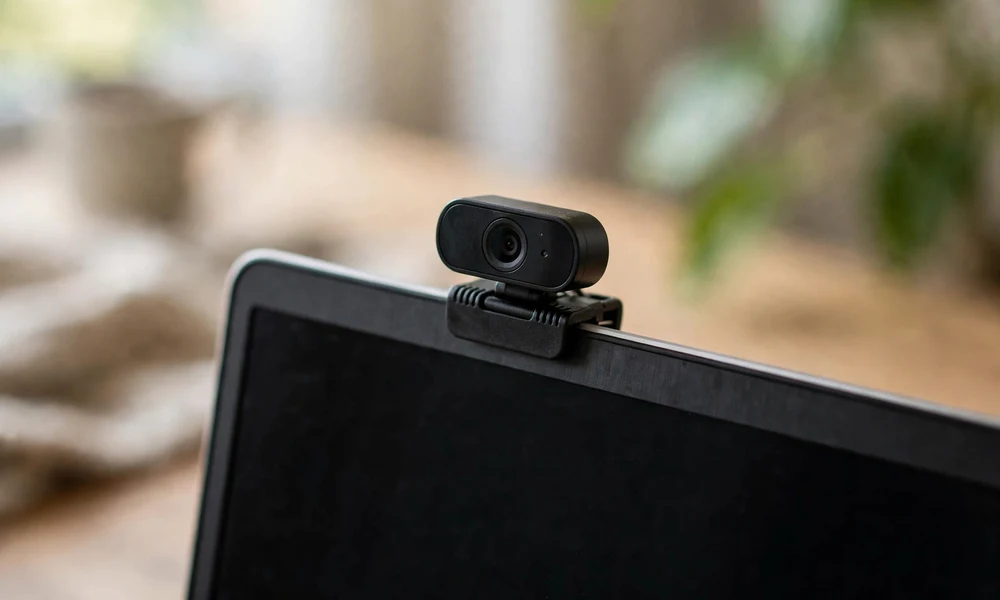
At a Black Friday price near 29 dollars, it is the easiest win in this guide for anyone still using a laptop camera.
Pros: Very cheap on sale, sharp 1080p picture, built-in privacy shutter, simple plug-and-play setup.
Cons: Fixed focus, weak in dim rooms, narrow field of view.
Logitech C920s HD Pro — Best proven all-rounder
The C920s has been the default webcam recommendation for years, and it still earns its place. It records 1080p video at 30 frames per second with autofocus, has dual microphones, and includes a privacy shutter. The picture is clean and natural in normal office light, and it works with every major video app without drivers.
It has no 4K mode and no AI framing, but for standard work calls it remains reliable and consistent. A Black Friday price near 49 dollars makes it one of the best-value webcams in the sale, especially for buyers who want a known quantity.
Pros: Reliable autofocus, clean 1080p picture, works with all major apps, very good value on sale.
Cons: Older design, no 4K, fixed narrow field of view.
Logitech Brio 500 — Best overall for work calls
The Brio 500 is the best webcam for most people who spend their day on video calls. It records 1080p video with autofocus, handles low light far better than budget models, and uses RightLight auto-correction to keep your face bright when the room is dim. It also has a dual microphone setup with noise reduction, so your voice stays clear in a noisy room.
If you also need better sound on calls, our roundup of the best gaming headsets covers models with microphones that work well for work too. At around 99 dollars on Black Friday, the Brio 500 is the sweet spot of this guide.
Pros: Strong low-light picture, autofocus, adjustable field of view, good microphones, privacy shutter.
Cons: No 4K video, plastic body feels basic, software needed for full controls.
Logitech MX Brio — Best premium webcam for work
The MX Brio is Logitech’s flagship webcam for professionals, recording 4K video at 30 frames per second or 1080p at 60 frames per second. It uses a large sensor with AI image enhancement that improves sharpness and exposure, and its dual microphones with noise reduction are among the best built into any webcam. The picture stays clean in mixed lighting, which is where most cheaper cameras struggle.
It is overkill for occasional calls, but for people who are on camera all day, the difference is visible. A Black Friday price near 159 dollars is a strong saving on a 199-dollar camera.
Pros: Sharp 4K picture, excellent microphones, AI image enhancement, premium build, privacy shutter.
Cons: Needs good light for best 4K, premium price, some features need Logitech software.
Razer Kiyo Pro Ultra — Best for streaming quality
The Kiyo Pro Ultra uses the largest sensor in any webcam in this guide, which gives it the best low-light performance and the most natural background blur. It records 4K video at 30 frames per second or 1080p at 60, and its autofocus tracks your face smoothly as you move. The picture looks closer to a mirrorless camera than to a typical webcam, which is why streamers rate it so highly.
For the full streaming setup, our guide to the best webcams for streaming compares it with the other top streaming cameras. At around 229 dollars on Black Friday, it is the best image quality you can buy in a webcam.
Pros: Best low-light picture, large sensor, smooth autofocus, natural background blur, 4K video.
Cons: Large and heavy, premium price, needs a sturdy mount.
Elgato Facecam Pro — Best 4K streaming webcam
The Facecam Pro is built for streamers and creators who want a true 4K picture. It records 4K at 60 frames per second with a large Sony sensor, a fast prime lens, and manual controls for shutter speed, ISO, and white balance through Elgato’s Camera Hub software. The picture is sharp, detailed, and consistent, with no autofocus hunting during a stream.
A Black Friday price near 249 dollars makes it the best 4K streaming deal for creators who already have a microphone and good lighting.
Pros: True 4K at 60 frames per second, manual controls, sharp detailed picture, works with streaming software.
Cons: No built-in microphone, needs good lighting, premium price.
Anker PowerConf C200 — Best budget 2K webcam
The PowerConf C200 records 2K video at 30 frames per second, which is a step up from 1080p budget webcams, and it has dual microphones with AI noise reduction. The picture is bright and clear in a well-lit room, and the camera includes a privacy cover and a mount that fits monitors and laptops.
At a Black Friday price near 39 dollars, it is the best budget pick for anyone who wants a sharper picture than a 1080p camera without paying for a premium model.
Pros: Sharp 2K picture, good microphones for the price, privacy cover, very good value on sale.
Cons: Weak in dim rooms, basic autofocus, plastic build.
Logitech StreamCam — Best for content creators
The StreamCam is designed for creators who record vertical video for social platforms as well as horizontal video for calls. It records 1080p at 60 frames per second, has autofocus with face tracking, and its mount rotates so you can switch between landscape and portrait orientation. The picture is bright and smooth, with good color for streaming and recording.
If you are choosing a laptop to pair it with, our comparison of MacBook versus Windows laptop can help you decide. At around 129 dollars on Black Friday, it is a good deal for creators who publish vertical video.
Pros: Smooth 1080p at 60 frames per second, vertical video mode, face tracking, good color.
Cons: Needs USB-C, microphone is basic, some features need Logitech software.
How to choose
Start with resolution and light. A good 1080p webcam with strong low-light performance beats a cheap 4K webcam in a dim room, so check low-light reviews before you buy.
Think about your main use next. Work calls need reliable autofocus, good microphones, and a natural picture. Streaming needs higher frame rates, manual controls, and a larger sensor. Content creators should look for vertical video support and face tracking. Check that the webcam works with your video app and operating system, and confirm the exact model name.
Checklist: before you pay
- Confirm the exact model name and year, not just the brand line, since older versions often sell alongside new ones.
- Check the return window, because Black Friday purchases sometimes have shorter return periods.
- Compare the deal price with the price from the last month, not just the listed discount.
- Make sure the webcam works with your video app and operating system.
- Check the resolution and frame rate you actually need, and whether it has autofocus and a privacy shutter.
- Check current pricing at checkout, since Black Friday prices can change quickly and stock can run out.
Frequently asked questions
What is the best Black Friday webcam deal in 2027?
The Logitech Brio 500 is the best overall deal for most buyers, usually dropping to around 99 dollars. Streamers should look at the Razer Kiyo Pro Ultra or the Elgato Facecam Pro instead.
How much should I spend on a Black Friday webcam?
Most buyers should spend between 29 and 159 dollars. Expect around 29 to 49 dollars for budget models, near 99 dollars for all-rounders, and 159 to 249 dollars for premium 4K.
Is 4K worth it for a webcam?
For most work calls, no, because video apps compress your picture. 4K is worth it for streaming and recording, where the extra detail and cropping room matter.
Do I need a separate microphone with a webcam?
Not for most calls. The Brio 500 and MX Brio have good built-in microphones. For streaming or recording, a separate microphone sounds noticeably better than any webcam mic.
Will a webcam work with Zoom, Teams, and Google Meet?
Yes. All eight webcams in this guide work with Zoom, Microsoft Teams, Google Meet, and other major video apps on Windows and macOS without extra drivers.
Do Black Friday webcam deals include warranties?
Yes, webcams bought during Black Friday carry the same manufacturer warranty as webcams bought at any other time. Keep the receipt and buy from an authorized retailer so the warranty is valid.
The bottom line
For most buyers, the Logitech Brio 500 at around 99 dollars is the Black Friday webcam deal to buy first, because it fixes low light, autofocus, and sound in one upgrade. Budget buyers should grab the Logitech Brio 100 near 29 dollars, and streamers should watch the Razer Kiyo Pro Ultra near 229 dollars and the Elgato Facecam Pro near 249 dollars.
Prices move fast during Black Friday week, so check current pricing at checkout and confirm the exact model before you pay.



