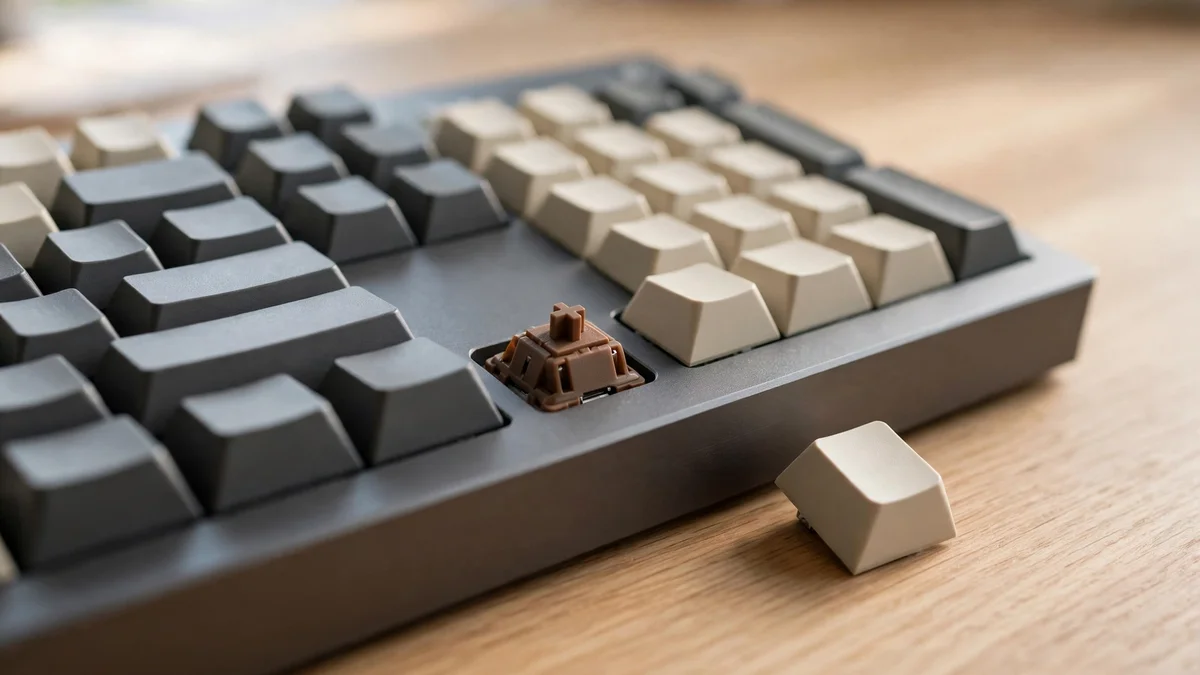
Brown switches are the most popular tactile switches, and for many typists they are the sweet spot. A brown switch gives you a small bump partway through the keypress, a physical signal that the key has registered, without the loud click of a clicky switch. That feedback helps you type accurately without bottoming out every key.
The best brown switch mechanical keyboards in 2027 pair that feedback with solid build quality and layouts that fit real desks. A good brown switch in a rattling plastic board still feels cheap, while a well-built board makes the bump feel crisp and deliberate. Cherry MX Brown set the standard, and Gateron Brown and similar clones now match it at lower prices.
We picked seven keyboards covering the main decisions: a best overall board, a typing-feel favourite, a hot-swappable value pick, a gaming board, and a budget compact pick. Every board below ships with brown switches or a brown switch option, and every starting price is approximate, so check current pricing before you buy.
Key takeaways
- Keychron Q1 is the best brown switch keyboard overall, with a crisp tactile bump, a solid aluminium case, and hot-swappable sockets.
- Brown switches suit typists who want feedback on every keypress without the noise of clicky switches.
- Gamers who type a lot should look at the Logitech G Pro X TKL, which pairs GX Brown switches with a fast, tournament-ready design.
- Hot-swappable boards are worth the premium because you can try different brown switches without soldering.
- Avoid boards with mushy stabilisers, since a wobbly spacebar hides the tactile bump you are paying for.
At a glance: the shortlist
| Keyboard | Best for | Starting price | Standout limit |
|---|---|---|---|
| Keychron Q1 | Best overall | From $179 | Heavy aluminium case |
| Logitech G Pro X TKL | Gaming | From $129 | No number pad |
| Keychron K8 | Hot-swappable value | From $89 | Plastic case |
| Ducky One 3 TKL | Typing feel | From $129 | No wireless option |
| Corsair K70 RGB Pro | Full-size boards | From $159 | Large desk footprint |
| Royal Kludge RK61 | Compact budget | From $49 | 60 percent layout loses arrow keys |
| Keychron K2 | Budget wireless | From $69 | Plastic case feels light |
Keychron Q1 — Best overall
The Keychron Q1 is the best tactile mechanical keyboard you can buy in 2027. Its gasket-mounted design and full aluminium case give every keypress a solid, satisfying feel, and the stock Keychron Brown tactile switches deliver a clear bump at around 55 grams of actuation force. The bump is noticeable without being heavy, which makes the Q1 comfortable for long typing sessions.

Typing on the Q1 feels deliberate in the best sense. Each keypress gives clear feedback, the stabilisers are lubed from the factory, and the thick PBT keycaps feel premium. If you want one tactile keyboard that excels at typing, this is the board to buy, and it sits alongside our guide to the best 75% mechanical keyboards if you want a smaller layout with the same feel.
Pros: Crisp tactile switches, gasket-mounted aluminium case, hot-swappable sockets, QMK and VIA support, thick PBT keycaps.
Cons: Heavy to move around, premium price, no wireless option in the base model.
Logitech G Pro X TKL — Best for gaming
The Logitech G Pro X TKL is the brown switch board for players who want a tournament-ready keyboard that also works at a desk. Its GX Brown switches give a light tactile bump with a 50-gram actuation force, so you feel every keypress without the noise of a clicky switch. The tenkeyless layout leaves room for wide mouse movement, a real advantage on smaller desks.
For mixed use, the G Pro X TKL is hard to fault. The GX Brown switches are quiet enough for calls and give clear feedback in games, and the detachable cable makes the board easy to pack. It costs more than budget boards, but the durability and the consistent switch feel justify the price, and it complements our guide to the best mechanical keyboards for programming if your gaming board also doubles as a coding keyboard.
Pros: Light GX Brown tactile switches, durable doubleshot PBT keycaps, on-board profile storage, solid steel-reinforced frame.
Cons: No number pad, G Hub software required for deep customisation, no wireless option.
Keychron K8 — Best hot-swappable value
The Keychron K8 is the best-value hot-swappable tactile keyboard, and a favourite for first-time buyers. It ships with Gateron Brown switches, the classic light tactile switch, in a tenkeyless layout that fits most desks. Hot-swappable sockets mean you can try other tactile switches later without buying a new board, which makes the K8 a good platform for learning what you like.
The plastic case and basic ABS keycaps are the visible compromises, but neither affects the typing experience much, and the keycaps are standard size for easy replacement. For the price, the K8 offers more flexibility than any other tactile board.
Pros: Hot-swappable Gateron Brown switches, Bluetooth and wired modes, affordable, tenkeyless layout, works with Windows and macOS.
Cons: Plastic case, ABS keycaps show shine over time, stabilisers are decent rather than great.
Ducky One 3 TKL — Best typing feel
Ducky’s One 3 TKL is built for people who judge a keyboard by how it types, and with Cherry MX Brown switches it types beautifully. The tactile bump is clean and consistent, the thick PBT keycaps feel substantial, and the factory-lubed stabilisers keep the spacebar and Enter key quiet and steady. There is no flex in the case and no hollow sound.
If you want a tactile board that prioritises feel above everything else, the One 3 TKL is the pick. It skips wireless and flashy extras in favour of fundamentals done well, and the result is a keyboard that feels better after months of use than most boards feel on day one.
Pros: Excellent typing feel, Cherry MX Brown switches, thick PBT keycaps, lubed stabilisers, no software required.
Cons: No wireless option, understated design, limited software features.
Corsair K70 RGB Pro — Best full-size board
The Corsair K70 RGB Pro is the full-size brown switch keyboard to buy if you need a number pad and dedicated media keys. Choose the Cherry MX Brown option for a smooth press with a clear tactile bump at 55 grams, which suits long typing sessions and spreadsheet work. The brushed aluminium frame and the board’s overall weight give it a premium, planted feel.
This is a large board, so measure your desk before buying, but for data entry, spreadsheets, and gaming on one keyboard, the full-size layout earns its space. The Cherry MX Brown switches are a known quantity: consistent, reliable, and rated for tens of millions of presses.
Pros: Genuine Cherry MX Brown switches, full-size layout with number pad, aluminium frame, dedicated media controls and palm rest.
Cons: Large desk footprint, iCUE software can feel heavy, premium price.
Royal Kludge RK61 — Best compact budget
The Royal Kludge RK61 is the cheapest good way into tactile switches. This 60 percent board ships with RK Brown tactile switches, offers Bluetooth, 2.4 GHz wireless, and wired USB-C, and costs less than a night out. The compact layout drops the function row, number pad, and dedicated arrow keys, which saves a large amount of desk space.
The 60 percent layout takes adjustment, since arrow keys and function keys live on layers you reach with a function key. If you can live with that, the RK61 is a remarkable value and a good travel board. It also pairs well with our guide to the best mechanical keyboards for office work if you want to compare compact and full-size options.
Pros: Very affordable, RK Brown tactile switches, triple-mode connectivity, compact 60 percent layout, hot-swappable on many versions.
Cons: No dedicated arrow keys, thinner keycaps, basic software, small layout takes adjustment.
Keychron K2 — Best budget wireless
The Keychron K2 is the best-value way into brown switches. It ships with Gateron Brown switches in a compact 75 percent layout that keeps the function row and arrow keys while saving desk space. Bluetooth and wired modes are both included, and the board works with Windows and macOS, with keycaps for both systems in the box.
The trade-offs are visible in the plastic case and the basic ABS keycaps, which will show shine after months of heavy use. Neither affects how the board types, and the keycaps are standard size, so replacements are cheap. For a first mechanical keyboard with brown switches, the K2 is the sensible starting point.
Pros: Very affordable, Gateron Brown switches, Bluetooth and wired modes, compact 75 percent layout.
Cons: Light plastic case, ABS keycaps show shine over time, stabilisers are acceptable rather than excellent.
How to choose
Start with the bump. Cherry MX Brown and Gateron Brown are light, with a gentle bump that is easy to feel, and they suit most typists. Heavier brown switches suit people who press keys firmly, while lubed brown switches suit shared offices.
Next, decide on layout and connectivity. Tenkeyless boards suit most desks, 75 percent boards save space while keeping the function row, and 60 percent boards are the most compact but need layer shortcuts for arrow keys. Wireless matters if you switch between devices, and hot-swappable sockets matter if you want to try different brown switches later.
Finally, check the build details: PBT keycaps last longer than ABS, lubed stabilisers keep large keys quiet, and a heavier case reduces flex and hollow sound. Prices shift often, so treat the starting prices as approximate and check current pricing before you buy.
Checklist: before you pay
- Confirm the board ships with brown switches, not linear or clicky ones, since listings often mix switch options.
- Check the layout fits your desk and your work, especially whether you need arrow keys and a function row.
- Look for hot-swappable sockets if you want to change switches without soldering.
- Check connectivity: wired only, Bluetooth, or 2.4 GHz wireless, and whether it supports your devices.
- Read the return policy so you can send the board back if the brown switch bump does not suit you.
- Confirm the starting price and check current pricing, since keyboard prices change with sales and new models.
Frequently asked questions
Are brown switches good for typing?
Yes. Brown switches are the most popular choice for typists because the bump confirms each keypress without the noise of a clicky switch, and the feedback helps you avoid bottoming out every key.
Are brown switches quiet?
Brown switches are much quieter than clicky switches, though not silent. The bump itself makes no noise; the sound comes from the key bottoming out, and lubed brown switches can make a board suitable for shared offices.
What is the difference between brown and linear switches?
Brown switches have a small bump partway through the keypress, while linear switches travel smoothly with no bump. Brown switches suit typists who want feedback; linear switches suit fast, repeated presses.
Can I change the switches on a brown switch keyboard?
Only if the board is hot-swappable. Hot-swappable boards let you pull switches out and push new ones in without soldering, while soldered boards need desoldering tools and skill.
Do brown switches wear out faster?
No. Most brown switches are rated for 50 to 100 million keystrokes, which is years of heavy daily use, and keycaps usually show wear long before the switches do.
Which brown switch should a beginner choose?
Cherry MX Brown and Gateron Brown are the safest starting points. Both are light and widely available. Try them first, then explore heavier or quieter tactile options once you know what you like.
The bottom line
For most buyers, the Keychron Q1 is the best brown switch mechanical keyboard in 2027. It combines a crisp tactile bump, a solid gasket-mounted aluminium case, and hot-swappable sockets. Gamers should pick the Logitech G Pro X TKL, and budget buyers should choose the Keychron K2.
Whichever board you choose, prioritise the switch feel, the layout, and the build quality over extra features. A clear brown switch bump in a solid case will serve you well for years, and a hot-swappable board keeps your options open. Prices shift regularly, so check current pricing before you buy.