
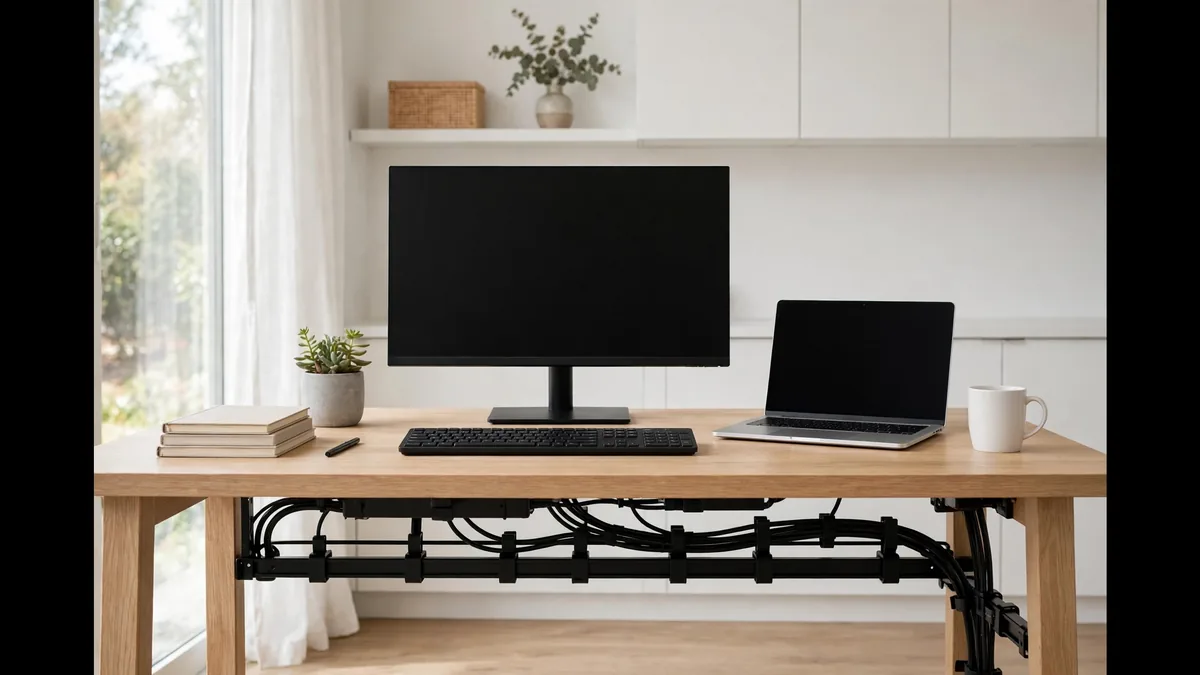
A tangled nest of cables under your desk is more than an eyesore. Loose cords snag chair wheels, collect dust, and turn swapping a charger into a crawl under the desk. The best cable management in 2027 solves that with a small set of well-chosen parts: a tray or raceway to carry the weight, a box or sleeve to hide the rest, and a few clips and ties to keep every run in its lane.
This guide covers seven cable management products that fit real desks, from a $13 sleeve to a $99 premium tray, with starting prices checked against current 2026 and 2027 listings. Each one works with the standing desks, monitors, and laptop setups most people already own.
We judged each product on capacity, build quality, ease of installation, how well it hides cables, and whether it survives a moving desk.
Key takeaways
- Best overall: the UPLIFT Large Cable Management Tray, at around $49, holds a full power strip and a dozen cables without sagging.
- Best budget: the IKEA Signum, at around $15, is the cheapest honest way to get cables off the floor.
- Best premium: the Humanscale NeatUp, at around $99, is the neatest option for height-adjustable desks.
- Measure your power strip first — trays that are too short are the most common buying mistake.
- Pair a tray with a sleeve or raceway; no single product hides every cable on a busy desk.
At a glance: the shortlist
| Product | Best for | Starting price | Standout limit |
|---|---|---|---|
| UPLIFT Large Cable Management Tray | Overall | About $49 | Needs screws and a drill |
| Humanscale NeatUp | Premium sit-stand desks | About $99 | High price for a tray |
| IKEA Signum | Budget setups | About $15 | Open design, cables visible |
| BlueLounge CableBox | Hiding a power strip | About $35 | Fits strips up to about 14 inches |
| EVEO J-Channel Raceway | Wall and desk-edge runs | About $22 | Adhesive can fail on textured wood |
| SimpleHouseware Under Desk Tray | Value | About $19 | Thinner steel than premium trays |
| Joto Cable Management Sleeve | Bundling loose runs | About $13 | Does not carry weight like a tray |
UPLIFT Large Cable Management Tray — Best overall
The UPLIFT large tray is a powder-coated steel basket that screws under the desk and carries a full-size power strip plus the slack from a monitor, laptop charger, and dock. At roughly 26 inches wide, it fits the power strips most desks actually use, and its open mesh keeps plugs cool.

What sets it apart is rigidity: cheaper trays flex and sag under a heavy strip, while this one stays put even when a sit-stand desk moves. If you are building out a desk from scratch, our guide to the best standing desks in 2027 covers the frames these trays pair with best.
Pros: Very sturdy steel build; fits full-size power strips; works with sit-stand desks; good airflow around plugs.
Cons: Requires drilling into the desk; costs more than basic trays; no lid, so cables are visible from below.
Humanscale NeatUp — Best premium
The Humanscale NeatUp is a heavy-duty steel tray built for offices where desks move all day. Its wraparound design holds the power strip and cables inside a rigid channel, so nothing dangles or pulls when the desk rises. The fit and finish are a clear step above budget trays.
The price, around $99, is the obvious objection, and for a fixed desk it is hard to justify. On a height-adjustable desk, though, it earns its keep by keeping cables fully contained through hundreds of up-down cycles, where flimsy trays fail.
Pros: Excellent build quality; fully contains cables on moving desks; clean, professional look.
Cons: Expensive for a tray; heavier than alternatives; overkill for a fixed desk.
IKEA Signum — Best budget
The IKEA Signum is a simple steel cable tray that has been the default budget pick for years, and it still is. At around $15, it screws under the desk and gives cables a place to rest instead of the floor. It holds a standard power strip and the slack from two or three devices, and its open wire design makes it easy to add or remove a cable later.
The trade-off is looks. The Signum is an open tray, so cables are visible from the side and underneath, and it is narrower than the UPLIFT, so a long power strip may overhang. For a desk against a wall, that hardly matters.
Pros: Very cheap; easy to install; easy to re-route cables later; widely available.
Cons: Cables remain partly visible; narrower than premium trays; basic finish.
BlueLounge CableBox — Best cable box
The BlueLounge CableBox is a lidded box that sits on the floor or desk and swallows a whole power strip, with cables entering and leaving through slots in the ends. At around $35, it is the simplest way to make a power strip disappear, and it works well where drilling a tray under a desk is not an option.
Size is the constraint. The standard CableBox fits strips up to about 14 inches long, so measure before ordering, and a very large strip with bulky adapters may not close cleanly. It also does nothing for cables running up to a monitor, so it works best paired with a sleeve or clips for the vertical runs.
Pros: No drilling or screws; hides the whole power strip; tidy look on floors and desks.
Cons: Limited to shorter power strips; does not manage vertical cable runs; lid can trap heat with many adapters.
EVEO J-Channel Raceway — Best raceway
The EVEO J-channel raceway is a two-pack of slim plastic channels that stick to the back edge of a desk or a wall and carry cables in a straight, hidden line. At around $22 for the pair, it is the cheapest way to make the run from desk to wall outlet look deliberate. The J shape lets cables drop in from the top and be pulled out again without removing the channel.
Adhesive mounting is both the appeal and the risk. It goes up in minutes with no tools, but on rough or textured wood the tape can let go over time. For smooth desktops and painted walls it holds well. Use it for the runs a tray cannot reach.
Pros: Tool-free install; cables easy to add or remove; clean straight lines along desk edges and walls.
Cons: Adhesive can fail on textured surfaces; limited capacity per channel; plastic look up close.
SimpleHouseware Under Desk Tray — Best value
The SimpleHouseware tray is a two-pack of mesh steel baskets that screw under the desk, at around $19 for the pair. Two smaller trays are often more useful than one large one: put one under the monitor for display cables and one near the wall for the power strip, and each run stays short and tidy.
The steel is thinner than the UPLIFT or Humanscale trays, so a very heavy strip can flex the basket slightly. For typical home-office loads, though, it is more than enough, and the two-pack price makes it the best value here.
Pros: Two trays for the price of one; flexible placement; good ventilation; easy install.
Cons: Thinner steel flexes under heavy loads; basic screws; no lid.
Joto Cable Management Sleeve — Best sleeve
The Joto sleeve is a 4-foot neoprene wrap that zips around a bundle of cables and turns five loose runs into one tidy trunk. At around $13, it is the cheapest item on this list and the most useful for the cables a tray cannot help with: the run from a desk down to the floor, or the bundle behind a monitor arm.
A sleeve carries no weight and hides no plugs, so it is a complement to a tray, not a replacement. It also comes in a single length, so very long runs need two sleeves joined end to end. For monitor cables, charger leads, and the drop from a standing desk to the wall, it is the fastest visible improvement you can buy for the money. A clean monitor setup benefits just as much from tidier cables as from the screen itself — our roundup of the best OLED portable monitors is worth a look if the display is part of your upgrade.
Pros: Very cheap; zips open for changes; ideal for monitor and floor drops; soft, quiet material.
Cons: Does not support weight; single length; cannot hide a power strip.
How to choose
Start by counting what you need to hide. A desk with a monitor, laptop dock, lamp, and phone charger needs a tray at least 20 inches wide; a minimal laptop-only desk can get away with a sleeve and a few clips. Measure the power strip before ordering anything, because a strip that overhangs its tray is the most common mistake.
If the desk moves up and down, the tray matters more than anything else. A rigid, well-mounted tray with slack in the cables is what keeps a sit-stand desk tidy; a flimsy tray will sag and pull. For fixed desks, a budget tray plus a sleeve usually gets 90 percent of the result for a third of the price. And if drilling is off the table, a cable box and adhesive raceway are the way to go. A well-planned desk also keeps the rest of the home office tidy, including the network gear — see how to set up a mesh WiFi system if the router and its cables are part of the mess.
Checklist: before you buy
- Measure your power strip and count every plug, including bulky adapters.
- Check desk thickness and material to confirm screws or adhesive will hold.
- Leave slack in every cable if the desk moves up and down.
- Plan the route: tray under the desk, sleeve or raceway for vertical runs.
- Buy extra velcro ties and clips; the ones in the box are never enough.
- Label both ends of each cable before you bundle them, so swaps stay easy.
Frequently asked questions
What is the best cable management product overall?
The UPLIFT Large Cable Management Tray is the best overall pick. It is sturdy, fits full-size power strips, and holds up on height-adjustable desks, at a starting price of around $49.
Do I need a tray, a box, or a sleeve?
Most desks need a tray for the main bundle and a sleeve or raceway for the runs the tray cannot reach. A box is best when you cannot drill and just want the power strip hidden.
Will a cable tray work on a standing desk?
Yes, if the tray is rigid and mounted securely, with enough cable slack to reach the highest position. Budget trays can sag under a heavy strip on a moving desk.
Can cable management damage my cables?
No, if done properly. Avoid sharp bends, do not over-tighten zip ties, and use velcro ties instead of plastic ones so cables can be adjusted.
How much should I spend on cable management?
Between $15 and $50 covers most desks well. A $15 IKEA Signum plus a $13 sleeve is enough for a simple setup, while a $49 tray is worth it for a busy desk.
Is it safe to put a power strip in a tray or box?
Yes, with ventilation. Use an open mesh tray or a box with cable slots, keep the strip away from fabric, and do not overload it.
The bottom line
For most desks, the UPLIFT Large Cable Management Tray at around $49 is the right buy: it holds a full power strip, survives a moving desk, and only needs one installation. If the budget is tight, the IKEA Signum at around $15 plus a Joto sleeve at around $13 gets you most of the way there for under $30.
Cable management is a small purchase with an outsized effect on how a desk feels to use. Check current pricing before you buy, and measure the power strip first.



