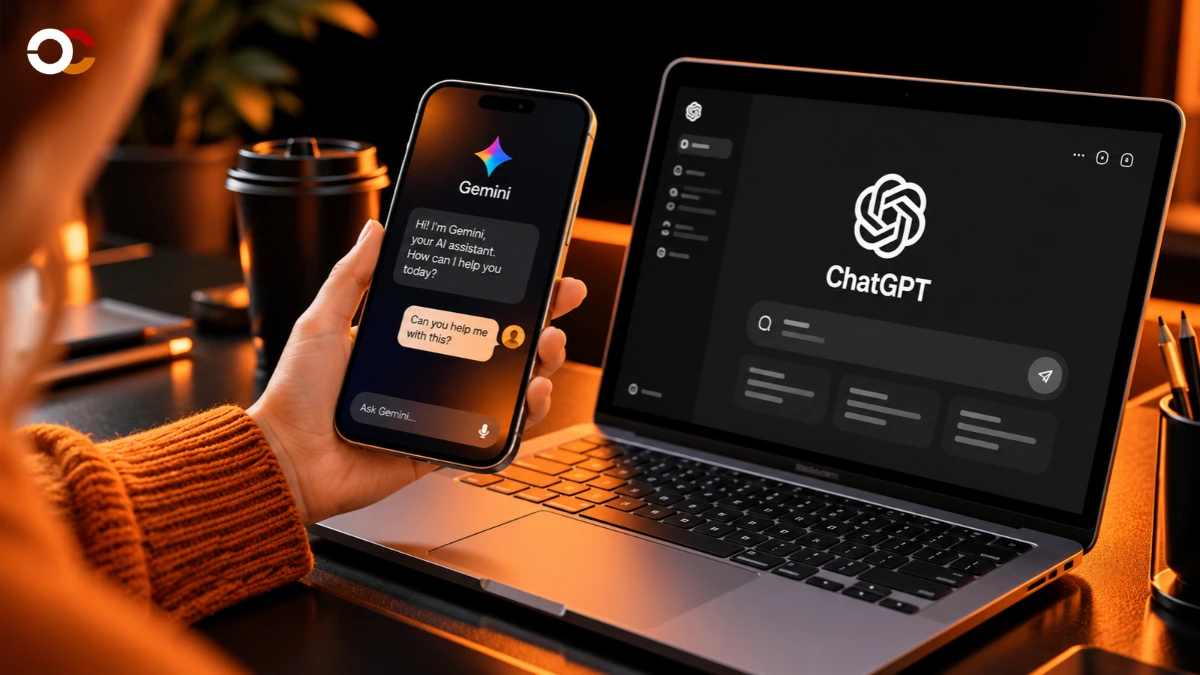
ChatGPT alternatives in 2026 include Claude, Google Gemini, Perplexity, Microsoft Copilot, Grok, DeepSeek, Mistral Le Chat and Poe. Claude suits writing and coding, Perplexity focuses on research, Gemini connects with Google services, and Copilot supports Microsoft productivity.
Free options cover everyday questions, while paid plans provide higher usage limits and advanced features. This buying guide compares pricing, accuracy, privacy, usability and practical benefits to help you choose the right assistant without paying for tools you rarely use or need.
Best ChatGPT Alternatives in 2026: Quick Comparison
The best ChatGPT alternatives solve different problems, so the right choice depends on your daily workload rather than a single performance ranking.
| Platform | Best for | Free access | Paid pricing |
| Claude | Writing and coding | Yes | Pro $20/month |
| Google Gemini | Google Workspace users | Yes | AI Pro around $19.99/month |
| Perplexity | Research and citations | Yes | Pro subscription |
| Microsoft Copilot | Office productivity | Yes | Microsoft 365 plans |
| Grok | Current events and X discussions | Yes | SuperGrok $30/month |
| DeepSeek | Coding and technical tasks | Yes | Usage-based API |
| Mistral Le Chat | General productivity | Yes | Paid Pro tier |
| Poe | Accessing multiple models | Limited | Point-based subscriptions |
| LM Studio | Private local processing | Yes | Free local application |
| Ollama | Local models and development | Yes | Free local operation |
Prices represent publicly advertised US consumer tiers where identifiable. Regional taxes, billing cycles, usage restrictions and bundled benefits change the final cost.
Why Are People Looking for ChatGPT Alternatives?
People explore competing assistants to improve output quality, reduce subscription costs, access specialised features and gain greater control over their data.
ChatGPT handles a broad range of everyday tasks, but a research assistant, coding companion or locally installed model can deliver a more suitable workflow for a particular requirement.
The main reasons include:
- Specialised capabilities: Dedicated tools offer different strengths in coding, research, document analysis and office integration.
- Subscription value: Free tiers and alternative payment structures suit different usage patterns.
- Privacy requirements: Local processing and commercial data controls provide additional deployment choices.
- Workflow compatibility: Integration with Gmail, Excel, Word and development environments reduces repetitive work.
- Model flexibility: Multi-model platforms let users compare responses without maintaining separate subscriptions.
Switching does not require abandoning an existing account. Using two complementary assistants often makes better financial sense than upgrading to an expensive premium tier.
1. Claude: Best for Writing and Complex Documents
Claude is a strong choice for people who regularly prepare articles, edit business documents, analyse lengthy material and work on programming projects.
Developed by Anthropic, Claude supports conversational writing, document analysis and coding workflows. Its interface suits users who prefer structured discussions and detailed explanations.
What Makes Claude Different?
Claude combines document-focused assistance with coding tools and flexible instructions for complex written tasks.
Content professionals can use it to revise drafts, compare editorial approaches and reorganise lengthy reports. Developers can work through software problems, inspect code and explain technical decisions.
Its suitability depends on the specific model, available tools and task complexity.
Claude Pricing and Limitations
Claude offers a free tier, a $20 monthly Pro plan and Max plans starting at $100 monthly.
The Pro subscription costs $200 annually when billed yearly. Max tiers provide higher usage capacity, although usage remains subject to applicable limits.
Claude is worth considering when writing quality and complex task handling justify the subscription.
2. Google Gemini: Best for Google Workspace Users

Google Gemini suits users whose work already happens inside Gmail, Google Docs, Drive and other Google services.
The platform connects conversational assistance with Google’s wider productivity ecosystem. This reduces the need to move information between unrelated applications.
What Are Gemini’s Main Advantages?
Gemini’s main advantage is its integration with Google’s productivity applications and supported connected services.
Students can organise study material, marketers can develop campaign drafts, and office teams can prepare document summaries.
Its document, search and multimodal features also support tasks involving text, images and uploaded files.
Is Gemini Worth Paying For?
Google AI Pro is more suitable for regular advanced-model usage, while the free tier covers lighter requirements.
Google tightened its free-model access in October 2026, making subscription selection increasingly important.
The advertised US AI Pro price is approximately $19.99 monthly, although regional offers and model allowances differ.
Gemini deserves consideration when Google integration matters more than using a separate, standalone assistant.
3. Perplexity: Best for Research and Source Discovery
Perplexity is one of the most practical chatgpt alternatives for researching questions that require identifiable sources and current information.
Unlike a conversation-focused assistant, Perplexity puts search results and supporting references at the centre of its experience.
Why Choose Perplexity Over ChatGPT?
Perplexity makes source discovery easier by displaying references alongside its answers.
Researchers can investigate market developments, compare products, examine scientific topics and trace claims back to published material.
However, displaying citations does not guarantee correctness. Users must still inspect original sources, publication dates and whether the cited material supports each statement.
Perplexity Pricing and Features
Perplexity offers a free Standard plan, paid Pro and Max subscriptions, and discounted Education Pro access.
Its Pro tier adds advanced model selection, increased file uploads and research capabilities. Verified students and educators can access Education Pro for $10 monthly.
Perplexity works particularly well for research-heavy tasks rather than unrestricted creative writing.
4. Microsoft Copilot: Best for Office Productivity
Microsoft Copilot is a suitable alternative for professionals working extensively with Word, Excel, PowerPoint, Outlook and Microsoft 365.
Its main attraction is workplace integration. Instead of copying information into separate conversations, eligible users can access assistance within supported Microsoft applications.
How Does Microsoft Copilot Help?
Copilot supports document preparation, spreadsheet analysis, presentation development and workplace communication.
An operations manager can prepare a report in Word, analyse spreadsheet information and develop presentation material within Microsoft’s environment.
Actual capabilities depend on the subscription, application and organisation’s configuration.
Is Microsoft Copilot Free?
Microsoft provides a free Copilot experience, while integrated Microsoft 365 capabilities depend on eligible subscriptions.
Microsoft 365 Personal, Family, Premium and Pro include different allowances and feature restrictions.
Existing Microsoft subscribers should check their included benefits before purchasing another service.
5. Grok: Best for Current Discussions and X Content
Grok is designed for conversational questions, current information discovery and interaction with content from X.
Developed by xAI, Grok combines language generation with search, voice and media creation features.
What Makes Grok Different?
Grok offers real-time web and X search alongside general conversational assistance.
Journalists, creators and social media professionals can examine developing discussions and identify topics attracting public attention.
Social posts are not verified reporting, however. Important claims still require checking against dependable primary sources.
Grok Pricing in 2026
Grok provides free access, with SuperGrok priced at $30 monthly and SuperGrok Plus at $100 monthly.
Paid subscriptions increase usage allowances and provide additional model or media generation capabilities.
The standard SuperGrok plan suits frequent users, while the higher-priced tier targets demanding creative workloads.
6. DeepSeek: Best for Budget-Conscious Technical Users
DeepSeek is a compelling option for developers and technical users seeking accessible language models and cost-efficient API access.
Its chatbot supports general questions, technical explanations, programming assistance and mathematical problem-solving.
Is DeepSeek a Good Free Alternative?
DeepSeek provides free web-based chatbot access, making it accessible for individual experimentation and learning.
Students can ask programming questions, developers can examine code structures, and analysts can explore mathematical approaches.
Its technical answers still require testing, particularly when generated code affects production systems.
What About DeepSeek Privacy?
DeepSeek’s hosted chatbot processes personal information under a policy governed by its China-based operating company.
Users handling confidential records must examine storage locations, retention arrangements and relevant contractual protections before uploading documents.
Free access alone does not make a service suitable for regulated business information.
7. Mistral Le Chat: Best for Flexible Everyday Assistance
Mistral Le Chat offers conversational search, document understanding, image generation and productivity features in one interface.
Developed by French company Mistral AI, the service combines general assistance with tools for business and technical workflows.
Who Benefits From Mistral Le Chat?
Le Chat suits individuals who want a general-purpose assistant with document and search capabilities.
Its offering includes web search, image understanding, document handling and coding-related services.
Mistral also provides enterprise deployment options, allowing organisations to explore configurations beyond standard consumer hosting.
Does Le Chat Offer Good Value?
Le Chat has a free plan and paid subscriptions with increased usage and feature allowances.
Its pricing structure separates personal, team and enterprise requirements, making subscription comparison important.
It is worth evaluating alongside Claude and Gemini when a different ecosystem or deployment arrangement is important.
8. Poe: Best for Comparing Multiple Models
Poe lets users access different chatbot models through one platform rather than managing separate interfaces for every provider.
Operated by Quora, Poe supports conversational models and selected image, video and audio generation services.
Why Use Poe Instead of One Chatbot?
Poe provides model variety, which helps users compare outputs for writing, research, programming and creative assignments.
For example, a content editor can submit similar instructions to different models and compare accuracy, formatting and clarity.
Model availability changes as providers update their services.
How Does Poe Charge Users?
Poe uses subscription plans with compute points, and different models consume different quantities of points.
This makes actual cost dependent on model selection, conversation length and usage frequency.
Users should examine expected point consumption before treating its subscription as a cheaper replacement for individual platforms.
9. LM Studio: Best for Private Desktop Use
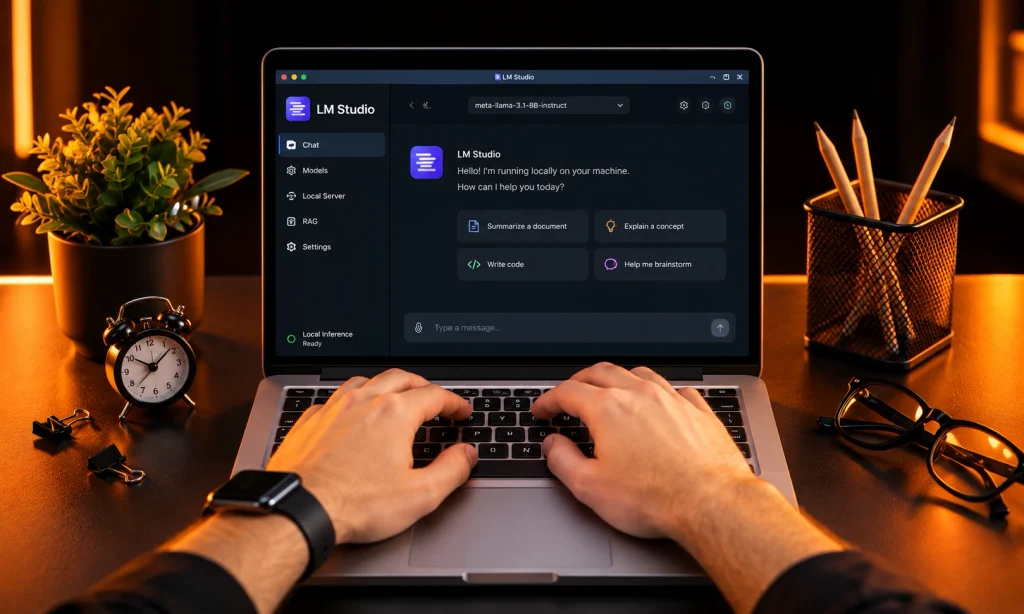
LM Studio enables users to download and run compatible language models directly on their computers.
Its desktop interface gives individuals greater control over local model selection and processing.
Why Choose Local Models?
Local inference keeps ordinary model processing on the user’s own hardware when configured for offline operation.
This is useful for sensitive drafts, internal documents and experimentation where cloud transmission is undesirable.
Performance depends on available memory, graphics hardware and the selected model size. A powerful cloud model can outperform a smaller local installation.
Users must also distinguish offline processing from connected features that communicate with external services.
10. Ollama: Best for Developers Running Local Models
Ollama helps developers install, manage and run compatible language models on local computing systems.
It provides a practical foundation for experimenting with self-hosted assistants, development environments and custom applications.
Is Ollama Better for Privacy?
Ollama supports local processing without requiring every prompt to pass through a hosted chatbot service.
Developers can create applications that use locally installed models and control how requests reach those models.
Its advantages depend on proper configuration, device security and the absence of unwanted external integrations.
Ollama is particularly relevant when technical flexibility and infrastructure control matter more than a polished consumer interface.
ChatGPT Alternatives Compared After Testing: How to Judge Them
A reliable comparison uses identical prompts, measurable scoring criteria and verified results rather than promotional claims.
Occcy’s comparison approach focuses on reproducible everyday tasks. The recommendations above reflect verified product features and pricing, not a completed proprietary hands-on benchmark.
A practical assessment uses five tasks:
- Research accuracy: Request five verifiable facts with original sources.
- Writing quality: Produce a 500-word explanation for a clearly defined audience.
- Coding reliability: Generate a Python function and evaluate it against ten predefined tests.
- Document analysis: Summarise a ten-page report while preserving important figures.
- Instruction following: Request an answer with strict formatting and word-count requirements.
Score each task from 1 to 5 for correctness, completeness, clarity, speed and effort required for corrections.
Compare paid and free models separately because their available capabilities differ.
Public model benchmarks also provide useful context. Artificial Analysis evaluates areas including agentic tasks, coding, scientific reasoning and general capability.
Benchmark rankings do not automatically predict performance on your exact workload.
What to Look for in ChatGPT Alternatives Before Paying
The five important buying factors are accuracy, workflow compatibility, privacy, usage limits and total subscription cost.
1. Check Accuracy and Prompt Quality
Accurate answers that follow instructions reduce editing time and repeated requests.
Test identical prompts across competing services. Include examples, output requirements and relevant background to measure whether a platform handles context correctly.
Prompt quality affects performance, but clear instructions cannot eliminate fabricated facts.
2. Review the Data Training Policy
Privacy terms determine how providers collect, retain, review and potentially use submitted information.
Check whether consumer conversations contribute to model improvement, whether opt-out settings exist and how business accounts differ.
Anthropic distinguishes consumer training choices from its commercial product defaults. Google also documents activity controls and human review practices for Gemini.
3. Examine On Device Processing
On device processing keeps supported computation on local hardware instead of relying entirely on remote servers.
LM Studio and Ollama are useful starting points for local inference.
However, downloading models, using cloud endpoints and enabling connected tools can still involve network communication.
4. Calculate Actual Subscription Value
The cheapest subscription is the one that completes your required tasks at the lowest dependable monthly cost.
A $20 subscription costs $240 annually before taxes. Paying for two similarly priced services doubles that expense.
Compare limits, included tools and unsuccessful outputs before upgrading.
5. Evaluate Integration and Export Options
A suitable assistant fits existing software and lets users retain important work outside its chat history.
Check supported file formats, conversation export, connected applications and team permissions.
This reduces disruption when changing providers later.
Which ChatGPT Alternatives Is Best Value in 2026?
Claude offers strong value for regular writing, Perplexity suits research, and Microsoft Copilot makes sense for existing Microsoft 365 subscribers.
Users with limited budgets can compare DeepSeek, Mistral Le Chat and free tiers before purchasing anything.
For specialised requirements, Poe provides model flexibility, while locally operated tools offer greater processing control.
The best chatgpt competitors are not necessarily the most expensive. Choose the service that saves measurable working time and requires fewer corrections.
How to Switch From ChatGPT Without Losing Productivity
Switching is easiest when existing prompts, useful documents and recurring workflows are organised before changing platforms.
Follow this process:
- Identify your five most frequent tasks.
- Save important prompts and reusable instructions.
- Export or retain necessary conversation information.
- Compare two alternative services using identical inputs.
- Verify performance before cancelling subscriptions.
Keep confidential data out of testing unless the new provider meets your security requirements.
Frequently Asked Questions
What Is the Best Free ChatGPT Alternative?
Claude, Gemini, Perplexity, Copilot, DeepSeek and Mistral Le Chat provide free access with different capabilities and restrictions.
Choose based on your primary workload rather than assuming every free tier includes the same models.
Which Alternative Is Best for Students?
Perplexity is suitable for source discovery, while Gemini and Claude support studying, explanations and document work.
Students must verify citations, calculations and submitted answers independently.
Can Any Alternative Completely Replace ChatGPT?
A competing assistant can replace ChatGPT for a defined workflow, but no platform leads every category simultaneously.
Research, writing, coding, privacy and office integration create different requirements.
Are Local Chatbots Completely Private?
Local models offer greater processing control, but privacy still depends on configuration, connected services and device security.
Offline inference does not automatically protect an infected or improperly managed computer.
Final Verdict: Which Alternative Deserves Your Money?
Claude, Gemini, Perplexity and Copilot are practical starting points for most people evaluating a switch in 2026.
Choose Claude for writing, Gemini for Google-based work, Perplexity for research and Copilot for Microsoft productivity. Consider DeepSeek for accessible technical assistance, Poe for model comparisons, and local tools when processing control matters.
Occcy’s recommendation is simple: test the free version against five real tasks before subscribing. The right choice delivers reliable answers, fits your workflow and earns its monthly cost.
Explore Occcy’s AI category hub for further buying guides, practical comparisons and clear explanations of emerging technology.



