The best cleaning business software in 2027 does more than keep a calendar. It books jobs, sends quotes, dispatches cleaners, collects payment, and follows up with customers without adding admin hours to your week. For a residential maid service, a commercial cleaning company, or a solo operator growing into a team, the right platform turns a messy mix of texts, spreadsheets, and paper checklists into one system that everyone on the crew can follow.
What matters most is not the longest feature list. It is whether the software fits how your jobs actually run: recurring weekly cleans, one-off deep cleans, move-out jobs, or nightly commercial contracts. The tools below were chosen for scheduling strength, quoting and invoicing, mobile apps for cleaners in the field, customer communication, and honest pricing. Every one of them is built for service businesses, and every one offers a way to try it before you commit.
The shortlist covers eight products. Jobber leads for all-round use, Housecall Pro suits small residential teams, ZenMaid is built specifically for maid services, and Swept is the strongest pick for commercial cleaning. Launch27 and BookingKoala focus on online booking, MaidCentral serves maid services operating at scale, and ServiceTitan fits large multi-crew operations. The rest of this guide compares them side by side so you can match one to your business.
Key takeaways
- Jobber is the best overall cleaning business software for most companies, with scheduling, quoting, invoicing, and payments in one place.
- Housecall Pro is the best pick for small residential teams that want fast setup and strong customer messaging.
- ZenMaid is the best option built specifically for maid services, with cleaner-focused scheduling and payroll tools.
- Swept is the best choice for commercial cleaning, with location-based scheduling and cleaner check-ins.
- Most tools start between about $39 and $79 per month, but plans and limits change often, so check current pricing before you buy.
At a glance: the shortlist
| Product | Best for | Starting price | Standout limit |
|---|---|---|---|
| Jobber | All-round residential and commercial | From $49 per month | No free plan; add-ons add up |
| Housecall Pro | Small residential teams | From $49 per month | Advanced tools sit on higher tiers |
| ZenMaid | Maid services | From $39 per month | Fewer commercial cleaning features |
| Swept | Commercial cleaning | Check current pricing | Quote-based pricing |
| Launch27 | Online booking automation | From $79 per month | Check current pricing |
| BookingKoala | Booking-first cleaning businesses | From $49 per month | Check current pricing |
| MaidCentral | Maid services at scale | From $149 per month | Check current pricing |
| ServiceTitan | Large multi-crew operations | Check current pricing | Quote-based premium pricing |
Jobber — Best overall
Jobber is the most complete cleaning business software for companies that do a mix of residential and commercial work. It covers the full job cycle: a customer requests a quote, you send it from the app, the job is scheduled, the cleaner gets the details on their phone, and the invoice and payment follow automatically. That end-to-end flow is why it leads this list. You spend less time chasing paperwork and more time on jobs that pay.

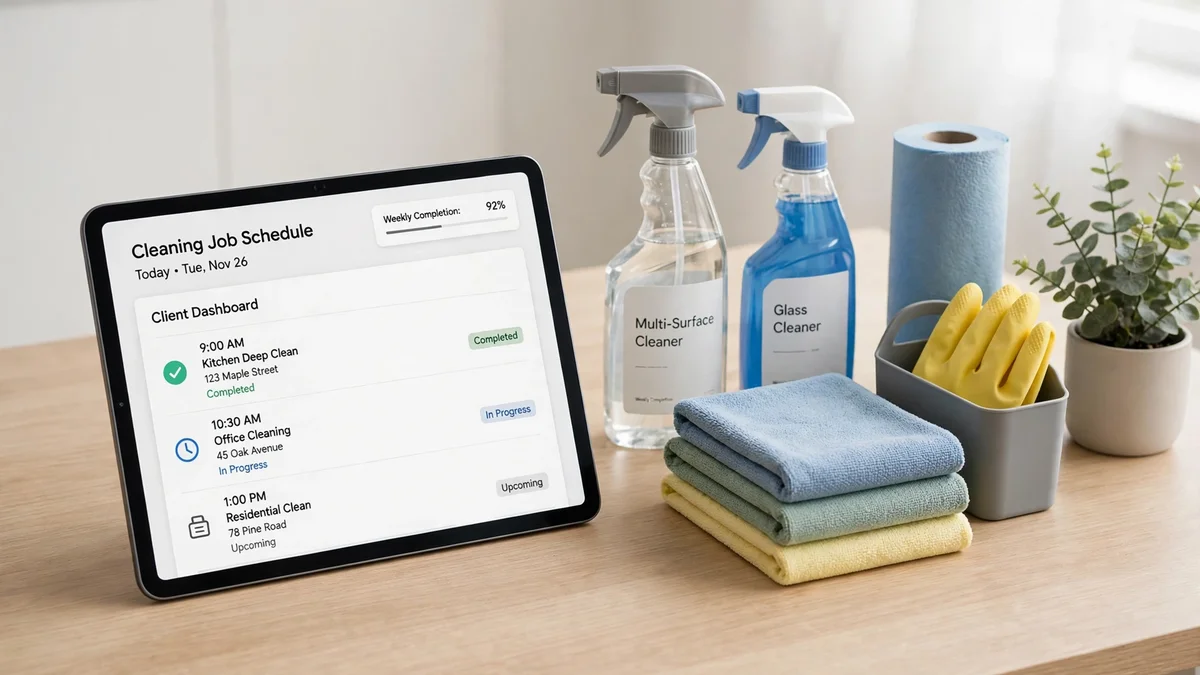
Scheduling is the core strength. The calendar supports one-off and recurring jobs, drag-and-drop rescheduling, and route views that help you plan a crew’s day without wasted driving. Cleaners see their jobs, addresses, notes, and checklists in the mobile app. Customers get automatic reminders, confirmations, and a way to approve quotes online, which cuts down on no-shows and phone tag. Invoicing and card payments are built in, so a finished job can be billed the same day.
Jobber also handles the business side that many cleaning tools skip. It tracks customer history, stores notes about each property, and reports on revenue, job completion, and outstanding invoices. A solo cleaner can start on the entry plan and add team members as the business grows, and the same system works when you run several crews. Like other field-service platforms, it is used well beyond cleaning, and owners who compare tools for other trades often look at plumbing business software to see how the same scheduling and quoting features are priced for a different trade.
Pros: Complete job cycle from quote to payment; strong scheduling and route planning; good mobile app for cleaners; automatic reminders cut no-shows.
Cons: No free plan; costs rise as you add users and add-ons; some advanced reporting needs a higher tier.
Housecall Pro — Best for small residential teams
Housecall Pro is built for small home-service teams that want to get organised fast. Setup is quick, the interface is friendly, and most owners can run their first booked job on the same day they sign up. For a residential cleaning business with a handful of cleaners, that speed matters more than enterprise features you will never use.
The platform covers online booking, scheduling, dispatch, estimates, invoicing, and card payments. Customers can book and pay online, and automated text and email reminders keep the schedule full and reduce missed appointments. The mobile app gives cleaners job details, directions, photos, and a way to collect payment on site. A built-in review request tool asks happy customers for feedback after the job, which helps a small cleaning company build its reputation without extra effort.
Where Housecall Pro stands out is customer communication. Postcards, email campaigns, and follow-up reminders are built in, so rebooking past customers takes minutes rather than a separate marketing tool. The trade-off is that the most useful features, such as advanced reporting and some automation, sit on higher-priced plans. Small teams should compare the tiers carefully and check current pricing, because the entry plan covers the basics while the plan most growing businesses need costs more.
Pros: Very fast setup; strong customer messaging and review tools; good mobile app; online booking and payments included.
Cons: Key features locked behind higher tiers; reporting is basic on the entry plan; per-user costs add up as the team grows.
ZenMaid — Best for maid services
ZenMaid is one of the few tools on this list built only for maid services, and that focus shows in the details. Scheduling is organised around recurring residential cleans, cleaner availability, and the way maid teams actually work: the same cleaner visiting the same home on the same day each week. It is a simpler tool than Jobber or Housecall Pro, and for many maid service owners that is the point.
The calendar makes it easy to move jobs between cleaners, spot gaps in the week, and handle cancellations without a chain of phone calls. Cleaners get their schedules and job notes in the app, and the system tracks hours and pay, which removes a common source of payroll errors. Customer records keep notes about each home, including keys, alarms, pets, and preferences, so a replacement cleaner can walk in prepared.
ZenMaid also includes automated reminders, follow-ups, and a booking form for your website. It does not try to serve every trade, so commercial cleaning companies and businesses that need heavy quoting or job costing will find it thin. But a residential maid service that wants scheduling, cleaner management, and payroll in one calm interface will find it a strong fit at a fair starting price. Check current pricing before deciding, as plans are priced by the number of cleaners.
Pros: Built specifically for maid services; excellent recurring scheduling; cleaner payroll and hour tracking; simple to learn.
Cons: Limited commercial cleaning features; fewer integrations than bigger platforms; quoting tools are basic.
Swept — Best for commercial cleaning
Swept is designed for commercial cleaning companies that manage many locations, many cleaners, and night or weekend shifts. Where most tools on this list are built around one-off home visits, Swept is built around buildings: each location has its own schedule, tasks, supplies, and team, and managers can see at a glance whether every site was cleaned.
Cleaners check in and out from their phones at each location, and managers get real-time confirmation that work started and finished. If a cleaner calls in sick, the manager can see the gap immediately and reassign the shift. Location profiles store cleaning instructions, photos, and supply notes, so a substitute cleaner knows exactly what each building needs. Messaging is built in, which keeps instructions and problems in one place instead of scattered across text messages.
Swept also tracks cleaner hours and performance across sites, and it includes tools for reporting problems such as a broken dispenser or a missed area. Pricing is quote-based and depends on the number of locations and cleaners, so check current pricing directly. For a residential-only business it is more than you need, but for commercial cleaning it is the most focused option here.
Pros: Built for multi-location commercial cleaning; cleaner check-ins confirm every visit; strong manager oversight; good problem reporting.
Cons: Quote-based pricing with no published starting price; overkill for residential-only businesses; fewer consumer booking features.
Launch27 — Best for online booking automation
Launch27 is built around one idea: a customer should be able to book and pay for a cleaning online in a couple of minutes, without calling your office. If most of your jobs come through your website, this is the tool that turns visitors into booked appointments. The booking form calculates a price from the size of the home, the type of clean, and any extras, then takes payment and puts the job on the schedule.
Behind the booking form is a full scheduling and dispatch system. Jobs are assigned to cleaners, routes are planned, and customers get confirmations and reminders automatically. Cleaners see their jobs in the app, and the business can track which bookings are confirmed, in progress, or completed. The system also handles tips, discounts, and recurring bookings, which matter for a residential cleaning business that lives on repeat customers.
Launch27 works best for companies that already get website traffic and want to convert it. If your jobs mostly come from phone calls, contracts, or referrals, a more general tool such as Jobber may fit better. Pricing starts from around $79 per month, but check current pricing, as plans vary with the number of bookings and features. A free trial lets you test the booking flow with real customers before you pay.
Pros: Excellent online booking and instant quoting; automatic scheduling after booking; handles recurring jobs and tips; good for website-driven businesses.
Cons: Less suited to phone- or contract-led work; pricing varies by volume; fewer commercial features than Swept.
BookingKoala — Best for booking-first cleaning businesses
BookingKoala is another booking-first platform, built specifically for cleaning companies that want their website to do the selling. Its booking form is detailed and flexible: customers choose the service, describe the property, add extras such as inside the oven or laundry, see a live price, and pay a deposit.
The back office covers scheduling, cleaner assignment, customer records, and payments, and it includes marketing tools such as gift cards, referral tracking, and email campaigns. One useful feature is the ability to run multiple brands or locations from a single account, which suits owners who run more than one cleaning brand. Cleaners get a mobile app with job details and navigation, and managers can follow job progress through the day.
BookingKoala is a strong fit for residential cleaning businesses that already market online and want bookings to arrive fully paid and scheduled. It is less focused on commercial contracts and on-site quoting than Jobber or ServiceTitan. Starting prices are around $49 per month, but check current pricing, since the plan you need depends on bookings and team size.
Pros: Powerful booking form with live pricing; gift cards and referral tools; supports multiple brands; solid cleaner app.
Cons: Weaker for commercial contracts; setup takes more time than simpler tools; some features need a higher plan.
MaidCentral — Best for maid services at scale
MaidCentral is built for maid services that have grown past the stage where a simple calendar is enough. It combines scheduling with the operational controls a larger business needs: cleaner availability, payroll, quality tracking, and customer management in a single system. If you run several teams across a city and need to know who is working where, what each job earned, and which customers need attention, it is designed for that job.
Scheduling supports recurring cleans, team assignments, and rebooking when a cleaner is unavailable. Payroll tools calculate pay from completed jobs and hours, which saves hours of manual work each pay period. Quality control features let managers log issues, track complaints, and follow up, so standards stay consistent as the team grows. Customer records keep service history and notes, and automated reminders and follow-ups keep the calendar full.
The trade-off is price and complexity. MaidCentral starts from around $149 per month, so check current pricing, and it is more than a solo cleaner or a two-person team needs. But for a maid service with dozens of cleaners and hundreds of weekly clients, the payroll and quality tools can pay for themselves quickly.
Pros: Strong payroll and quality control; built for multi-team maid services; good recurring scheduling; detailed customer records.
Cons: Higher starting price; more complex than small teams need; fewer commercial cleaning features.
ServiceTitan — Best for large multi-crew operations
ServiceTitan is the most powerful platform on this list, built for large home-service companies that run many crews, trucks, and jobs every day. It is a full business operating system rather than a simple scheduler: dispatch, estimates, invoicing, payments, payroll, inventory, marketing, and reporting all live in one place.
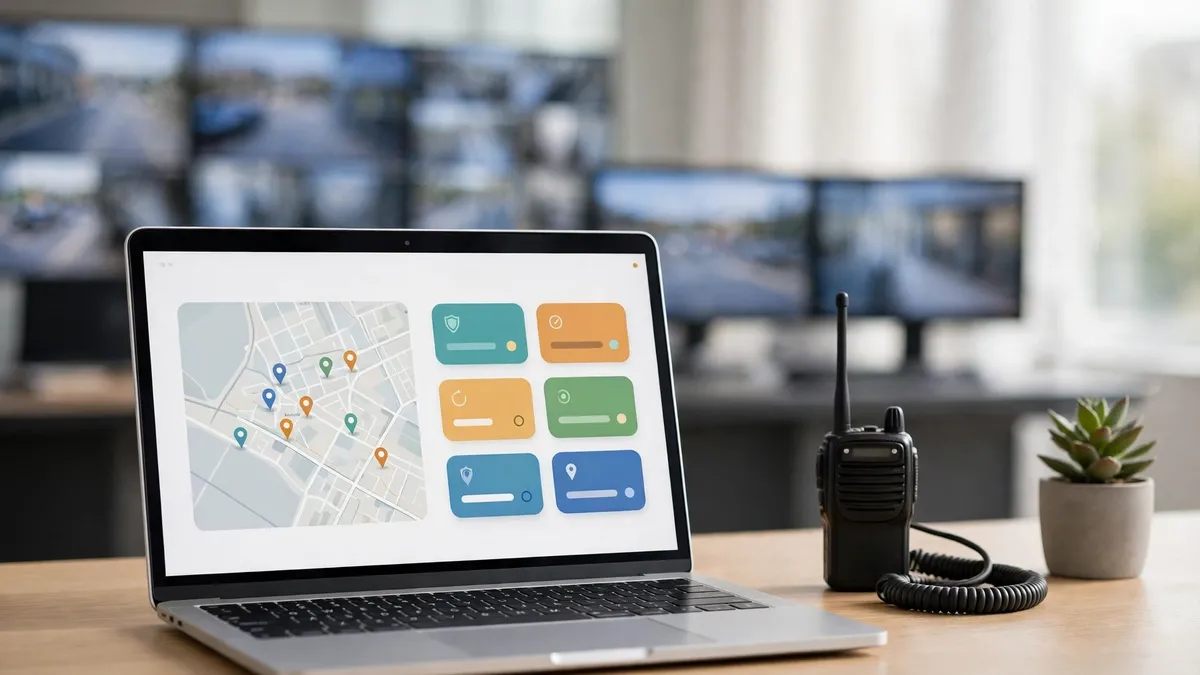
Dispatch tools show every crew on a live map, so managers can send the nearest team to an urgent job and watch the day unfold in real time. Estimates and invoices are professional and detailed, and the system tracks the profitability of each job, crew, and customer. Marketing automation follows up with past customers, requests reviews, and runs campaigns, while reporting shows exactly where revenue comes from and where time is lost.
That power comes with a premium price and a learning curve. Pricing is quote-based and aimed at larger businesses, so check current pricing, and smaller companies will find the setup and cost hard to justify. But if you run a large cleaning operation with many crews and want one system to run all of it, ServiceTitan is the strongest option available.
Pros: Deepest feature set of any tool here; live dispatch and crew tracking; strong reporting and marketing; built for scale.
Cons: Premium quote-based pricing; steep learning curve; far more than a small business needs.
How to choose
Start with the type of cleaning you actually do. A residential maid service needs recurring scheduling, cleaner payroll, and a simple booking flow, which points to ZenMaid, MaidCentral, or Housecall Pro. A commercial cleaning company needs location-based scheduling and cleaner check-ins, which points to Swept. A business that gets most of its work from its website should look at Launch27 or BookingKoala, while a large multi-crew operation should look at ServiceTitan. Jobber is the safe default when you do a bit of everything.
Next, count what the software will cost at your real size, not at the advertised starting price. Most tools charge by user, cleaner, or location, so a price that looks low for a solo operator can double when you add a team. Check whether the plan you need includes the features you will actually use, such as online payments, automated reminders, or reporting, and check current pricing on the plan that includes them. A free trial is worth more than a sales call: run a full week of real jobs through it and see whether your cleaners and customers find it easy.
Also think about how the tool compares with software built for neighbouring trades. The scheduling and dispatch problems in cleaning are close to those in other field services, and reading a guide to landscaping business software shows how the same features are packaged and priced for outdoor crews, which can sharpen your sense of what is a fair price and what is an add-on you can skip. The best tool is the one your team will actually use every day, not the one with the longest list of features.
Checklist: before you pay
- Run a free trial with a full week of real jobs, including a cancellation and a reschedule.
- Check the price at your real team size, including every user, cleaner, and location.
- Confirm the plan you need includes online payments, reminders, and the reports you will use.
- Test the cleaner mobile app on a real phone, not just the desktop demo.
- Ask how you export your customer list and job history if you ever leave.
- Check support hours and response times, and whether onboarding help is included.
Frequently asked questions
What is the best cleaning business software for a small company?
Jobber is the best overall choice for most small cleaning companies because it covers quoting, scheduling, invoicing, and payments in one system. Housecall Pro is a strong alternative if you want faster setup and stronger customer messaging, and ZenMaid is the best pick if you run a residential maid service and want a tool built for that work.
How much does cleaning business software cost?
Most tools start between about $39 and $79 per month for a small team, while larger platforms such as MaidCentral and ServiceTitan cost more and are often quote-based. The final price depends on the number of users, cleaners, or locations, so check current pricing on the plan that includes the features you need.
Is there free cleaning business software?
None of the leading tools on this list offers a genuinely free plan for a working business. Most offer a free trial of one to two weeks, which is the best way to test the software with real jobs before paying.
Do I need different software for commercial cleaning?
Yes, in most cases. Commercial cleaning needs location-based scheduling, cleaner check-ins, and shift cover, which is what Swept is built for. Residential tools can handle a few commercial jobs, but a company that cleans offices, schools, or shops every night will outgrow them fast.
Can cleaning software handle recurring bookings?
Yes. Every tool on this list supports recurring jobs, and it is a core feature for cleaning businesses that rely on weekly or fortnightly visits. ZenMaid and MaidCentral are particularly strong here, because they are built around the repeating schedules that maid services run.
What should a cleaning franchise use?
A franchise needs consistent processes across locations, central reporting, and a way to manage many teams at once. ServiceTitan suits large franchise operations, while MaidCentral fits maid service franchises. Owners comparing options should also look at dedicated franchise management software, which covers the multi-location controls that a cleaning-only tool does not.
The bottom line
For most cleaning businesses, Jobber is the best place to start: it handles the full job cycle, works for residential and commercial work, and grows with your team. Choose Housecall Pro if you want the fastest setup for a small residential team, ZenMaid if you run a maid service, Swept if you clean commercial buildings, and Launch27 or BookingKoala if your website is your main source of bookings. MaidCentral and ServiceTitan are the picks for larger operations that need payroll, quality control, or live dispatch at scale.
Whichever tool you shortlist, trial it with real jobs before you pay. Put a full week of cleans through it, let your cleaners use the mobile app, and check the price at your real team size. The software that wins is the one your team uses without thinking about it, and the one that still fits when your business is twice the size it is today.