Animation files are heavy, numerous, and hard to replace. A single short film can mean hundreds of layered project files, reference boards, texture packs, and rendered frames. The best cloud storage for animators in 2027 handles that reality: fast uploads for multi-gigabyte scenes, version history that rescues a broken rig, and links that let a director review a cut without a 4 GB download.
What matters most is not the headline storage number. Animators need reliable sync for files that change constantly, generous file-size limits for renders, and a service that does not choke on thousands of small assets. Encryption and clear pricing matter too, because unreleased work should not sit on a service with vague security or surprise renewal jumps.
We compared eight services on free storage, prices, file-size limits, version history, and fit for 2D and 3D workflows. Google Drive leads for collaboration, pCloud for lifetime plans, and MEGA for free encrypted space.
Key takeaways
- Google Drive is the best overall pick, with 15 GB free, strong collaboration, and fast sync.
- MEGA gives the most free space at 20 GB, with end-to-end encryption included.
- pCloud is the best lifetime deal, with a one-time payment that ends monthly bills.
- Sync.com is the best choice for private client work, with zero-knowledge encryption on every plan.
- Watch file-size and version-history limits before you pay; the cheapest plan often caps uploads first.
At a glance: the shortlist
| Service | Best for | Starting price | Standout limit |
|---|---|---|---|
| Google Drive | Collaboration | Free 15 GB; 100 GB from about $1.99 a month | 5 TB max file size (paid) |
| Dropbox | Client review | Free 2 GB; 2 TB from about $9.99 a month | 2 TB transfer (Plus) |
| pCloud | Lifetime plans | Free 10 GB; 500 GB from about $4.99 a month | No file-size limit (paid) |
| Sync.com | Privacy | Free 5 GB; 2 TB from about $8 a month | Zero-knowledge encryption |
| MEGA | Free storage | Free 20 GB; 2 TB from about $9.99 a month | 16 TB transfer (Pro II) |
| Box | Studios | Free 10 GB; 100 GB from about $10 a month | 5 GB file cap (free) |
| iCloud Drive | Apple users | Free 5 GB; 50 GB from about $0.99 a month | Only 5 GB free |
| OneDrive | Windows users | Free 5 GB; 100 GB from about $1.99 a month | 250 GB max file size |
Google Drive — Best overall
Google Drive is the most practical home for an animation pipeline: fast, familiar, and built for shared folders. A 15 GB free tier covers early portfolio work, and 100 GB costs about $1.99 a month, the cheapest useful upgrade on this list. Paid plans allow single files up to 5 TB, so a finished 4K render uploads in one piece. Sync is quick on folders with thousands of small assets, and the desktop app keeps a local mirror so work continues offline.
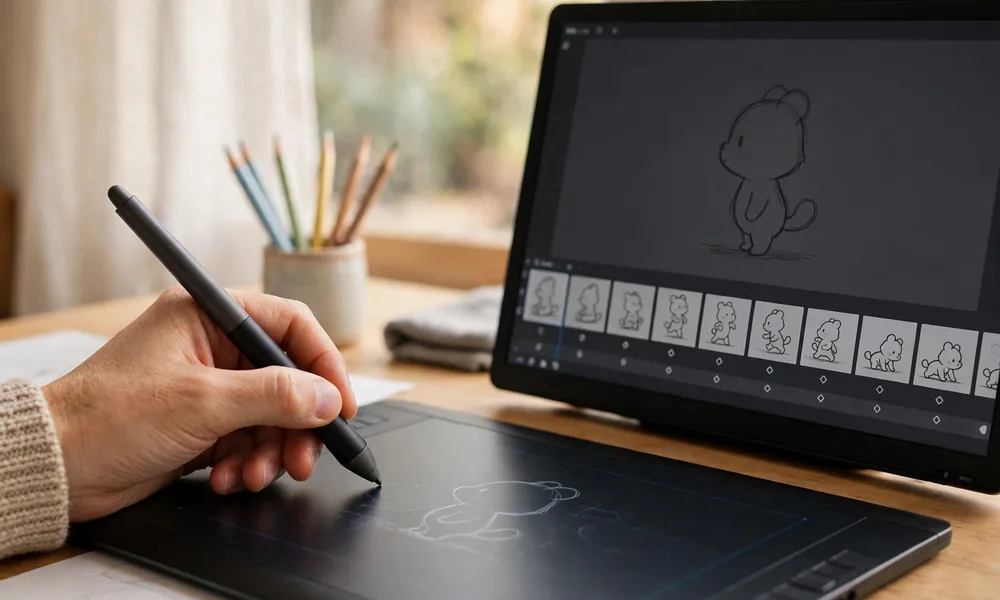
Collaboration is where Drive pulls ahead: a director can comment on a storyboard frame while a rigger drops a new character file into the same folder. The trade-off is privacy, since Google holds the encryption keys. Animators who also shoot stills face the same pressures covered in our guide to cloud storage for photographers.
Pros: generous 15 GB free tier; 5 TB file limit on paid plans; excellent shared-folder collaboration. Cons: no end-to-end encryption; storage is shared with Gmail and Photos.
Dropbox — Best for client review and delivery
Dropbox remains the smoothest way to hand finished work to a client. The 2 GB free tier is small, but Plus at about $9.99 a month brings 2 TB, smart sync that keeps huge folders off a full laptop drive, and 180 days of version history. Transfer links let a client preview video in the browser, with password protection and expiry dates for unreleased work.
Uploads resume cleanly after a dropped connection, and the client runs lightly beside a render queue. The downside is value: 2 TB costs more here than at several rivals, and the free tier barely covers a single test scene.
Pros: polished client sharing and previews; reliable resumed uploads; 180-day history on Plus. Cons: only 2 GB free; 2 TB costs more than rivals.
pCloud — Best for lifetime archives
pCloud is the only service here that lets an animator pay once and stop paying. The free tier gives 10 GB, 500 GB starts at about $4.99 a month, and lifetime plans cost roughly $199 for 500 GB or $399 for 2 TB, with prices changing during sales. Paid plans have no single-file size limit, which matters when one EXR sequence runs past 10 GB.
Archives are pCloud’s strength: finished shorts and texture libraries sit in a lifetime vault with no renewal invoice. Versioning keeps older copies for 30 days, and the built-in player previews video without downloading it. The optional Crypto folder costs extra, so the base plan is not fully zero-knowledge.
Pros: lifetime plans end monthly bills; no file-size limit on paid plans; built-in video preview. Cons: encryption costs extra; free tier caps single uploads.
Sync.com — Best for private client work
Sync.com is built for work that must stay confidential. Every plan, including the 5 GB free tier, uses zero-knowledge encryption, so only the animator holds the keys. The 2 TB Solo plan starts at about $8 a month and includes unlimited transfer, 365 days of file history, and sharing controls that let a client view one folder and nothing else.
Encryption adds slight overhead on very large uploads, but little on normal broadband. At 5 GB, the free tier works best as a secure vault for active client scenes rather than a full archive.
Pros: zero-knowledge encryption on every plan; 365-day history; strong sharing controls. Cons: only 5 GB free; slower uploads on huge files.
MEGA — Best free encrypted storage
MEGA gives animators the most free space with the strongest default privacy: 20 GB free, end-to-end encryption on everything, and no credit card to start. The 2 TB Pro plan starts at about $9.99 a month and adds a large monthly transfer quota, which matters when a team downloads the same renders repeatedly.
The catch is the transfer quota: heavy sharing can hit the monthly bandwidth cap mid-project, and version history is shorter than Dropbox or Sync.com. Even so, for a student or indie animator who needs space and encryption without paying, MEGA is the clearest start.
Pros: 20 GB free with full encryption; generous 2 TB plan; works on Linux too. Cons: transfer quotas can throttle heavy sharing; shorter version history.
Box — Best for studios and approvals
Box is designed for teams that need structure: approvals, comments, and a paper trail. The free tier offers 10 GB with a 250 MB single-file cap, while Personal Pro at about $10 a month raises storage to 100 GB and the file cap to 5 GB. Business plans add unlimited storage, workflow automation, and admin controls.
For a solo animator, Box is overkill: one rendered shot can pass the 250 MB free cap easily. For a small studio, the approval workflows earn their keep, moving a shot from draft to approved without a chain of emails.
Pros: approval workflows and audit trails; strong admin controls; 10 GB free. Cons: 250 MB file cap on the free plan; pricey per gigabyte.
iCloud Drive — Best for Apple-based animators
iCloud Drive fits animators who already live in the Apple ecosystem. The free tier is only 5 GB, but 50 GB costs about $0.99 a month and 2 TB is bundled with Apple One. Files sync instantly between a Mac, an iPad for sketching, and an iPhone for reference photos, and shared folders support collaborative storyboards.
The limits are clear: Windows support is weaker, Linux support is effectively absent, and version history is shallow. iCloud suits documents and photos rather than multi-gigabyte media pipelines, so cross-platform studios should treat it as a secondary drive.
Pros: seamless sync across Mac, iPad, and iPhone; very cheap 50 GB tier. Cons: only 5 GB free; weak Windows and Linux support; shallow version history.
OneDrive — Best for Windows and Office workflows
OneDrive is the natural pick for animators on Windows, especially those who already pay for Microsoft 365. The free tier gives 5 GB, the standalone 100 GB plan costs about $1.99 a month, and Microsoft 365 Personal at about $6.99 a month includes 1 TB plus the Office apps. Files up to 250 GB can be uploaded, and Personal Vault adds an encrypted folder for sensitive client work.
Sync is solid on Windows and good on macOS, with Files On-Demand keeping folders visible. The free tier is small, and the service is best paired with a Microsoft 365 subscription.
Pros: 1 TB bundled with Microsoft 365; 250 GB file limit; Personal Vault. Cons: only 5 GB free; best value needs Microsoft 365.
How to choose
Start with your largest single file. If renders pass 5 GB, rule out free plans with a small upload cap and pick a service with a high or unlimited file limit, such as Google Drive or pCloud. Next, count the versions you need: 30 days suits quick work, but a series needs a year-long history.
Then match the service to your collaborators. Browser-based review needs strong sharing and previews, where Dropbox and Drive lead, while unreleased client work calls for the zero-knowledge encryption of Sync.com or MEGA. Animators who also deliver finished video face the same trade-offs as editors, covered in our guide to cloud storage for videographers. Finally, check the renewal price and confirm the transfer quota covers the month your whole team downloads the final master.
Checklist: before you pay
- Upload your largest render and confirm the plan’s file limit covers it.
- Check version history covers your longest production schedule.
- Test a shared link to confirm clients can preview without an account.
- Read the renewal price and cancellation terms before the first payment.
- Confirm the desktop app supports selective sync for big folders.
- Export one project folder and re-import it to prove you can leave with your files.
Frequently asked questions
How much cloud storage does an animator actually need?
Most solo animators need 500 GB to 2 TB. One short film can pass 200 GB, and a series quickly needs 2 TB or more.
Is Google Drive good for animation files?
Yes, for most animation work. The 5 TB file limit covers large renders, shared folders make review simple, and sync handles thousands of small assets. It is less suited to confidential client work, since Google holds the keys.
Which cloud storage is best for large video renders?
pCloud and Google Drive lead, with very large or unlimited files on paid plans. Dropbox Plus is strong thanks to resumed uploads, while Box and iCloud Drive are weaker for large renders on cheaper plans.
Do animators need end-to-end encryption?
Not always, but it matters for unreleased characters and client masters under non-disclosure agreements. Sync.com and MEGA include it by default; the others encrypt files without giving you sole control of the keys.
Can I use free cloud storage for animation projects?
Yes, for learning and small projects: MEGA’s 20 GB free tier is the most useful, and Google Drive’s 15 GB covers a portfolio piece.
What should I look for in a lifetime cloud storage plan?
Check the file-size limit, version history, and encryption cost, then compare the one-time price with three years of a monthly plan. Our animation tools pricing comparison applies the same thinking to animation software.
The bottom line
Google Drive is the best cloud storage for most animators in 2027, combining a useful free tier, a 5 TB file limit on paid plans, and the smoothest shared-folder review workflow. Confidential client work calls for Sync.com’s zero-knowledge encryption, and a permanent archive suits pCloud’s lifetime plans.
Start free with MEGA or Google Drive, test your real project files against the limits that matter, and upgrade only when a paying project justifies it. Prices change often, so check current pricing before buying.